
MindMap AI: AI mind map maker EN
MindMap AI · EEdge MV3
MindMap AI: Turn ideas into structured mind maps with AI Copilot.
<all_urls>),意味着它可以读取你在任意站点的页面内容,包括已登录的页面。这是许多扩展正常工作的必要条件,但也值得你确认来源可信。
截图


简介
🔍 Summarize Anything into a Mind Map with MindMap AI
Instantly Turn Any Content into AI-Generated Mind Maps 🧠✨
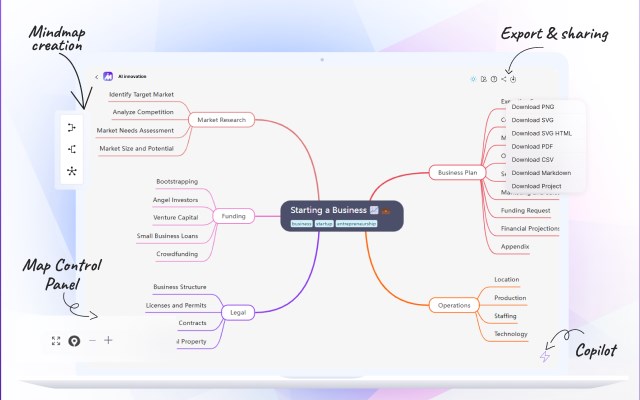
MindMap AI lets you convert webpages, Gmail/Outlook emails, selected text into interactive mind maps — all powered by cutting-edge AI.
Whether you’re learning, planning, or summarizing, MindMap AI helps you visualize information, retain key points faster, and stay organized. It’s your personal AI Copilot for structured thinking and productive workflows.
🚀 Powered by advanced technology and intelligent algorithms, MindMap AI transforms your content into structured, visual clarity that enhances understanding and boosts productivity.
✨ Key Features:
📧 Email to Mind Map (Gmail & Outlook) – Summarize long email threads into simple mind maps for better understanding and follow-up.
🌐 Webpage & Text Summarizer – Convert entire pages or selected text into structured mind maps instantly.
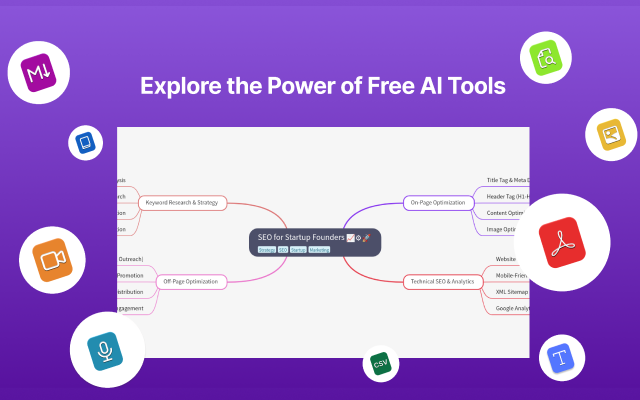
📄 PDF, CSV & File Uploads (Web Only) – After generating a mind map with the extension, head to the MindMap AI website to upload documents and create detailed visual summaries.
🎥 Video to Mind Map (Web Only) – Continue your workflow on the website to extract insights from lectures, webinars, and tutorials into structured mind maps.
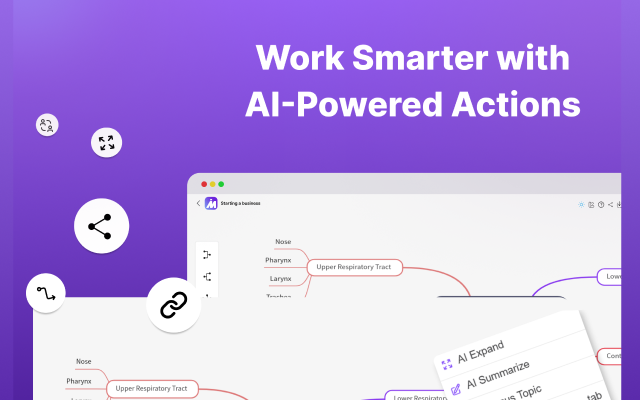
🤖 AI Summarise, Expand, Focus (Web Only) – Access advanced AI features like summarising, expanding, and refocusing content by refining your mind map directly on the MindMap AI platform.
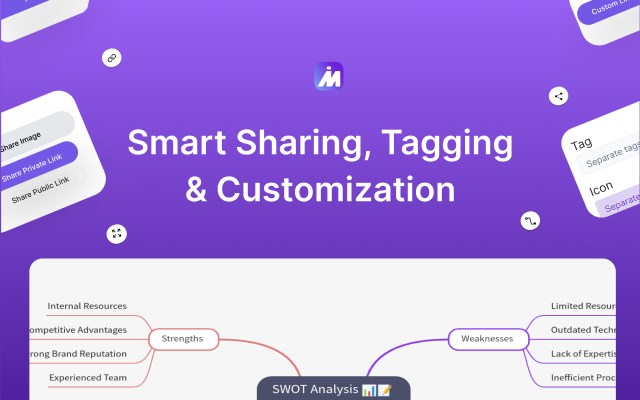
✍️ Manual Editing (Web Only) – Edit, rearrange, and customize your mind map freely on the website to suit your thinking style and goals.
💳 Subscription Plans:
1. Free Plan: Create mind maps with 100 free credits.
2. Premium Plan: Get more credits based on the plan.
3. Credits Deduction: Credits are deducted based on usage when generating mind maps. Purchase and manage your plan on our website.
🔧 How to Use:
1. Add MindMap AI to Edge and pin it to your toolbar. 📌
2. Open any webpage or email you want to summarize.
3. Click the extension icon to open the popup and generate a mind map.
4. Or right-click selected text and choose “Generate Mind Map with MindMap AI” from the context menu.
Start Using the Best AI Mind Map Generator Today! 🧠⚡
Transform emails, websites, documents, and videos into clear, interactive mind maps. Add MindMap AI to Edge now and visualize your thinking like never before!
📬 Need Help?
Questions or feedback? Contact us at: support@mindmapai.app
MindMap AI: AI mind map maker 是做什么的
MindMap AI: AI mind map maker 是一款面向 Edge 的效率工具类扩展,主要用来管住注意力、屏蔽干扰站点、记录时间。官方对它的介绍是:MindMap AI: Turn ideas into structured mind maps with AI Copilot.在微软 Edge 加载项商店上,它当前版本 2.2.1,评分 5(1 人评价),约 185 名用户。
适合什么人用
从功能定位看,MindMap AI: AI mind map maker 更适合想专注工作学习、减少无效刷网页的用户。如果你平时只是偶尔遇到相关需求,用浏览器自带功能也能凑合;但如果这件事每天都发生,装一个专门处理它的扩展通常比手动操作省事得多。需要注意的是它作用于所有网站,装上后建议先观察一两天,确认不影响常用站点的正常使用。
怎么安装 MindMap AI: AI mind map maker
- 打开微软 Edge 加载项商店上的官方页面;
- 点「添加到浏览器」并确认权限提示;
- 装好后在扩展列表里固定图标,方便随时开关。
本站只做索引与介绍,安装包来自官方商店。如果商店页面提示当前地区不可用,说明该扩展未在你所在区域上架。
常见问题
MindMap AI: AI mind map maker 是免费的吗?
MindMap AI: AI mind map maker 在微软 Edge 加载项商店免费提供下载。它是浏览器扩展,装上就能直接用,不需要注册账号。
MindMap AI: AI mind map maker 安全吗?
它只申请了 0 项权限,范围比较克制,没有申请「读取所有网站数据」这种大权限。
MindMap AI: AI mind map maker 支持哪些浏览器?
当前收录的版本来自微软 Edge 加载项商店,适用于 Edge。同一个扩展在其他商店可能有对应版本,但功能与版本号不一定相同。
怎么卸载 MindMap AI: AI mind map maker?
在扩展管理页找到 MindMap AI: AI mind map maker,点移除即可。它在本地保存的设置会一起清掉,不会残留数据。
权限清单 来自 manifest.json 原文
站点访问(可选) 1
<all_urls>
接口权限 5
activeTabcontextMenusscriptingstoragetabs