
MConverter - File Converter: AVIF, JXL, WebP EN
MConverter.eu · EEdge MV3
Save AVIF, WebP as JPG or PNG. Convert images, video, audio from webpages. Create animated GIF from video. Compress PDF files.
截图
简介
Extension features:
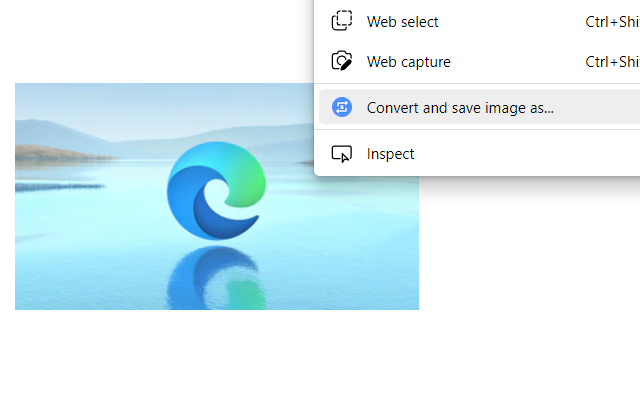
➡Right-click on most images, videos, and audio players to extract their displayed files and convert them. For example, you can right-click on WebP images and save as JPG by quickly converting them.*
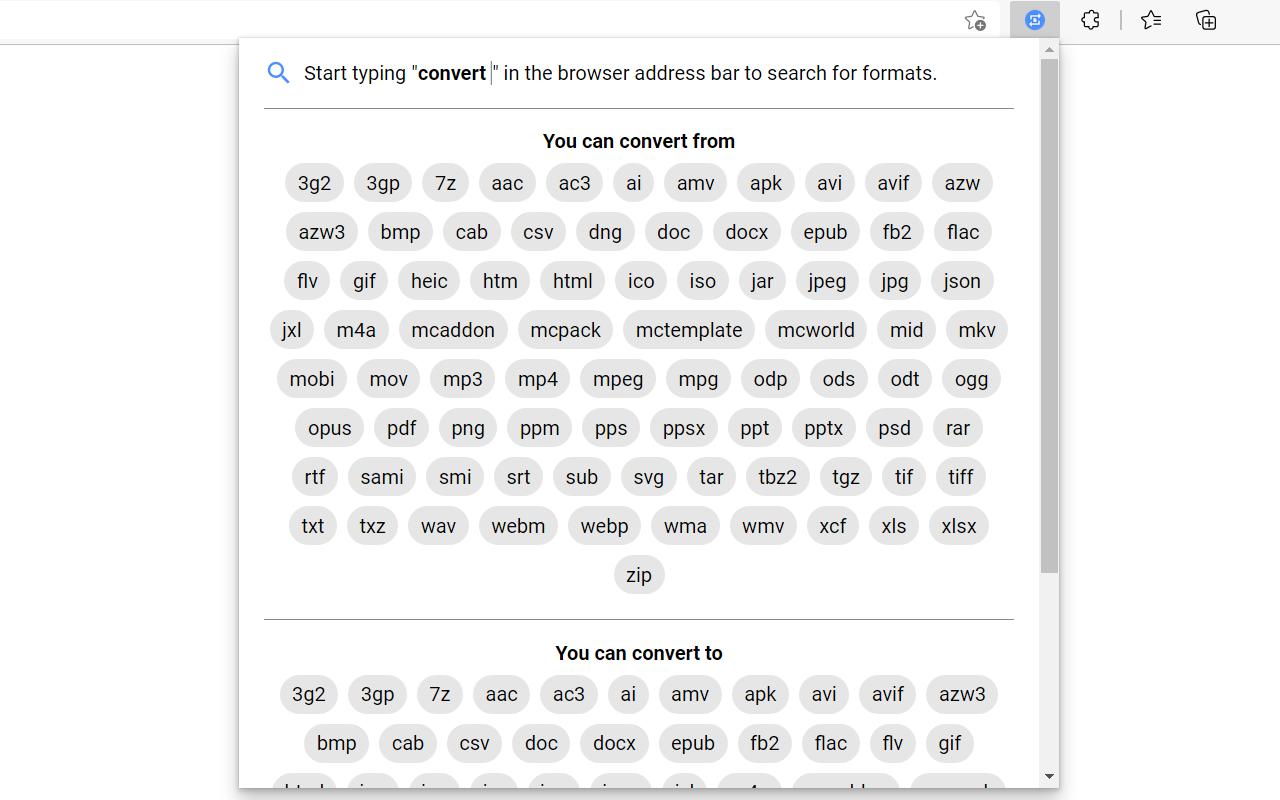
➡Click the toolbar icon to see all "from" and "to" formats
➡Start typing "Convert ..." or "Convert to ..." in the address bar and you will see a list of file formats as suggestions. Click or hit Enter on any of them to quickly convert that type of files.
MConverter web app features:
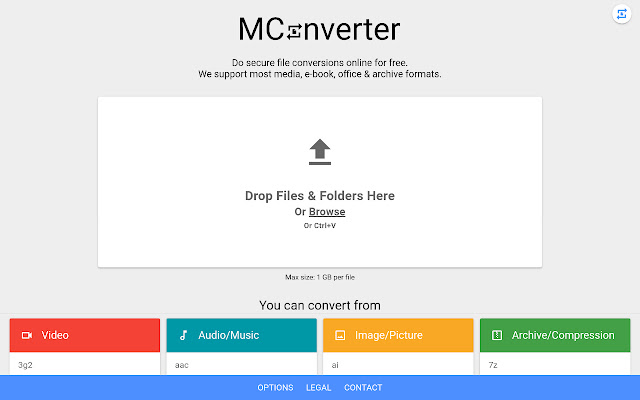
✓ Convert in bulk files between most video, audio, image, e-book, office & archive formats
✓ Batch convert large files up to 10 GB**
✓ Drag and drop folders, in addition to files
✓ Use Ctrl+V to paste files from the clipboard, folders too
✓ Select files from Google Drive, Microsoft OneDrive, and Dropbox
✓ Directly choose files to convert from other apps - integrates with the Windows Share menu, if installed as a PWA
✓ Save converted files to any custom folder - use the SAVE TO... button
✓ Easy to use
✓ Small app size - as MConverter is an optimized web app (PWA)
✓ All popular file formats are supported
✓ New formats are also available: AVIF, JPEG XL and WebP images
✓ Compress PDF files in bulk so that they take up less storage. Pick between basic, strong, and extreme compression: up to 90% reduction in size, depending on your file
✓ Free up space by converting images to more efficient formats like WebP, AVIF, JPEG XL (JXL)
✓ Open 7ZIP, RAR archives more easily by converting them to ZIP
✓ Convert Office files, no matter if they were created with Microsoft or LibreOffice
✓ PDF support: convert images to PDF (JPEG to PDF, PNG to PDF), but also export Word documents, Excel spreadsheets, and PowerPoint presentations to PDF
✓ Export PDF to editable Word document: if the original PDF file had text data, then you will be able to edit the converted DOC or DOCX file
✓ Export PDF to image: PDF to JPG, PDF to TIFF, and more
✓ Can convert TSV and CSV to XLSX (Excel spreadsheet)
✓ Extract music from video by converting MP4 to MP3, AVI to MP3, FLV to MP3 etc.
✓ High quality audio formats supported: FLAC, WAV and WMA; To free up space, convert to MP3 or AAC
✓ Create GIF animations from videos: up to 1 minute long GIFs
✓ Optimize GIF animations to have a smaller file size: convert GIF to MP4 video
✓ In addition to static images, MConverter also supports making animated WebP files, as well as converting WebP animations to a video format or GIF
✓ Open iPhone photos: convert HEIC to JPG, HEIC to PNG, HEIC to WebP and more
✓ Extract image frames from videos: MP4 to JPG, MP4 to PNG, AVI to PNG etc.
✓ Convert to more compatible formats: WebP to PNG, WebP to JPEG, WebM to MP4, DOCX to DOC and others
✓ Convert Minecraft game files: mcaddon, mcpack, mcworld, and mctemplate
✓ Subtitles (closed captions) converter: SRT, SMI (SAMI), SUB (MicroDVD), VTT (WebVTT)
✓ .tini to zip file converter: convert ChromeOS Crostini Linux container backups to other archive formats
✓ View .drawio diagrams: convert .drawio to PDF, PNG images
✓ Comic book converter: CBR, CBZ to PDF
✓ Raw image formats from professional cameras: convert ARW/DNG/CR3 to JPEG, PSD and more
✓ Convert Jupyter Notebooks (IPYNB)
✓ Recognize and open unknown file types: If you have a file with a missing or corrupted filename extension, MConverter will analyze the file, try to guess its real format and offer to convert it to other formats you can already use on your device. Ideal for files which trigger the "How do you want to open this file? Look for an app in the Microsoft Store." popup dialog on Windows.
✓ Supported formats:
3g2, 3gp, 7z, aac, ac3, ai, aif, aiff, amv, apk, arw, avi, avif, azw, azw3, bmp, bz2, cab, cbr, cbz, cr2, cr3, cso, csv, deskthemepack, dng, doc, docx, drawio, eps, epub, fb2, flac, flv, gif, gz, heic, htm, html, ico, ipynb, iso, jar, jpeg, jpg, json, jxl (jpeg xl), m4a, mcaddon, mcpack, mctemplate, mcworld, md (markdown), mid, mkv, mobi, mov, mp3, mp4, mpeg, mpg, mpo, mxf, nef, odp, ods, odt, ogg, opus, pdf, pdf/a, png, ppm, pps, ppsx, ppt, pptx, psd, raf, rar, rtf, rw2, sami, smi, srt, sub, svg, tar, tbz2, tgz, themepack, tif, tiff, tini, tsv (tab), txt, txz, vob, vtt, wav, webm, webp, wma, wmv, xcf, xls, xlsx, xz, zip
* The MConverter extension cannot download videos from YouTube, because it is against the Terms of Use of YouTube. We cannot do anything about this.
** MConverter Plus, Pro & Max can convert files over 100 MB and in batches of up to 1000 files at once. The paid plans of the file converter remove all ads, have no daily conversion limit, and allow you to keep the original file names.
MConverter is sometimes misspelled by people as MConvertor or file convertor.
MConverter - File Converter: AVIF, JXL, WebP 是做什么的
MConverter - File Converter: AVIF, JXL, WebP 是一款面向 Edge 的效率工具类扩展,主要用来管住注意力、屏蔽干扰站点、记录时间。官方对它的介绍是:Save AVIF, WebP as JPG or PNG. Convert images, video, audio from webpages. Create animated GIF from video. Compress PDF files.在微软 Edge 加载项商店上,它当前版本 1.0.6,评分 5(6 人评价),约 9,155 名用户。
适合什么人用
从功能定位看,MConverter - File Converter: AVIF, JXL, WebP 更适合想专注工作学习、减少无效刷网页的用户。如果你平时只是偶尔遇到相关需求,用浏览器自带功能也能凑合;但如果这件事每天都发生,装一个专门处理它的扩展通常比手动操作省事得多。
怎么安装 MConverter - File Converter: AVIF, JXL, WebP
- 打开微软 Edge 加载项商店上的官方页面;
- 点「添加到浏览器」并确认权限提示;
- 装好后在扩展列表里固定图标,方便随时开关。
本站只做索引与介绍,安装包来自官方商店。如果商店页面提示当前地区不可用,说明该扩展未在你所在区域上架。
常见问题
MConverter - File Converter: AVIF, JXL, WebP 是免费的吗?
MConverter - File Converter: AVIF, JXL, WebP 在微软 Edge 加载项商店免费提供下载。它是浏览器扩展,装上就能直接用,不需要注册账号。
MConverter - File Converter: AVIF, JXL, WebP 安全吗?
它只申请了 0 项权限,范围比较克制,没有申请「读取所有网站数据」这种大权限。
MConverter - File Converter: AVIF, JXL, WebP 支持哪些浏览器?
当前收录的版本来自微软 Edge 加载项商店,适用于 Edge。同一个扩展在其他商店可能有对应版本,但功能与版本号不一定相同。
怎么卸载 MConverter - File Converter: AVIF, JXL, WebP?
在扩展管理页找到 MConverter - File Converter: AVIF, JXL, WebP,点移除即可。它在本地保存的设置会一起清掉,不会残留数据。
权限清单 来自 manifest.json 原文
接口权限 4
activeTabcontextMenusoffscreenscripting