
MarkView: Modern Markdown Viewer EN
https://getmarkview.com/ · EEdge MV3
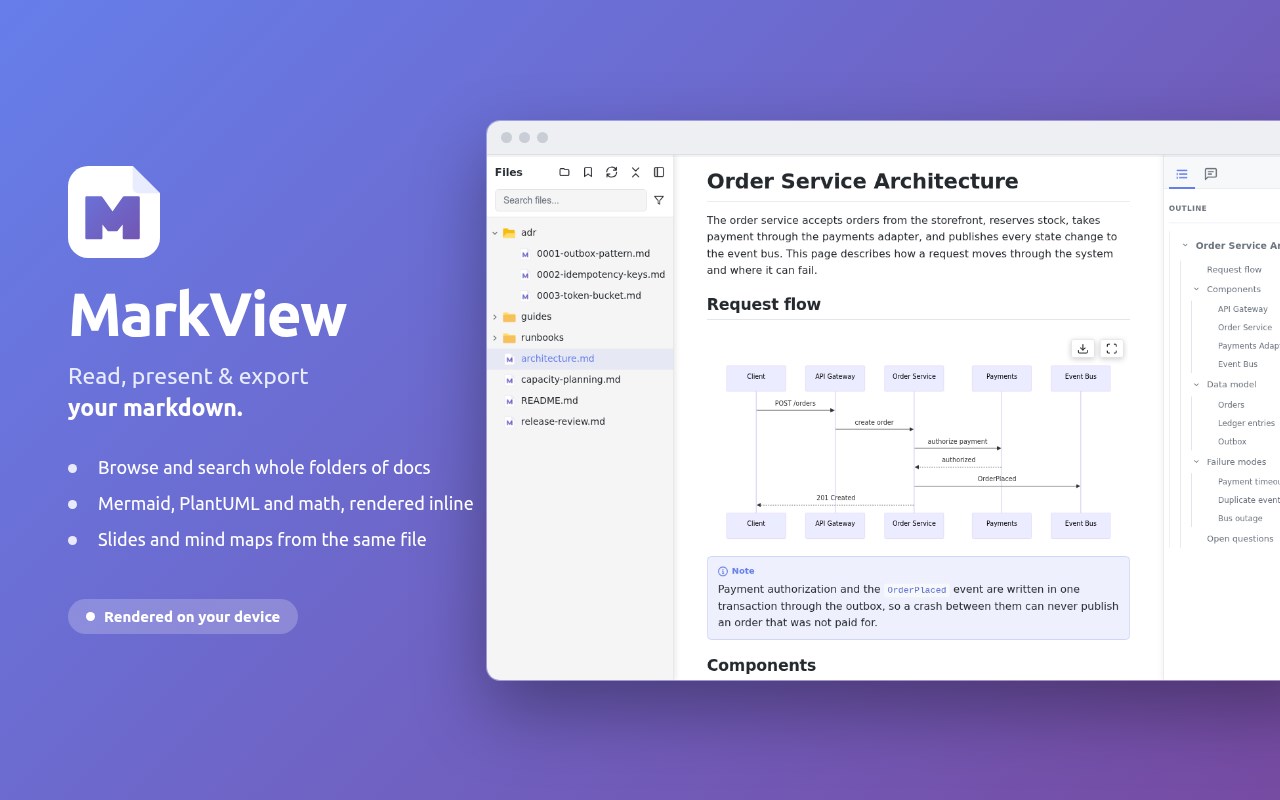
Read, present & export markdown - Mermaid/PlantUML/Graphviz diagrams, folder browser, RTL, mind map, math & Word/HTML/PDF export.
<all_urls>),意味着它可以读取你在任意站点的页面内容,包括已登录的页面。这是许多扩展正常工作的必要条件,但也值得你确认来源可信。
截图
简介
MarkView is a fast markdown viewer that opens .md files right in your browser and processes everything on your device - Mermaid, PlantUML, Graphviz and WaveDrom diagrams, KaTeX math, syntax highlighting, smart TOC, and export to Word, HTML, and PDF. Works with local files, GitHub repos, GitLab wikis, and documentation sites. No accounts, no data collection.
⚡ PRODUCTIVITY & UNIQUE FEATURES
- Export to DOCX and HTML with formatting preserved
- Print to PDF - clean, optimized layout without UI edge, via browser print
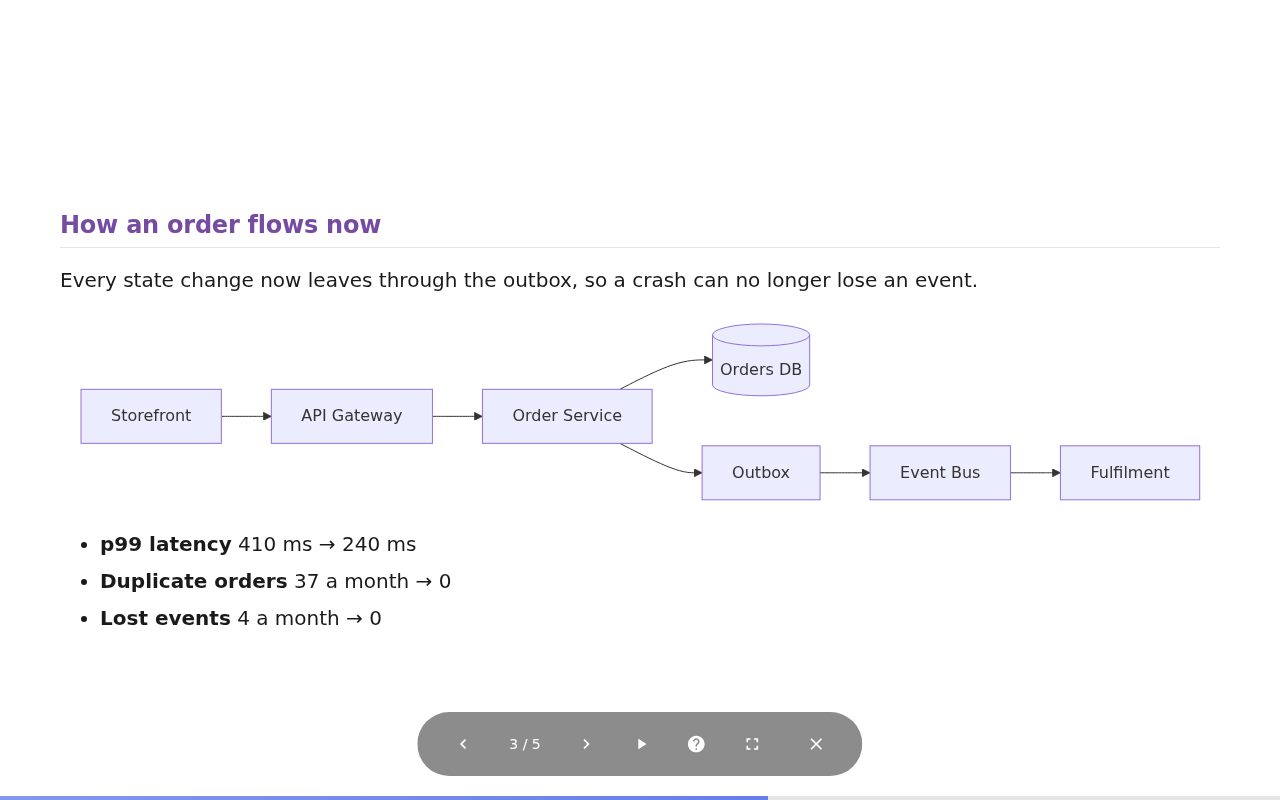
- Presentation Mode - turn any markdown document into slides, with themes, speaker notes, touch navigation, and auto-play
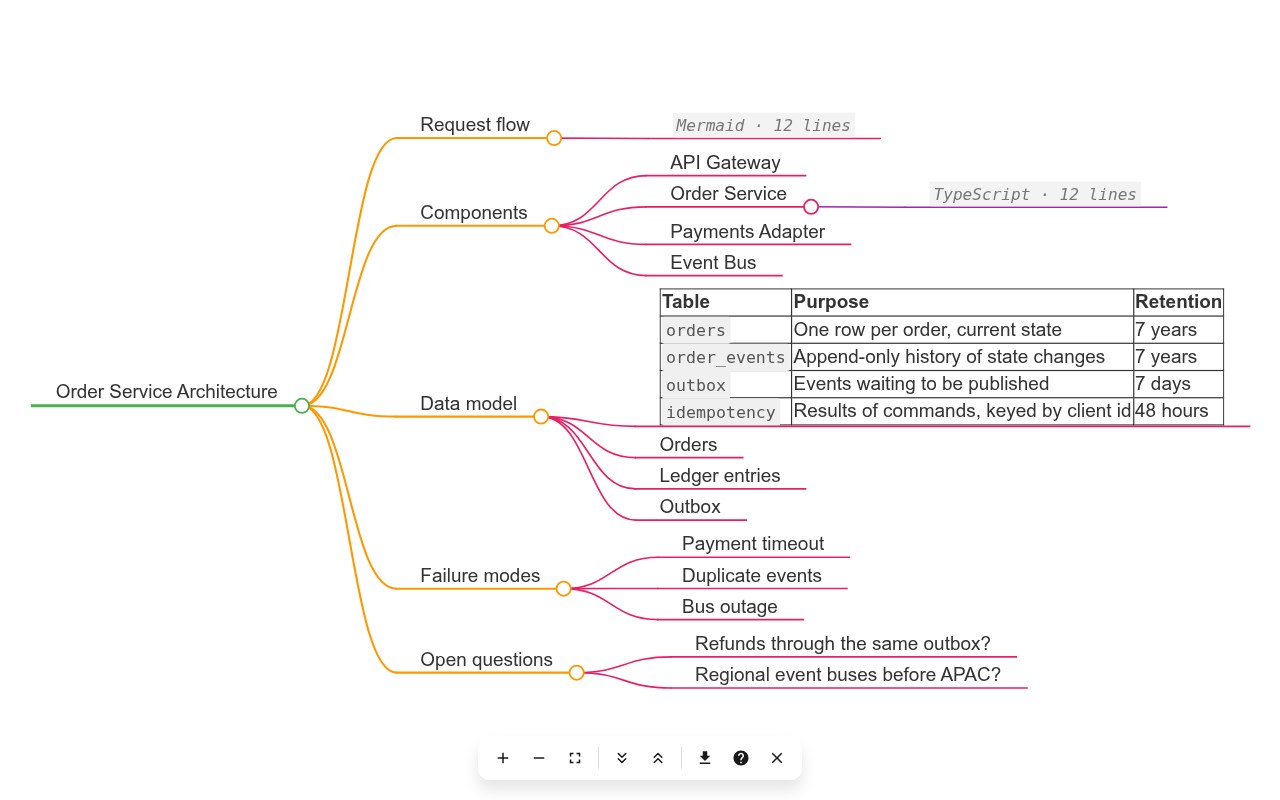
- Mind Map view - see your document's structure as an interactive mind map; download as SVG, PNG, or JPEG
- Annotations - highlight, underline, and comment on your documents; notes persist across sessions and appear in print and exports
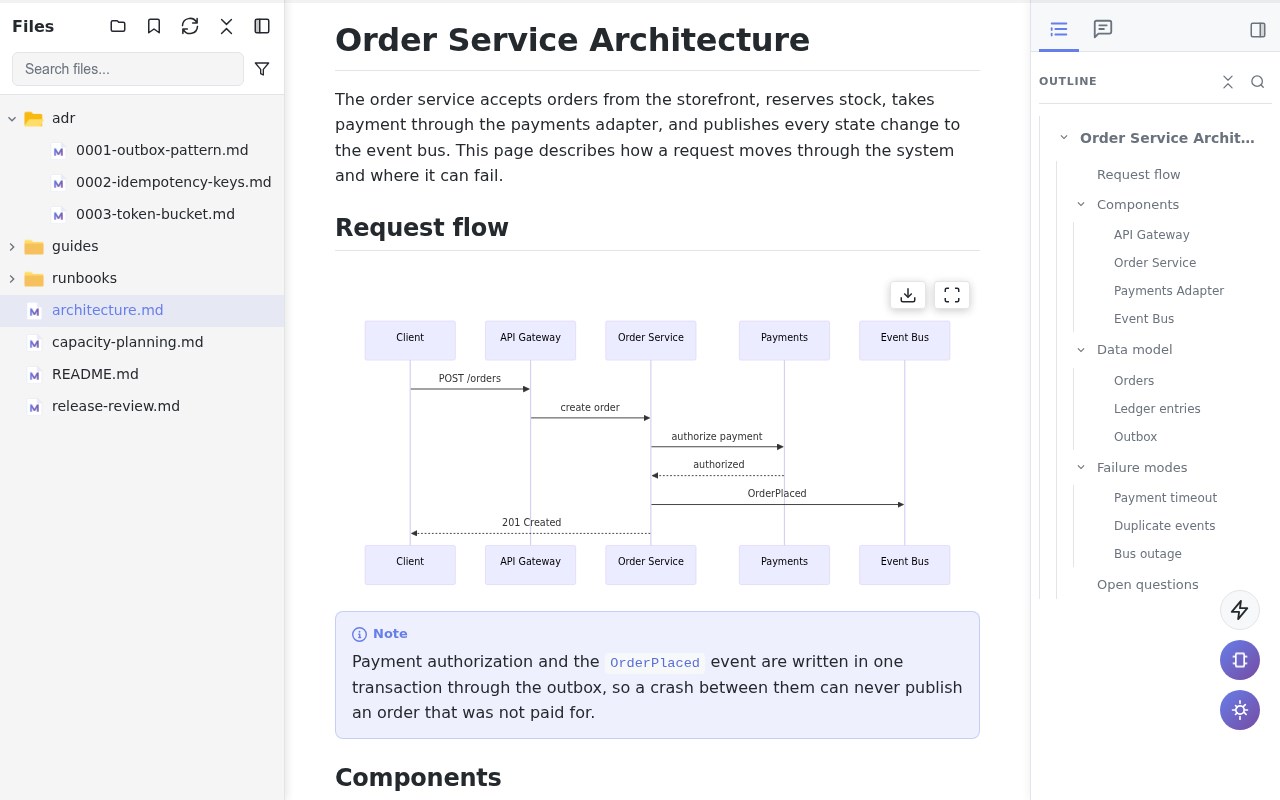
- Folder Browser - navigate your entire project structure without leaving the tab
- Folder Bookmarks - save and instantly access frequently used directories
- Search in Folder - full-text search across every markdown file in the open folder
- Live auto-refresh when files change - perfect for external editor + live preview workflows
- Recent Documents tracking - quickly reopen recently viewed files from the popup
- Word Count & Reading Time - live statistics as you read: words, characters, estimated time
- Reading Progress Bar - visual indicator showing your position in long documents
- Raw view toggle - instantly switch between rendered and source view
- Table of Contents (TOC) with smooth scrolling for long documents
- Sticky table headers - the header row stays visible while you scroll long tables
- One-click copy button on all code blocks
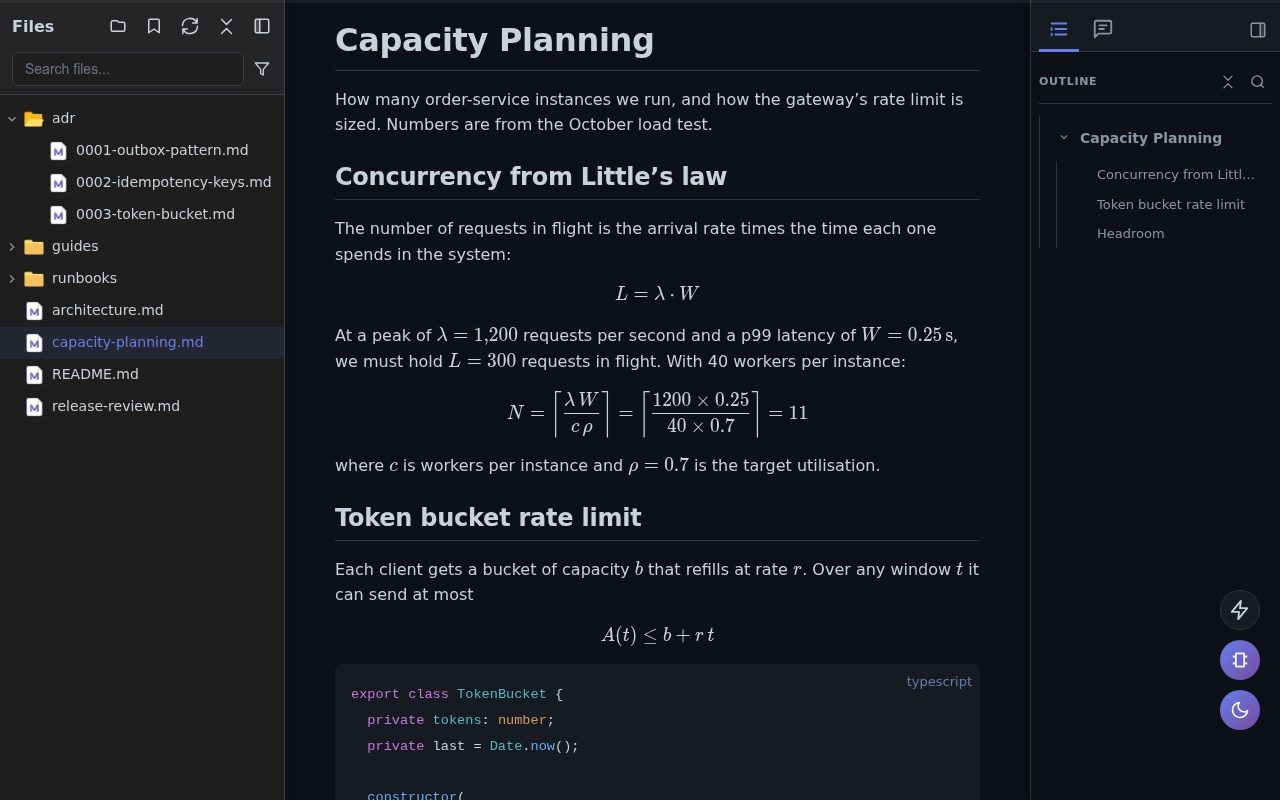
- KaTeX math equations - inline and display mode with full support for complex mathematical notation
- Mermaid, PlantUML, Graphviz & WaveDrom diagrams - flowcharts, UML, graphs and timing diagrams rendered inline, with interactive fullscreen zoom & pan
- Professional image viewer - lightbox with gallery navigation, zoom, pan, and lazy loading
- External link indicators - visual previews and icons for outbound links
- Render .txt as Markdown - perfect for llms.txt, changelogs, notes, and AI-generated content
🌍 LANGUAGES & TEXT DIRECTION
- Interface available in 19 languages
- Full right-to-left (RTL) rendering - documents in RTL scripts display correctly, with automatic per-paragraph direction detection and a manual Text Direction setting
- RTL support carries into print, HTML, Word, and mind map exports
🌐 UNIVERSAL MARKDOWN READER - WORKS EVERYWHERE
Use MarkView as your MD file viewer for:
- Local files (file:///) - enable "Allow access to file URLs" in Edge settings
- GitHub raw files (raw.githubusercontent.com)
- GitLab, Bitbucket, Gitea raw file URLs
- Any URL ending in .md, .markdown, .mkd, .mdx, or another markdown extension, served as plain text
- Plain .txt files rendered as markdown for convenience
⚠️ NOTE: MarkView renders RAW files only. It won't activate on sites that already render markdown (GitHub blob pages, ReadTheDocs, GitBook, etc.) - those have their own rendering.
👥 PERFECT FOR
- Developers previewing README, CHANGELOG, and API documentation
- Technical writers using MarkView alongside their editor for live preview
- Students and researchers reading notes with math equations and diagrams
- Data scientists reviewing Jupyter markdown cells
- AI developers reading llms.txt from repos and documentation sites
- Content creators and writers previewing blog posts, wikis, and documentation drafts
🔒 PRIVATE BY DESIGN
- Zero data collection - no personal information collected, ever
- No analytics, no tracking, no telemetry, no cloud services
- All processing happens locally in your browser
- Your files never leave your device - the one optional network feature (the PlantUML diagram server) is off by default and requires your explicit consent
- Settings stored locally using Edge's storage API
- Built on trusted, widely used open-source rendering libraries
🚀 QUICK START
1. Install MarkView - click "Get"
2. Test instantly: Open any public GitHub repository, click on its README.md, then click the "Raw" button. This loads the raw markdown file.
3. For local files: go to edge://extensions → MarkView → Details → check "Allow access to file URLs"
4. Open any .md file - drag & drop, File → Open, or click a link
📞 SUPPORT
- FAQ: https://getmarkview.com/support
- Email: support@getmarkview.com
- GitHub: https://github.com/markview-app/support
🔗 LINKS
- Website: https://getmarkview.com/
- Privacy Policy: https://getmarkview.com/privacy-policy
- Terms: https://getmarkview.com/terms
🔐 PERMISSIONS
- Storage: Save theme, font, and layout preferences locally
- ActiveTab: Read file content from the current tab for rendering
- Downloads: Export to HTML and DOCX files
- File URLs: Access local .md files (disabled by default)
- Host Permissions: Render files from GitHub, GitLab, and documentation sites
All processing is local. No data is ever sent to external servers.
MarkView: Modern Markdown Viewer 是做什么的
MarkView: Modern Markdown Viewer 是一款面向 Edge 的效率工具类扩展,主要用来管住注意力、屏蔽干扰站点、记录时间。官方对它的介绍是:Read, present & export markdown - Mermaid/PlantUML/Graphviz diagrams, folder browser, RTL, mind map, math & Word/HTML/PDF export.在微软 Edge 加载项商店上,它当前版本 3.1.0,评分 4.9(10 人评价),约 7,489 名用户。
适合什么人用
从功能定位看,MarkView: Modern Markdown Viewer 更适合想专注工作学习、减少无效刷网页的用户。如果你平时只是偶尔遇到相关需求,用浏览器自带功能也能凑合;但如果这件事每天都发生,装一个专门处理它的扩展通常比手动操作省事得多。需要注意的是它作用于所有网站,装上后建议先观察一两天,确认不影响常用站点的正常使用。
怎么安装 MarkView: Modern Markdown Viewer
- 打开微软 Edge 加载项商店上的官方页面;
- 点「添加到浏览器」并确认权限提示;
- 装好后在扩展列表里固定图标,方便随时开关。
本站只做索引与介绍,安装包来自官方商店。如果商店页面提示当前地区不可用,说明该扩展未在你所在区域上架。
常见问题
MarkView: Modern Markdown Viewer 是免费的吗?
MarkView: Modern Markdown Viewer 在微软 Edge 加载项商店免费提供下载。它是浏览器扩展,装上就能直接用,不需要注册账号。
MarkView: Modern Markdown Viewer 安全吗?
它只申请了 0 项权限,范围比较克制,没有申请「读取所有网站数据」这种大权限。
MarkView: Modern Markdown Viewer 支持哪些浏览器?
当前收录的版本来自微软 Edge 加载项商店,适用于 Edge。同一个扩展在其他商店可能有对应版本,但功能与版本号不一定相同。
怎么卸载 MarkView: Modern Markdown Viewer?
在扩展管理页找到 MarkView: Modern Markdown Viewer,点移除即可。它在本地保存的设置会一起清掉,不会残留数据。
权限清单 来自 manifest.json 原文
站点访问(可选) 2
*://*/*file:///*
接口权限 3
activeTabdownloadsstorage