
Mandarin The Wild: Chinese Popup Dictionary, Pinyin & Subtitles EN
Mandarin The Wild · EEdge MV3
Learn Chinese as you read: point at any word for its pinyin and meaning in context, on any page or in YouTube and Netflix subtitles.
<all_urls>),意味着它可以读取你在任意站点的页面内容,包括已登录的页面。这是许多扩展正常工作的必要条件,但也值得你确认来源可信。
截图

简介
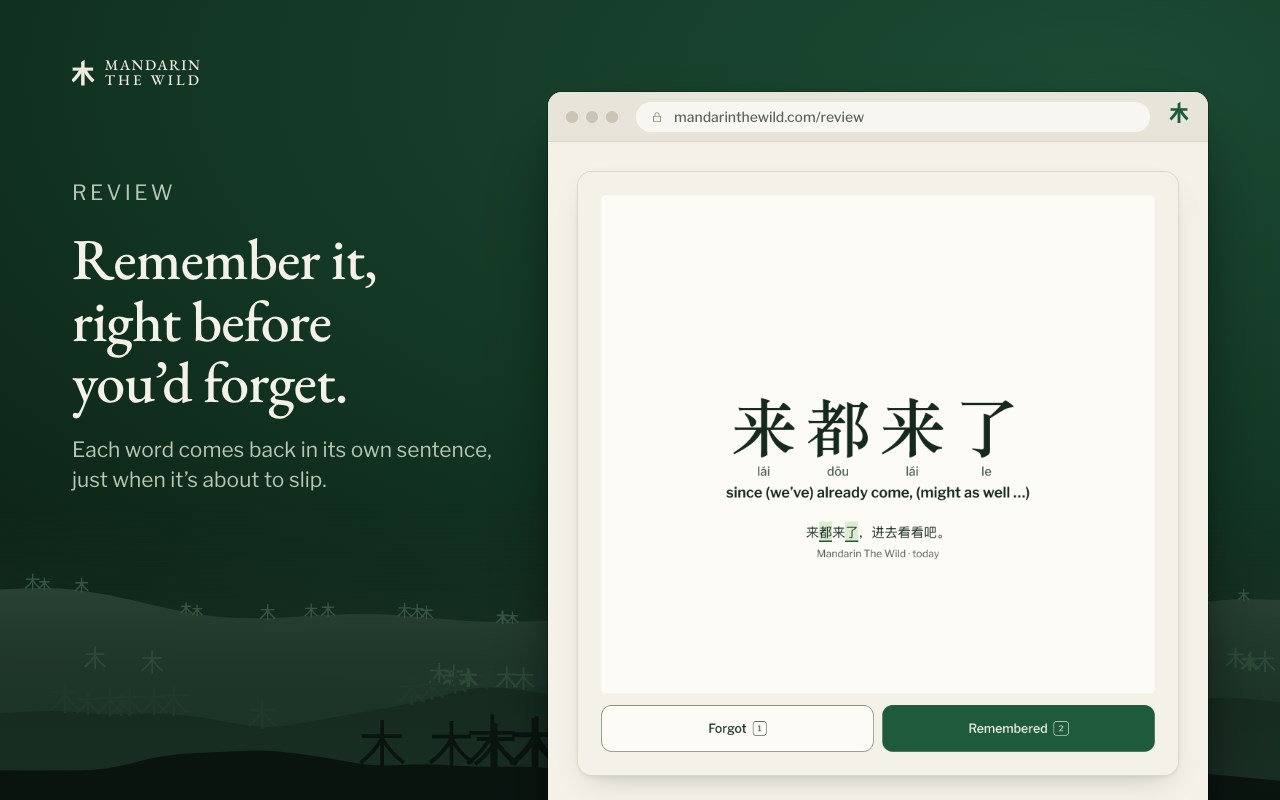
A Chinese-English pop-up dictionary with pinyin that reads the whole sentence. Read real Chinese without leaving the page. Point at a word and a small card shows what it means in that sentence, with its pinyin. Keep the words you want, and meet them again in Review.
Made for high-beginner and intermediate learners who want to read the Chinese they actually come across: news, forums, comments, articles and YouTube captions.
POINT AT A WORD
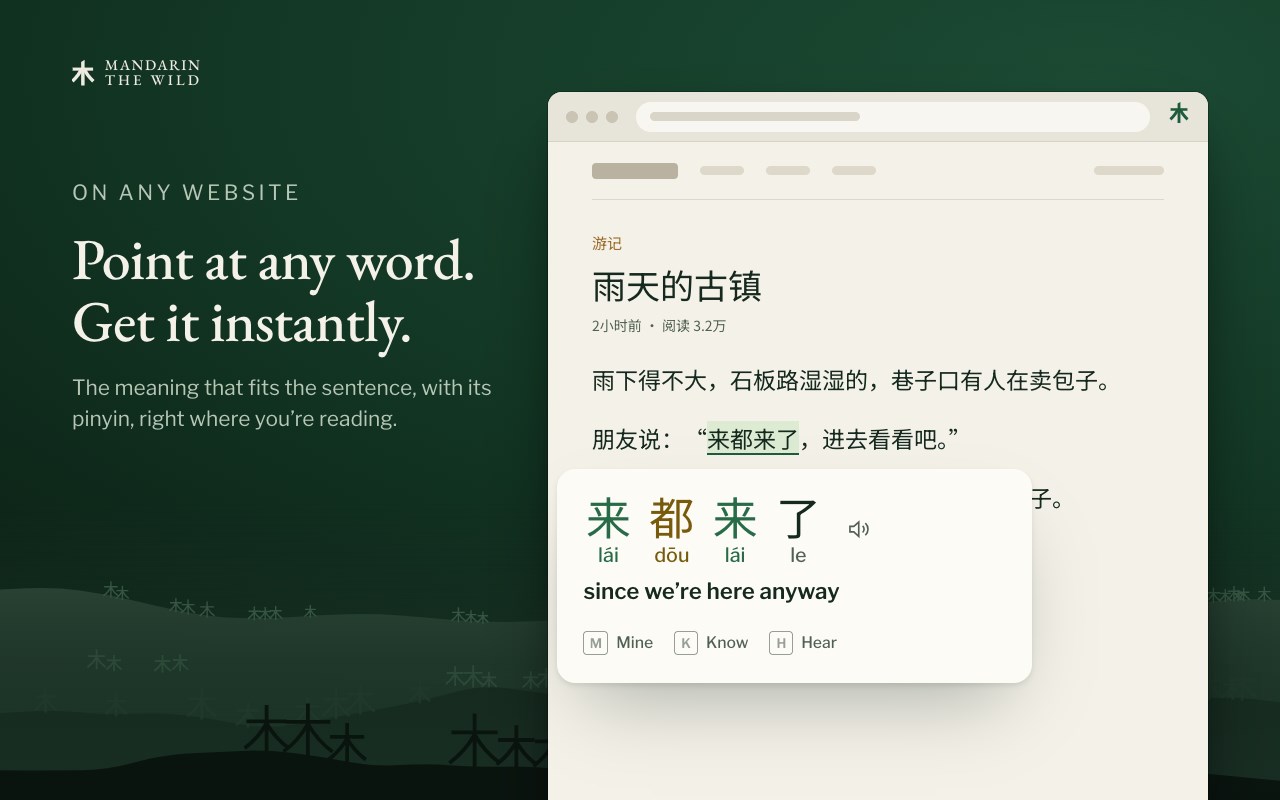
• Point at any Chinese word on a web page. A card opens beside it with the meaning that fits the sentence, and the pinyin.
• Rest on the card, or press Enter, to see its parts: each piece with its own pinyin and meaning.
• When a word could mean more than one thing, the card shows the options. When it can't tell, it says so instead of guessing.
• Select a phrase or a sentence to go through it word by word.
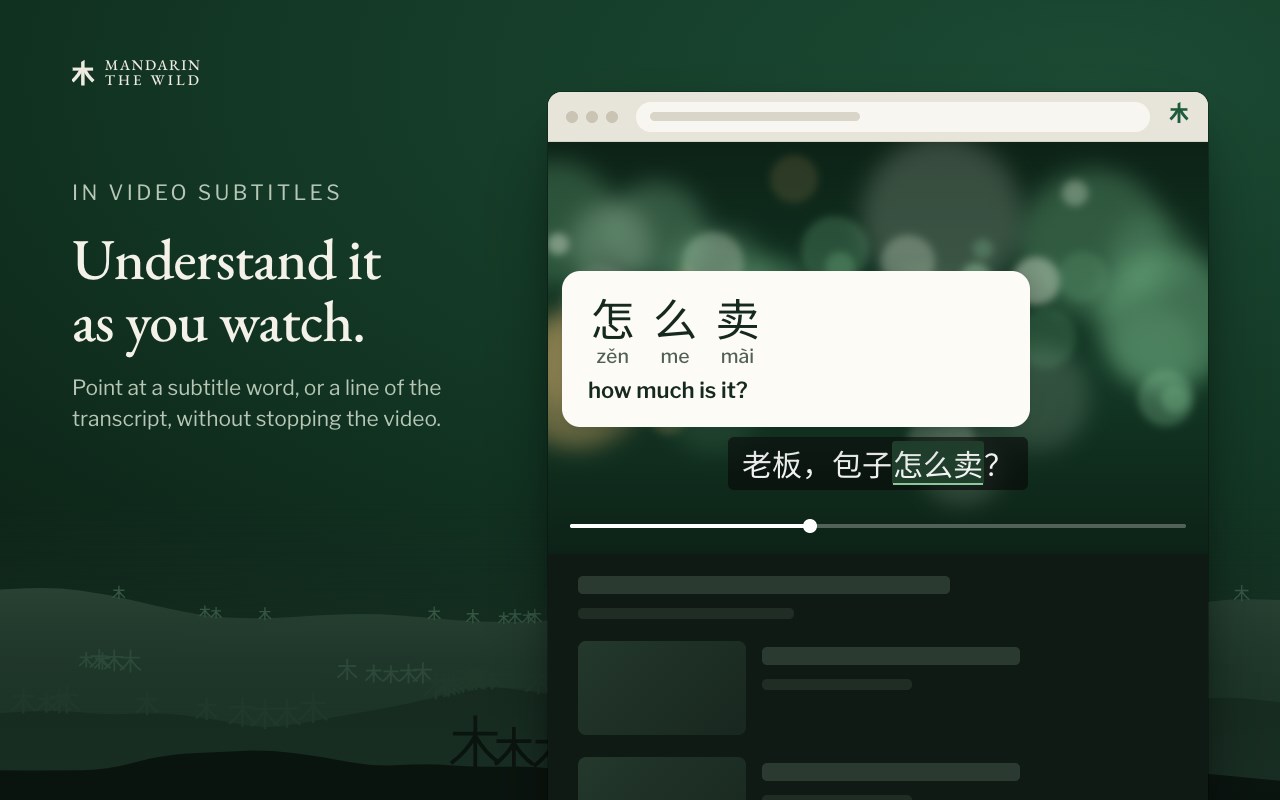
• On YouTube, point at the Chinese captions or at the lines of the transcript to look words up as you watch.
• Press H to hear a word in a recorded natural voice, wherever we have a recording of it.
• Can't point at it? Paste up to 1,200 characters into Explain text in the toolbar menu. Alt+Shift+M explains the text you've selected, or opens the menu.
KEEP WHAT YOU WANT TO LEARN
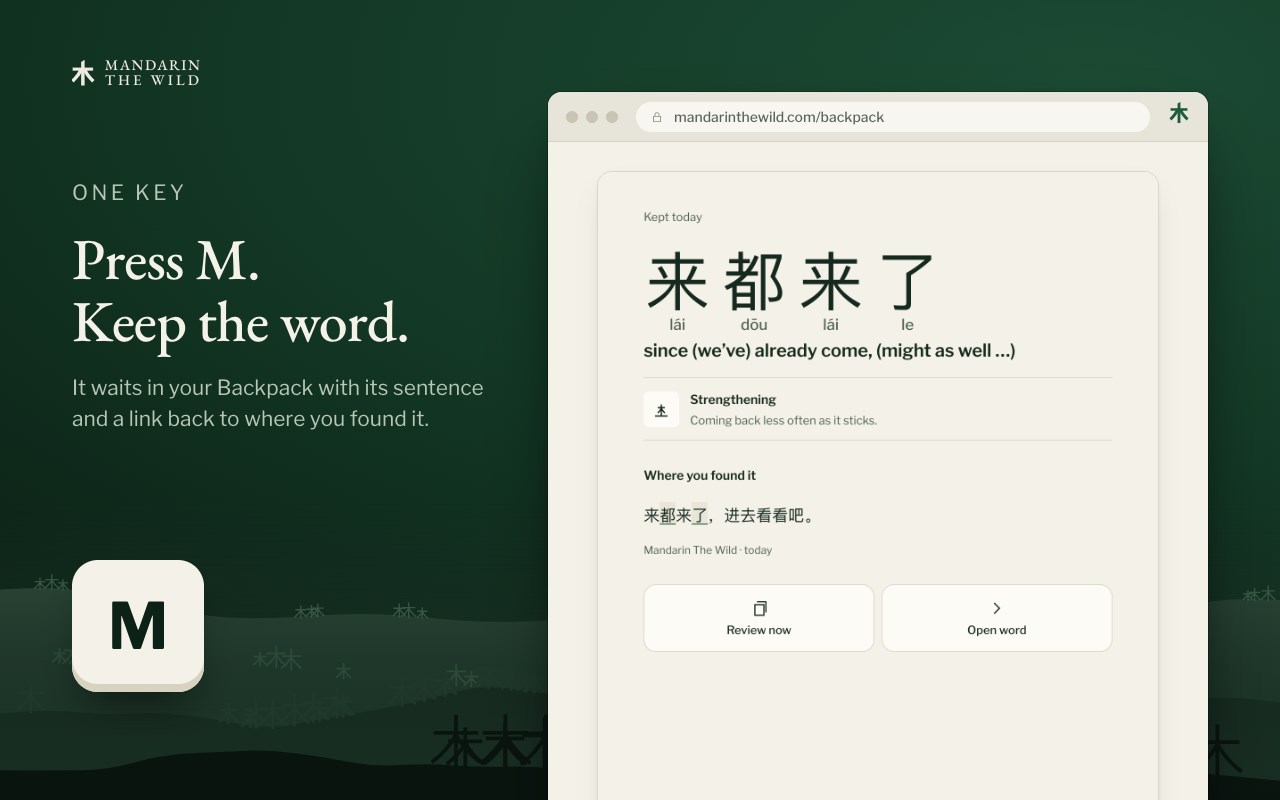
• Press M to keep a word to learn. It goes to your Backpack and into Review, with its sentence and a link back to the page.
• Press K for a word you already know. It stays in your Backpack, out of Review.
• You can change both keys, and neither one fires while you're typing.
• Looking words up needs no account. Keeping them needs a free Mandarin The Wild account.
• On YouTube, press M on a caption or transcript word to keep it with a link back to that moment in the video.
YOUR PAGES, YOUR CALL
• Pause it on any site with one switch in the toolbar menu.
• The page stays as it is. Only the word you point at is highlighted, and only while you point at it.
• Meanings are looked up on your computer, with the dictionary built into the extension. To find a word's recording, the card sends only that word, its pinyin and your chosen voice to mandarinthewild.com, with no sign-in, sentence or page address.
• When you keep a word, the word, the paragraph it came from and the page's address and title go to your Mandarin The Wild account, so you can find your way back.
A short practice page opens when you install it, so you can try every move first.
Dictionary: definitions in our own words, built on open data credited in LICENSES.txt inside the extension.
Mandarin The Wild: Chinese Popup Dictionary, Pinyin & Subtitles 是做什么的
Mandarin The Wild: Chinese Popup Dictionary, Pinyin & Subtitles 是一款面向 Edge 的效率工具类扩展,主要用来管住注意力、屏蔽干扰站点、记录时间。官方对它的介绍是:Learn Chinese as you read: point at any word for its pinyin and meaning in context, on any page or in YouTube and Netflix subtitles.在微软 Edge 加载项商店上,它当前版本 3.4.10。
适合什么人用
从功能定位看,Mandarin The Wild: Chinese Popup Dictionary, Pinyin & Subtitles 更适合想专注工作学习、减少无效刷网页的用户。如果你平时只是偶尔遇到相关需求,用浏览器自带功能也能凑合;但如果这件事每天都发生,装一个专门处理它的扩展通常比手动操作省事得多。需要注意的是它作用于所有网站,装上后建议先观察一两天,确认不影响常用站点的正常使用。
怎么安装 Mandarin The Wild: Chinese Popup Dictionary, Pinyin & Subtitles
- 打开微软 Edge 加载项商店上的官方页面;
- 点「添加到浏览器」并确认权限提示;
- 装好后在扩展列表里固定图标,方便随时开关。
本站只做索引与介绍,安装包来自官方商店。如果商店页面提示当前地区不可用,说明该扩展未在你所在区域上架。
常见问题
Mandarin The Wild: Chinese Popup Dictionary, Pinyin & Subtitles 是免费的吗?
Mandarin The Wild: Chinese Popup Dictionary, Pinyin & Subtitles 在微软 Edge 加载项商店免费提供下载。它是浏览器扩展,装上就能直接用,不需要注册账号。
Mandarin The Wild: Chinese Popup Dictionary, Pinyin & Subtitles 安全吗?
它只申请了 0 项权限,范围比较克制,没有申请「读取所有网站数据」这种大权限。
Mandarin The Wild: Chinese Popup Dictionary, Pinyin & Subtitles 支持哪些浏览器?
当前收录的版本来自微软 Edge 加载项商店,适用于 Edge。同一个扩展在其他商店可能有对应版本,但功能与版本号不一定相同。
怎么卸载 Mandarin The Wild: Chinese Popup Dictionary, Pinyin & Subtitles?
在扩展管理页找到 Mandarin The Wild: Chinese Popup Dictionary, Pinyin & Subtitles,点移除即可。它在本地保存的设置会一起清掉,不会残留数据。
权限清单 来自 manifest.json 原文
站点访问(可选) 2
http://*/*https://*/*
接口权限 4
alarmsdeclarativeNetRequestWithHostAccessscriptingstorage