
Lyrics Translate & Romanize for Amazon Music EN
NoodlesNomm · EEdge MV3
Translate lyrics in the Amazon Music web player and romanize non-Latin scripts, using Google Translate or your own Gemini key.
截图
简介
Understand every song you play in the Amazon Music web player (music.amazon.com). Lyrics Translate & Romanize adds translations and easy-to-read romanization right inside the lyrics as they scroll. And when Amazon has no lyrics for a song, it finds synced lyrics for you.
Not affiliated with Amazon. This is an independent, unofficial extension. Amazon Music is a trademark of Amazon.com, Inc. or its affiliates.
NEW: LYRICS FOR SONGS AMAZON DOESN'T HAVE
Some songs have no lyrics on Amazon Music. When that happens, the extension looks the song up on LRCLIB (lrclib.net), a free, open lyrics database that needs no account or key, and shows the lyrics in Amazon's full view, in the same spot and style as Amazon's own lyrics.
• The current line is highlighted and follows playback, seeks and pauses.
• Translation and romanization work on these lyrics too.
• The popup's "This song" line shows the title, artist and where the lyrics came from.
• Only the song's title, artist and duration are sent to LRCLIB. Turn it off anytime with "Find lyrics when Amazon has none" (on by default).
FEATURES
• Two translators: free Google Translate (no key or account needed), or Google Gemini with your own free API key for natural translations that use the whole song as context. Your key is saved only in this browser.
• Automatic fallback: if Gemini hits a quota, rejects the key, times out or returns an unexpected reply, the song is translated with Google Translate instead, and Gemini is retried after a short pause.
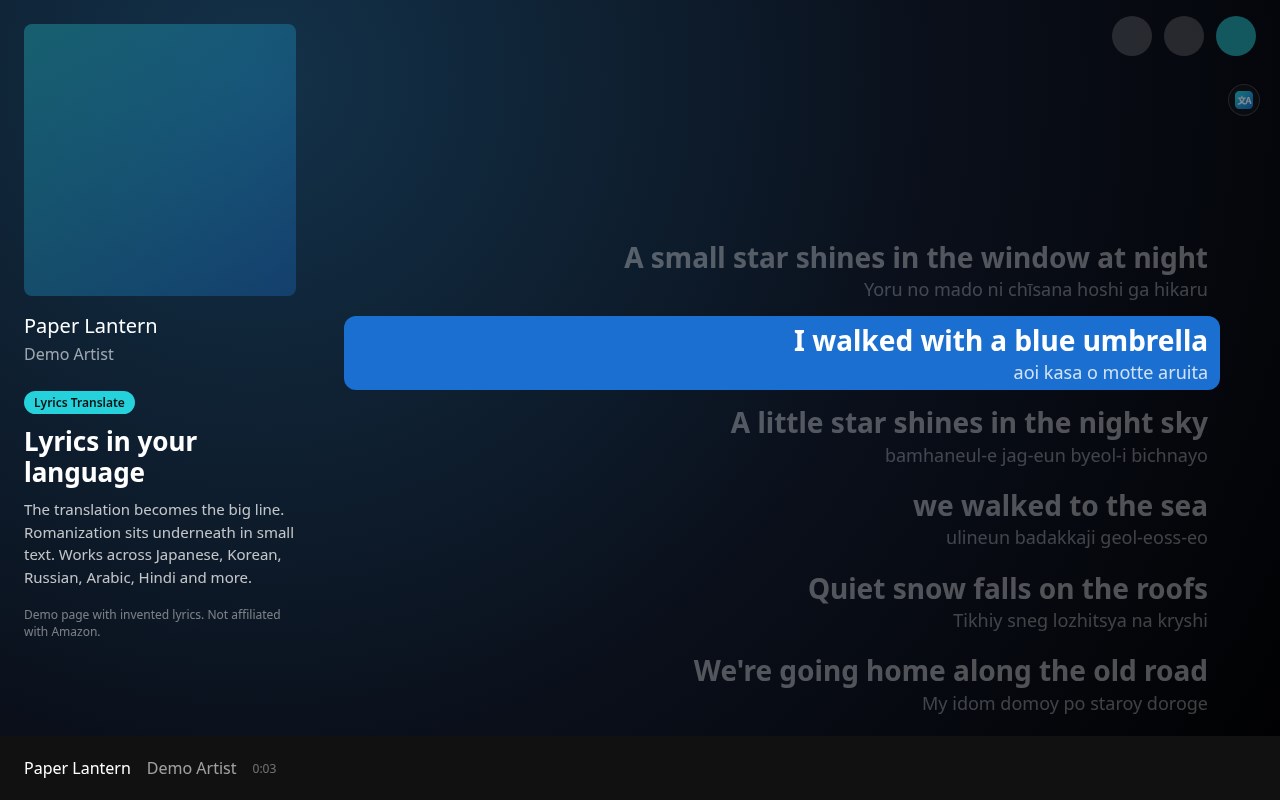
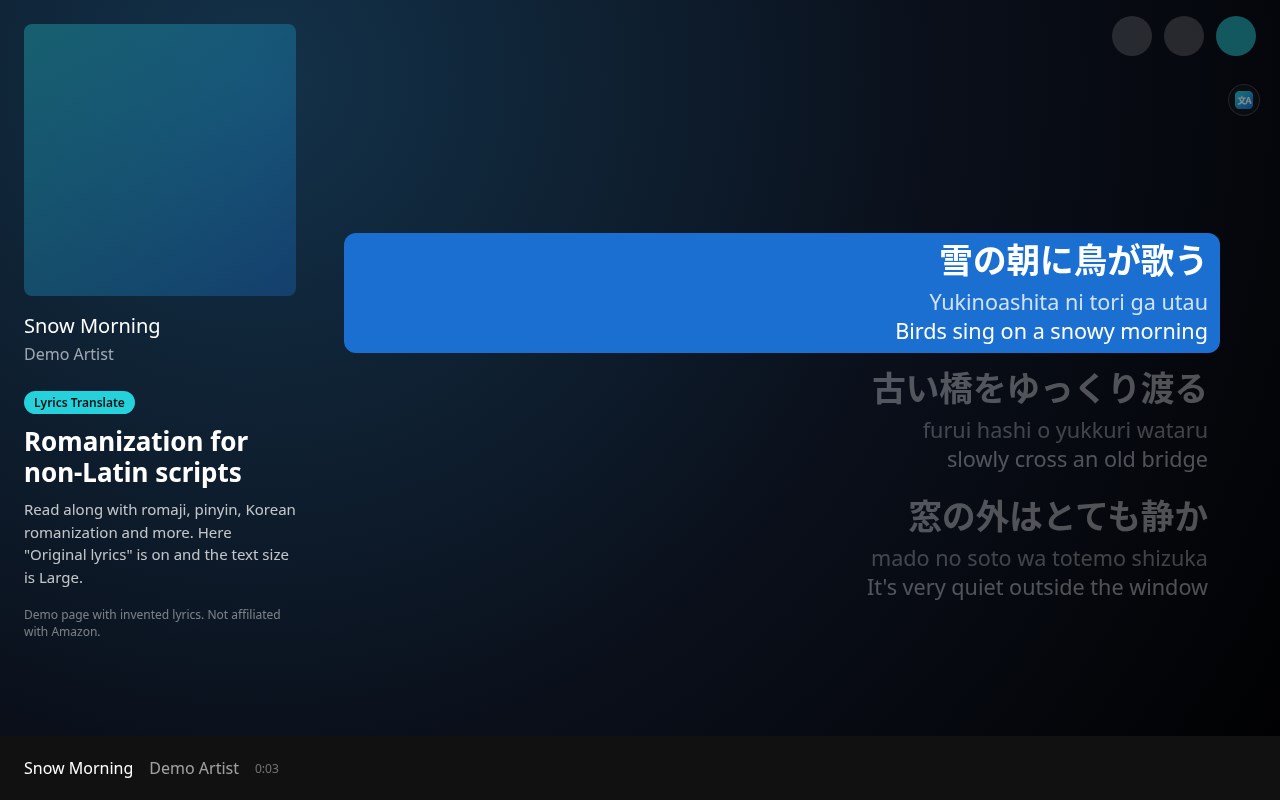
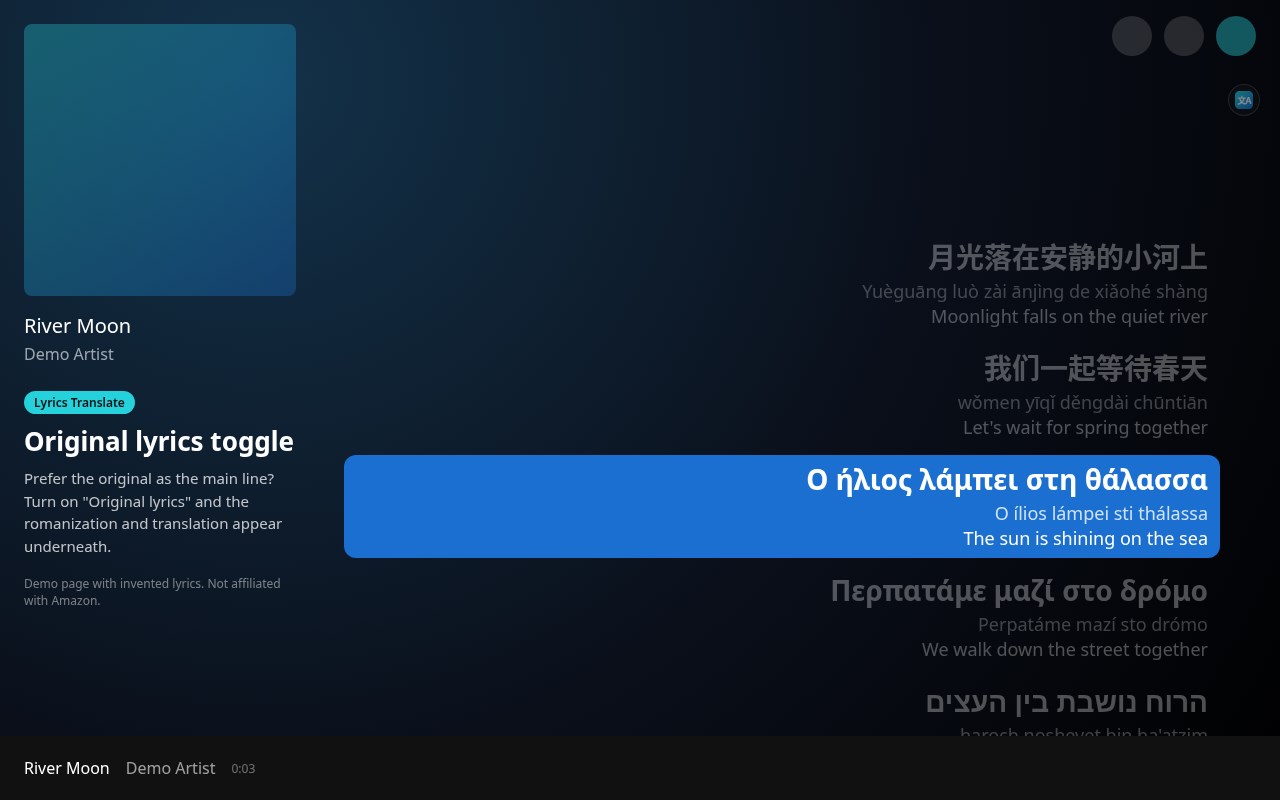
• Romanization for non-Latin scripts: Japanese (romaji), Chinese (pinyin), Korean, Cyrillic, Arabic, Hebrew, Hindi/Devanagari, Thai, Greek and more.
• Translation as the main line: by default the translation replaces the original as the big line, with the romanization underneath. Turn on "Show original lyrics" to keep the original big and see the extras in small text.
• Smarter language check: songs already in your language are left alone and never use your Gemini quota, even when the lyrics contain symbols, emoji or a stray look-alike letter from another alphabet. A mostly English song with a few lines in another language only gets those lines translated.
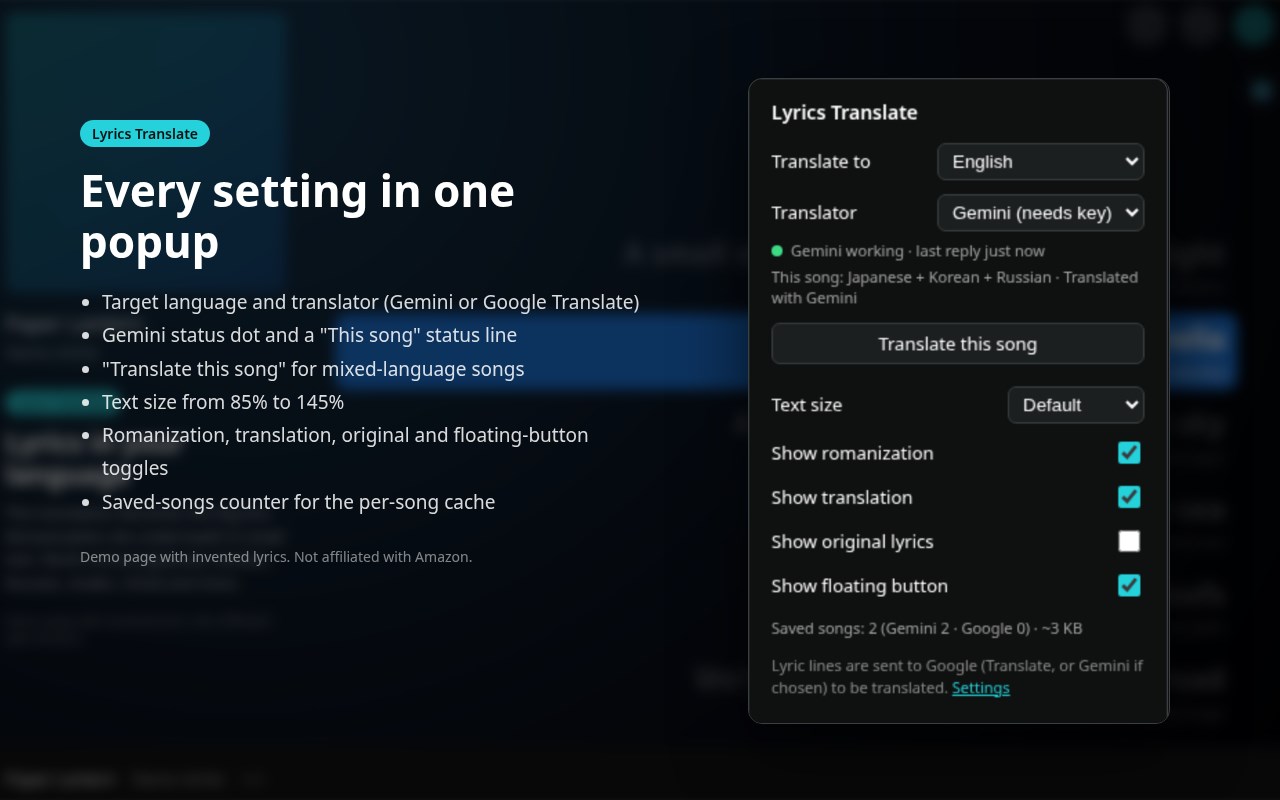
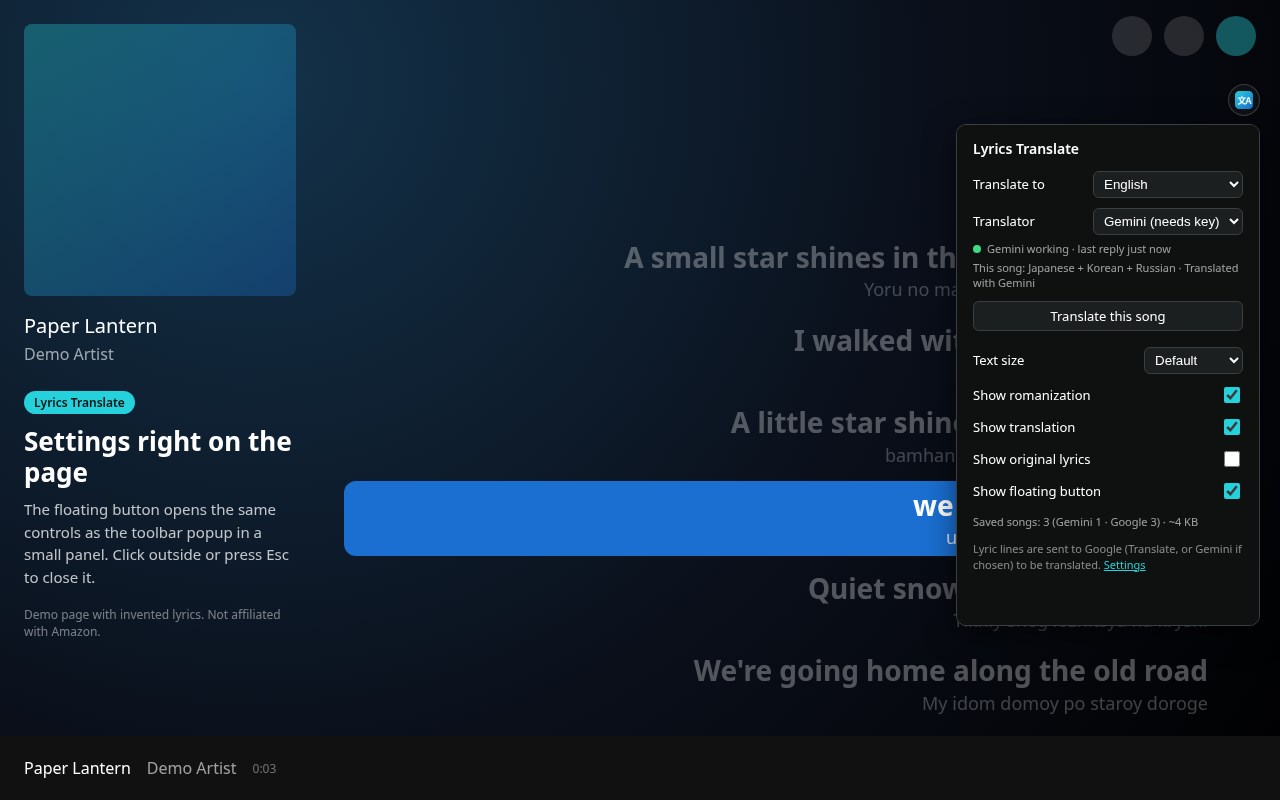
• Popup controls: target language (23 languages), translator (Gemini or Google Translate), romanization and translation toggles, text size from 85% to 145%, "Find lyrics when Amazon has none", a "This song" status line, a Gemini status dot (working, fallback, invalid key, no key), a saved-songs counter and a "Translate this song" button for mixed-language songs.
• Floating button: a small button on the page opens the same controls as an in-page panel. Press Esc or click outside to close it, or hide the button.
• Per-song cache: results are saved per song, translator and language for up to 2000 songs, so replays are instant and send nothing. The least recently played songs are removed first.
HOW TO USE
1. Open music.amazon.com in Microsoft Edge, play a song and open its lyrics (the full view).
2. Translations and romanizations appear under each line automatically. If Amazon has no lyrics for the song, lyrics from LRCLIB appear in the same place.
3. Click the toolbar icon or the floating button to change the language, translator or display options.
4. Optional: get a free Gemini API key at Google AI Studio, then open Settings, paste the key, click Save and Test key.
PRIVACY
The developer collects no data. There are no analytics, trackers or accounts. The lyric lines on screen are sent to Google Translate, and to Google Gemini if you added your own key, only to translate or romanize them. Only for songs Amazon has no lyrics for, the song's title, artist and duration are sent to LRCLIB (lrclib.net) to find lyrics; no personal data, and you can switch it off. Requests are made without cookies. Your Gemini key and the caches are kept in the browser's local extension storage and your settings in sync storage; removing the extension clears them. Full policy: https://noodlesnom.github.io/lyrics-translate-for-amazon-music/privacy.html
Works on music.amazon.com only (not regional domains). Free and open source (MIT): https://github.com/NoodlesNom/lyrics-translate-for-amazon-music
Lyrics Translate & Romanize for Amazon Music 是做什么的
Lyrics Translate & Romanize for Amazon Music 是一款面向 Edge 的实用工具类扩展,主要用来解决浏览器里某类具体的小问题。官方对它的介绍是:Translate lyrics in the Amazon Music web player and romanize non-Latin scripts, using Google Translate or your own Gemini key.在微软 Edge 加载项商店上,它当前版本 1.3.9,评分 5(1 人评价),约 12 名用户。
适合什么人用
从功能定位看,Lyrics Translate & Romanize for Amazon Music 更适合想补上浏览器原生缺失功能的用户。如果你平时只是偶尔遇到相关需求,用浏览器自带功能也能凑合;但如果这件事每天都发生,装一个专门处理它的扩展通常比手动操作省事得多。
怎么安装 Lyrics Translate & Romanize for Amazon Music
- 打开微软 Edge 加载项商店上的官方页面;
- 点「添加到浏览器」并确认权限提示;
- 装好后在扩展列表里固定图标,方便随时开关。
本站只做索引与介绍,安装包来自官方商店。如果商店页面提示当前地区不可用,说明该扩展未在你所在区域上架。
常见问题
Lyrics Translate & Romanize for Amazon Music 是免费的吗?
Lyrics Translate & Romanize for Amazon Music 在微软 Edge 加载项商店免费提供下载。它是浏览器扩展,装上就能直接用,不需要注册账号。
Lyrics Translate & Romanize for Amazon Music 安全吗?
它只申请了 0 项权限,范围比较克制,没有申请「读取所有网站数据」这种大权限。
Lyrics Translate & Romanize for Amazon Music 支持哪些浏览器?
当前收录的版本来自微软 Edge 加载项商店,适用于 Edge。同一个扩展在其他商店可能有对应版本,但功能与版本号不一定相同。
怎么卸载 Lyrics Translate & Romanize for Amazon Music?
在扩展管理页找到 Lyrics Translate & Romanize for Amazon Music,点移除即可。它在本地保存的设置会一起清掉,不会残留数据。
权限清单 来自 manifest.json 原文
接口权限 1
storage