
Listing Image Audit for Amazon Sellers EN
Atry Tools · EEdge MV3
Check any Amazon listing's photos against Amazon's image rules: size, zoom, white background, product fill. Runs locally.
截图
简介
Find the listing photos that are quietly costing you clicks.
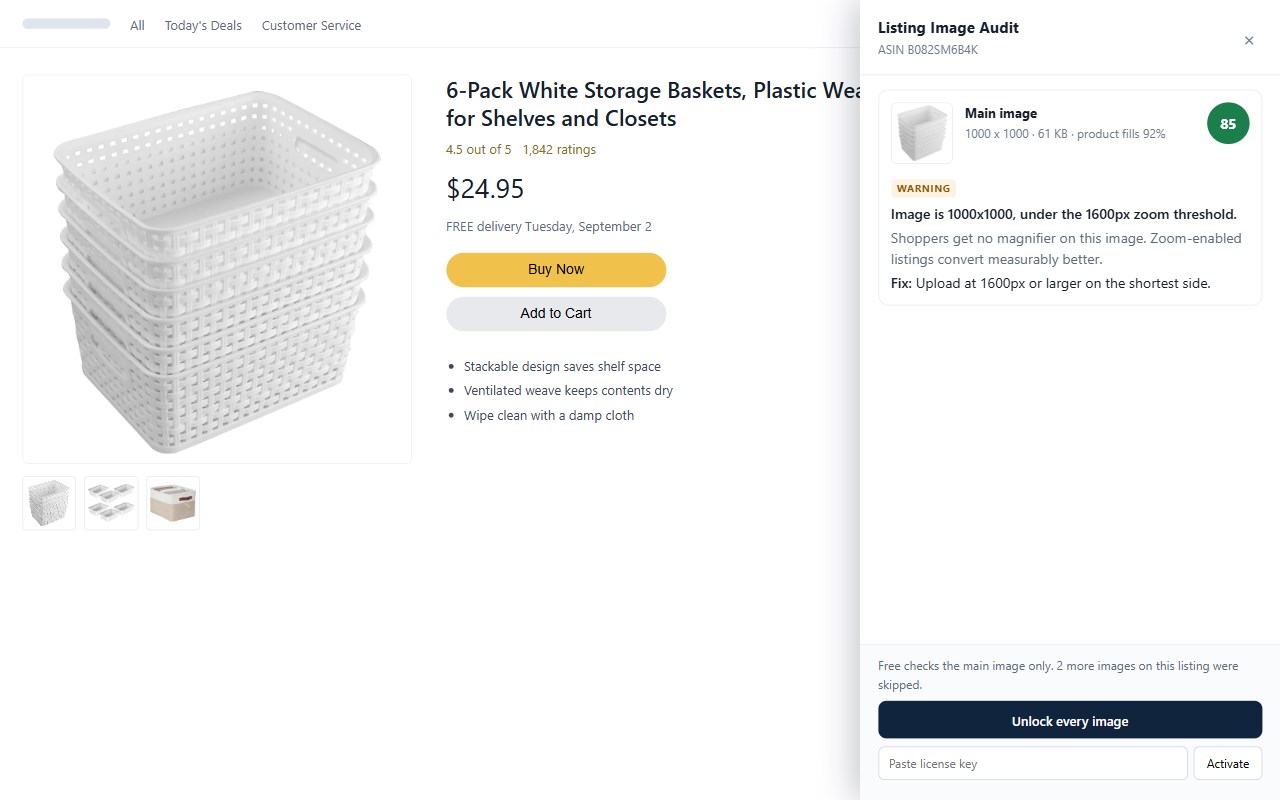
Amazon enforces hard rules on main images - 1000px minimum, pure white background, the product filling 85% of the frame. It also has one soft rule that costs more sales than most sellers realize: images under 1600px get no zoom, so shoppers cannot inspect your product before they buy.
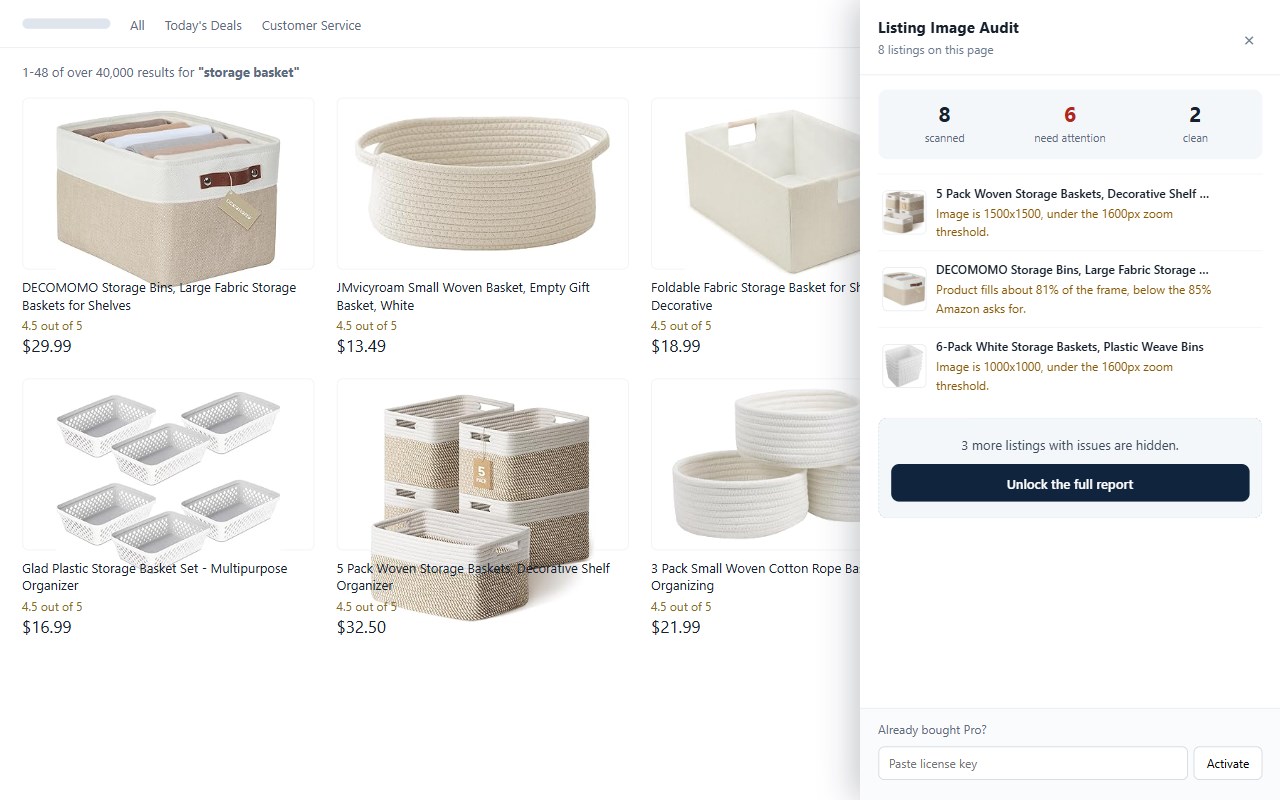
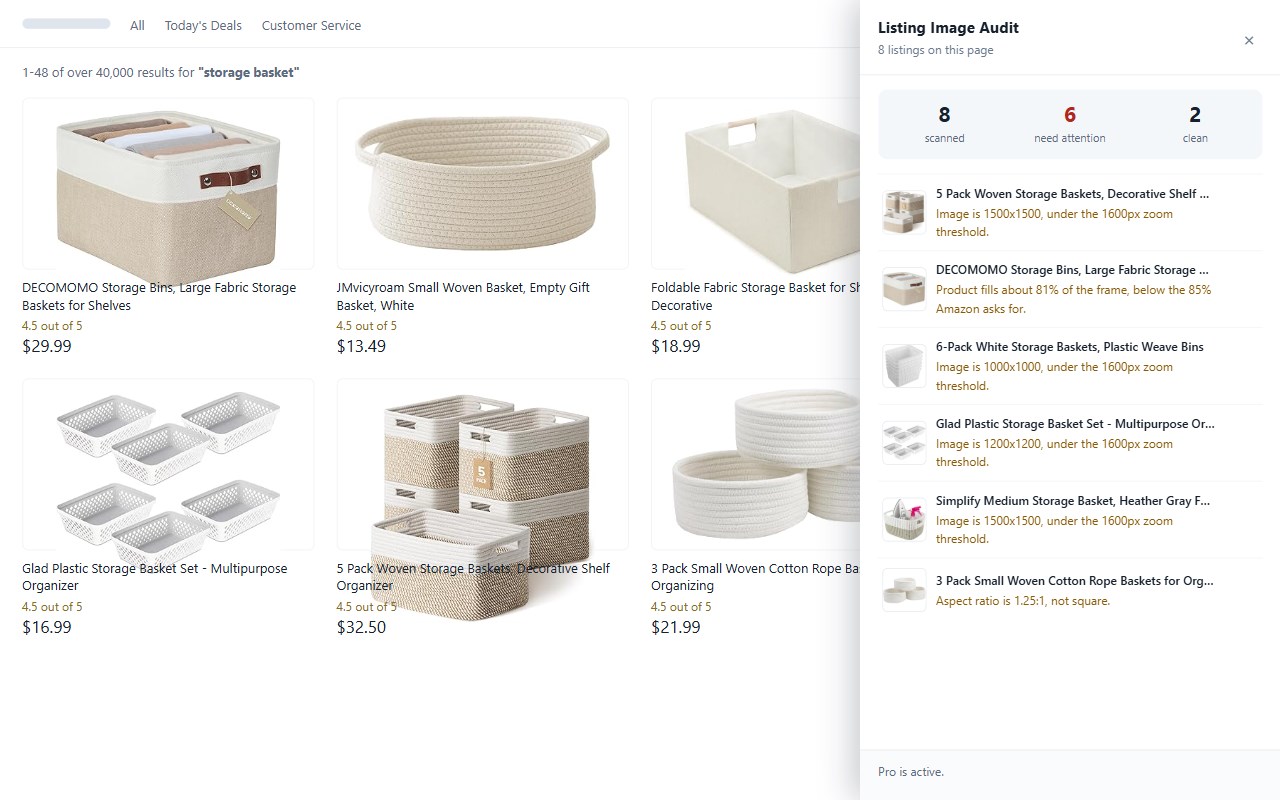
Listing Image Audit checks any listing against those rules in one click, and can scan an entire page of search results at once.
WHAT IT CHECKS
- Resolution against Amazon's 1000px minimum. Below this, a listing can be suppressed from search results.
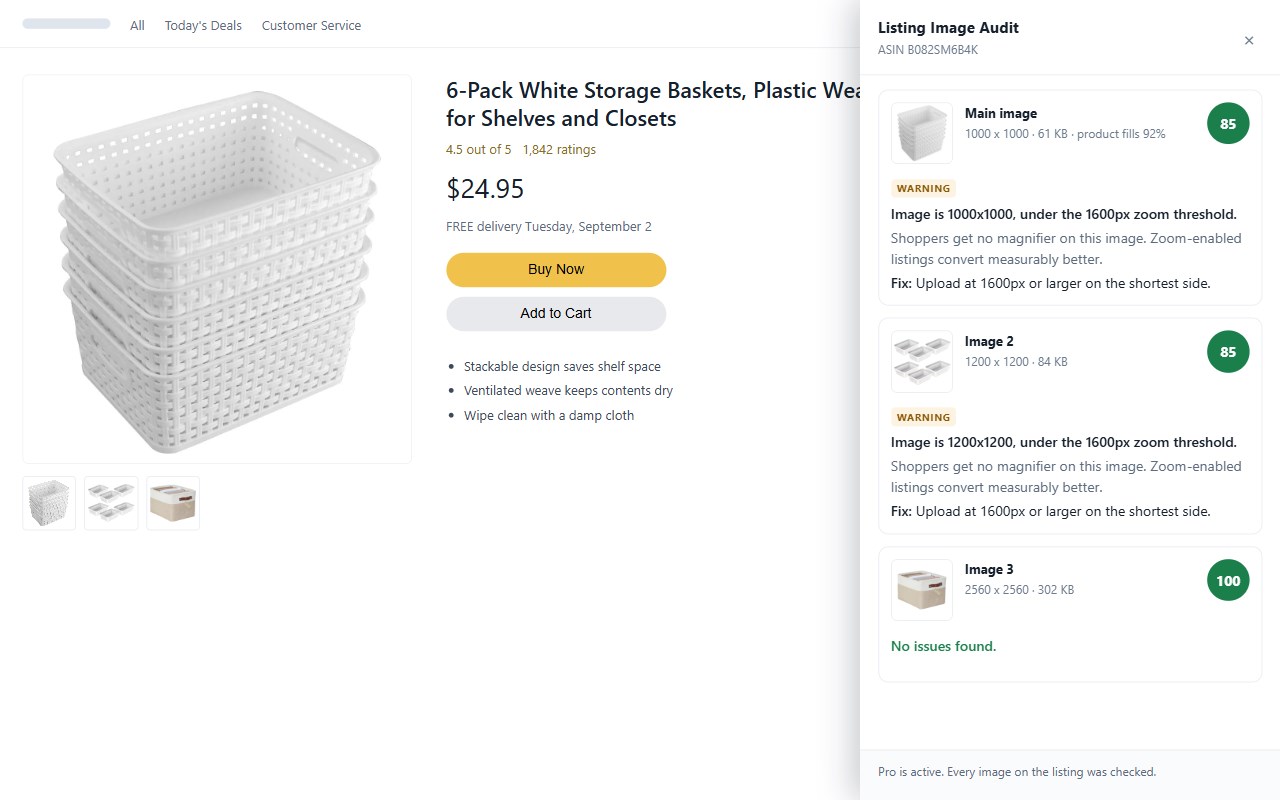
- The 1600px zoom threshold. Under it, shoppers get no magnifier.
- Pure white background on main images, RGB(255,255,255).
- How much of the frame the product actually fills, measured against Amazon's 85% guideline.
- Product running into the edge of the frame.
- Square aspect ratio. Non-square images get cropped or letterboxed in thumbnails.
- File size against Amazon's 10MB upload limit.
Every finding tells you three things: what is wrong, what it costs you, and how to fix it.
HOW SELLERS USE IT
Audit your own catalog. Open a page of your listings and scan all of them at once. The report sorts by severity, so the worst offenders are at the top.
Check the competition. Open any competitor's listing and see exactly how their photos compare to yours.
Diagnose a suppressed listing. See which specific rule the main image breaks instead of guessing.
FREE
Check the main image of any listing, three times a day.
PRO - one-time purchase, not a subscription
- Every image on a listing, not just the main one
- The full batch report for a whole page of listings
- Unlimited checks
YOUR IMAGES NEVER LEAVE YOUR COMPUTER
Every check runs inside your browser using the Canvas API. The extension fetches the image from Amazon's own image CDN and reads the pixels locally. No image, no listing URL, no ASIN and no account data is ever sent to us - the analysis happens entirely on your machine.
The one and only thing that ever reaches a server of ours is your Pro licence key, sent when you activate it so the purchase can be confirmed. Free users contact no server of ours at all.
WHAT IT DOES NOT DO
Straight about the limits, so you know before you install:
- It reads the images Amazon serves publicly. It does not connect to Seller Central and cannot see unpublished drafts.
- It does not yet detect text, logos or watermarks placed on an image.
- The 85% fill guideline is measured from the product's bounding box, which is the common industry reading. Amazon does not publish an exact formula.
- It works on the main Amazon marketplaces: US, UK, DE, FR, IT, ES, NL, SE, PL, CA, MX, BR, AU, JP and IN.
NOT AFFILIATED WITH AMAZON
This is an independent tool, not endorsed by or affiliated with Amazon. Amazon and the Amazon logo are trademarks of Amazon.com, Inc. or its affiliates.
Listing Image Audit for Amazon Sellers 是做什么的
Listing Image Audit for Amazon Sellers 是一款面向 Edge 的效率工具类扩展,主要用来管住注意力、屏蔽干扰站点、记录时间。官方对它的介绍是:Check any Amazon listing's photos against Amazon's image rules: size, zoom, white background, product fill. Runs locally.在微软 Edge 加载项商店上,它当前版本 0.1.1,约 2 名用户。
适合什么人用
从功能定位看,Listing Image Audit for Amazon Sellers 更适合想专注工作学习、减少无效刷网页的用户。如果你平时只是偶尔遇到相关需求,用浏览器自带功能也能凑合;但如果这件事每天都发生,装一个专门处理它的扩展通常比手动操作省事得多。
怎么安装 Listing Image Audit for Amazon Sellers
- 打开微软 Edge 加载项商店上的官方页面;
- 点「添加到浏览器」并确认权限提示;
- 装好后在扩展列表里固定图标,方便随时开关。
本站只做索引与介绍,安装包来自官方商店。如果商店页面提示当前地区不可用,说明该扩展未在你所在区域上架。
常见问题
Listing Image Audit for Amazon Sellers 是免费的吗?
Listing Image Audit for Amazon Sellers 在微软 Edge 加载项商店免费提供下载。它是浏览器扩展,装上就能直接用,不需要注册账号。
Listing Image Audit for Amazon Sellers 安全吗?
它只申请了 0 项权限,范围比较克制,没有申请「读取所有网站数据」这种大权限。
Listing Image Audit for Amazon Sellers 支持哪些浏览器?
当前收录的版本来自微软 Edge 加载项商店,适用于 Edge。同一个扩展在其他商店可能有对应版本,但功能与版本号不一定相同。
怎么卸载 Listing Image Audit for Amazon Sellers?
在扩展管理页找到 Listing Image Audit for Amazon Sellers,点移除即可。它在本地保存的设置会一起清掉,不会残留数据。
权限清单 来自 manifest.json 原文
接口权限 1
storage