LinkCrusher New Tab Page and Dashboard EN
Crusher Brands LLC · EEdge MV3
Turn every new tab into a custom start page: organize links & bookmarks, add weather, news & stock widgets, themes, and cloud sync.
截图


简介
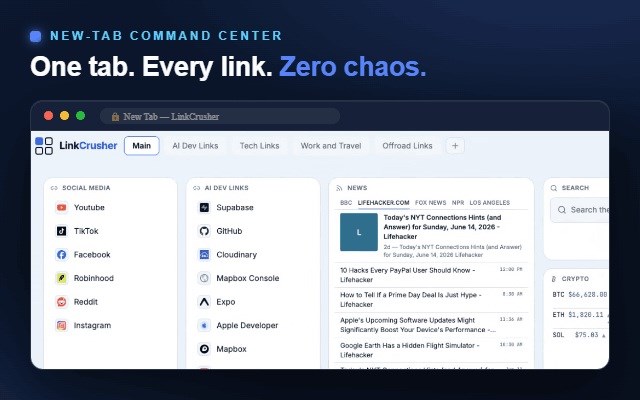
LinkCrusher turns your new tab page into a customizable dashboard — your bookmarks, favorite links, and live widgets ready every time you open a new tab.
Replace the empty new tab with a start page you design: organize links and bookmarks into groups like a speed dial, add drag-and-drop widgets for weather, news, stocks, and to-dos, style everything with themes and backgrounds, and sync your whole setup across all your browsers and computers.
18 DASHBOARD WIDGETS
Build your start page from live, resizable widgets:
• Clock, World Clocks, Calendar, and Weather forecast
• Stocks watchlist, Crypto prices, and Currency exchange rates
• News headlines from your favorite RSS feeds
• Search box — Google, Bing or any custom search engine
• Notes, To-Do list, Pomodoro focus timer, and Calculator
• Live weather Radar, Internet Speed Test, and Photo Gallery
• Embed tile to put any page inside your dashboard
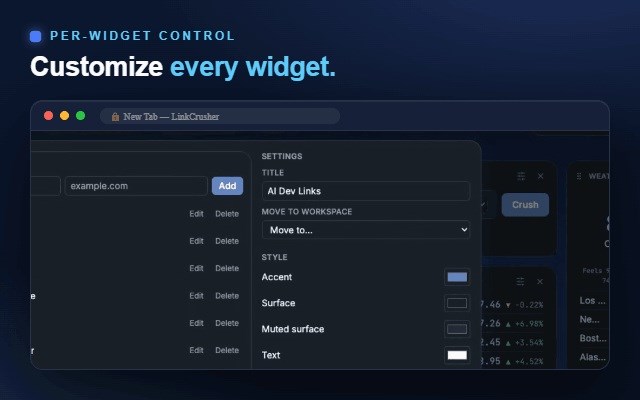
Drag, resize, and configure each widget until your new tab works the way you do.
BOOKMARK & LINK MANAGER
Keep your most-used links one click away, grouped the way you think. Import your browser bookmarks in a click and turn them into organized link boards.
THEMES, DARK MODE & BACKGROUNDS
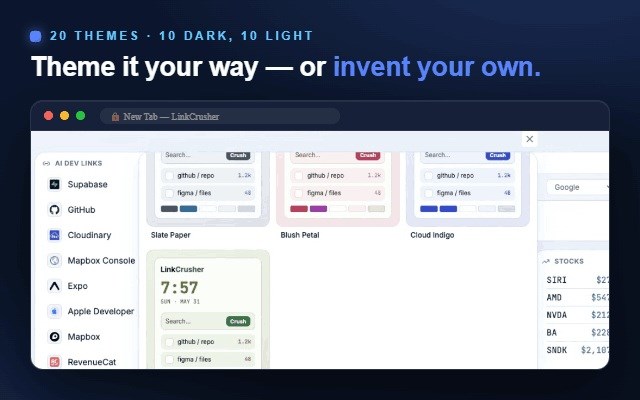
Pick from a gallery of dark and light themes, design your own palette in the Theme Studio, and set a custom background for each mode — your own image or color.
MULTIPLE BOARDS
Create separate dashboards for work, home, or projects and switch between them instantly — like profiles for your start page.
SYNC ACROSS DEVICES & BROWSERS
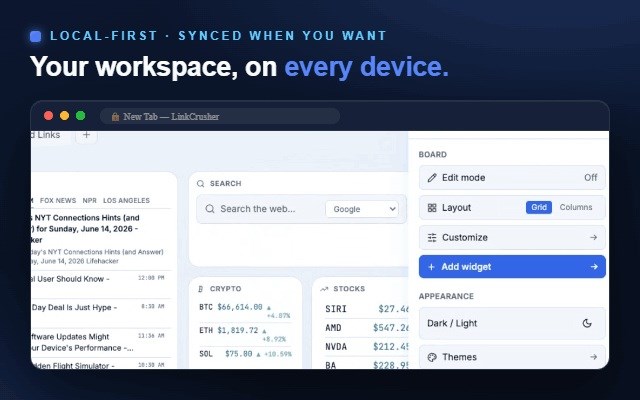
Sign in and your dashboard is securely backed up and synced across every browser and computer you use. Automatic snapshots let you restore an earlier version of your board anytime. Your data is protected by row-level security and is only ever accessible to your own account.
GREAT AS
• A speed dial and homepage replacement
• A personal productivity dashboard for the tabs you open all day
• A live news, market, and weather start page
WHAT'S NEW IN 2.1.4
• Cloud sync now updates reliably across all your browsers — each device picks up your latest board automatically.
• "Use cloud" fetches your newest backup before applying it, so recent edits are never replaced by an outdated copy.
• If this device and your cloud backup ever differ, a clear banner on the board explains both choices before anything is replaced.
• Clearer account setup: password requirements are shown as you type, and signing up with an email that already has an account now points you to sign in or reset your password.
• Saved versions in Settings can now be opened and closed freely.
• The About panel always shows the correct version.
PRICING
LinkCrusher comes with a 7-day free trial. After that it's $1.99/month or $19.99/year. No ads, no selling your data — ever.
Privacy policy: https://www.linkcrusher.com/privacy.html
Questions? support@linkcrusher.com
LinkCrusher New Tab Page and Dashboard 是做什么的
LinkCrusher New Tab Page and Dashboard 是一款面向 Edge 的效率工具类扩展,主要用来管住注意力、屏蔽干扰站点、记录时间。官方对它的介绍是:Turn every new tab into a custom start page: organize links & bookmarks, add weather, news & stock widgets, themes, and cloud sync.在微软 Edge 加载项商店上,它当前版本 2.1.6,评分 5(1 人评价),约 2 名用户。
适合什么人用
从功能定位看,LinkCrusher New Tab Page and Dashboard 更适合想专注工作学习、减少无效刷网页的用户。如果你平时只是偶尔遇到相关需求,用浏览器自带功能也能凑合;但如果这件事每天都发生,装一个专门处理它的扩展通常比手动操作省事得多。
怎么安装 LinkCrusher New Tab Page and Dashboard
- 打开微软 Edge 加载项商店上的官方页面;
- 点「添加到浏览器」并确认权限提示;
- 装好后在扩展列表里固定图标,方便随时开关。
本站只做索引与介绍,安装包来自官方商店。如果商店页面提示当前地区不可用,说明该扩展未在你所在区域上架。
常见问题
LinkCrusher New Tab Page and Dashboard 是免费的吗?
LinkCrusher New Tab Page and Dashboard 在微软 Edge 加载项商店免费提供下载。它是浏览器扩展,装上就能直接用,不需要注册账号。
LinkCrusher New Tab Page and Dashboard 安全吗?
它只申请了 0 项权限,范围比较克制,没有申请「读取所有网站数据」这种大权限。
LinkCrusher New Tab Page and Dashboard 支持哪些浏览器?
当前收录的版本来自微软 Edge 加载项商店,适用于 Edge。同一个扩展在其他商店可能有对应版本,但功能与版本号不一定相同。
怎么卸载 LinkCrusher New Tab Page and Dashboard?
在扩展管理页找到 LinkCrusher New Tab Page and Dashboard,点移除即可。它在本地保存的设置会一起清掉,不会残留数据。
权限清单 来自 manifest.json 原文
接口权限 2
declarativeNetRequestWithHostAccesssearch