JSON Viewer Pro By PatilWeb EN
PatilWeb · EEdge MV3
A powerful JSON viewer and formatter for Chrome built with TypeScript
<all_urls>),意味着它可以读取你在任意站点的页面内容,包括已登录的页面。这是许多扩展正常工作的必要条件,但也值得你确认来源可信。
截图
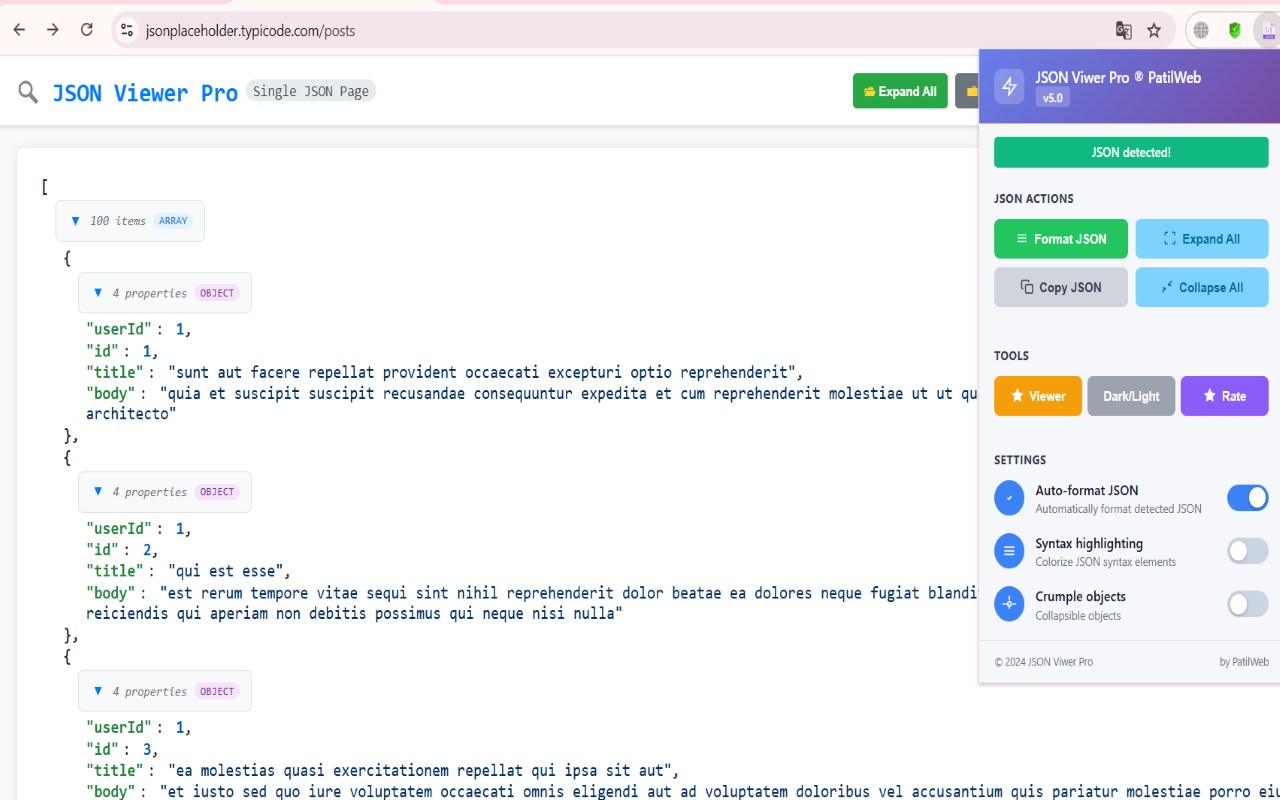
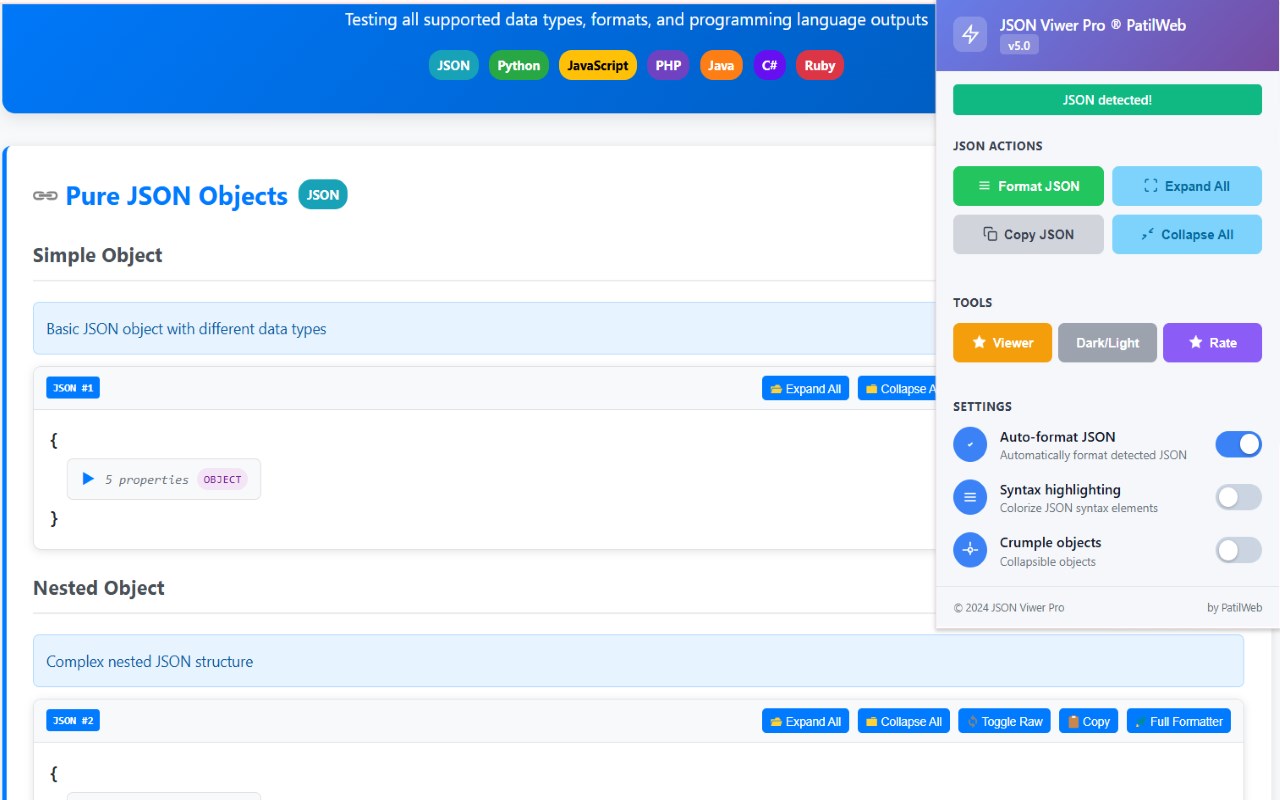
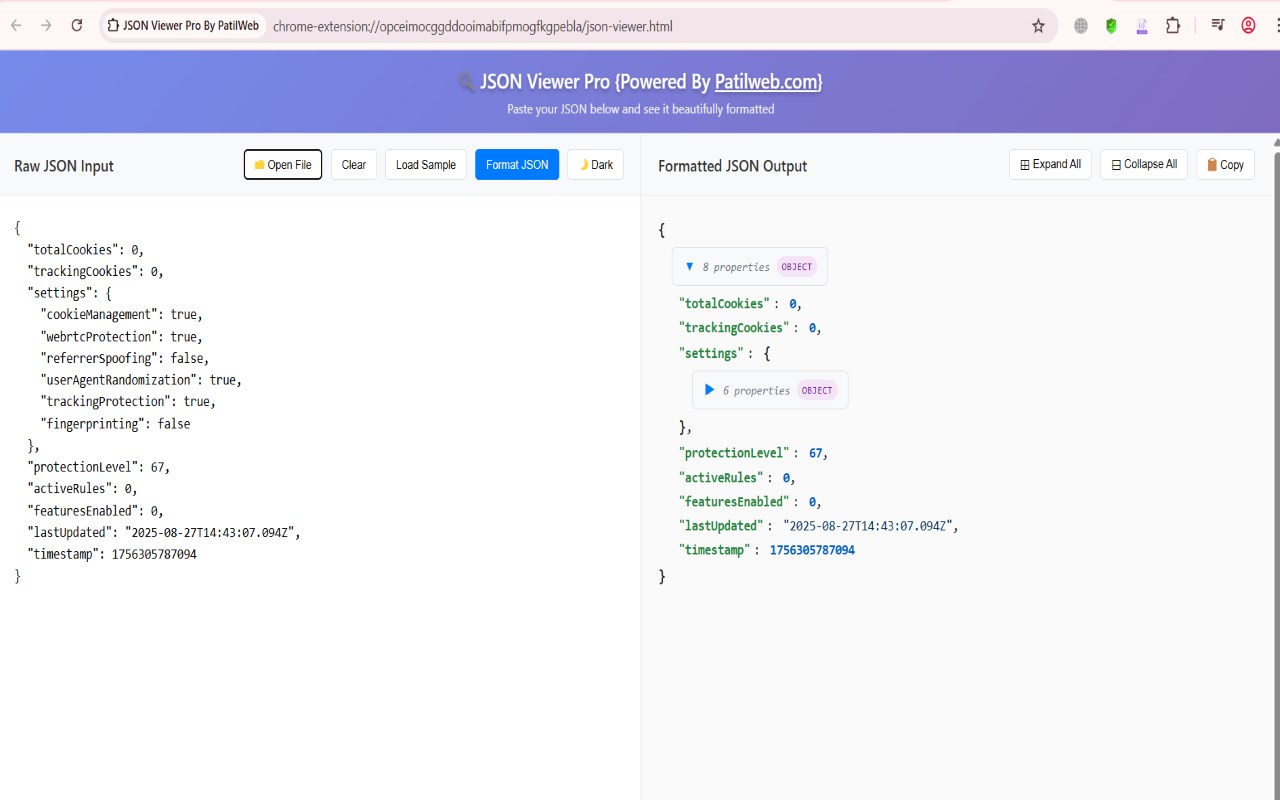
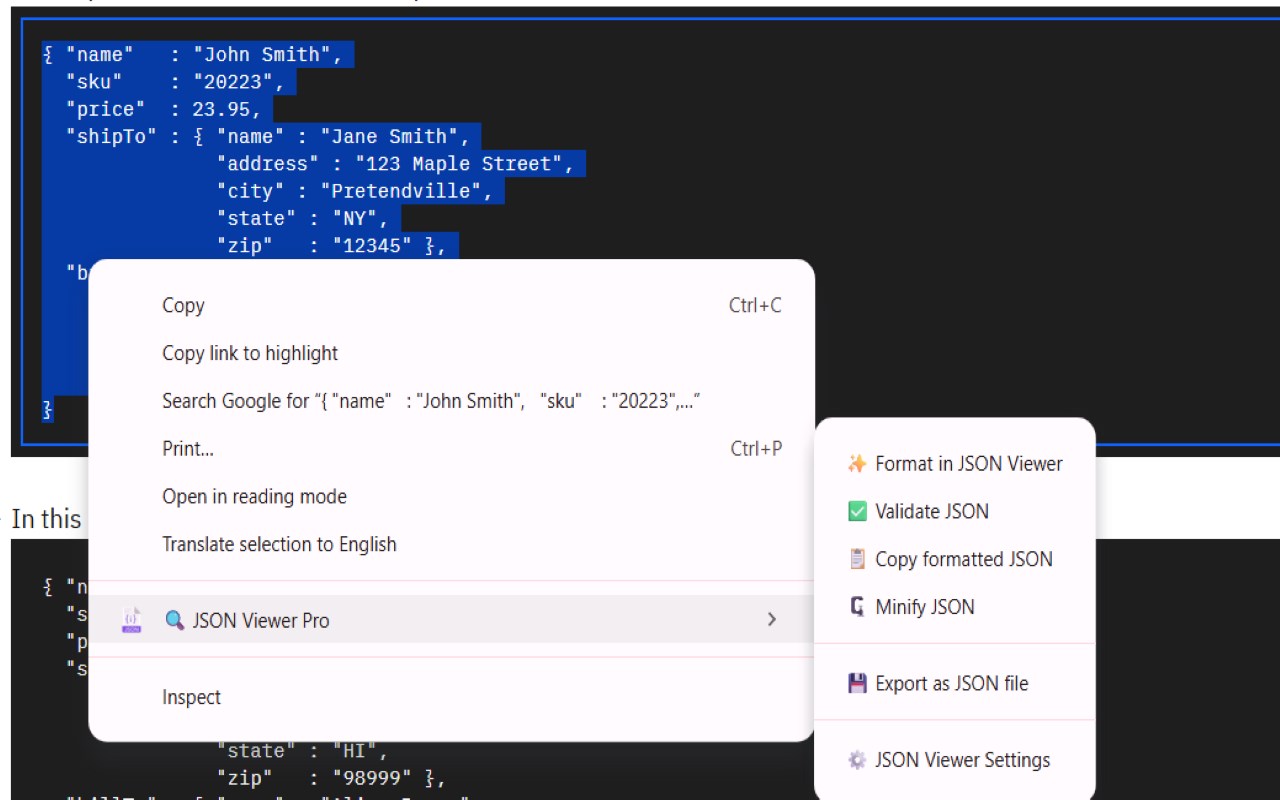
简介
A powerful and elegant Chrome extension for viewing, formatting, and analyzing JSON data on web pages.
Validates and makes JSON documents easy to read.
JSONViewer port for Chrome is an updated version of Gildas' JSOnView extension.
JSON Viewer Pro - Chrome Extension
🔍 Transform Your JSON Experience
**JSON Viewer Pro** is the ultimate Chrome extension for viewing, formatting, and editing JSON data with professional-grade features. Whether you're a developer, data analyst, or API enthusiast, this extension revolutionizes how you work with JSON content across the web.
✨ Key Features
🚀 **Intelligent Auto-Detection**
- **Smart JSON Recognition**: Automatically detects and formats JSON content on any webpage
- **Programming Language Support**: Recognizes and converts output from Python, JavaScript, PHP, Java, C#, and Ruby
- **Mixed Content Handling**: Processes multiple JSON elements on the same page individually
- **Context-Aware Processing**: Distinguishes between single JSON pages and mixed content
🎨 **Professional Formatting**
- **Beautiful Syntax Highlighting**: Color-coded JSON with proper indentation
- **Collapsible Structures**: Expand/collapse nested objects and arrays
- **Type-Specific Styling**: Visual distinction between strings, numbers, booleans, and null values
- **Dark/Light Theme Support**: Seamless integration with your preferred theme
✏️ **Advanced JSON Editor**
- **Real-Time Editing**: Live JSON editor with instant validation
- **Syntax Validation**: Real-time error detection with helpful error messages
- **Auto-Formatting**: One-click JSON beautification and formatting
- **Apply Changes**: Update displayed content directly from the editor
- **Error Prevention**: Disabled save functionality for invalid JSON
🛠️ **Developer-Friendly Tools**
- **Copy Functionality**: One-click copying of formatted JSON
- **View Original**: Switch between formatted and original content
- **Full Formatter Mode**: Open complex JSON in a dedicated viewer
- **Manual Trigger**: Force formatting when auto-detection is disabled
- **Export Options**: Save formatted JSON to files
🔄 **Programming Language Output Conversion**
🎯 **Python Output Support**
- Converts `True`/`False`/`None` to JSON equivalents
- Handles single-quoted strings and dictionary syntax
- Supports complex nested Python structures
🎯 **JavaScript Console Output**
- Processes `Object { }` and `Array(3) [ ]` formats
- Handles `console.log` output from browsers
- Converts `undefined` to `null` appropriately
🎯 **PHP var_dump Output**
- Parses PHP array and object dumps
- Converts PHP type annotations to JSON
- Handles nested PHP structures
🎯 **Java Object Output**
- Processes HashMap and ArrayList toString formats
- Handles Java object notation like `User{id=1, name=Alice}`
- Converts Java collections to JSON arrays
🎯 **C# Object Output**
- Supports C# property syntax
- Handles List collections and anonymous objects
- Converts C# specific types to JSON
🎯 **Ruby Object Output**
- Processes Ruby hash syntax with symbols
- Handles `:key => value` notation
- Converts Ruby arrays and nested structures
🎯 **Smart Placement & Performance**
- **Conservative Placement**: Places formatters exactly where content appears
- **No Page Disruption**: Preserves original page functionality
- **Performance Optimized**: Handles large JSON files efficiently
- **Error Resilience**: Graceful handling of malformed content
- **Memory Efficient**: Minimal resource usage
🎯 🔧 **Customization & Settings**
- **Auto-Format Toggle**: Enable/disable automatic formatting
- **Syntax Highlighting**: Toggle color coding
- **Collapse Settings**: Control default expand/collapse behavior
- **Theme Preferences**: Choose between dark and light themes
- **Manual Control**: Override auto-detection when needed
🎯 📱 **User Experience**
- **Drag & Drop Support**: Drop JSON files directly onto pages
- **File Size Limits**: Smart handling of large files (up to 10MB)
- **Loading Indicators**: Visual feedback during processing
- **Keyboard Shortcuts**: Efficient navigation and control
- **Responsive Design**: Works on all screen sizes
🎯 🌟 **Perfect For**
🎯 **Web Developers**
- API response debugging and analysis
- JSON configuration file editing
- Database query result formatting
- REST API testing and validation
🎯 **Data Analysts**
- JSON data exploration and visualization
- Data structure analysis
- Export formatting for reports
- Complex nested data navigation
🎯 **QA Engineers**
- API response validation
- Test data formatting
- Error response analysis
- Integration testing support
🎯 **System Administrators**
- Configuration file management
- Log file analysis (JSON format)
- API monitoring and debugging
- System integration testing
🎯 🔒 **Privacy & Security**
- **No Data Collection**: Your JSON data never leaves your browser
- **Local Processing**: All formatting happens locally on your machine
- **No External Servers**: Complete privacy and security
- **No Tracking**: We don't track your usage or collect analytics
- **Open Source**: Transparent codebase for security verification
🎯 📊 **Technical Specifications**
- **Browser Support**: Chrome, Chromium-based browsers
- **File Size Support**: Up to 10MB JSON files
- **Performance**: Optimized for large datasets
- **Memory Usage**: Minimal resource consumption
- **Compatibility**: Works with all websites and web applications
🎯 🎉 **What Makes Us Different**
🎯 **Comprehensive Language Support**
Unlike other JSON viewers that only handle pure JSON, we support output from 6+ programming languages, making us the only extension you need for any data format.
🎯 **Advanced Parsing Engine**
Our sophisticated parsing engine handles complex nested structures, malformed JSON, and edge cases that break other viewers.
🎯 **Professional Editor**
The built-in JSON editor with real-time validation and error detection is perfect for quick edits and testing.
🎯 **Smart Detection**
Our intelligent detection system knows …
JSON Viewer Pro By PatilWeb 是做什么的
JSON Viewer Pro By PatilWeb 是一款面向 Edge 的实用工具类扩展,主要用来解决浏览器里某类具体的小问题。官方对它的介绍是:A powerful JSON viewer and formatter for Chrome built with TypeScript在微软 Edge 加载项商店上,它当前版本 7.0,评分 5(2 人评价),约 52 名用户。
适合什么人用
从功能定位看,JSON Viewer Pro By PatilWeb 更适合想补上浏览器原生缺失功能的用户。如果你平时只是偶尔遇到相关需求,用浏览器自带功能也能凑合;但如果这件事每天都发生,装一个专门处理它的扩展通常比手动操作省事得多。需要注意的是它作用于所有网站,装上后建议先观察一两天,确认不影响常用站点的正常使用。
怎么安装 JSON Viewer Pro By PatilWeb
- 打开微软 Edge 加载项商店上的官方页面;
- 点「添加到浏览器」并确认权限提示;
- 装好后在扩展列表里固定图标,方便随时开关。
本站只做索引与介绍,安装包来自官方商店。如果商店页面提示当前地区不可用,说明该扩展未在你所在区域上架。
常见问题
JSON Viewer Pro By PatilWeb 是免费的吗?
JSON Viewer Pro By PatilWeb 在微软 Edge 加载项商店免费提供下载。它是浏览器扩展,装上就能直接用,不需要注册账号。
JSON Viewer Pro By PatilWeb 安全吗?
它只申请了 0 项权限,范围比较克制,没有申请「读取所有网站数据」这种大权限。
JSON Viewer Pro By PatilWeb 支持哪些浏览器?
当前收录的版本来自微软 Edge 加载项商店,适用于 Edge。同一个扩展在其他商店可能有对应版本,但功能与版本号不一定相同。
怎么卸载 JSON Viewer Pro By PatilWeb?
在扩展管理页找到 JSON Viewer Pro By PatilWeb,点移除即可。它在本地保存的设置会一起清掉,不会残留数据。
权限清单 来自 manifest.json 原文
站点访问(可选) 2
http://*/*https://*/*
接口权限 4
activeTabcontextMenusnotificationsstorage