
JSON Viewer & Formatter — PureJSON (CSV, Excel, TypeScript) EN
PureJSON · EEdge MV3
Private JSON viewer & formatter: fast collapsible tree, exact big numbers, dark mode. Pro: table view, CSV/Excel export, TypeScript.
截图
简介
PureJSON turns raw JSON pages into a clean, fast, collapsible tree — and it never sends your data anywhere.
Built as a privacy-first replacement for bloated JSON formatters: no analytics, no ads, no tracking, no remote code. Everything runs locally in your browser.
FREE FEATURES
• Automatic formatting of JSON pages and API responses
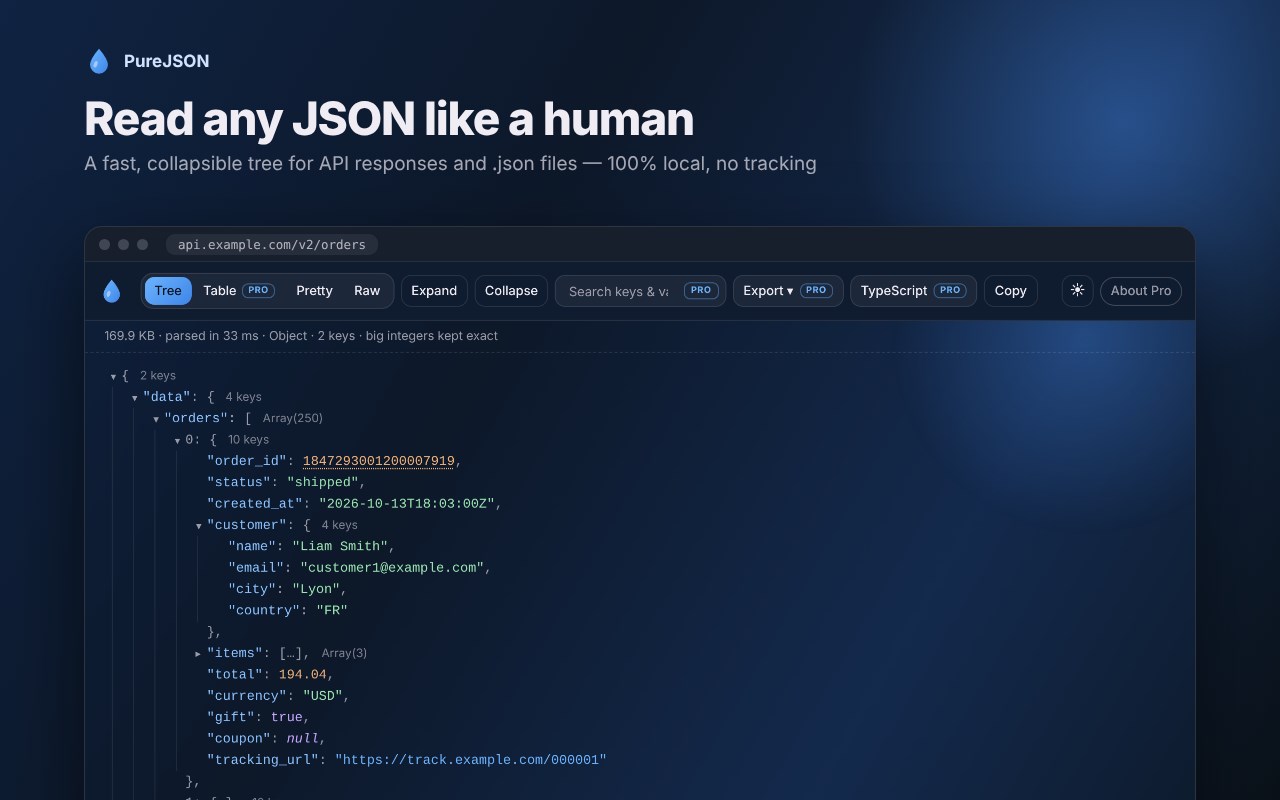
• Collapsible tree with syntax highlighting
• Tree, Pretty and Raw views
• Click any key to copy its path (e.g. data.users[0].email) or copy any value
• Expand all / Collapse all
• Dark and light themes
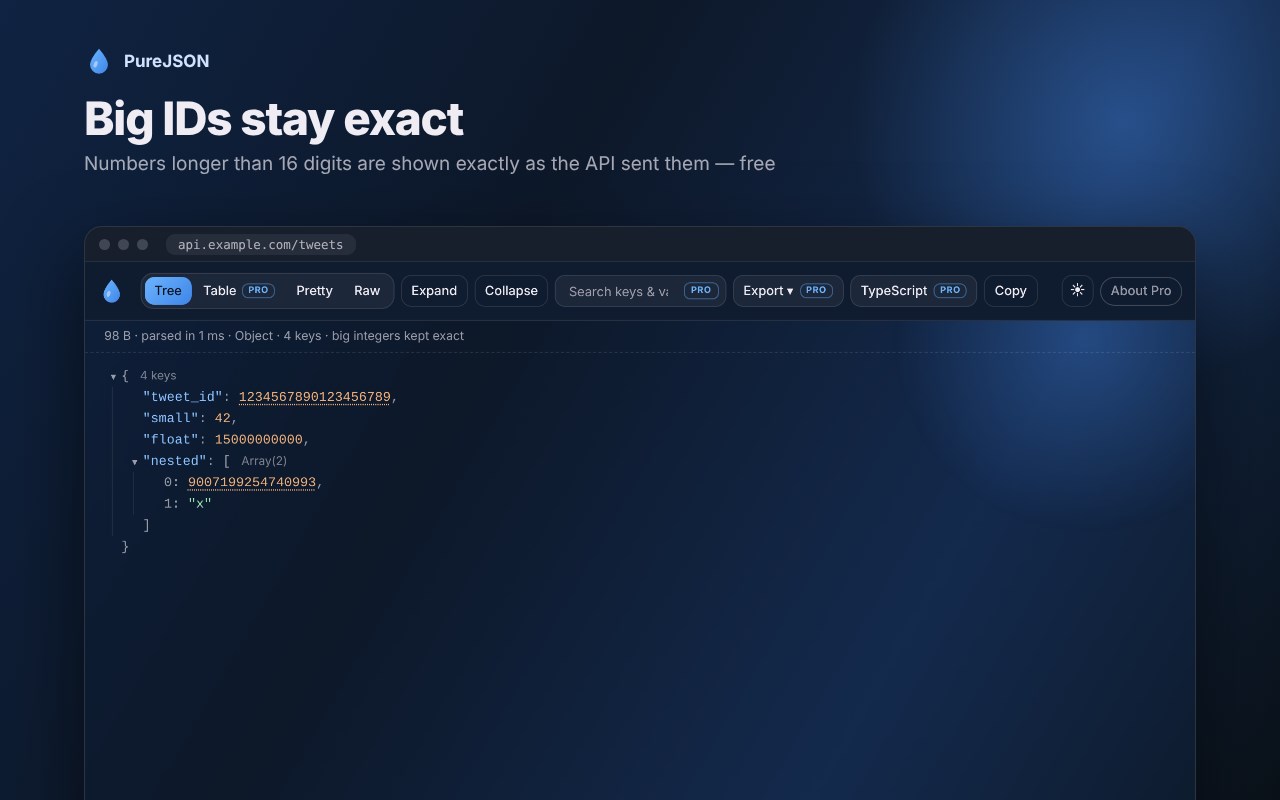
• Big IDs stay exact: numbers longer than 16 digits (Twitter/X, Discord, Telegram, banking IDs) are shown exactly as the API sent them
• Opens 20 MB+ files without freezing the tab
• Clear error messages with line and column for invalid JSON
• Popup scratchpad: paste any JSON to format, minify or view as a tree
• No usage limits: free features stay free forever
PRO FEATURES (one-time payment, lifetime — no subscription)
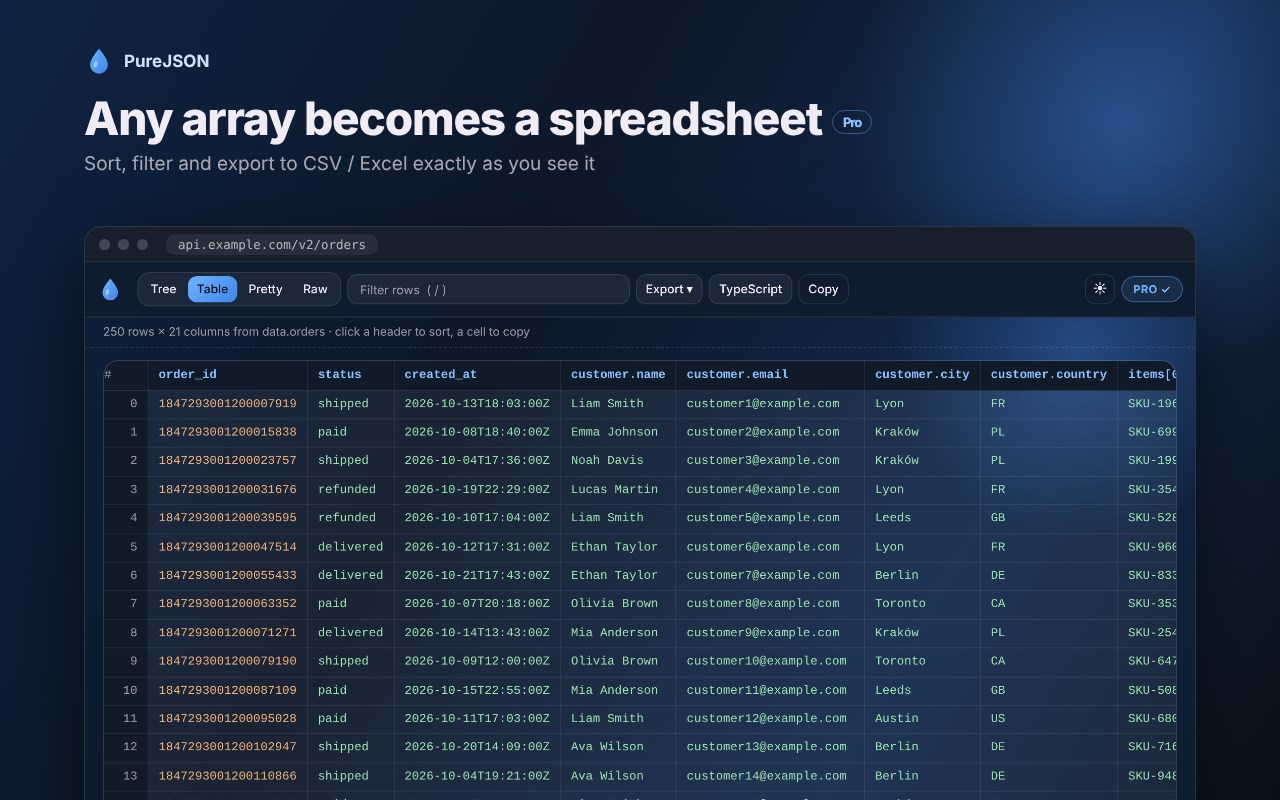
• Table view — any array becomes a sortable, filterable spreadsheet right in the browser
• Export to CSV / Excel in one click — nested objects are flattened into clean columns, exported exactly as you sorted and filtered them. Includes a semicolon CSV for European Excel and TSV.
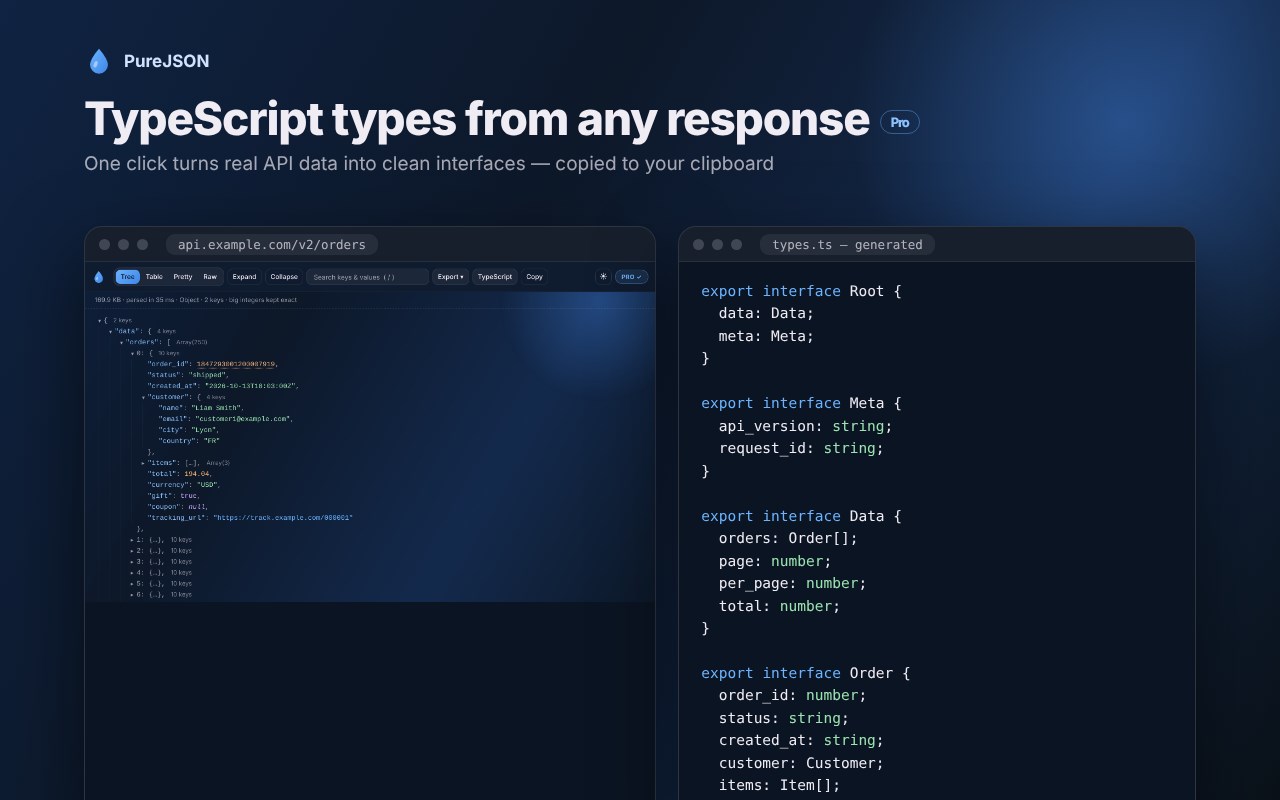
• TypeScript generator — turn any response into ready-to-paste interfaces
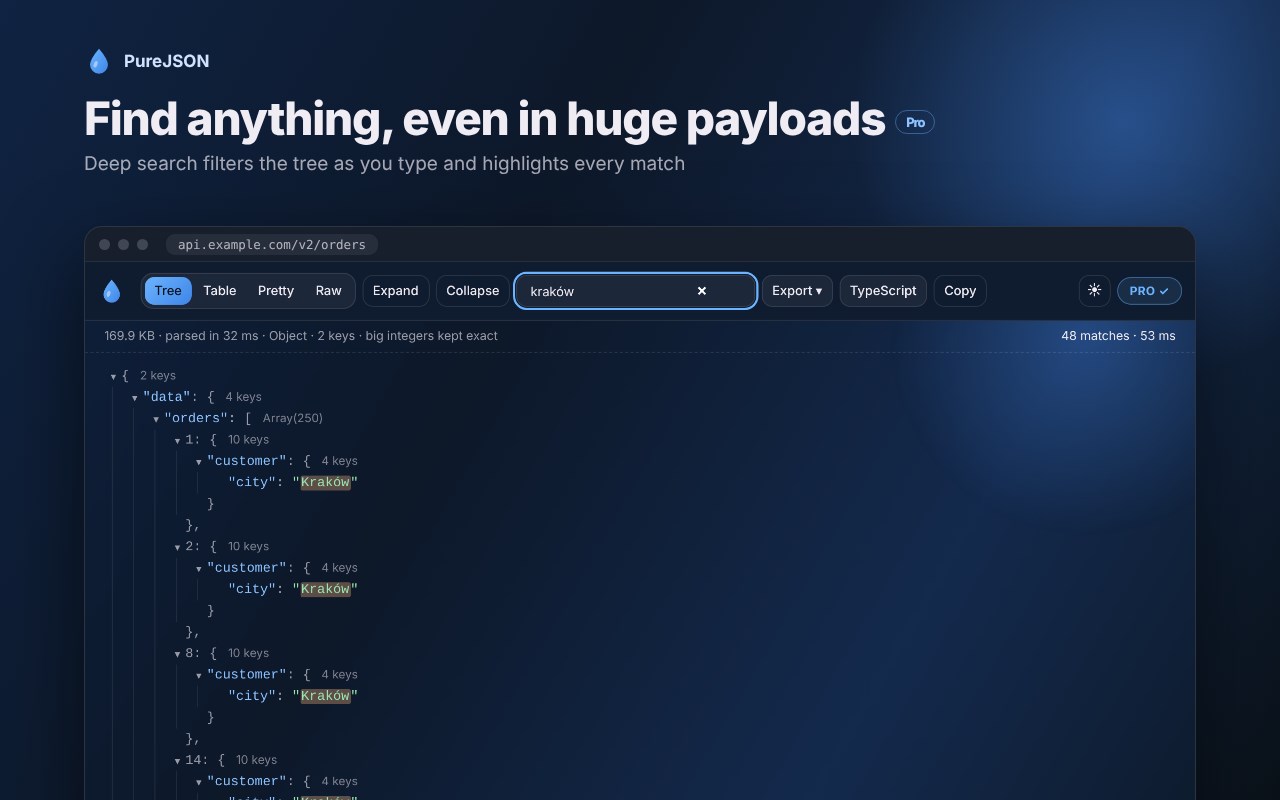
• Deep search & filter — find any key or value instantly; the tree filters as you type
PRIVACY
PureJSON does not collect any data. The only network request it can make is a license check to Gumroad when you activate a Pro key. Your JSON never leaves your browser.
SECURITY
JSON content is always rendered as plain text, so malicious HTML or scripts inside a payload can never run. CSV exports are protected against spreadsheet formula injection.
JSON Viewer & Formatter — PureJSON (CSV, Excel, TypeScript) 是做什么的
JSON Viewer & Formatter — PureJSON (CSV, Excel, TypeScript) 是一款面向 Edge 的实用工具类扩展,主要用来解决浏览器里某类具体的小问题。官方对它的介绍是:Private JSON viewer & formatter: fast collapsible tree, exact big numbers, dark mode. Pro: table view, CSV/Excel export, TypeScript.在微软 Edge 加载项商店上,它当前版本 1.0.3,约 1 名用户。
适合什么人用
从功能定位看,JSON Viewer & Formatter — PureJSON (CSV, Excel, TypeScript) 更适合想补上浏览器原生缺失功能的用户。如果你平时只是偶尔遇到相关需求,用浏览器自带功能也能凑合;但如果这件事每天都发生,装一个专门处理它的扩展通常比手动操作省事得多。
怎么安装 JSON Viewer & Formatter — PureJSON (CSV, Excel, TypeScript)
- 打开微软 Edge 加载项商店上的官方页面;
- 点「添加到浏览器」并确认权限提示;
- 装好后在扩展列表里固定图标,方便随时开关。
本站只做索引与介绍,安装包来自官方商店。如果商店页面提示当前地区不可用,说明该扩展未在你所在区域上架。
常见问题
JSON Viewer & Formatter — PureJSON (CSV, Excel, TypeScript) 是免费的吗?
JSON Viewer & Formatter — PureJSON (CSV, Excel, TypeScript) 在微软 Edge 加载项商店免费提供下载。它是浏览器扩展,装上就能直接用,不需要注册账号。
JSON Viewer & Formatter — PureJSON (CSV, Excel, TypeScript) 安全吗?
它只申请了 0 项权限,范围比较克制,没有申请「读取所有网站数据」这种大权限。
JSON Viewer & Formatter — PureJSON (CSV, Excel, TypeScript) 支持哪些浏览器?
当前收录的版本来自微软 Edge 加载项商店,适用于 Edge。同一个扩展在其他商店可能有对应版本,但功能与版本号不一定相同。
怎么卸载 JSON Viewer & Formatter — PureJSON (CSV, Excel, TypeScript)?
在扩展管理页找到 JSON Viewer & Formatter — PureJSON (CSV, Excel, TypeScript),点移除即可。它在本地保存的设置会一起清掉,不会残留数据。
权限清单 来自 manifest.json 原文
接口权限 2
clipboardWritestorage