
JSON Viewer Extended EN
marr-cloud · EEdge MV3
Fast, themeable JSON viewer with VS Code themes and Google Fonts.
<all_urls>),意味着它可以读取你在任意站点的页面内容,包括已登录的页面。这是许多扩展正常工作的必要条件,但也值得你确认来源可信。
截图
简介
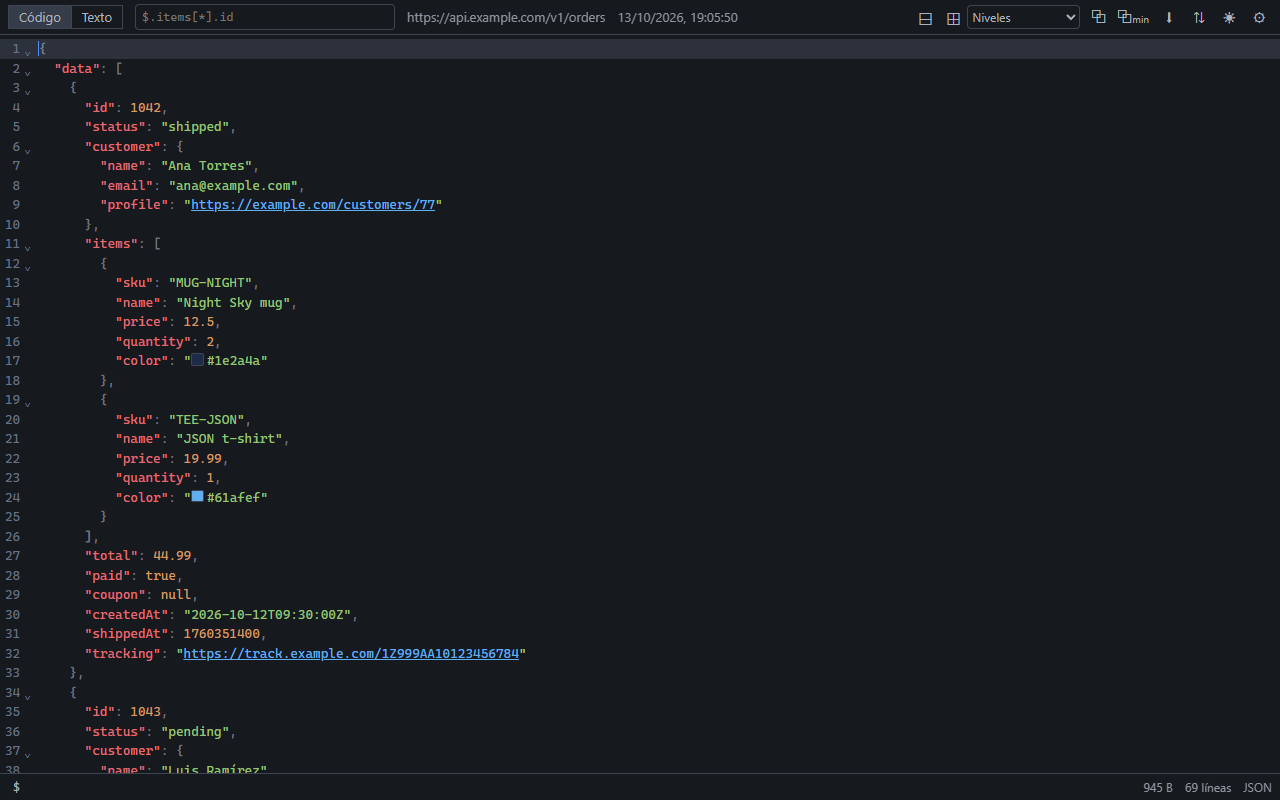
JSON Viewer Extended turns JSON responses into a fast, readable, themeable view, right where they open.
VIEWER
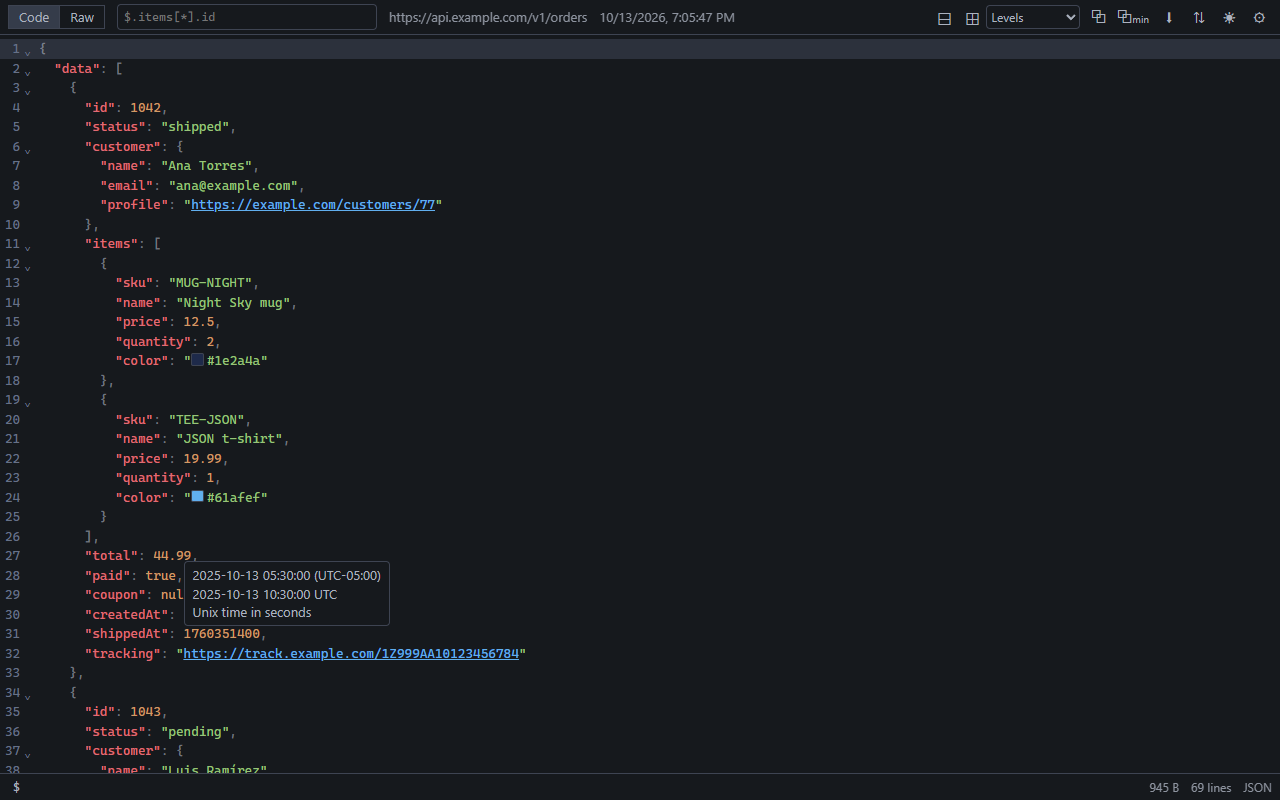
• Syntax highlighting, line numbers, folding (all, none or by level) and item counts on folded blocks
• Search inside the document (Ctrl+F) with match case, whole word and regular expressions
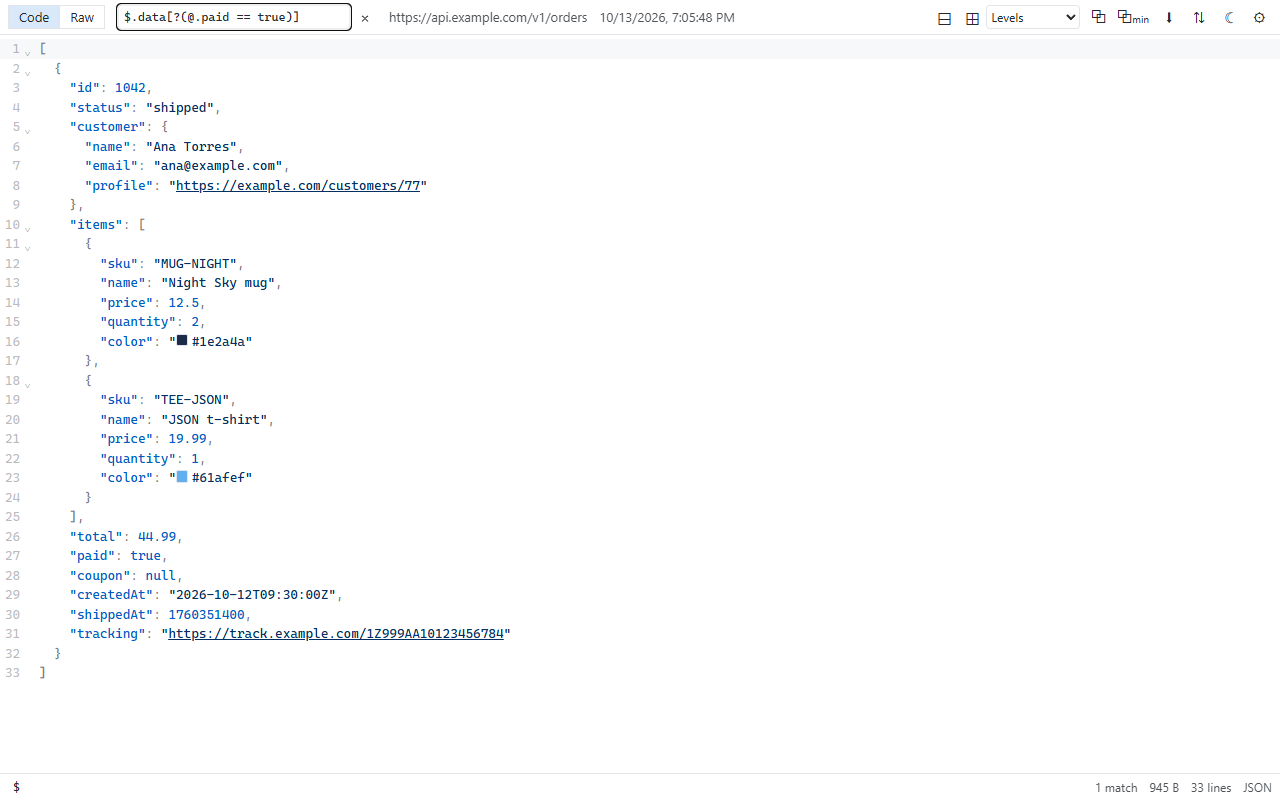
• JSONPath filter: $.data[?(@.paid == true)]
• Copy formatted or minified, download, sort keys, Raw view
• The path of the cursor in the status bar ($.items[3].name), copied with one click
• Clickable URLs, including paths like "/api/users" resolved against the page
• Color swatches, date tooltips (Unix time and ISO 8601) and image previews on hover
• Handles big documents: a light mode keeps files of tens of MB fast
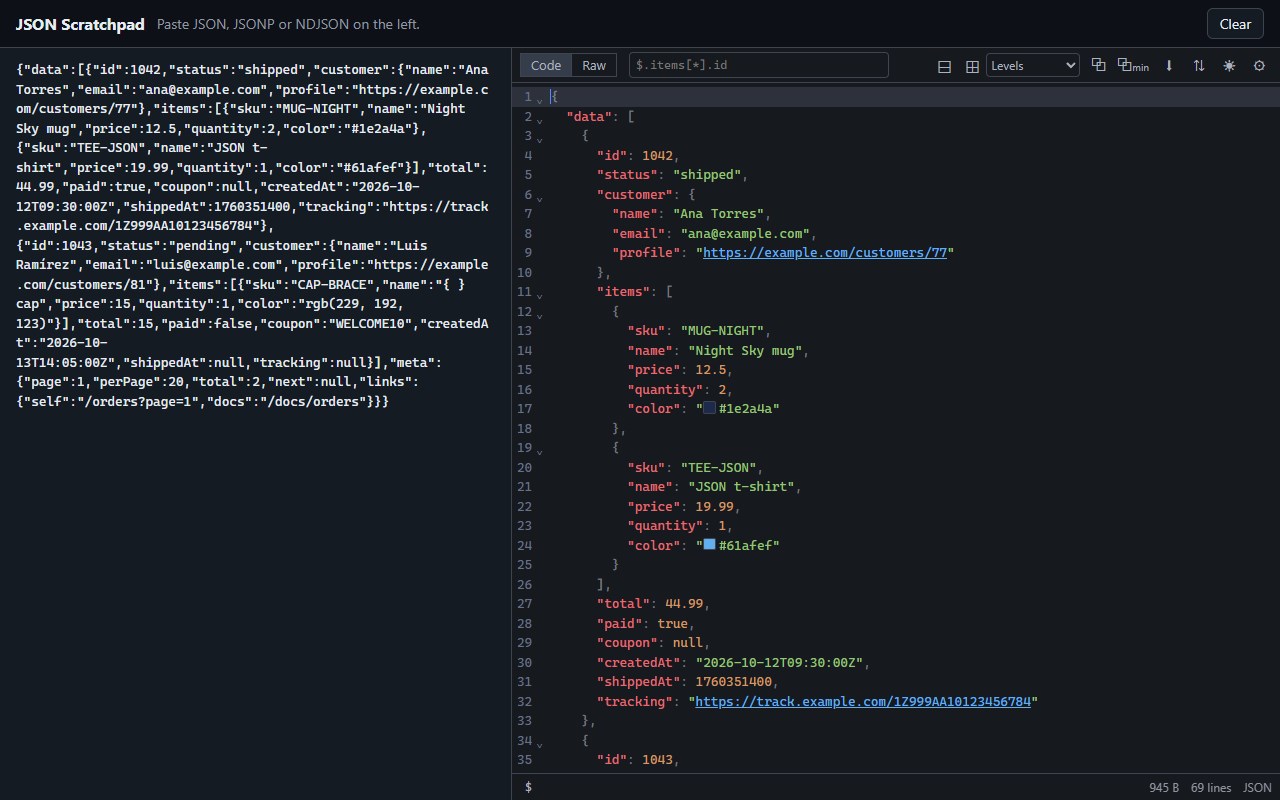
• Also JSONP and NDJSON / JSON Lines
THEMES AND FONTS
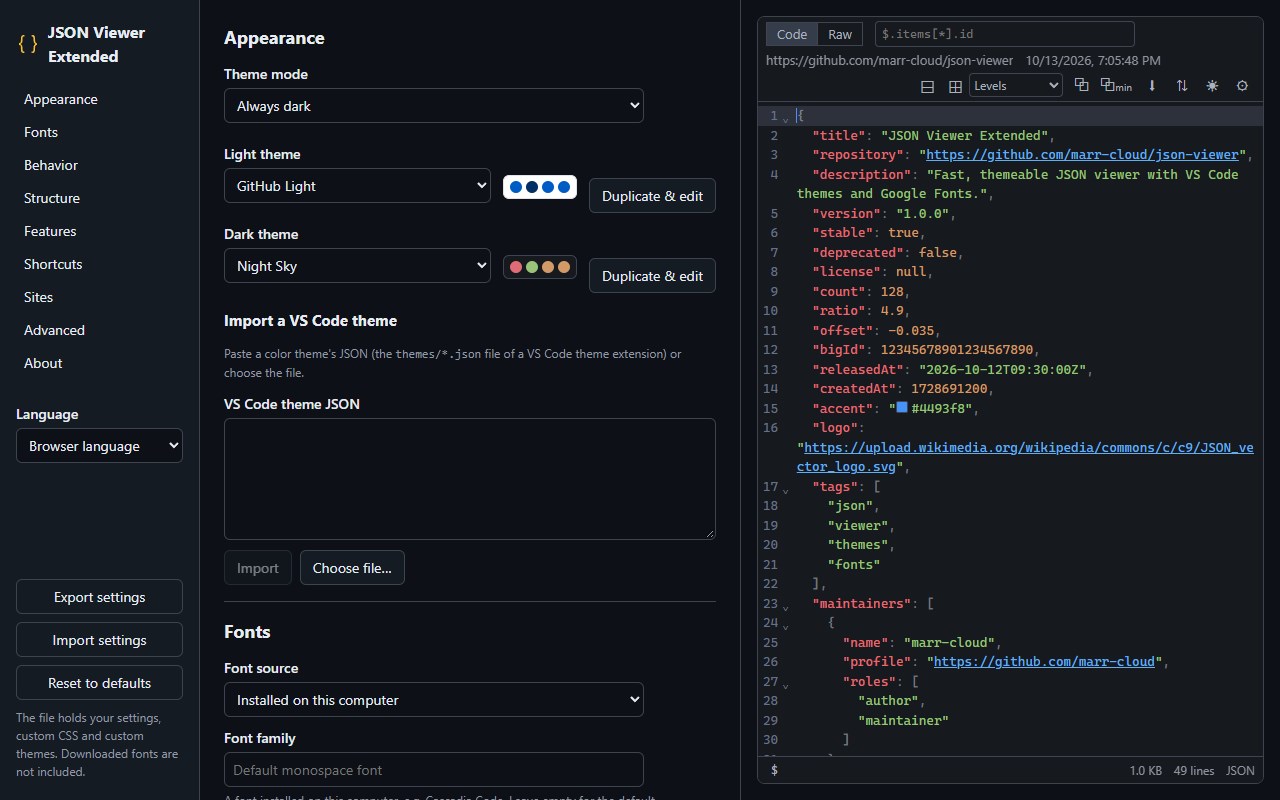
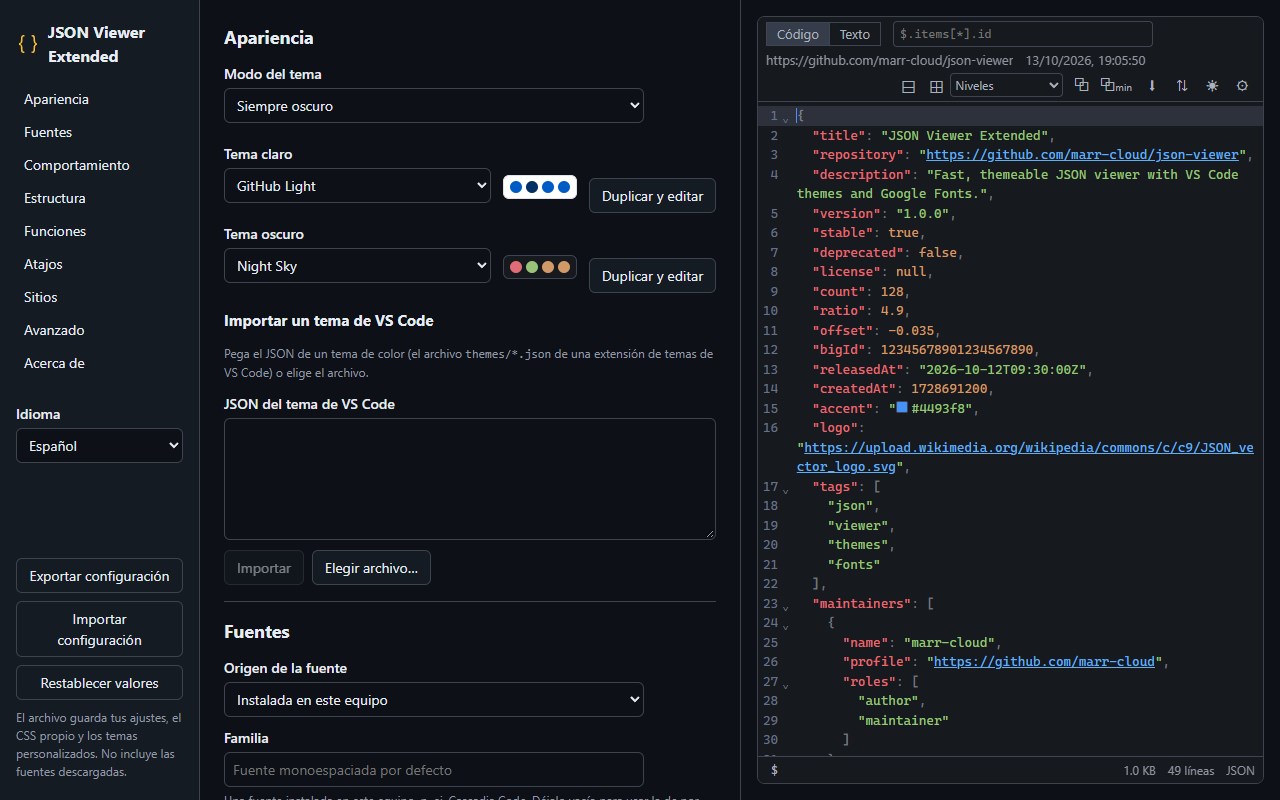
• 17 built-in themes from VS Code (One Dark Pro, Dracula, GitHub, Tokyo Night, Nord, Night Sky…), light and dark, following the system
• Import any VS Code color theme, or duplicate one and edit its colors
• Any installed font or any Google Font, downloaded once and used offline; size, line height, weight and ligatures
MORE
• Scratchpad: click the toolbar icon to paste JSON and view it
• Right-click "View as JSON" on any page, or "View selection as JSON"
• Sites where the viewer should not open
• Configurable keyboard shortcuts and custom CSS
• Export and import your settings
• English and Spanish
PRIVACY
No analytics, no tracking, no servers. Pages are processed inside your browser and never sent anywhere.
Open source: https://github.com/marr-cloud/json-viewer
Inspired by tulios/json-viewer.
JSON Viewer Extended 是做什么的
JSON Viewer Extended 是一款面向 Edge 的实用工具类扩展,主要用来解决浏览器里某类具体的小问题。官方对它的介绍是:Fast, themeable JSON viewer with VS Code themes and Google Fonts.在微软 Edge 加载项商店上,它当前版本 1.0.0,评分 5(1 人评价),约 3 名用户。
适合什么人用
从功能定位看,JSON Viewer Extended 更适合想补上浏览器原生缺失功能的用户。如果你平时只是偶尔遇到相关需求,用浏览器自带功能也能凑合;但如果这件事每天都发生,装一个专门处理它的扩展通常比手动操作省事得多。需要注意的是它作用于所有网站,装上后建议先观察一两天,确认不影响常用站点的正常使用。
怎么安装 JSON Viewer Extended
- 打开微软 Edge 加载项商店上的官方页面;
- 点「添加到浏览器」并确认权限提示;
- 装好后在扩展列表里固定图标,方便随时开关。
本站只做索引与介绍,安装包来自官方商店。如果商店页面提示当前地区不可用,说明该扩展未在你所在区域上架。
常见问题
JSON Viewer Extended 是免费的吗?
JSON Viewer Extended 在微软 Edge 加载项商店免费提供下载。它是浏览器扩展,装上就能直接用,不需要注册账号。
JSON Viewer Extended 安全吗?
它只申请了 0 项权限,范围比较克制,没有申请「读取所有网站数据」这种大权限。
JSON Viewer Extended 支持哪些浏览器?
当前收录的版本来自微软 Edge 加载项商店,适用于 Edge。同一个扩展在其他商店可能有对应版本,但功能与版本号不一定相同。
怎么卸载 JSON Viewer Extended?
在扩展管理页找到 JSON Viewer Extended,点移除即可。它在本地保存的设置会一起清掉,不会残留数据。
权限清单 来自 manifest.json 原文
站点访问(可选) 1
<all_urls>
接口权限 3
contextMenusscriptingstorage