
JSON View EN
AppNodo · EEdge MV3
Convierte cualquier JSON en un panel tipo backoffice: tablas, fichas, miniaturas, edición inline y tema claro/oscuro.
截图
简介
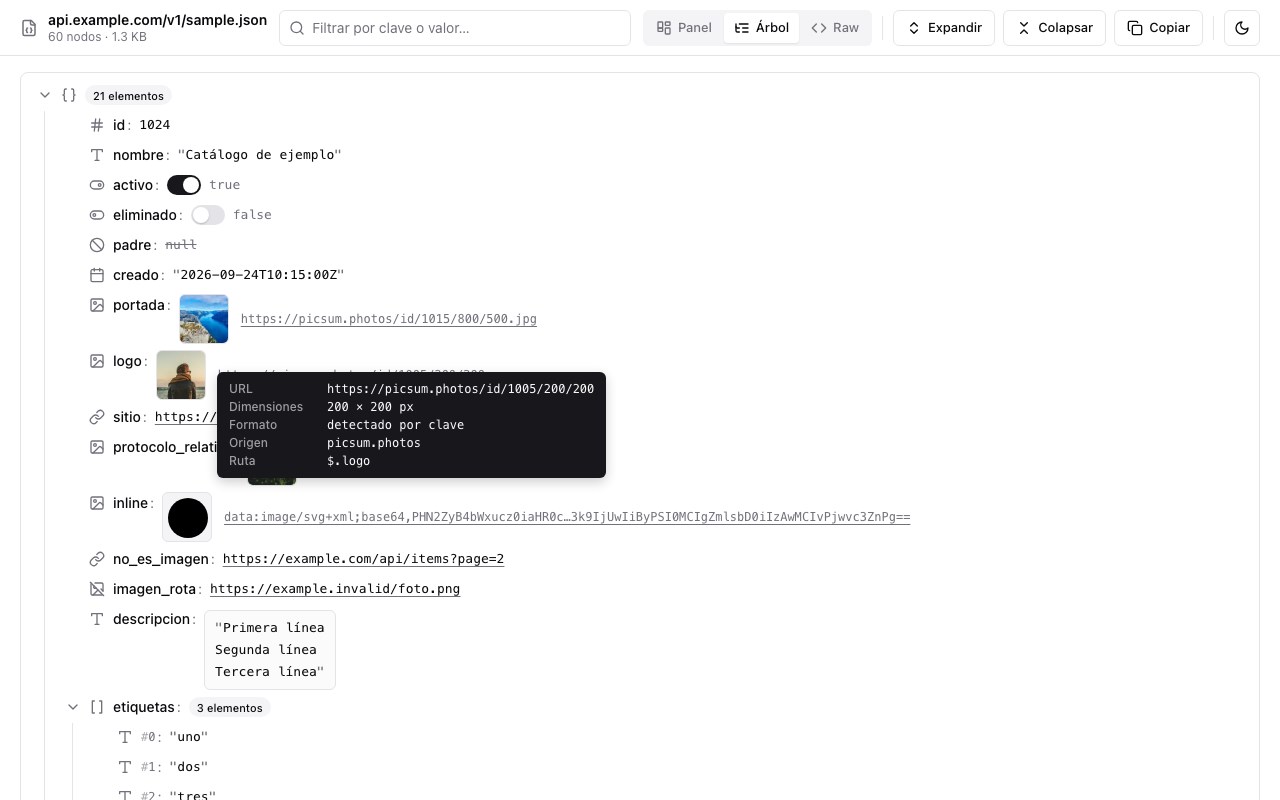
JSON View turns any JSON into a readable, navigable, backoffice-style dashboard — right inside the browser tab. It works automatically on API responses and .json files, and also as a standalone viewer where you can paste or drop JSON.
**Automatic detection**
When a tab shows raw JSON (application/json, or plain text starting with { or [), the page is replaced by the viewer. On any other page the extension does nothing. Local .json files work too if you enable "Allow access to file URLs".
**Three views, remembered between sessions**
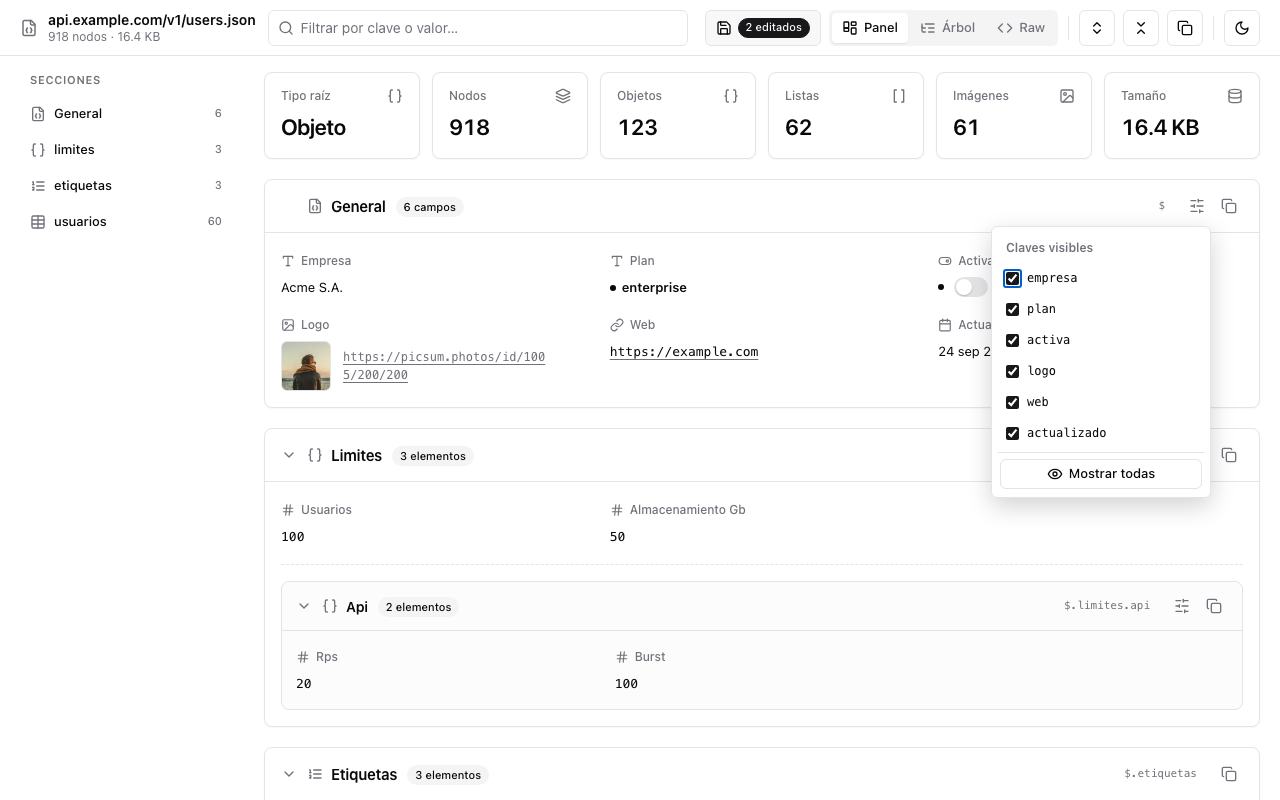
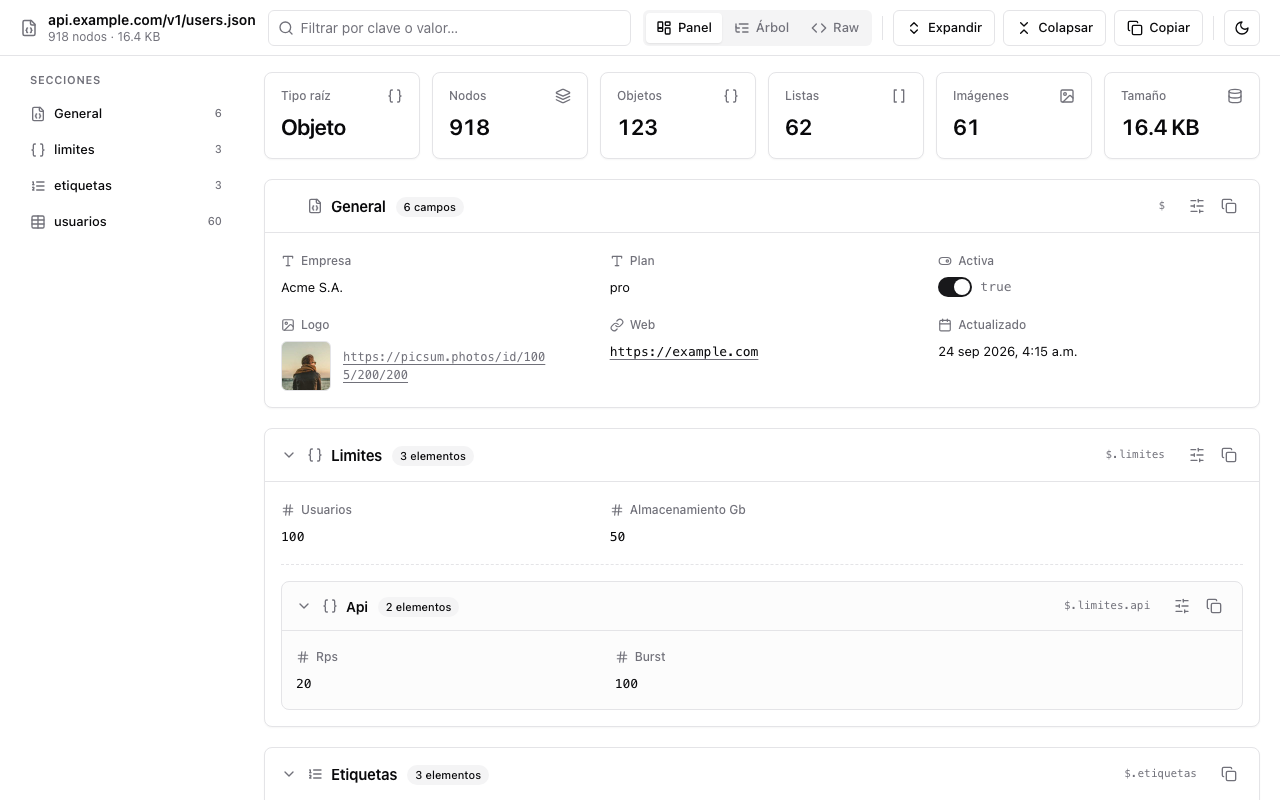
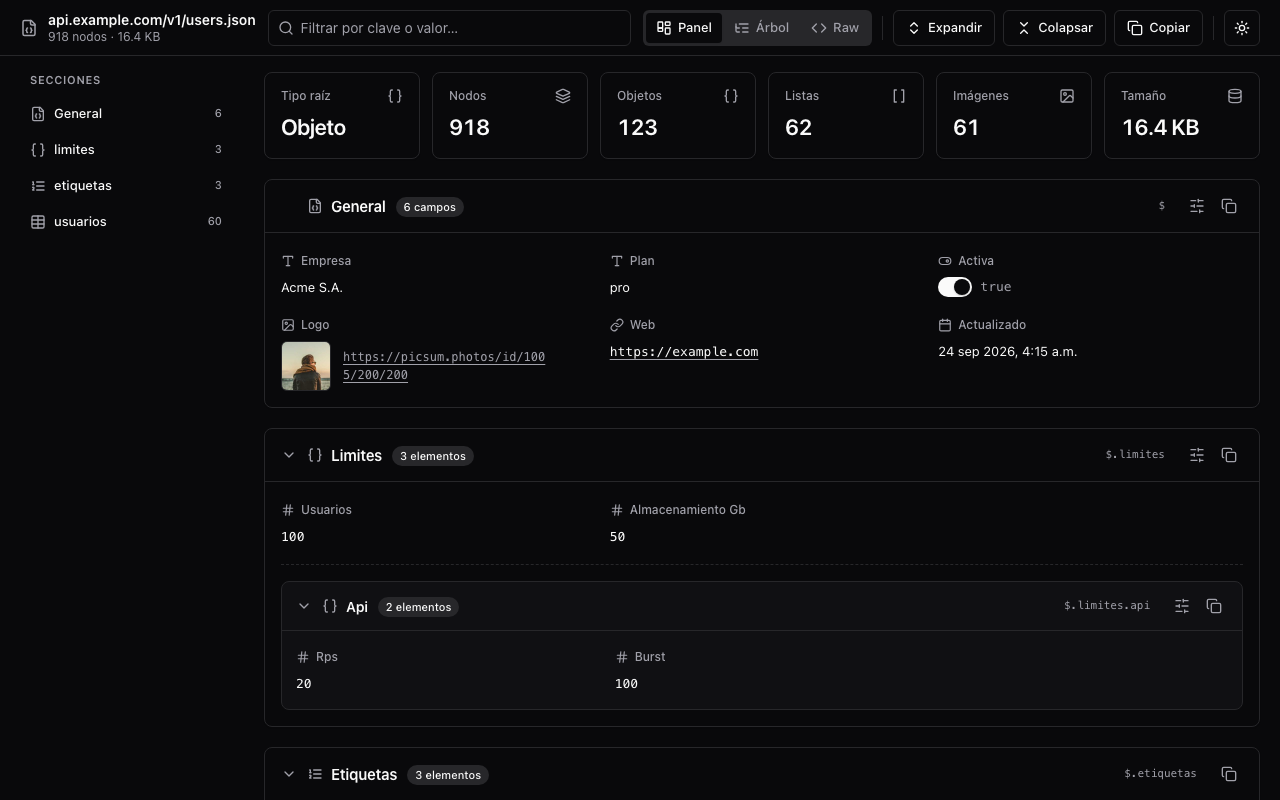
- Dashboard (default): summary cards (root type, nodes, objects, lists, images, size), a sidebar with one entry per section, a "General" card with the root's simple fields, and one collapsible card per nested object or list. Lists of objects become sortable, paginated tables (columns = union of keys, up to 12 visible); lists of primitives become chips; ISO dates are shown in a readable format.
- Tree: the classic collapsible node view with lazy rendering and pagination for very large arrays.
- Raw: the original text.
**Side panels like Monday or Notion**
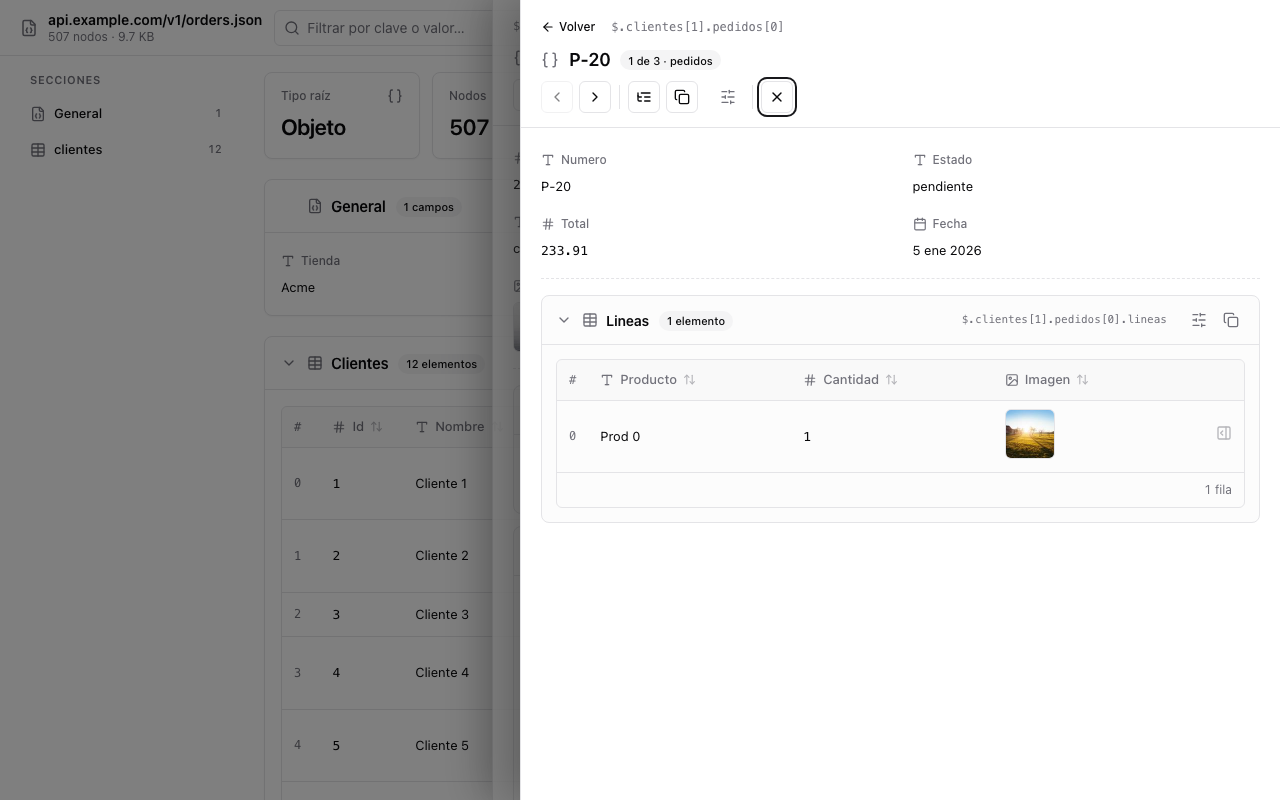
Click any table row to open a side panel with that item's details: inferred title (name, title, email, id…), path breadcrumb, previous/next (also with arrow keys), copy, switch to tree, close with Escape. Nested lists inside the panel are tables again, and their rows open another panel stacked on top — at any depth, with a Back button.
**Images and links**
Image URLs (by extension, data:image URIs, or key names like avatar, photo, thumbnail) are shown as 50×50 thumbnails. Hover for a tooltip with the URL, real dimensions, format, host and JSON path. Click to open the image in a new window sized to fit. Other URLs become links.
**Lucide icons for every data type**
Object, array, string, number, boolean, null, URL, image and date each get their own icon so you can scan a document at a glance.
**Filter**
Type a key or value to keep only the matching branches, automatically expanded.
**Choose which keys to show, per block**
Every card, table and side panel has a "visible keys" popover. Hiding a column in a table also hides that field in the panel of every item of that list, at any depth. A badge shows how many keys are hidden.
**Inline editing**
Hover any value and click the pencil (or double-click) to edit it in place. Booleans are toggled with a switch. Numbers keep their type. Edited values are marked and included in the Raw view and when copying.
**Autosave and status indicator**
Hidden keys and edits are saved locally per document and restored when you open it again. A status chip in the toolbar shows "Saving…/Saved" plus counters for hidden keys, edits and active filter, with actions to show all keys, discard changes or clear the filter.
**Copy anything**
The whole JSON, a block, a table row, a single field, a tree node or the item open in the side panel — always with your edits applied.
**Design and privacy**
Minimal shadcn-style interface with light and dark themes (follows your system by default). No dependencies, no remote code, no servers and no tracking: nothing ever leaves your browser.
JSON View 是做什么的
JSON View 是一款面向 Edge 的实用工具类扩展,主要用来解决浏览器里某类具体的小问题。官方对它的介绍是:Convierte cualquier JSON en un panel tipo backoffice: tablas, fichas, miniaturas, edición inline y tema claro/oscuro.在微软 Edge 加载项商店上,它当前版本 1.0.0,评分 5(1 人评价),约 6 名用户。
适合什么人用
从功能定位看,JSON View 更适合想补上浏览器原生缺失功能的用户。如果你平时只是偶尔遇到相关需求,用浏览器自带功能也能凑合;但如果这件事每天都发生,装一个专门处理它的扩展通常比手动操作省事得多。
怎么安装 JSON View
- 打开微软 Edge 加载项商店上的官方页面;
- 点「添加到浏览器」并确认权限提示;
- 装好后在扩展列表里固定图标,方便随时开关。
本站只做索引与介绍,安装包来自官方商店。如果商店页面提示当前地区不可用,说明该扩展未在你所在区域上架。
常见问题
JSON View 是免费的吗?
JSON View 在微软 Edge 加载项商店免费提供下载。它是浏览器扩展,装上就能直接用,不需要注册账号。
JSON View 安全吗?
它只申请了 0 项权限,范围比较克制,没有申请「读取所有网站数据」这种大权限。
JSON View 支持哪些浏览器?
当前收录的版本来自微软 Edge 加载项商店,适用于 Edge。同一个扩展在其他商店可能有对应版本,但功能与版本号不一定相同。
怎么卸载 JSON View?
在扩展管理页找到 JSON View,点移除即可。它在本地保存的设置会一起清掉,不会残留数据。
权限清单 来自 manifest.json 原文
接口权限 2
contextMenusstorage