
Imify - Powerful Image Toolkit EN
TrongAJTT · EEdge MV3
A privacy-first, powerful image toolkit. Save image directly from your context menu, and even more. Supports ICO, AVIF, JPEG XL.
<all_urls>),意味着它可以读取你在任意站点的页面内容,包括已登录的页面。这是许多扩展正常工作的必要条件,但也值得你确认来源可信。
截图
简介
Imify: The Ultimate Image Toolkit & Local Processor
Tired of struggling with incompatible web formats, clunky online tools, and privacy-invading converters? Meet Imify: the most comprehensive, professional-grade image toolkit ever built for your browser.
Imify is more than just a converter - it's a high-performance workstation that lives in your context menu and sidebar. Whether you need to audit page SEO, design seamless patterns, split assets for social media, or batch-process high-res images, Imify delivers desktop-level performance with zero cloud uploads. Your images never leave your device, ensuring total privacy while you design, inspect, and optimize at the speed of thought.
🎨 CREATIVE WORKSPACES (NEW IN V2.1)
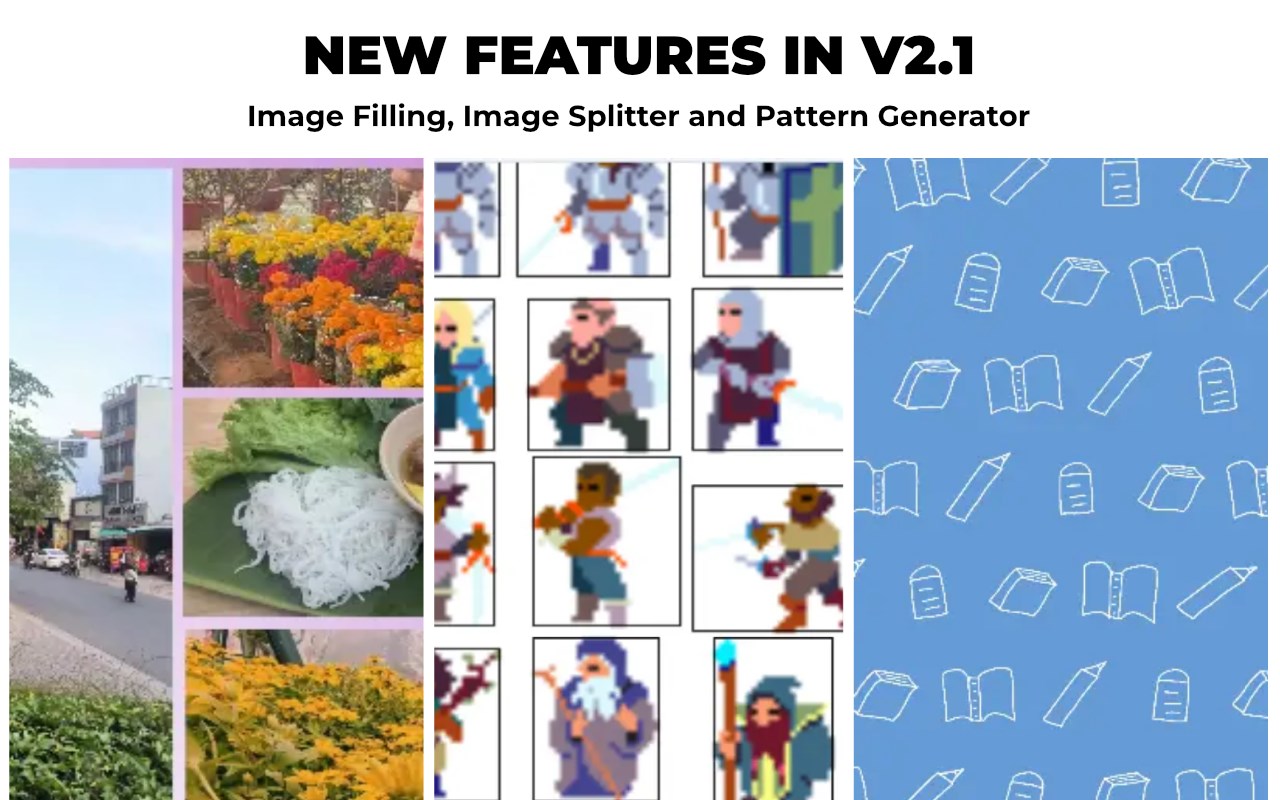
- Image Filling Designer: Design stunning shape-filled images (polygons, stars, circles) with professional layer management and symmetric grids.
- Advanced Image Splitter: Multi-method slicing engine for social media carousels or extracting individual icons from sprite sheets.
- Pattern Generator: Create seamless repeating patterns from any image asset or manual strokes in seconds.
🔍 SMART INTELLIGENCE & DIAGNOSTICS (NEW IN V2.1)
- SEO Audit (Chrome & Edge): Run live in-page diagnostics to identify missing alt text, oversized assets, and performance bottlenecks directly on the webpage.
- Extension Command Center: A new quick-access popup for instant Page Scans and Lite Image Inspection without opening the main dashboard.
- Smart Concurrency Advisor: Hardware-aware engine that auto-optimizes processing speed based on your CPU power.
🖱️ THE ULTIMATE RIGHT-CLICK MAGIC
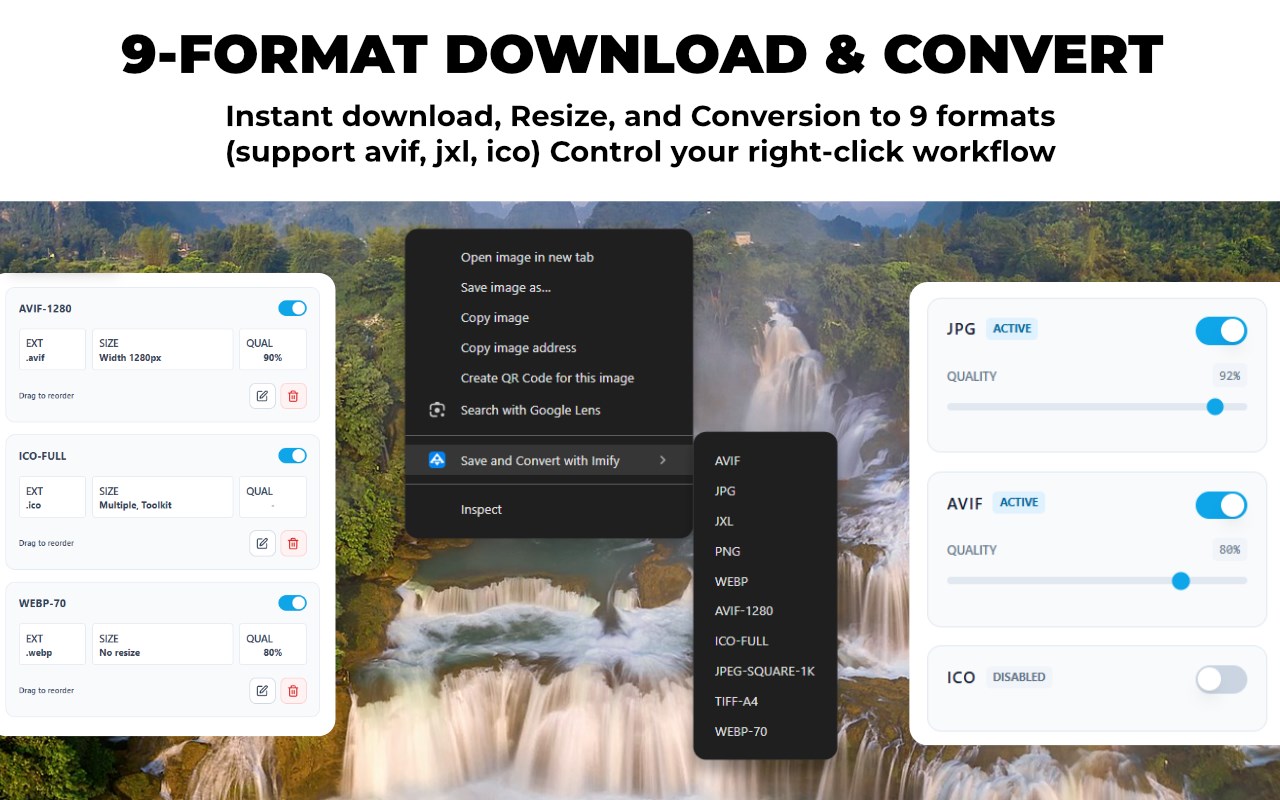
- Convert on the Fly: Right-click any image, hover over "Imify," and instantly download it in your preferred format.
- Total Menu Control: Customize your context menu! Decide which formats appear, in what order, and hide the ones you never use.
- 1-Click Custom Presets: Set your ideal output size and format once. Every time you right-click, Imify applies your exact settings automatically.
🚀 PROFESSIONAL IMAGE WORKFLOW
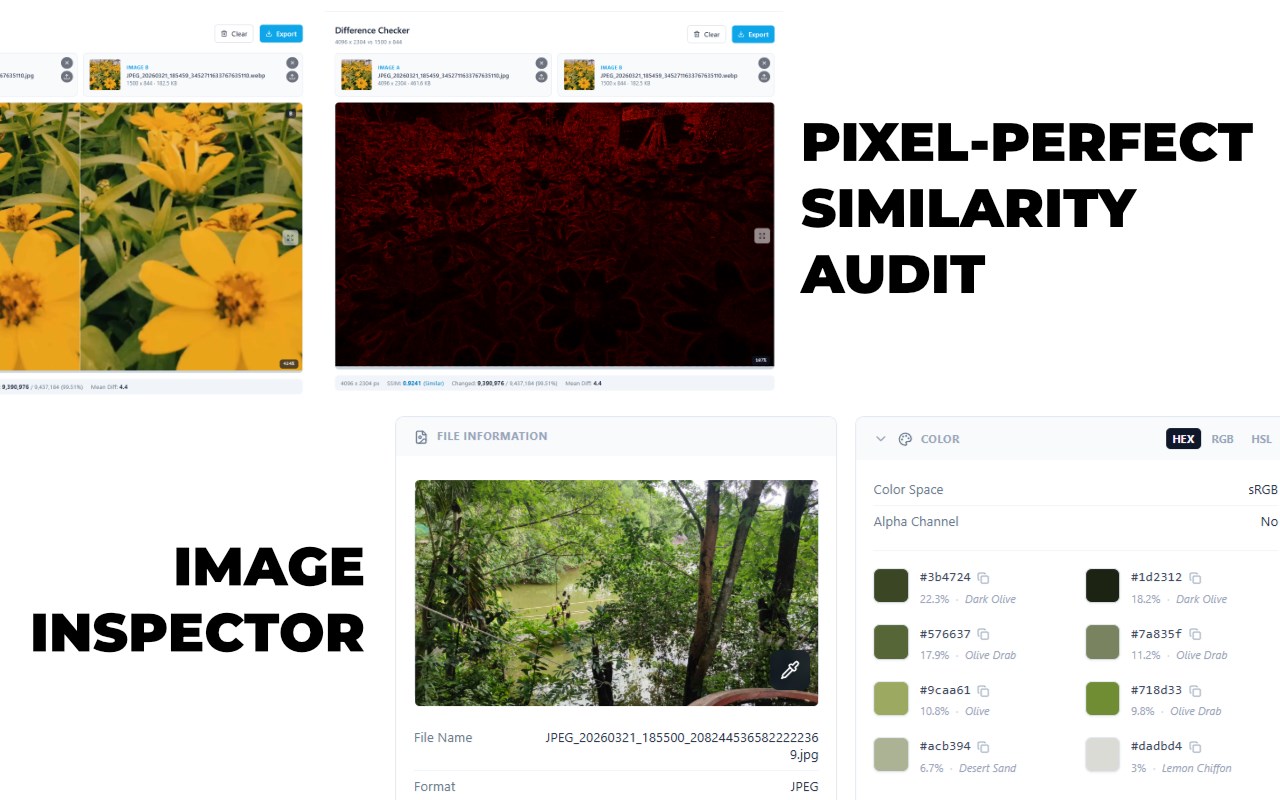
- Image Inspector (X-Ray): Deep dive into any image. Extract dominant HEX/RGB palettes, audit sensitive EXIF metadata, and verify exact dimensions.
- Difference Checker: Compare two images with surgical precision using structural SSIM scores and detailed pixel heatmaps.
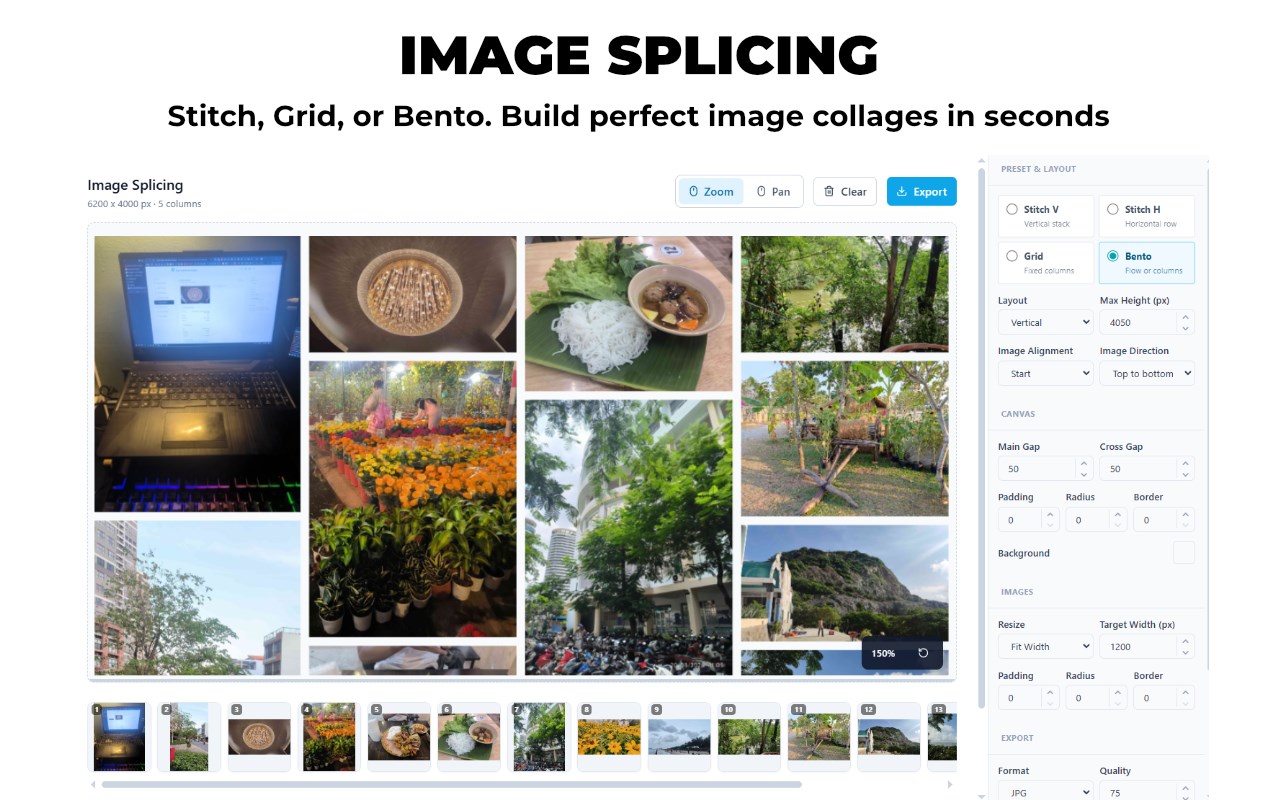
- Image Splicing: Combine multiple images into stunning Bento layouts, grids, or vertical scrolls in seconds.
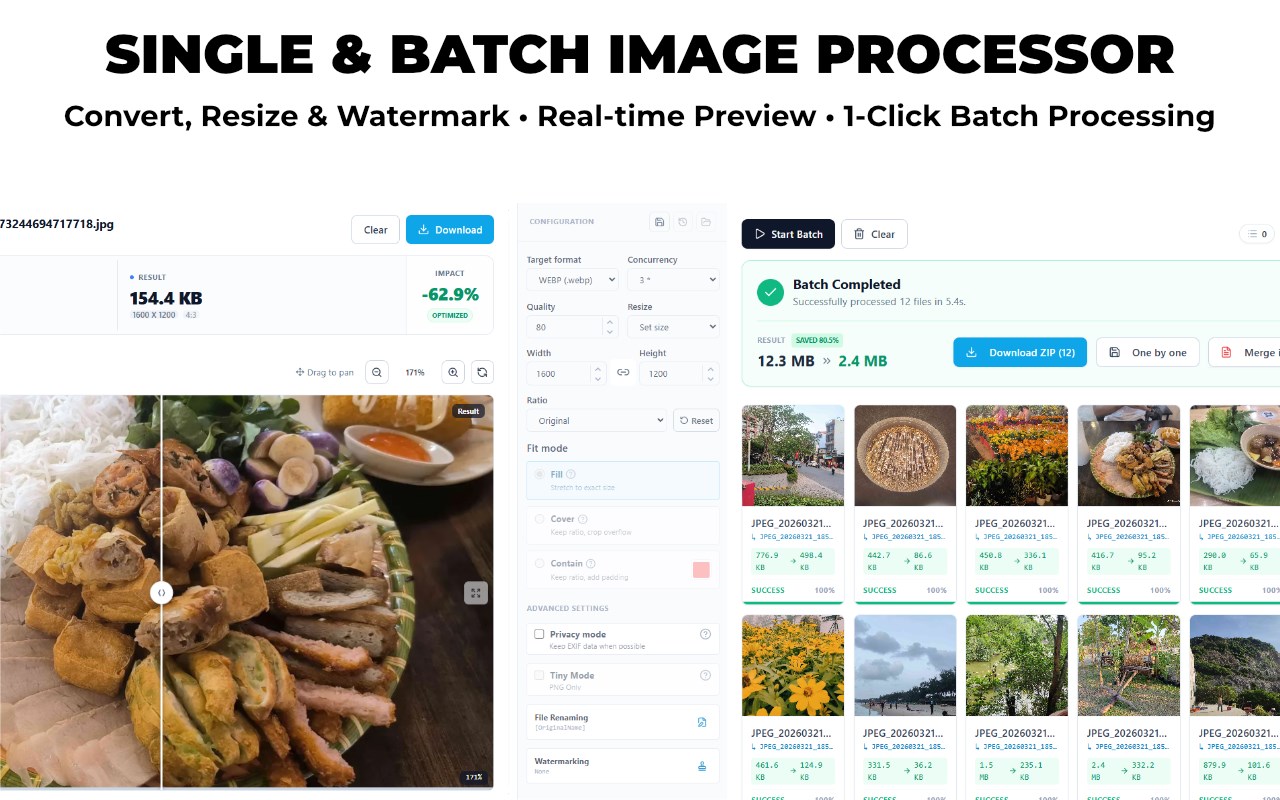
- Powerful Batch Processing: Drop a folder of heavy images into the dashboard and process hundreds of files in a single click.
💻 DESKTOP-GRADE PERFORMANCE
Powered by WebAssembly (WASM) and multi-threading, Imify utilizes your computer's local hardware for heavy tasks without freezing your browser. Now featuring MozJPEG for superior quality-to-size compression ratios.
🔒 ZERO-DATA PRIVACY
Your images are yours. Imify operates 100% offline and client-side. We do not track, store, or send your files to any external servers. Protect your EXIF data with our built-in Privacy Mode.
📦 NATIVE FORMAT SUPPORT
Seamlessly convert across next-generation standards (AVIF, JXL, WebP) and traditional formats (JPG, PNG, BMP, ICO, TIFF). Always have the right file type for your specific needs.
Imify is free, open-source, and built for a frictionless web experience. Check out the source code on our GitHub repository!
Imify - Powerful Image Toolkit 是做什么的
Imify - Powerful Image Toolkit 是一款面向 Edge 的实用工具类扩展,主要用来解决浏览器里某类具体的小问题。官方对它的介绍是:A privacy-first, powerful image toolkit. Save image directly from your context menu, and even more. Supports ICO, AVIF, JPEG XL.在微软 Edge 加载项商店上,它当前版本 2.1.2,约 70 名用户。
适合什么人用
从功能定位看,Imify - Powerful Image Toolkit 更适合想补上浏览器原生缺失功能的用户。如果你平时只是偶尔遇到相关需求,用浏览器自带功能也能凑合;但如果这件事每天都发生,装一个专门处理它的扩展通常比手动操作省事得多。需要注意的是它作用于所有网站,装上后建议先观察一两天,确认不影响常用站点的正常使用。
怎么安装 Imify - Powerful Image Toolkit
- 打开微软 Edge 加载项商店上的官方页面;
- 点「添加到浏览器」并确认权限提示;
- 装好后在扩展列表里固定图标,方便随时开关。
本站只做索引与介绍,安装包来自官方商店。如果商店页面提示当前地区不可用,说明该扩展未在你所在区域上架。
常见问题
Imify - Powerful Image Toolkit 是免费的吗?
Imify - Powerful Image Toolkit 在微软 Edge 加载项商店免费提供下载。它是浏览器扩展,装上就能直接用,不需要注册账号。
Imify - Powerful Image Toolkit 安全吗?
它只申请了 0 项权限,范围比较克制,没有申请「读取所有网站数据」这种大权限。
Imify - Powerful Image Toolkit 支持哪些浏览器?
当前收录的版本来自微软 Edge 加载项商店,适用于 Edge。同一个扩展在其他商店可能有对应版本,但功能与版本号不一定相同。
怎么卸载 Imify - Powerful Image Toolkit?
在扩展管理页找到 Imify - Powerful Image Toolkit,点移除即可。它在本地保存的设置会一起清掉,不会残留数据。
权限清单 来自 manifest.json 原文
站点访问(可选) 2
http://*/*https://*/*
接口权限 5
contextMenusdownloadsoffscreensidePanelstorage