
Image Extractor - Download All Images, SVG & Background Pictures EN
ZeroStudio · EEdge MV3
Extract & download all images from any webpage instantly. Supports JPG, PNG, GIF, WebP, SVG & background images.
<all_urls>),意味着它可以读取你在任意站点的页面内容,包括已登录的页面。这是许多扩展正常工作的必要条件,但也值得你确认来源可信。
截图
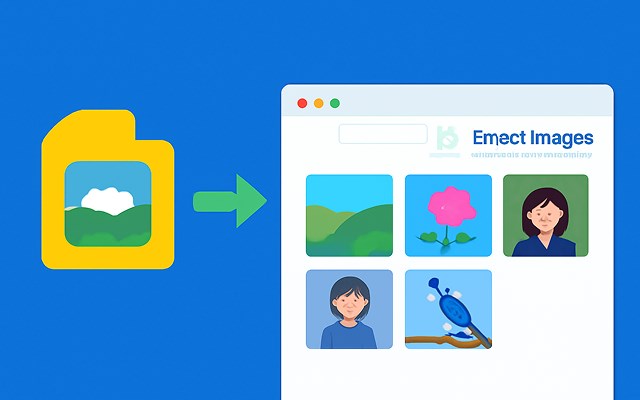
简介
Image Extractor: The Ultimate Tool for Downloading All Images from Any Webpage Instantly 📸🌐
What is Image Extractor? 🤔
An Image Extractor is a powerful tool that allows you to download all images from any webpage with just one click. Whether you're a web designer, developer, researcher, or content creator, this tool simplifies the process of extracting images from web pages. It supports a wide variety of image formats, including JPG, PNG, GIF, WebP, SVG, and CSS background images, making it the perfect solution for anyone who needs to collect images quickly and efficiently.
Why Choose Image Extractor? 🏆
Here are the key benefits of using an Image Extractor:
Batch Download All Page Images: Download all images from a webpage in one go. No need to click through individual images. ✅
Inline SVG Extraction: Extract inline SVG elements directly, including vector graphics. 🔄
Filter by Size: Choose to extract only images of a specific size, ideal for those needing high-quality images or small file sizes. 📏
Preview Thumbnails: Preview thumbnails of the images before downloading to ensure you are getting the right ones. 🖼️
Preserve Original Quality: Save images in their original resolution and quality without any loss. 💯
No Registration Required: Get started instantly without the need for creating an account or logging in. 🚫
Supports Lazy-loaded Content: Extract images from pages that use lazy loading techniques. ⏳
How to Use Image Extractor 🚀
Using the Image Extractor tool is simple and straightforward:
Click the Extension Icon: After installing the extension, click the icon in your browser toolbar. 🔍
Press 'Extract Images': Press the button to start extracting all images from the page. 📤
Download Individually or All at Once: Choose to download images individually or download them all at once. It’s that easy! 👌
Image Extractor FAQ ❓
Does Image Extractor work on all websites?
Yes, Image Extractor works on all websites, including those with complex layouts, lazy-loaded content, or dynamically generated pages. 🌍
Can I filter images by size?
Absolutely! You can filter images based on their dimensions, ensuring you download images that meet your specific requirements. 📏
Is Image Extractor free to use?
Yes, Image Extractor is completely free to use, with no hidden charges or subscriptions required. 💸
Will the images be saved in organized folders?
Yes, images will be saved in well-organized folders, making it easy to manage and locate them later. 🗂️
Can I download high-resolution images?
Yes, Image Extractor supports the download of high-resolution images, including responsive images and those loaded lazily. 🖥️
Is there a limit to how many images I can extract?
There is no limit! You can extract and download as many images as you need from any webpage. 💥
Conclusion 🌟
The Image Extractor is the ultimate tool for anyone needing to download multiple images from a webpage quickly and easily. With features like batch downloading, inline SVG extraction, and no registration required, it’s an essential tool for web designers, developers, researchers, and content creators alike. Save time and effort with this powerful, free-to-use extension! ⏰🎨
Image Extractor - Download All Images, SVG & Background Pictures 是做什么的
Image Extractor - Download All Images, SVG & Background Pictures 是一款面向 Edge 的效率工具类扩展,主要用来管住注意力、屏蔽干扰站点、记录时间。官方对它的介绍是:Extract & download all images from any webpage instantly. Supports JPG, PNG, GIF, WebP, SVG & background images.在微软 Edge 加载项商店上,它当前版本 1.0,约 408 名用户。
适合什么人用
从功能定位看,Image Extractor - Download All Images, SVG & Background Pictures 更适合想专注工作学习、减少无效刷网页的用户。如果你平时只是偶尔遇到相关需求,用浏览器自带功能也能凑合;但如果这件事每天都发生,装一个专门处理它的扩展通常比手动操作省事得多。需要注意的是它作用于所有网站,装上后建议先观察一两天,确认不影响常用站点的正常使用。
怎么安装 Image Extractor - Download All Images, SVG & Background Pictures
- 打开微软 Edge 加载项商店上的官方页面;
- 点「添加到浏览器」并确认权限提示;
- 装好后在扩展列表里固定图标,方便随时开关。
本站只做索引与介绍,安装包来自官方商店。如果商店页面提示当前地区不可用,说明该扩展未在你所在区域上架。
常见问题
Image Extractor - Download All Images, SVG & Background Pictures 是免费的吗?
Image Extractor - Download All Images, SVG & Background Pictures 在微软 Edge 加载项商店免费提供下载。它是浏览器扩展,装上就能直接用,不需要注册账号。
Image Extractor - Download All Images, SVG & Background Pictures 安全吗?
它只申请了 0 项权限,范围比较克制,没有申请「读取所有网站数据」这种大权限。
Image Extractor - Download All Images, SVG & Background Pictures 支持哪些浏览器?
当前收录的版本来自微软 Edge 加载项商店,适用于 Edge。同一个扩展在其他商店可能有对应版本,但功能与版本号不一定相同。
怎么卸载 Image Extractor - Download All Images, SVG & Background Pictures?
在扩展管理页找到 Image Extractor - Download All Images, SVG & Background Pictures,点移除即可。它在本地保存的设置会一起清掉,不会残留数据。
权限清单 来自 manifest.json 原文
站点访问(可选) 1
<all_urls>
接口权限 3
activeTabdownloadsscripting