
Image Downloader EN
Vlad Sabev · Edge MV3
Browse and download images on the web
截图
简介
⬇️ Image Downloader
━━━━━━━━━━━━━━━━━
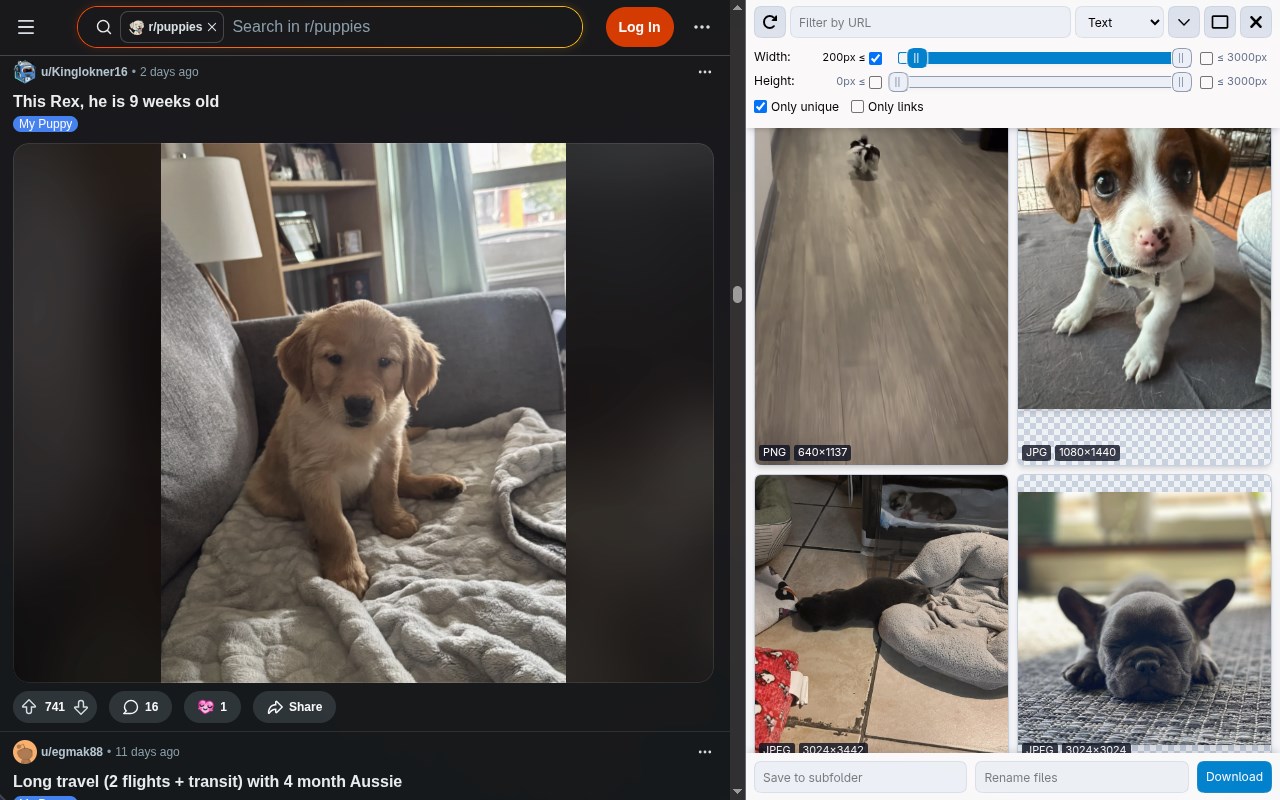
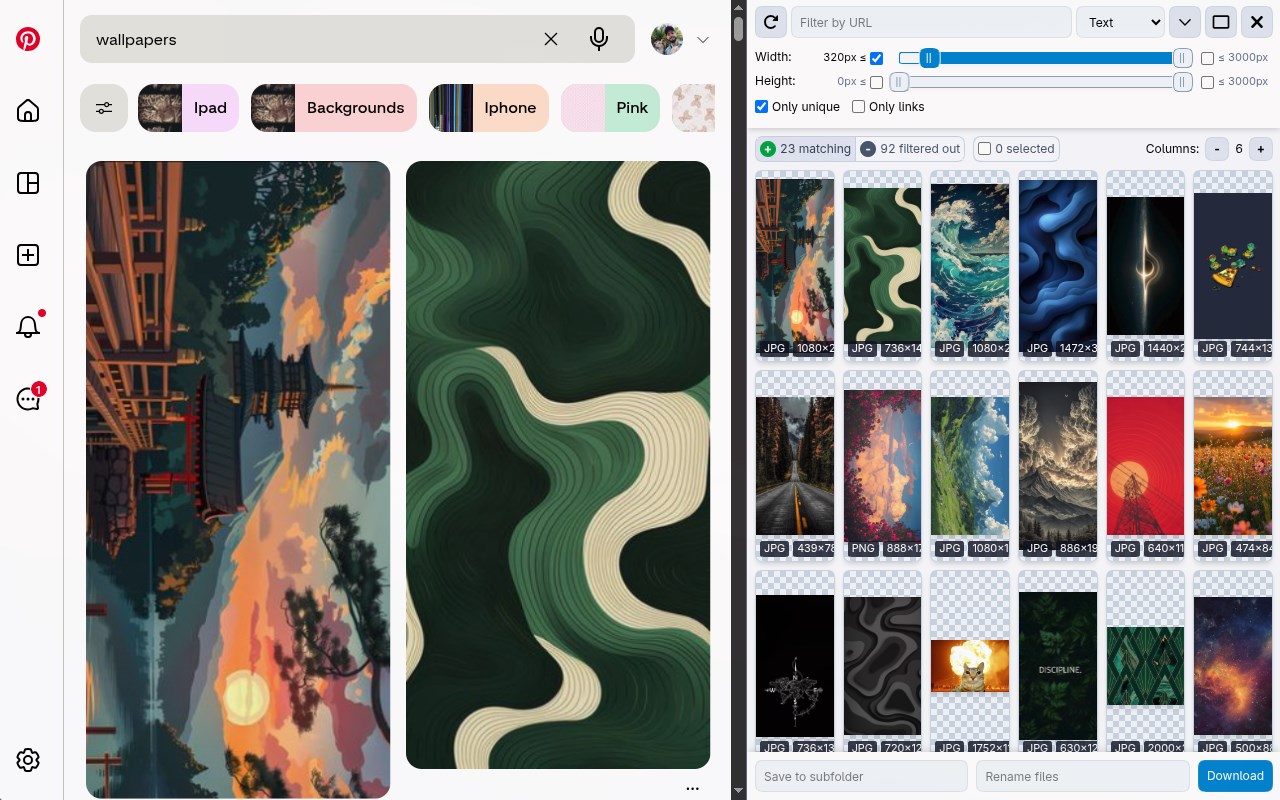
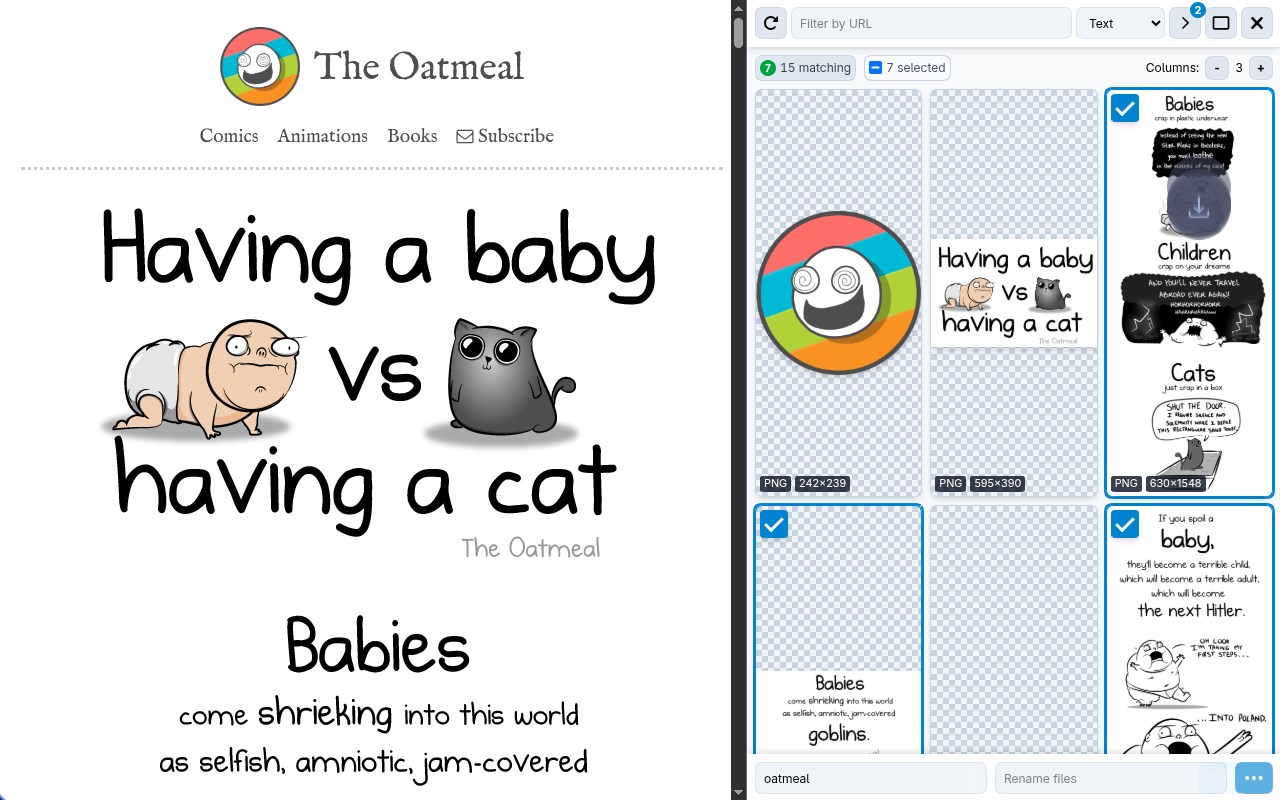
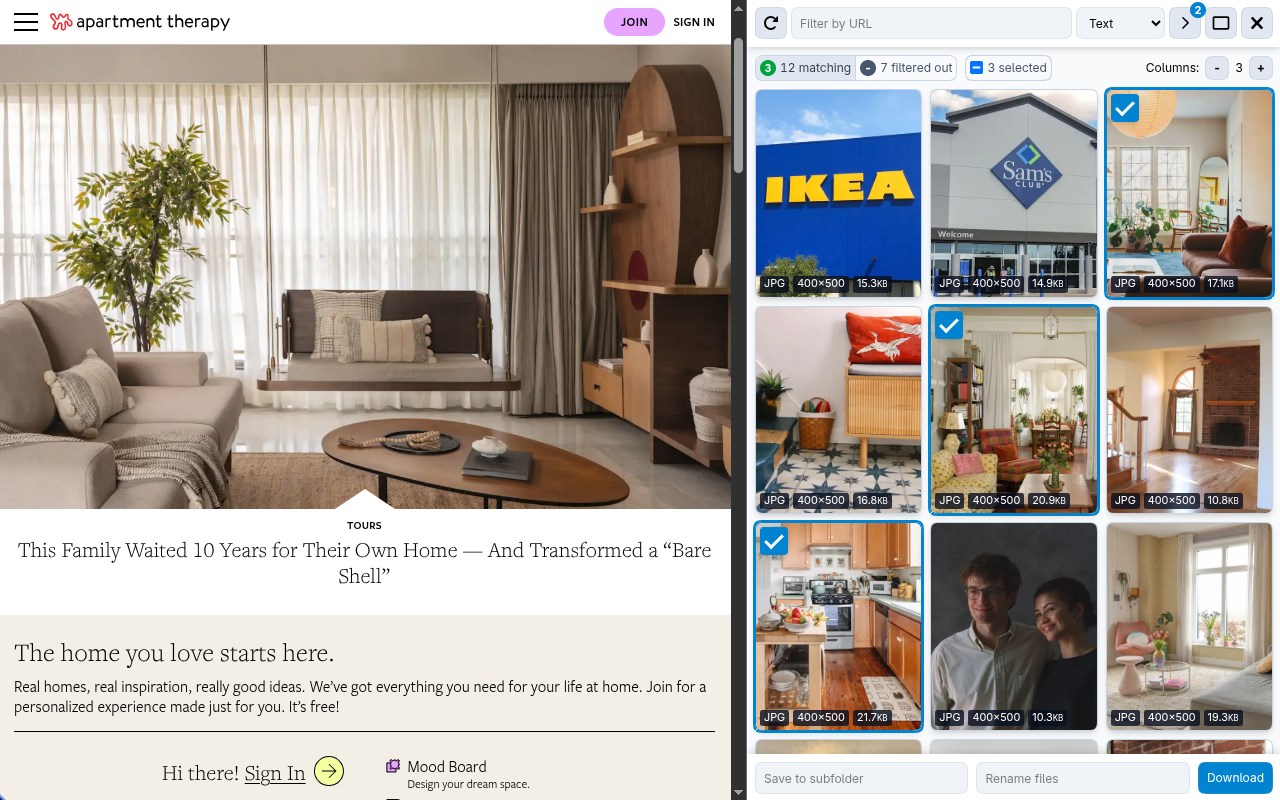
To save multiple photos at once, this extension enables you to:
- Browse pictures on the active webpage
- Filter by size, dimensions, or URL
- Remove duplicates
- Download or view any single photo with one click
- Save to a subfolder
- Rename downloaded files
- Download in the background
Note: If no default download folder is set, you’ll need to choose a save location for each photo, which may trigger multiple popups. Configure a download directory in your browser settings for a smoother experience.
❓ FAQs
━━━━━━
💭 There's a problem, what do I do?
Please send me a message at https://x.com/vdsabev or open an issue in the repository: https://github.com/PactInteractive/image-downloader
💭 Why does this extension need access to all site data?
To extract photos from a webpage, Image Downloader must access all content when the popup is activated. No data is sent off your device. See our Privacy Policy for details: https://pactinteractive.github.io/image-downloader
💭 Why were some downloaded photos smaller or missing?
Image Downloader only retrieves photos currently displayed on the page, which may be thumbnails rather than full-resolution versions (like in Facebook albums). Some sites, like Instagram, load only a few pictures at a time in carousels to save bandwidth. Consider using other specialized extensions tailored to downloading from Facebook or Instagram.
Image Downloader 是做什么的
Image Downloader 是一款面向 Edge 的实用工具类扩展,主要用来解决浏览器里某类具体的小问题。官方对它的介绍是:Browse and download images on the web在微软 Edge 加载项商店上,它当前版本 4.6.0,评分 4.6(10 人评价),约 6,421 名用户。
适合什么人用
从功能定位看,Image Downloader 更适合想补上浏览器原生缺失功能的用户。如果你平时只是偶尔遇到相关需求,用浏览器自带功能也能凑合;但如果这件事每天都发生,装一个专门处理它的扩展通常比手动操作省事得多。
怎么安装 Image Downloader
- 打开微软 Edge 加载项商店上的官方页面;
- 点「添加到浏览器」并确认权限提示;
- 装好后在扩展列表里固定图标,方便随时开关。
本站只做索引与介绍,安装包来自官方商店。如果商店页面提示当前地区不可用,说明该扩展未在你所在区域上架。
常见问题
Image Downloader 是免费的吗?
Image Downloader 在微软 Edge 加载项商店免费提供下载。它是浏览器扩展,装上就能直接用,不需要注册账号。
Image Downloader 安全吗?
它只申请了 0 项权限,范围比较克制,没有申请「读取所有网站数据」这种大权限。
Image Downloader 支持哪些浏览器?
当前收录的版本来自微软 Edge 加载项商店,适用于 Edge。同一个扩展在其他商店可能有对应版本,但功能与版本号不一定相同。
怎么卸载 Image Downloader?
在扩展管理页找到 Image Downloader,点移除即可。它在本地保存的设置会一起清掉,不会残留数据。
权限清单 来自 manifest.json 原文
接口权限 5
activeTabdownloadsscriptingsidePanelstorage