HTML & CSS Code Viewer EN
EnderMythex · EEdge MV3
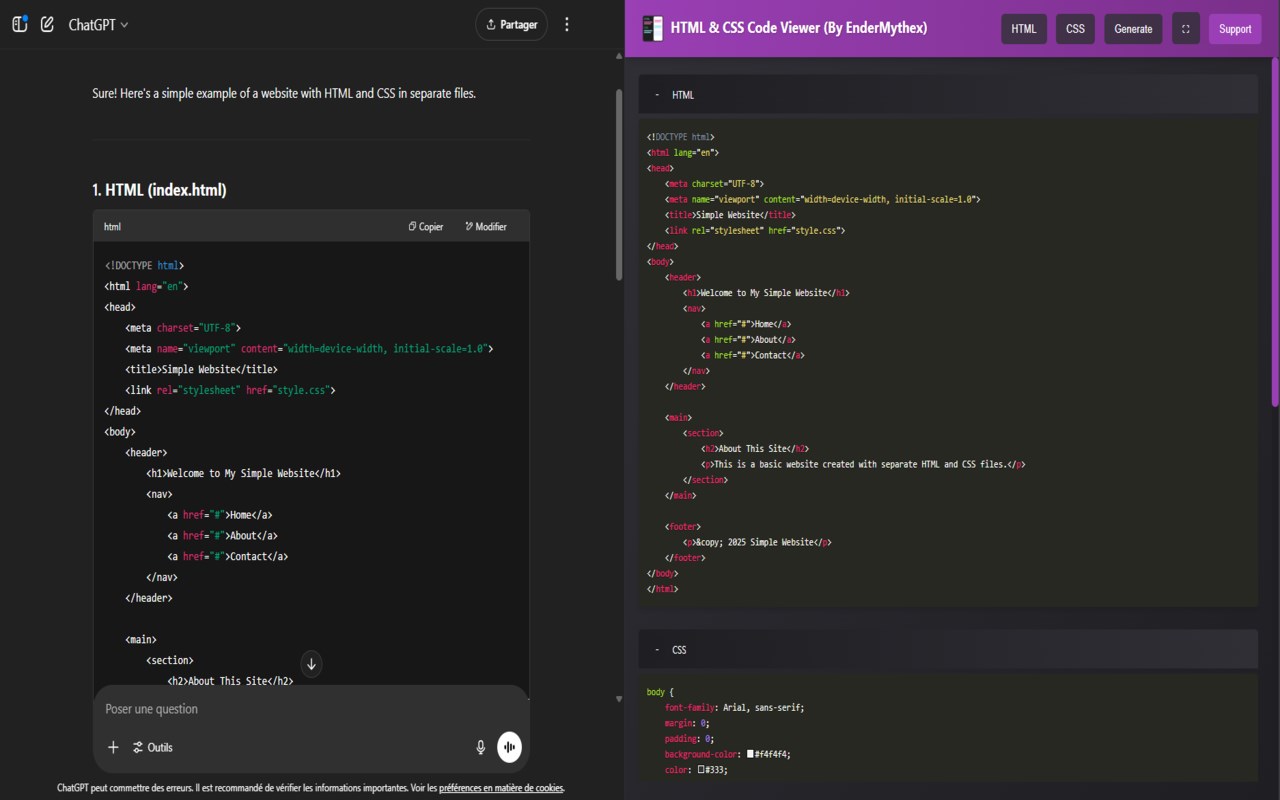
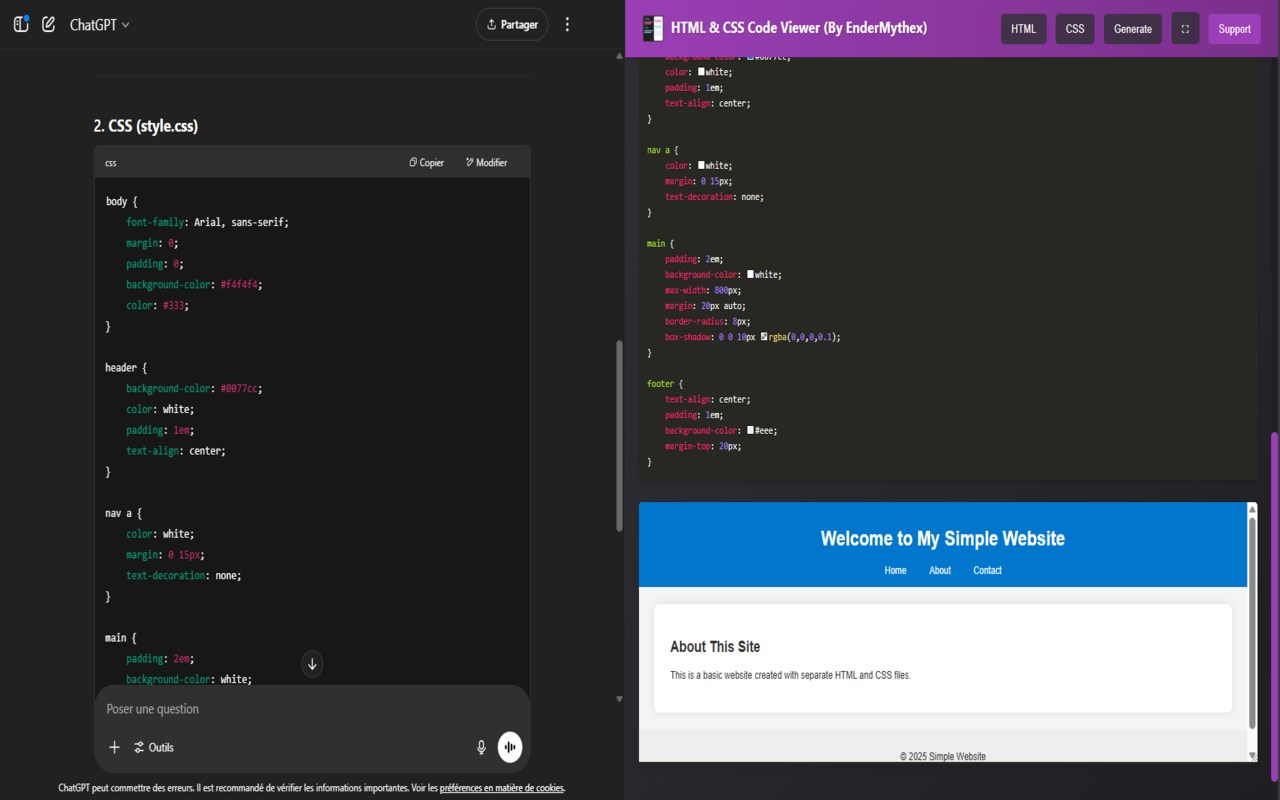
HTML and CSS code editor with preview and side panel. Easily import, edit and view your code.
截图
简介
🖥️ HTML & CSS Code Viewer : Create and Preview Instantly on all website! 🖥️
🚀 Step into a seamless coding experience with Live HTML & CSS Editor! Whether you're testing code snippets or building small projects, this extension makes editing and previewing code simple, fast, and interactive.
✨ Key Features:
- Real-Time Preview: Instantly see how your HTML and CSS come together in a live preview window.
- Clipboard Integration: Quickly import your code directly from the clipboard with a single click.
- Toggle Editors: Hide or display the HTML and CSS editors to focus on what matters most.
- Syntax Highlighting: Enjoy clean, readable code with built-in syntax highlighting using Prism.js.
🛠️ Perfect For:
- Developers looking to test ideas on the go.
- Beginners learning HTML & CSS with live feedback.
- Designers tweaking and refining website components.
🌟 Why Choose Live Code Editor?
- Simplified Workflow: Import, edit, and visualize your code effortlessly.
- Lightweight & User-Friendly: An intuitive interface designed for everyone.
- Productivity Boost: Focus on coding, not setup or configuration.
📣 Stay Tuned!
- More features, such as JavaScript support and enhanced previews, are coming soon!
💬 Questions or Suggestions? Reach us at support@enderr.win
⚡ Supercharge your coding workflow today with HTML & CSS Code Viewer!
HTML & CSS Code Viewer 是做什么的
HTML & CSS Code Viewer 是一款面向 Edge 的实用工具类扩展,主要用来解决浏览器里某类具体的小问题。官方对它的介绍是:HTML and CSS code editor with preview and side panel. Easily import, edit and view your code.在微软 Edge 加载项商店上,它当前版本 1.1,约 296 名用户。
适合什么人用
从功能定位看,HTML & CSS Code Viewer 更适合想补上浏览器原生缺失功能的用户。如果你平时只是偶尔遇到相关需求,用浏览器自带功能也能凑合;但如果这件事每天都发生,装一个专门处理它的扩展通常比手动操作省事得多。
怎么安装 HTML & CSS Code Viewer
- 打开微软 Edge 加载项商店上的官方页面;
- 点「添加到浏览器」并确认权限提示;
- 装好后在扩展列表里固定图标,方便随时开关。
本站只做索引与介绍,安装包来自官方商店。如果商店页面提示当前地区不可用,说明该扩展未在你所在区域上架。
常见问题
HTML & CSS Code Viewer 是免费的吗?
HTML & CSS Code Viewer 在微软 Edge 加载项商店免费提供下载。它是浏览器扩展,装上就能直接用,不需要注册账号。
HTML & CSS Code Viewer 安全吗?
它只申请了 0 项权限,范围比较克制,没有申请「读取所有网站数据」这种大权限。
HTML & CSS Code Viewer 支持哪些浏览器?
当前收录的版本来自微软 Edge 加载项商店,适用于 Edge。同一个扩展在其他商店可能有对应版本,但功能与版本号不一定相同。
怎么卸载 HTML & CSS Code Viewer?
在扩展管理页找到 HTML & CSS Code Viewer,点移除即可。它在本地保存的设置会一起清掉,不会残留数据。
权限清单 来自 manifest.json 原文
接口权限 4
clipboardReadnotificationssidePaneltabs