
Houndeye – AI Video Detector for YouTube & X EN
Mako Logics LLC · EEdge MV3
Spots AI-generated videos on YouTube and X and badges them before you watch. Blur or hide them, and always see why.
截图
简介
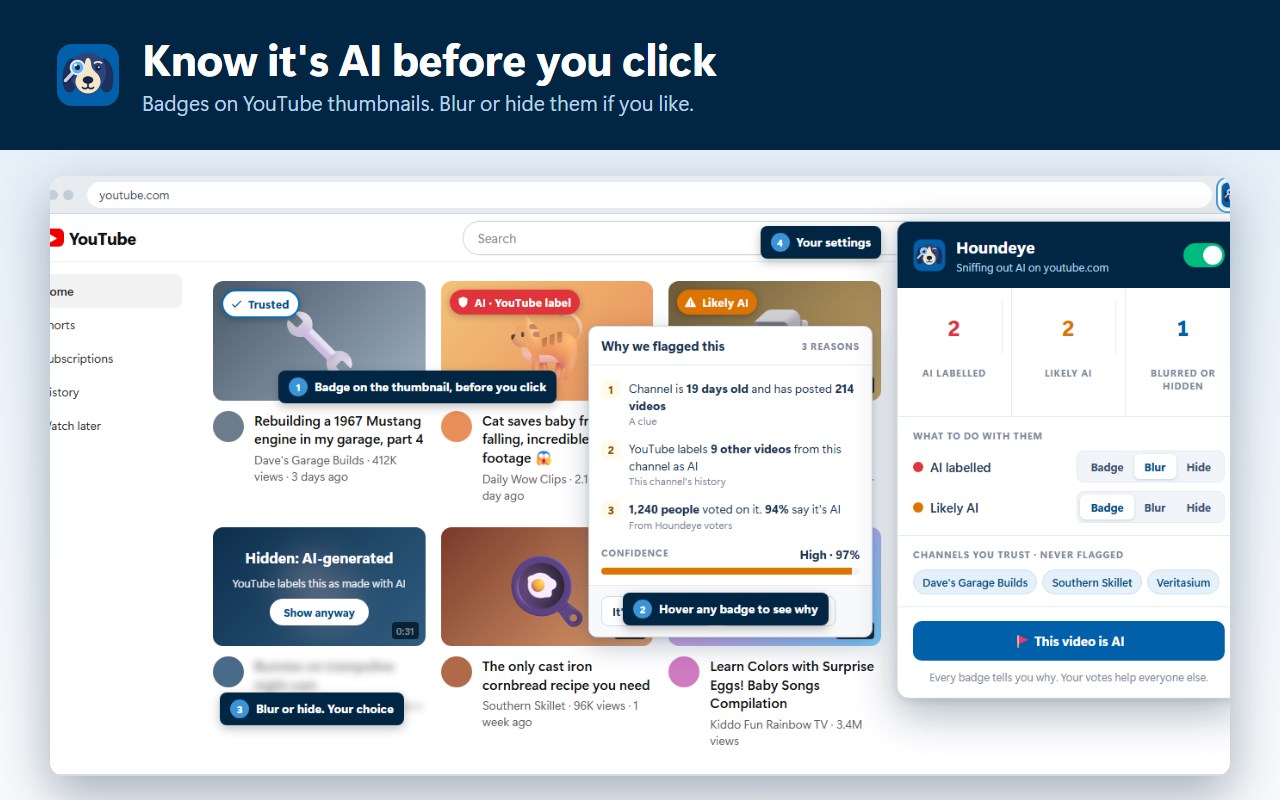
Know it's AI before you click.
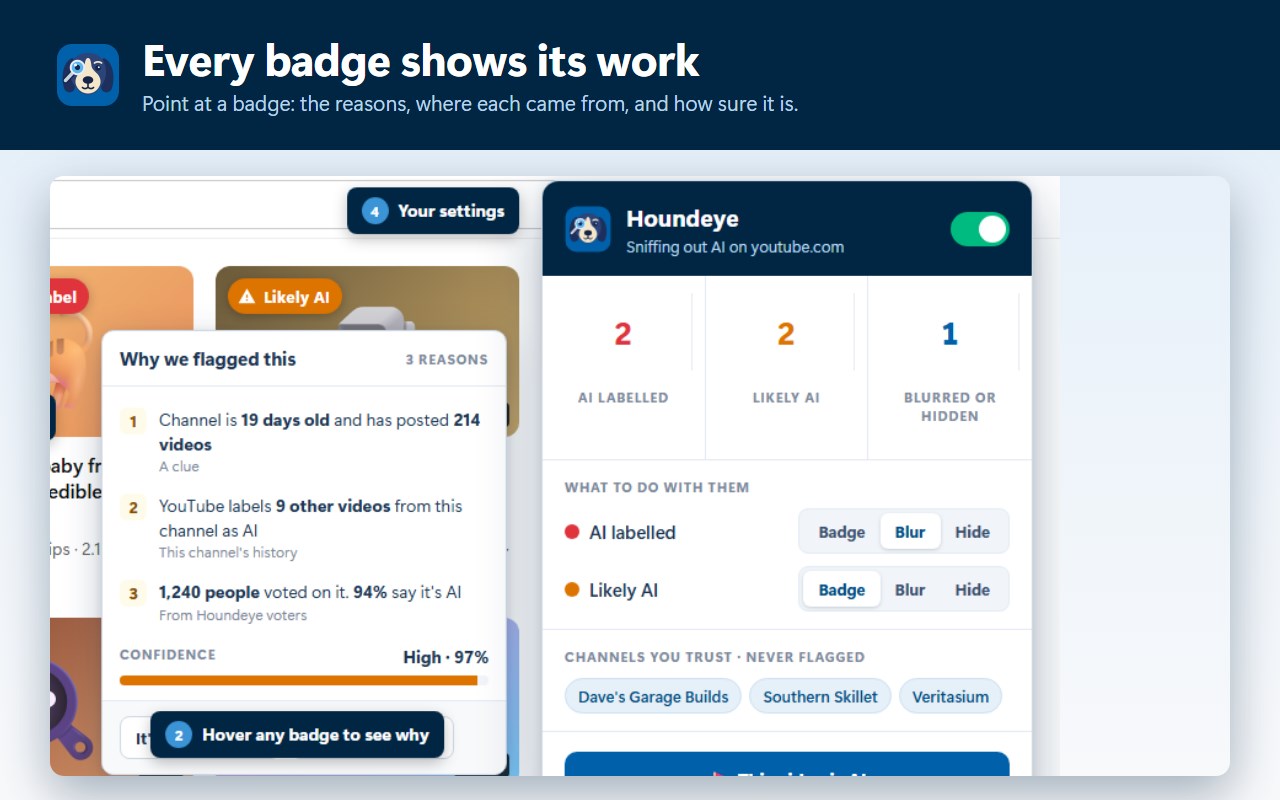
Houndeye puts a badge on YouTube thumbnails when a video is AI-made, so you can decide before you watch. Point at any badge and it tells you exactly why, where each reason came from, and how sure it is.
Houndeye includes an AI detector that we developed for this purpose. It runs locally on your machine, letting the software directly analyze the image without transmitting the image anywhere.
HOW IT DECIDES, STRONGEST EVIDENCE FIRST
• YouTube's own label. YouTube asks creators to disclose realistic AI video and adds a "Made with AI" note to the description, where most people never look. Houndeye reads it and puts it on the thumbnail.
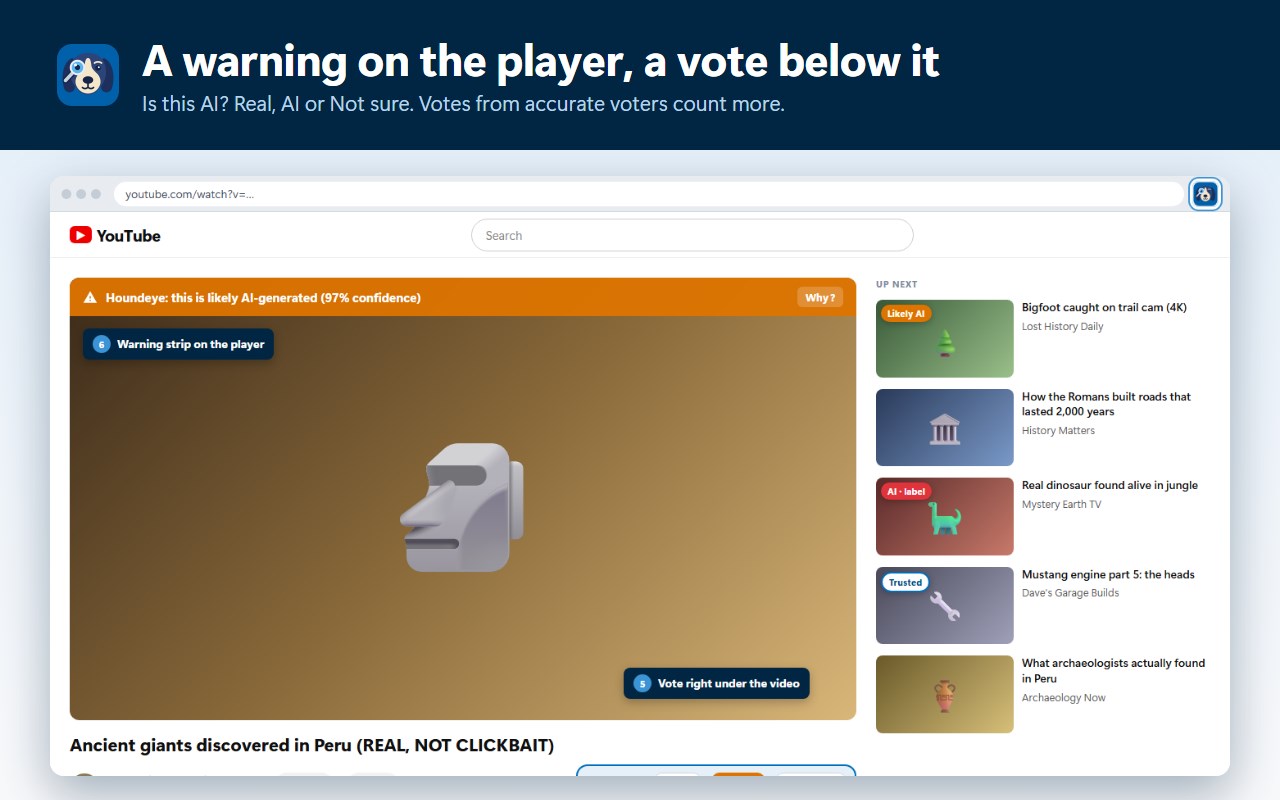
• People who've been right before. Vote Real, AI or Not sure under any video. Votes count for more when a voter's earlier calls matched YouTube's labels, and a sudden rush of brand-new voters puts a video on hold instead of flagging it.
• Telltale clues. A weeks-old channel with hundreds of uploads, or a title that says it was made with Sora. A single clue never earns a badge on its own.
• Deep check (optional, free). Turn it on in Settings and Houndeye also looks at the picture of the video you're watching, with its own AI detector running on your own computer. It's a one-time download of about 520 MB, it's off until you switch it on, and the frames never leave your browser.
NOW ON X TOO
On X, click the Houndeye button and choose Turn on for X. The tool then marks AI videos directly in your X feed as well as inside any posts you click to view. Since X does not apply labels to AI video on its own, Houndeye relies first on Community Notes. If a note identifies a clip as AI, the badge displays that status and includes a quote from the note. The remaining details come from votes by Houndeye users, the specific text in the post, and Deep check. Before Houndeye is allowed to read x.com, your browser will prompt you for permission just one time.
YOUR FEED, YOUR RULES
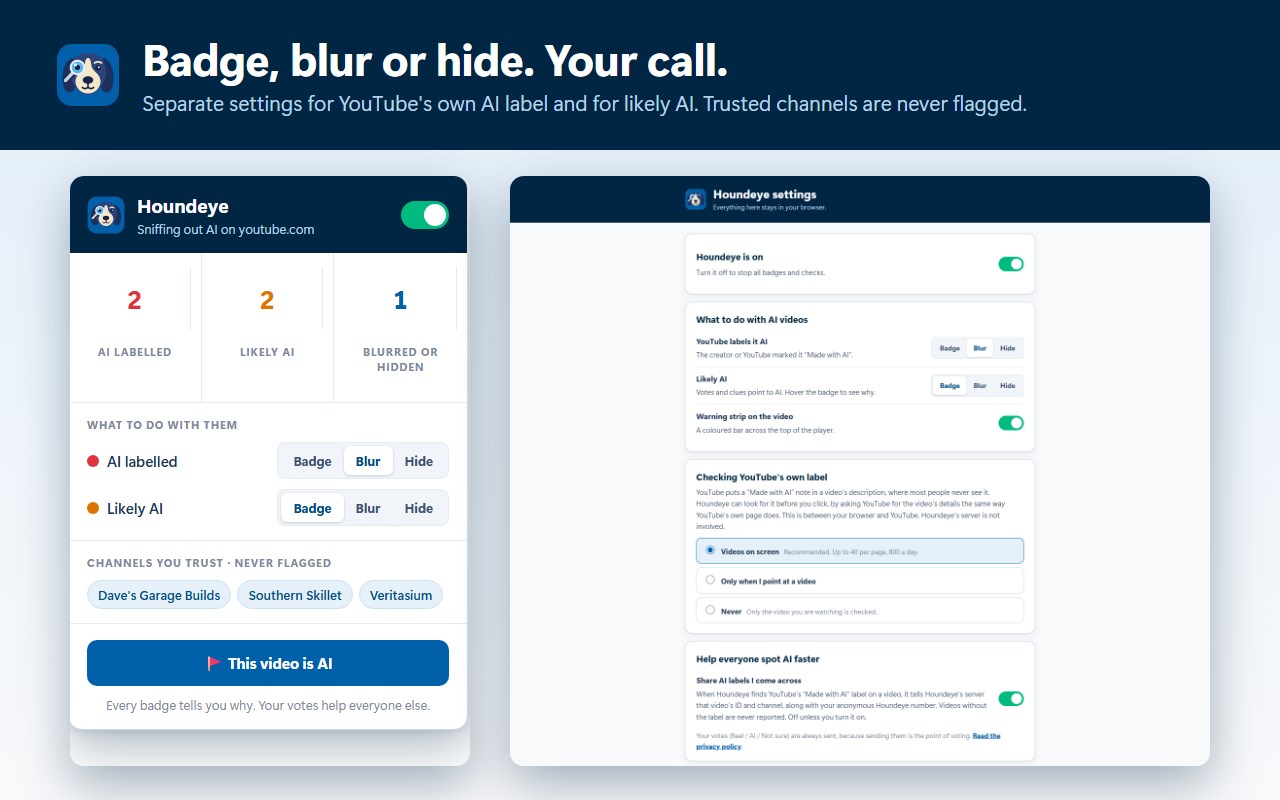
• Badge, blur or hide, set separately for videos YouTube labels as AI and videos Houndeye thinks are AI.
• Trust a channel and it's never flagged.
• A warning strip on the player and a vote box under every video.
• Works on Shorts, search, the home feed and Up Next.
PRIVATE BY DESIGN
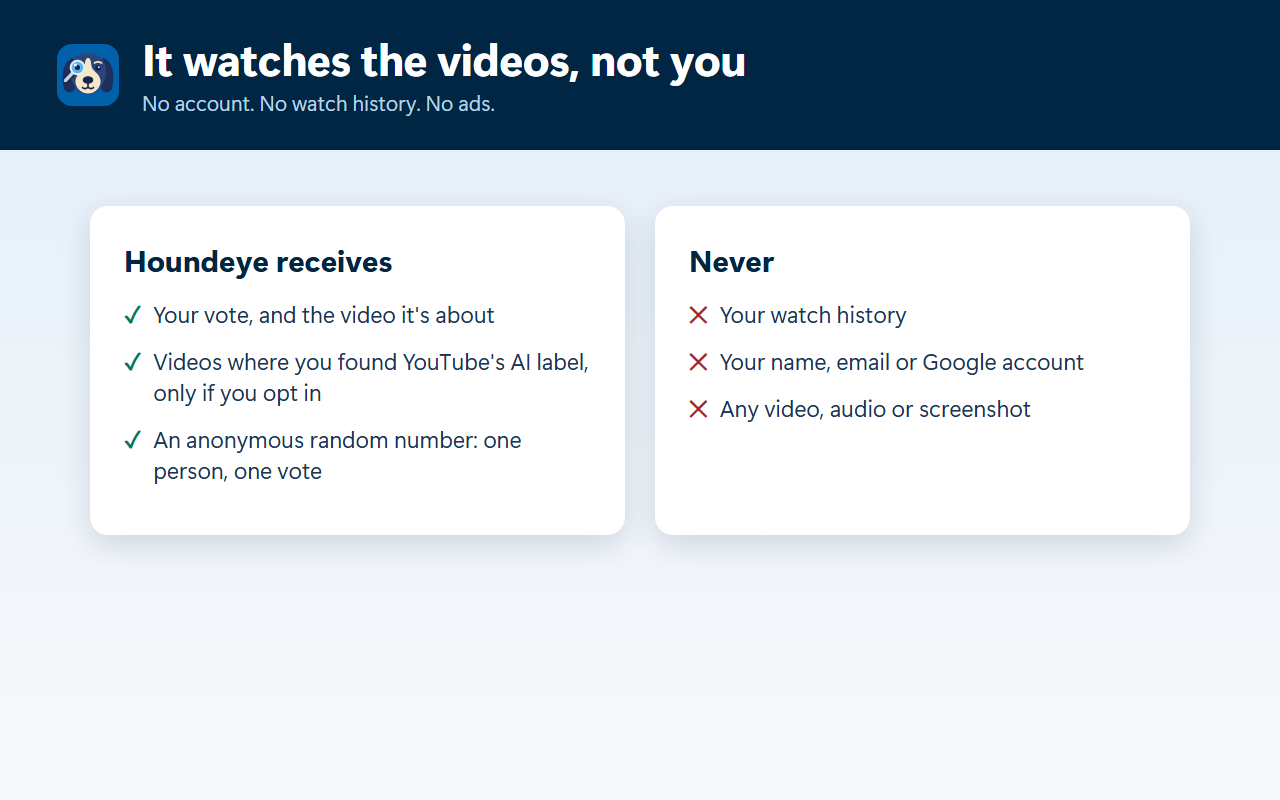
No account needed, no ads, no tracking. Houndeye never receives your watch history. It receives your votes and the videos where you came across YouTube's own AI label (never from a browser linked to a Family plan). The full list is at houndeye.app/privacy.
FOR FAMILIES
With the Houndeye Family plan, a parent links a child's browser with a 6-digit code from their dashboard, chooses rules the child can't change without a PIN, and sees which AI videos Houndeye caught. Nothing is sent from a browser no parent has linked.
Kids mode takes things a step further: it can limit playback to only the channels a parent has approved. YouTube's Restricted Mode remains active. You can also choose to hide Shorts and comments. If a child tries to view a video that is not permitted, they can send a request through the "Ask to watch" button. With Kids mode, you can enable SafeSearch on both Google and Bing. It also blocks any websites that a parent selects.
Made a real video and got flagged? Appeal at houndeye.app/appeal and a person will review it.
Houndeye is independent and not affiliated with YouTube, Google or X.
Houndeye – AI Video Detector for YouTube & X 是做什么的
Houndeye – AI Video Detector for YouTube & X 是一款面向 Edge 的效率工具类扩展,主要用来管住注意力、屏蔽干扰站点、记录时间。官方对它的介绍是:Spots AI-generated videos on YouTube and X and badges them before you watch. Blur or hide them, and always see why.在微软 Edge 加载项商店上,它当前版本 1.4.4 (build 12),约 4 名用户。
适合什么人用
从功能定位看,Houndeye – AI Video Detector for YouTube & X 更适合想专注工作学习、减少无效刷网页的用户。如果你平时只是偶尔遇到相关需求,用浏览器自带功能也能凑合;但如果这件事每天都发生,装一个专门处理它的扩展通常比手动操作省事得多。
怎么安装 Houndeye – AI Video Detector for YouTube & X
- 打开微软 Edge 加载项商店上的官方页面;
- 点「添加到浏览器」并确认权限提示;
- 装好后在扩展列表里固定图标,方便随时开关。
本站只做索引与介绍,安装包来自官方商店。如果商店页面提示当前地区不可用,说明该扩展未在你所在区域上架。
常见问题
Houndeye – AI Video Detector for YouTube & X 是免费的吗?
Houndeye – AI Video Detector for YouTube & X 在微软 Edge 加载项商店免费提供下载。它是浏览器扩展,装上就能直接用,不需要注册账号。
Houndeye – AI Video Detector for YouTube & X 安全吗?
它只申请了 0 项权限,范围比较克制,没有申请「读取所有网站数据」这种大权限。
Houndeye – AI Video Detector for YouTube & X 支持哪些浏览器?
当前收录的版本来自微软 Edge 加载项商店,适用于 Edge。同一个扩展在其他商店可能有对应版本,但功能与版本号不一定相同。
怎么卸载 Houndeye – AI Video Detector for YouTube & X?
在扩展管理页找到 Houndeye – AI Video Detector for YouTube & X,点移除即可。它在本地保存的设置会一起清掉,不会残留数据。
权限清单 来自 manifest.json 原文
接口权限 6
alarmsdeclarativeNetRequestWithHostAccessoffscreenscriptingstorageunlimitedStorage