
GameZone Steam Wishlist
深圳市浮空齿轮有限公司 · EEdge MV3
从 GameZone 直接添加或移除 Steam 愿望单
截图

简介
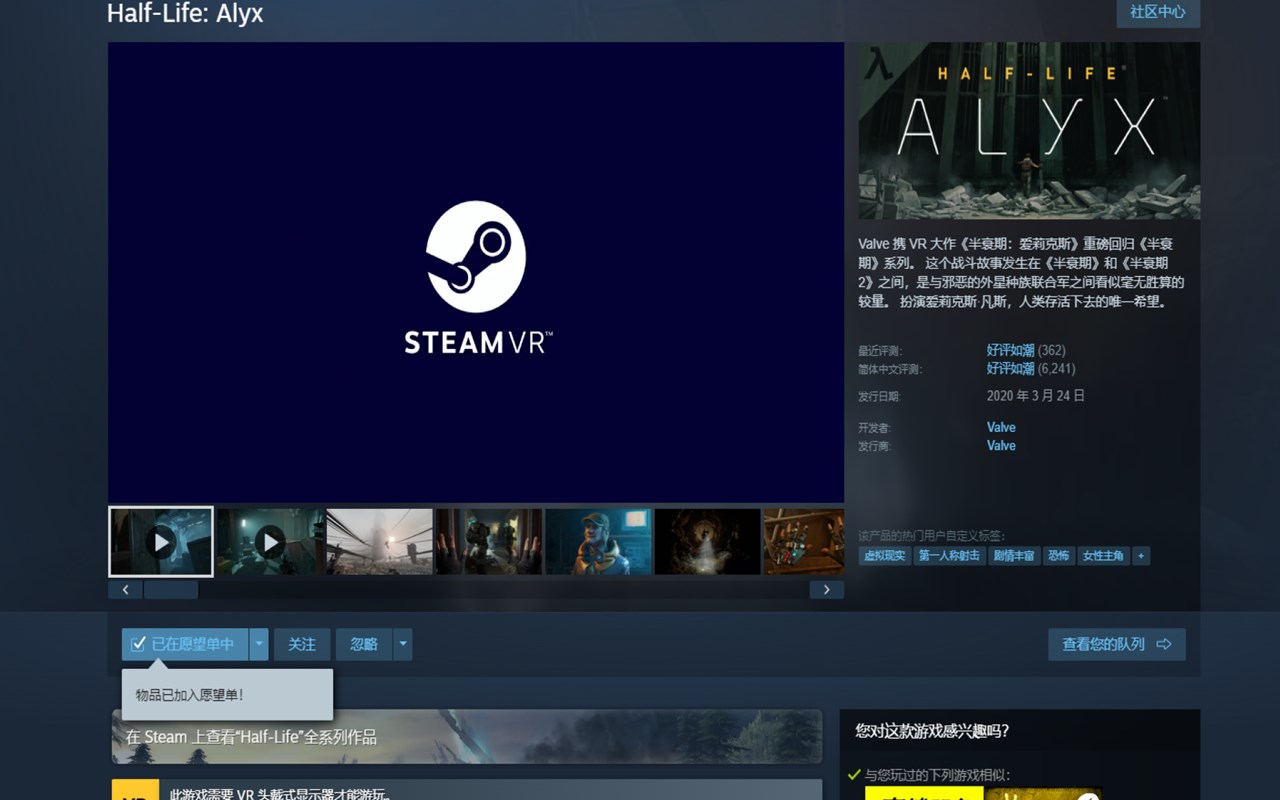
GameZone Steam Wishlist brings Steam wishlist controls directly into the supported GameZone browsing experience, making it easier to manage wishlist actions without leaving the page you are already using. Based on the extension package, this tool is built as a focused integration between the GameZone website and a user’s Steam wishlist. Its purpose is practical and specific: on supported GameZone pages, it can check whether a Steam game is already in your wishlist and then add or remove that game as needed. Instead of opening the Steam store separately for each title, the extension helps keep the workflow inside GameZone.
The extension is designed for a narrow but useful task. It operates on specific GameZone pages and responds to structured requests from the GameZone web application. When the site asks for a wishlist status check, the extension contacts Steam to determine whether the provided Steam AppID is already present in the signed-in user’s wishlist. When the site asks for a change, the extension performs the corresponding action through Steam and then reports the result back. This makes it especially convenient for users who browse game pages, recommendations, or catalog entries on GameZone and want faster Steam wishlist control from the same interface.
A key strength of this extension is its reliability-focused behavior. It does not simply send a request and assume everything worked. It first verifies that the request comes from an approved GameZone origin, validates the Steam AppID, checks whether the browser is currently logged into Steam, retrieves the Steam session information required for wishlist requests, and then confirms the final wishlist state after the action is completed. This extra verification helps reduce confusion and gives the connected GameZone page clearer feedback about what actually happened.
The package also shows careful handling of different edge cases. If the user is not logged into Steam, the extension can return a result indicating that login is required. If the app identifier is invalid, it reports that issue instead of attempting an incorrect request. If Steam responds with an unauthorized result, the extension clears cached session details and requires the session to be established again. If Steam refuses the request, the extension can distinguish between a more general refusal and a possible restriction related to Steam family controls. It also rechecks the wishlist status after short delays so that the final reported state reflects the actual outcome rather than an assumed one.
This extension is not presented as a general-purpose Steam tool for every website. The package indicates that it is intended for GameZone pages and the Steam store endpoints needed for this workflow, with support also included for a local development environment. It uses a background service worker together with a content script injected into supported GameZone pages. The content script handles communication between the site and the extension, while the background worker manages the Steam-related network operations. The visible experience remains centered in GameZone, and the package does not indicate a separate popup, settings page, or standalone management interface. That minimal design supports its main goal: making Steam wishlist management more convenient while you browse GameZone.
Key Features:
- Direct integration between supported GameZone pages and your Steam wishlist.
- Checks whether a game identified by Steam AppID is already in your wishlist.
- Adds or removes games through a toggle-style workflow without requiring a separate visit to the Steam store.
- Verifies that incoming requests come from approved GameZone origins before processing them.
- Detects whether the current browser session is logged into Steam before attempting wishlist actions.
- Confirms the final wishlist state after each change instead of assuming the request succeeded.
- Returns detailed result messages for login issues, invalid AppIDs, Steam access refusals, and update mismatches.
How It Works:
1. Open a supported GameZone page where the site is integrated with the extension.
2. The GameZone page sends a structured request to check wishlist status or change wishlist membership for a Steam AppID.
3. The extension validates that the request came from an approved GameZone origin and passes it to the background service worker.
4. The background worker checks Steam login state, retrieves the required session information, and determines the game’s current wishlist status.
5. If a change is requested, the extension sends the appropriate add or remove action to Steam.
6. After the request, the extension waits briefly and checks the wishlist again to confirm the result.
7. The final status is sent back to the GameZone page so the page can reflect the outcome for the user.
Privacy: - This extension communicates with the Steam store while using your existing browser login session in order to check and modify wishlist status. The package contents do not show a separate privacy policy, analytics module, or explicit personal data collection logic beyond the site-to-extension messaging and Steam requests required for the wishlist feature.
GameZone Steam Wishlist 是做什么的
GameZone Steam Wishlist 是一款面向 Edge 的实用工具类扩展,主要用来解决浏览器里某类具体的小问题。官方对它的介绍是:从 GameZone 直接添加或移除 Steam 愿望单在微软 Edge 加载项商店上,它当前版本 0.2.1,约 24 名用户。
适合什么人用
从功能定位看,GameZone Steam Wishlist 更适合想补上浏览器原生缺失功能的用户。如果你平时只是偶尔遇到相关需求,用浏览器自带功能也能凑合;但如果这件事每天都发生,装一个专门处理它的扩展通常比手动操作省事得多。
怎么安装 GameZone Steam Wishlist
- 打开微软 Edge 加载项商店上的官方页面;
- 点「添加到浏览器」并确认权限提示;
- 装好后在扩展列表里固定图标,方便随时开关。
本站只做索引与介绍,安装包来自官方商店。如果商店页面提示当前地区不可用,说明该扩展未在你所在区域上架。
常见问题
GameZone Steam Wishlist 是免费的吗?
GameZone Steam Wishlist 在微软 Edge 加载项商店免费提供下载。它是浏览器扩展,装上就能直接用,不需要注册账号。
GameZone Steam Wishlist 安全吗?
它只申请了 0 项权限,范围比较克制,没有申请「读取所有网站数据」这种大权限。
GameZone Steam Wishlist 支持哪些浏览器?
当前收录的版本来自微软 Edge 加载项商店,适用于 Edge。同一个扩展在其他商店可能有对应版本,但功能与版本号不一定相同。
怎么卸载 GameZone Steam Wishlist?
在扩展管理页找到 GameZone Steam Wishlist,点移除即可。它在本地保存的设置会一起清掉,不会残留数据。
权限清单 来自 manifest.json 原文
未解析到权限条目。