
FreeProxy VPN Extension EN
ZeroSkills · EEdge MV3
Companion extension for FreeProxy VPN to synchronize browser geolocation with your active exit connection.
<all_urls>),意味着它可以读取你在任意站点的页面内容,包括已登录的页面。这是许多扩展正常工作的必要条件,但也值得你确认来源可信。
截图
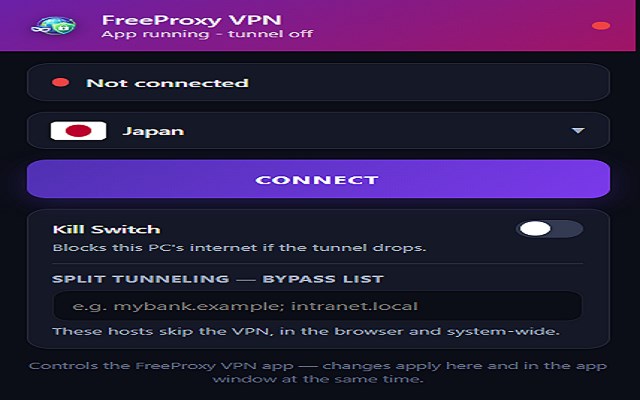
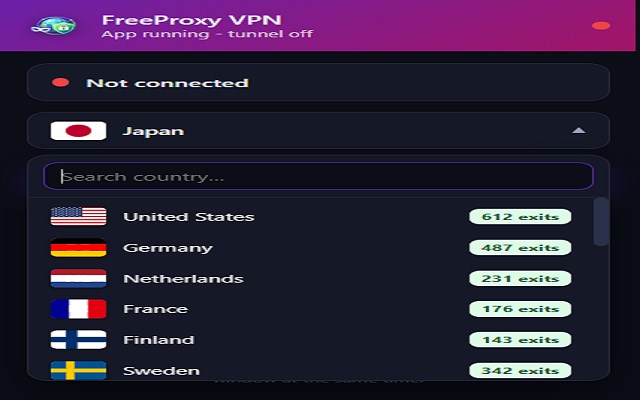
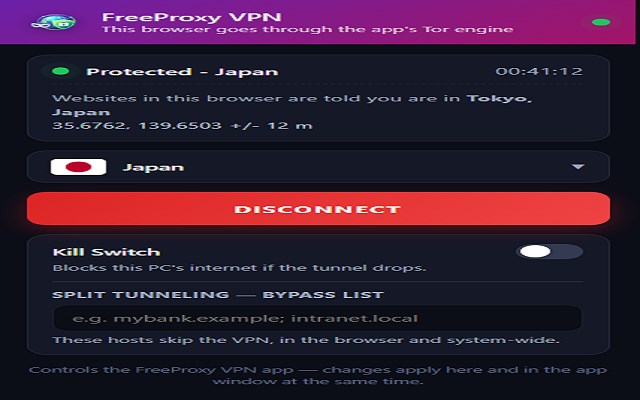
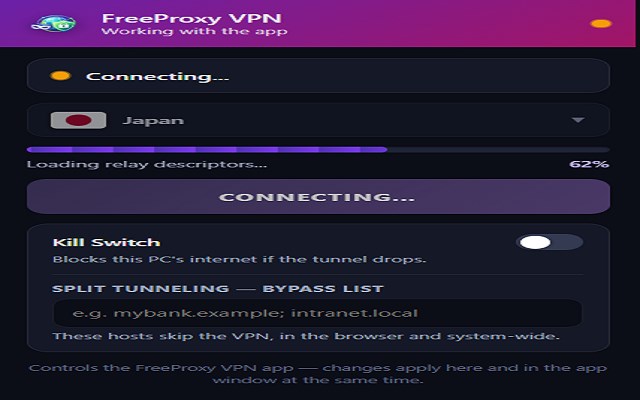
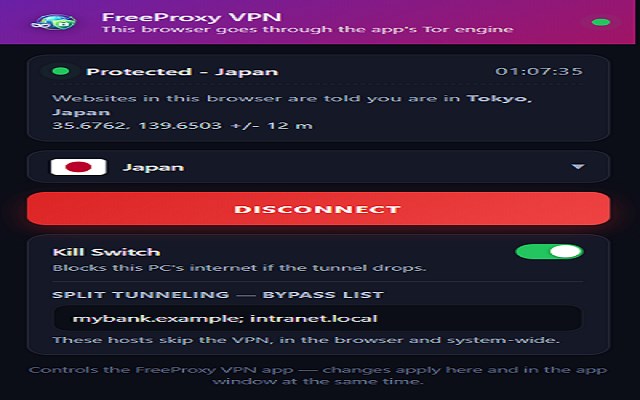
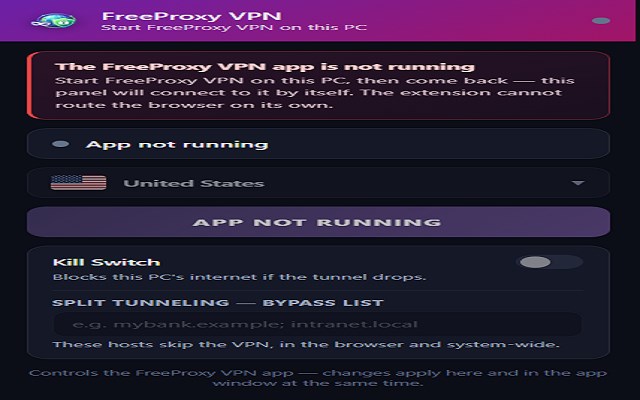
简介
FreeProxy VPN Extension is the browser half of FreeProxy VPN, a free and open-source VPN app for Windows 10 and 11. The app routes your PC through the Tor network. This extension does the two things the app cannot do from outside the browser: it points this browser at the app's engine, and it makes the location websites read match the country you connected to.
YOU NEED THE FREEPROXY VPN DESKTOP APP
This extension does nothing on its own. It has no VPN, no proxy and no server of its own -- it is a controller for the FreeProxy VPN desktop app running on the same Windows PC, and it talks to it over a loopback connection to 127.0.0.1 that never leaves your machine. Without the app installed and running, the extension tells you so and stays inert. The app is free and open source, Windows 10/11 only, and is at:
https://github.com/Zero-Asif/FreeVPN-PC-App
WHAT IT DOES
- Connect, disconnect, and switch between countries from the toolbar, in sync with the app window in both directions.
- Reports the connected country's coordinates to sites that ask for your position through the standard geolocation API, instead of your real one. Windows works your position out from the Wi-Fi networks around you, which no proxy can change -- so this part has to be done in the browser.
- Kill switch and split-tunnel exceptions, the same lists as the app.
WHAT IT CHANGES IN YOUR BROWSER, AND HOW TO UNDO IT
- Proxy: while you are connected, the extension sets this browser's proxy to the app's local Tor listener on 127.0.0.1, honouring the split-tunnel exceptions you set. Microsoft Edge shows you that an extension is controlling the setting. It is handed back when you press Disconnect, when the app stops running, when the last browser window closes, and when you switch the extension off or remove it at edge://extensions.
- Reported location: while connected, pages that ask for your position get the connected country's coordinates. Your real position is never read, stored or sent anywhere -- it is simply not passed on.
- Clearing on a country change: when you switch to a DIFFERENT country, the extension clears the cache, cookies and history of MAP SITES ONLY, plus the stored site data of the sites that had been given the country you are leaving. Nothing else is touched: you stay signed in, and the rest of your history stays where it is. Maps are the reason this step exists -- a map remembers a location outside the geolocation API, in its own URL, in a cookie and in the cache, so without this it keeps showing the country you just left. Cookies go only for domains that are nothing but a map; on Google the single cookie that carries a position is deleted by name instead, so your Google sign-in survives. It happens only on a country change; never on an ordinary disconnect, never on a schedule, never in the background.
PRIVACY
No account, no login, no subscription, no ads, no analytics, no telemetry, no crash reporting. The extension collects nothing and sends nothing to the developer or to any third party. The only address it ever opens is ws://127.0.0.1:8080 on your own PC. It loads no remote code. Full policy:
https://github.com/Zero-Asif/FreeVPN-PC-App/blob/main/Extension-Store/PRIVACY_POLICY.md
OPEN SOURCE
Both the app and this extension, in full:
https://github.com/Zero-Asif/FreeVPN-PC-App
FreeProxy VPN Extension 是做什么的
FreeProxy VPN Extension 是一款面向 Edge 的实用工具类扩展,主要用来解决浏览器里某类具体的小问题。官方对它的介绍是:Companion extension for FreeProxy VPN to synchronize browser geolocation with your active exit connection.在微软 Edge 加载项商店上,它当前版本 1.2.0,评分 4(1 人评价),约 32 名用户。
适合什么人用
从功能定位看,FreeProxy VPN Extension 更适合想补上浏览器原生缺失功能的用户。如果你平时只是偶尔遇到相关需求,用浏览器自带功能也能凑合;但如果这件事每天都发生,装一个专门处理它的扩展通常比手动操作省事得多。需要注意的是它作用于所有网站,装上后建议先观察一两天,确认不影响常用站点的正常使用。
怎么安装 FreeProxy VPN Extension
- 打开微软 Edge 加载项商店上的官方页面;
- 点「添加到浏览器」并确认权限提示;
- 装好后在扩展列表里固定图标,方便随时开关。
本站只做索引与介绍,安装包来自官方商店。如果商店页面提示当前地区不可用,说明该扩展未在你所在区域上架。
常见问题
FreeProxy VPN Extension 是免费的吗?
FreeProxy VPN Extension 在微软 Edge 加载项商店免费提供下载。它是浏览器扩展,装上就能直接用,不需要注册账号。
FreeProxy VPN Extension 安全吗?
它只申请了 0 项权限,范围比较克制,没有申请「读取所有网站数据」这种大权限。
FreeProxy VPN Extension 支持哪些浏览器?
当前收录的版本来自微软 Edge 加载项商店,适用于 Edge。同一个扩展在其他商店可能有对应版本,但功能与版本号不一定相同。
怎么卸载 FreeProxy VPN Extension?
在扩展管理页找到 FreeProxy VPN Extension,点移除即可。它在本地保存的设置会一起清掉,不会残留数据。
权限清单 来自 manifest.json 原文
站点访问(可选) 1
<all_urls>
接口权限 8
alarmsbrowsingDatacookieshistorynotificationsproxystoragetabs