
Free YouTube SEO & Tag,Keywords Analyzer EN
ReadyandMake · EEdge MV3
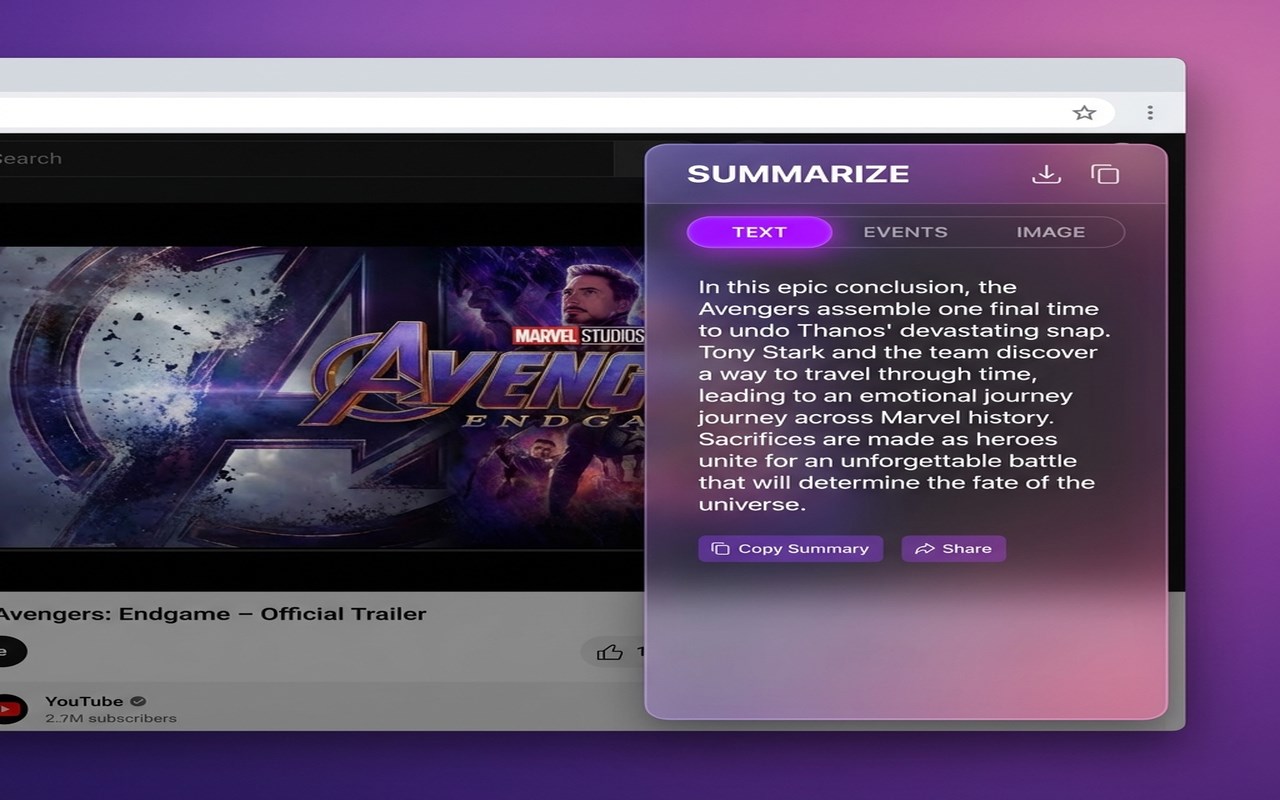
Grow on YouTube with viral keyword research, tag extraction, video analytics, and AI-powered summaries. Free tools for creators.
截图


简介
Unlock faster YouTube growth with viral keywords,extract tags,video analytics,summaries.Get More Subscribers & Views on YouTube Tool
YouTube Keywords & Tags Analysis: Unlock faster YouTube growth with optimization & analytics tools. Get personalized insights, boost views, and grow your channel.
Are you struggling to get views on your YouTube videos? Is your high-quality content getting lost in the vast sea of uploads? The difference between a video with 100 views and 1,000,000 views is often one thing: SEO Strategy.
Introducing YouTube Keywords & Tags Analysis, the most powerful, lightweight, and intuitive Chrome extension designed specifically for creators, digital marketers, and SEO specialists. Stop guessing what works and start using the exact data that drives the YouTube algorithm.
### Why You Need This Extension
YouTube is the second-largest search engine in the world. To rank on the first page, you need more than just a good video—you need the right Keywords, Tags, and Metadata. Our extension pulls back the curtain on your competitors, showing you exactly what they use to rank, while providing you with high-volume, low-competition suggestions.
### Key Features at a Glance
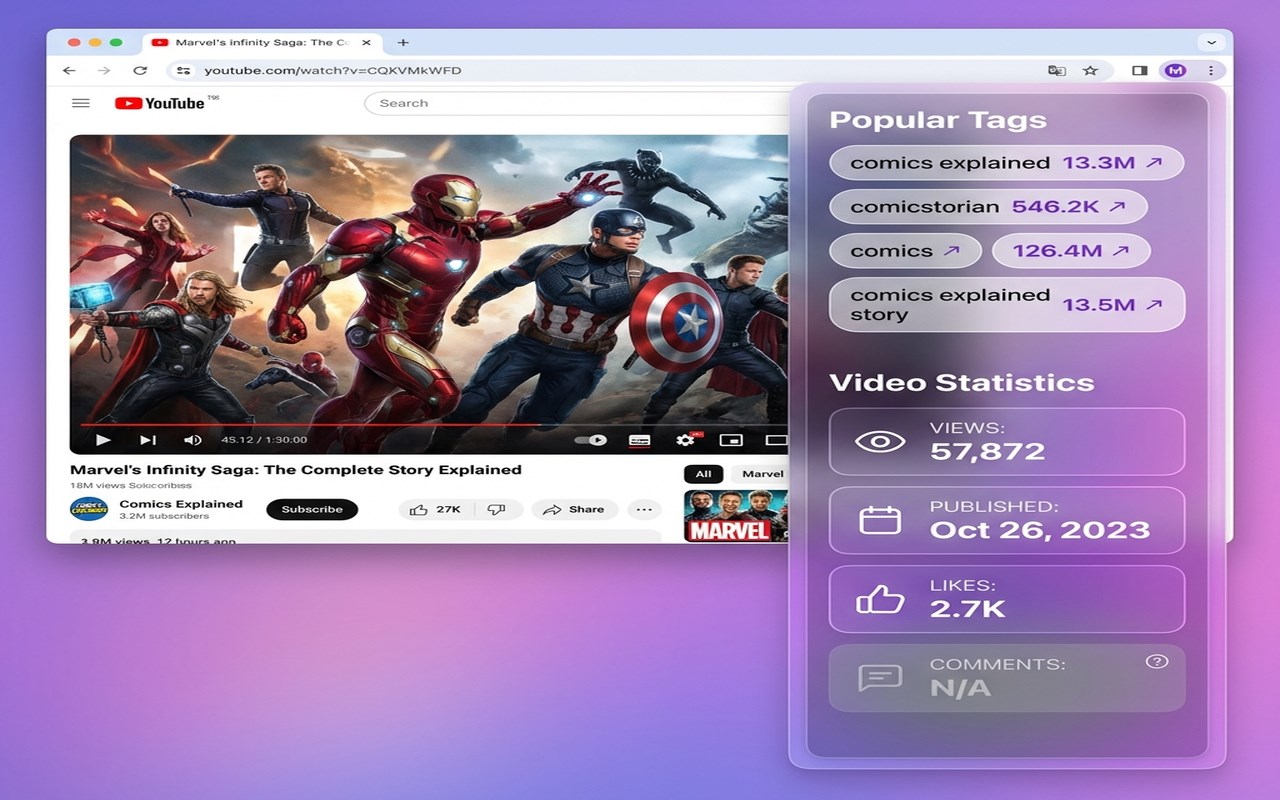
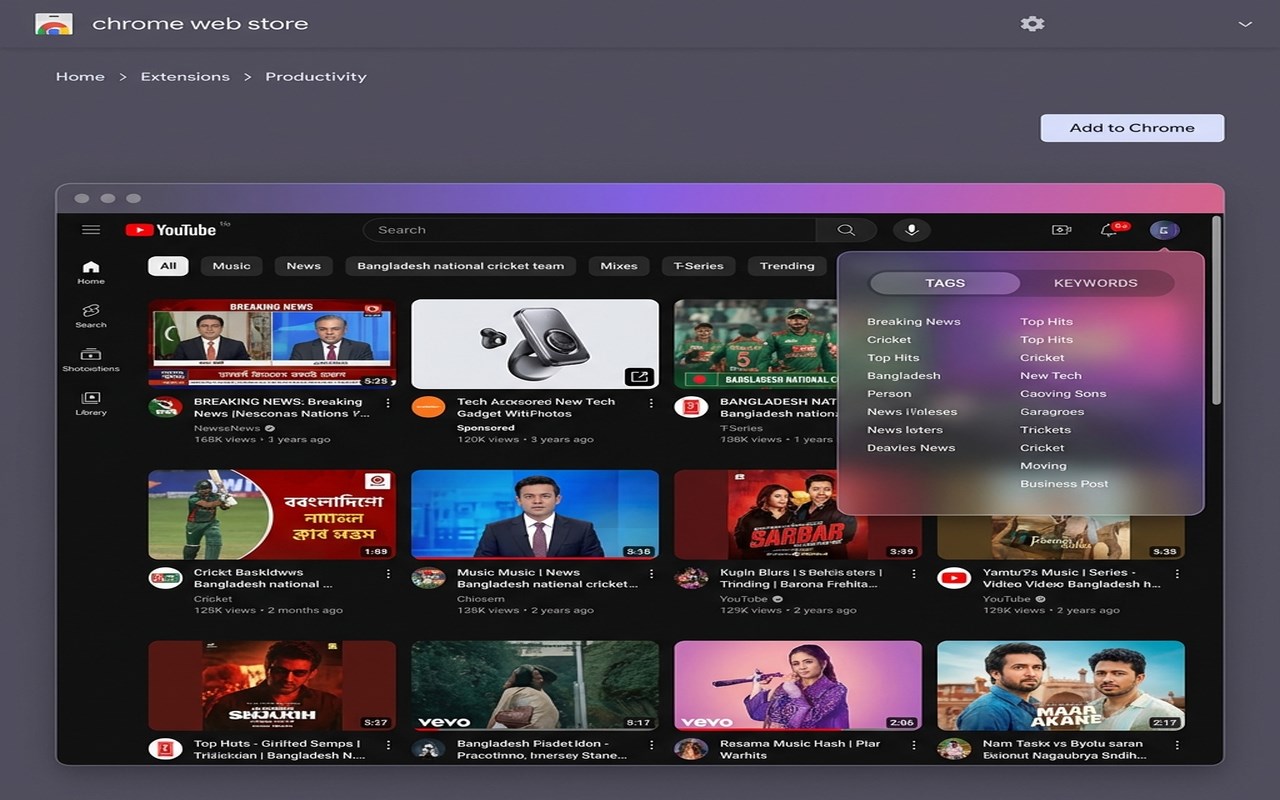
Advanced Tag Explorer: Extract hidden tags from any YouTube video with a single click. See exactly which tags are driving traffic to the top-ranking videos in your niche.
Live Keyword Research: Access real-time search volume and competition data directly within your browser.
Competitor Analysis: Deep-dive into any channel’s metadata. Compare your SEO strategy against the leaders in your industry.
One-Click Copy/Paste: Effortlessly export tags and keywords into your YouTube Studio. Save hours of manual typing and research.
Rank Tracker Integration: Understand where videos stand in search results and identify opportunities to leapfrog the competition.
Optimization Score: Get an instant "SEO Health Check" for your video drafts before you hit publish.
### How It Works: Your Path to #1
Install & Pin: Add the extension to Chrome and pin it for easy access.
Search & Discover: Go to YouTube and search for your topic. Our tool will overlay vital SEO data directly on the search results page.
Analyze Competitors: Open any viral video. Use the "Analyze Tags" button to see the specific keywords the creator used to trigger the YouTube recommendation engine.
Implement & Grow: Copy the high-performing tags and use our Keyword Generator to find "Long-Tail" phrases that are easier to rank for.
### Deep Dive into Features
1. The Power of "Hidden" Tags
Did you know that YouTube hides a video's tags from the public view? Our extension uncovers these hidden gems. By analyzing the tags of the top 5 videos in any search result, you can find common patterns and ensure your video appears in the "Suggested Videos" sidebar of popular uploads.
2. Long-Tail Keyword Discovery
Short keywords like "Cooking" are impossible to rank for. Our tool helps you find "Long-Tail" keywords like "Healthy 15-minute vegan dinner ideas for beginners." These specific phrases have lower competition and higher conversion rates, helping small channels grow fast.
3. Real-Time Data, Not Historical Guesses
The YouTube algorithm changes daily. Our extension fetches live data, ensuring you are optimizing for what people are searching for right now, not what they were searching for six months ago.
### Who is this for?
New YouTubers: Give your channel the jumpstart it needs by avoiding common SEO mistakes.
Professional Marketers: Optimize client channels with data-backed reports and keyword spreadsheets.
Vloggers: Turn your daily life into searchable content by finding the right "hooks" and tags.
Gaming Channels: Find the exact game-related search terms that are trending this week.
### Frequently Asked Questions (FAQ)
Is this extension free? Yes! We offer a robust free version that provides all the essential tools you need to start growing.
Will this get my channel banned? Absolutely not. Our extension uses official APIs and public data. We do not automate actions or violate YouTube’s Terms of Service.
Does it work in all languages? Yes! Our keyword analysis tool supports all major languages and regions worldwide.
### Maximize Your Reach Today
Stop leaving your success to chance. The YouTube algorithm isn't a mystery; it’s a math problem. With YouTube Keywords & Tags Analysis, you finally have the calculator.
Join thousands of creators who are already using our tools to dominate the search results. Install now and take your first step toward 100k subscribers!
Free YouTube SEO & Tag,Keywords Analyzer 是做什么的
Free YouTube SEO & Tag,Keywords Analyzer 是一款面向 Edge 的实用工具类扩展,主要用来解决浏览器里某类具体的小问题。官方对它的介绍是:Grow on YouTube with viral keyword research, tag extraction, video analytics, and AI-powered summaries. Free tools for creators.在微软 Edge 加载项商店上,它当前版本 3.0.1,评分 5(1 人评价),约 27 名用户。
适合什么人用
从功能定位看,Free YouTube SEO & Tag,Keywords Analyzer 更适合想补上浏览器原生缺失功能的用户。如果你平时只是偶尔遇到相关需求,用浏览器自带功能也能凑合;但如果这件事每天都发生,装一个专门处理它的扩展通常比手动操作省事得多。
怎么安装 Free YouTube SEO & Tag,Keywords Analyzer
- 打开微软 Edge 加载项商店上的官方页面;
- 点「添加到浏览器」并确认权限提示;
- 装好后在扩展列表里固定图标,方便随时开关。
本站只做索引与介绍,安装包来自官方商店。如果商店页面提示当前地区不可用,说明该扩展未在你所在区域上架。
常见问题
Free YouTube SEO & Tag,Keywords Analyzer 是免费的吗?
Free YouTube SEO & Tag,Keywords Analyzer 在微软 Edge 加载项商店免费提供下载。它是浏览器扩展,装上就能直接用,不需要注册账号。
Free YouTube SEO & Tag,Keywords Analyzer 安全吗?
它只申请了 0 项权限,范围比较克制,没有申请「读取所有网站数据」这种大权限。
Free YouTube SEO & Tag,Keywords Analyzer 支持哪些浏览器?
当前收录的版本来自微软 Edge 加载项商店,适用于 Edge。同一个扩展在其他商店可能有对应版本,但功能与版本号不一定相同。
怎么卸载 Free YouTube SEO & Tag,Keywords Analyzer?
在扩展管理页找到 Free YouTube SEO & Tag,Keywords Analyzer,点移除即可。它在本地保存的设置会一起清掉,不会残留数据。
权限清单 来自 manifest.json 原文
接口权限 2
activeTabstorage