
Free Online Image Downloader: Save Batch Pictures from Pinterest, Instagram EN
CepeshRC · EEdge MV3
Extract and download all images from any website. Bulk save HD pictures, convert WebP, and export web galleries to a ZIP archive.
<all_urls>),意味着它可以读取你在任意站点的页面内容,包括已登录的页面。这是许多扩展正常工作的必要条件,但也值得你确认来源可信。
截图

简介
Hi! As a developer who constantly works with visual assets, I was tired of tools that crashed when trying to download all images from a URL or failed to save pictures from protected sites. That’s why I built Climagex — the ultimate free online image downloader and extractor.
Whether you need to extract images from a website in original 4K/HD quality, bulk download entire web galleries, or bypass "right-click disabled" scripts, this tool handles it instantly. Stop wasting time with manual saving. With one click, this batch image downloader scans the page, finds every hidden graphic, and packs hundreds of photos into a clean ZIP archive.
It’s built by a professional, for professionals. It transforms the chaotic process of saving web media into a structured, lightning-fast operation.
🌍 SUPPORTED FORMATS & DEEP EXTRACTION
1. Format Mastery: Seamlessly extract standard images (JPG, PNG), modern high-compression assets (WebP, AVIF), and even complex vector graphics (SVG) or UI elements (ICO, GIF).
2. Quality Assurance: Download photos in their original full HD/4K resolution—no compressed thumbnails.
3. Universal Link Extraction: Works perfectly as an image extractor for dynamic social feeds, e-commerce storefronts, and complex digital portfolios.
⚡ CORE ENGINE & WORKFLOW ENHANCEMENTS
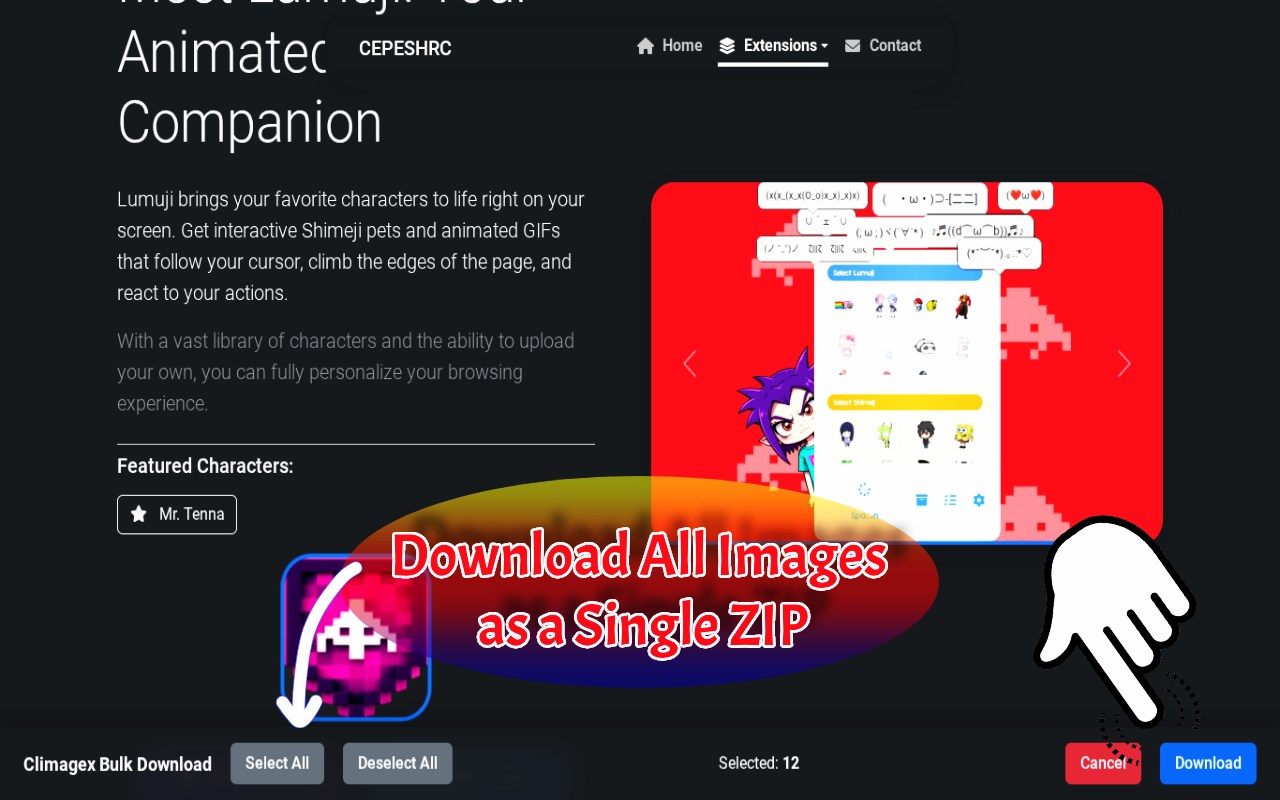
🗃️ 1-Click Batch Extraction: Deep-scan any page to harvest hundreds of pictures instantly, packaging them into a single ZIP archive without freezing your browser.
🕵️♂️ Advanced Source Detection: Easily save HD photos from heavily scripted sites, infinite-scrolling social feeds, and complex web galleries.
🔓 Anti-Block Bypass: Extract hidden, lazy-loaded, or CSS background graphics seamlessly. Directly bypass standard "right-click disabled" scripts to save protected pictures.
🎛️ Precision Smart Filters: Set exact width, height, aspect ratio, and file size thresholds to automatically strip out tracking pixels, UI icons, and low-res thumbnails.
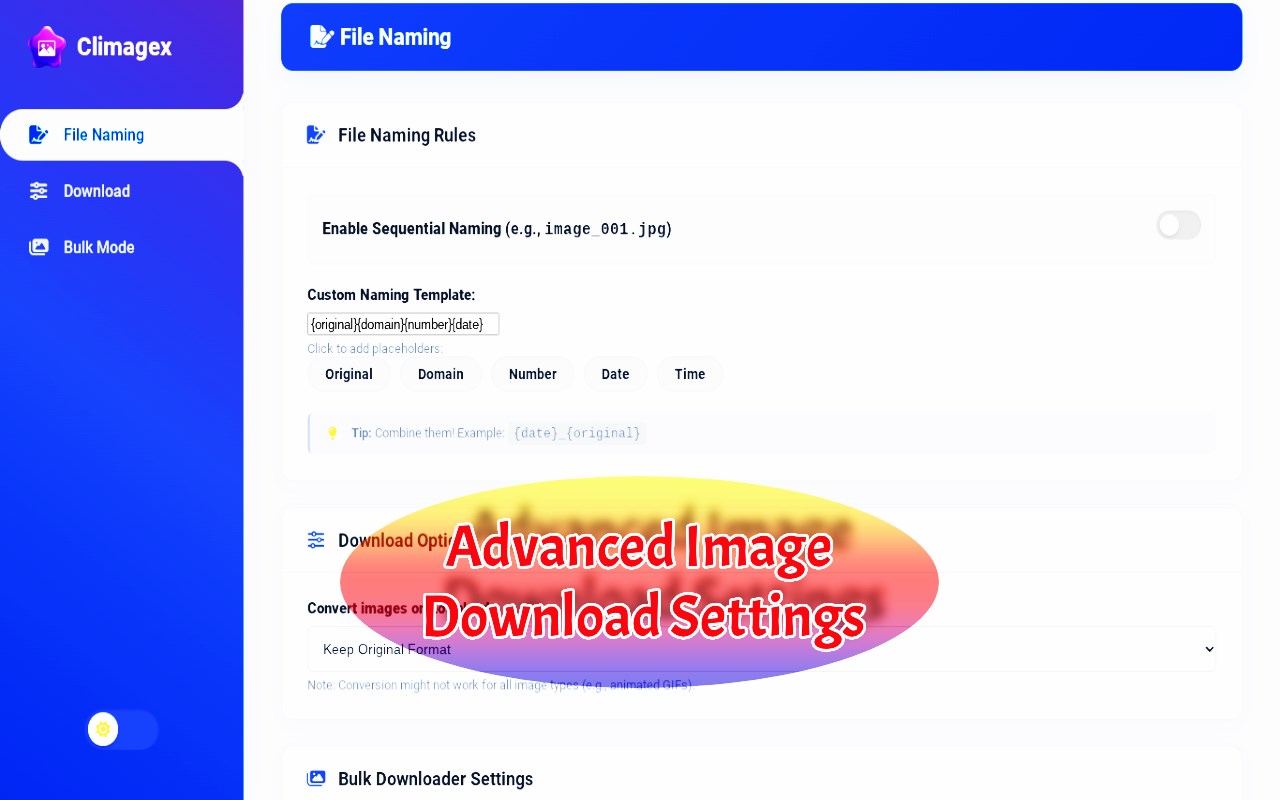
🔄 Native Format Conversion: Configure the engine to automatically convert modern WebP sources into standard PNG or JPG files on the fly during the bulk image download.
🗔 Persistent Side Panel Mode: Keep your extraction tools accessible alongside your active tabs without obstructing the main viewport — perfect for continuous research sessions.
🔊 Tactile Micro-Interactions: A meticulously crafted UI featuring smooth CSS animations, dynamic tab gliding, and satisfying audio-haptic feedback.
📘 QUICK GUIDES: MASTERING THE EXTENSION
❓ Guide: Bulk downloading entire web galleries to a ZIP archive:
➤ Launch the Vacuum Mode (Batch Extractor). The engine parses the DOM, locates all viable media assets, and allows you to export your precise selection into a compressed ZIP file or a designated local folder in seconds.
❓ Guide: Saving protected images from dynamic web galleries:
➤ Activate Ghost Mode. A discreet, floating download overlay seamlessly injects itself over photos upon mouse hover. A single click captures the full-size source file, completely ignoring front-end interface restrictions.
❓ Guide: Bypassing disabled right-click blocks to save original photos:
➤ Climagex actively analyzes inline scripts and background-image CSS rules to map the direct source URL of the visual asset, allowing you to force-download the file even when standard browser context menus are blocked.
❓ Guide: Filtering out low-res thumbnails and interface icons:
➤ Navigate to Advanced Settings and apply Smart Filters. By defining minimum resolution thresholds (e.g., 800x800px), the extractor will automatically ignore interface elements and only present high-definition assets for batch saving.
❓ Guide: Structuring downloads with automated sub-folders:
➤ Leverage the dynamic naming templates ({domain}, {date}, {number}). Climagex VIP will dynamically route your saved files into organized sub-directories, ensuring your local Downloads folder remains perfectly sorted by project.
▶️ THREE EXTRACTION MODES
1️⃣ 🖱️ Magic Wand (Cursor Mode)
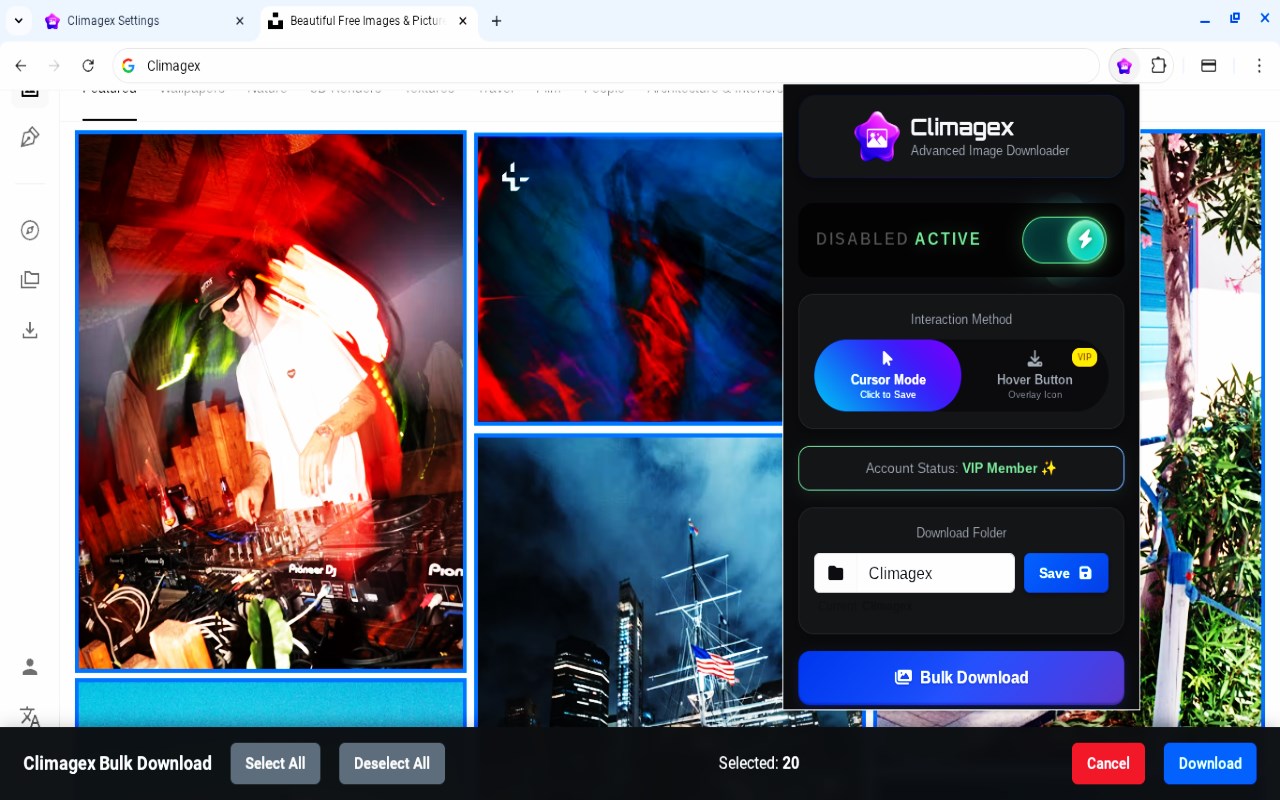
Transforms your standard cursor into a precision capture tool. Click any visible graphic, background, or UI preview, and the original high-resolution file is saved instantly. Engineered for rapid moodboarding.
2️⃣ 🗂️ Vacuum Mode (Batch Deep Scan)
Executes a comprehensive structural scan of the current page. It harvests all viable media assets, allowing you to visually review, select, and batch-download massive collections sequentially or pack them into a unified ZIP file for easy sharing.
3️⃣ 👀 Ghost Mode (Hover Button)
A highly optimized, non-intrusive download button appears exclusively when hovering over a target image. It remains invisible during normal browsing, providing instant capture capabilities exactly when required.
🚀 BUILT FOR HIGH-VOLUME PROFESSIONALS
🎨 Designers & Art Directors: Compile reference boards from digital portfolios and creative hubs with zero friction.
🛒 E-Commerce & Content Managers: Bulk-extract product photography from global marketplaces and digital storefronts for competitive analysis.
📱 Social Media Strategists: Quickly aggregate UGC content and high-quality campaign assets directly from infinite-scrolling feeds.
👨💻 Front-End Developers: Scrape and audit visual assets, background sprites, and SVGs for site migrations and performance testing.
👑 CLIMAGEX VIP — POWER-USER AUTOMATION
Unlock the full potential of your asset pipeline with our premium tier:
📁 Automated Sub-Folder Routing: Never lose a file again. Dynamically group your downloads by domain name, custom project tags, or timestamps to keep your local drive perfectly organized.
🔘 Unlocked Ghost Mode: Full access to the discreet hover-button capture system for frictionless, one-click saving.
🔢 Advanced Naming Syntax: Say goodbye to messy names like "image_1.jpg". Utilize complex counters, custom text, and template expansions to create naming conventions that match your exact workflow.
📦 Unrestricted ZIP Bundling: Built for enterprise scale. Export massive, multi-gigabyte web ga…
Free Online Image Downloader: Save Batch Pictures from Pinterest, Instagram 是做什么的
Free Online Image Downloader: Save Batch Pictures from Pinterest, Instagram 是一款面向 Edge 的实用工具类扩展,主要用来解决浏览器里某类具体的小问题。官方对它的介绍是:Extract and download all images from any website. Bulk save HD pictures, convert WebP, and export web galleries to a ZIP archive.在微软 Edge 加载项商店上,它当前版本 2.1.0,约 57 名用户。
适合什么人用
从功能定位看,Free Online Image Downloader: Save Batch Pictures from Pinterest, Instagram 更适合想补上浏览器原生缺失功能的用户。如果你平时只是偶尔遇到相关需求,用浏览器自带功能也能凑合;但如果这件事每天都发生,装一个专门处理它的扩展通常比手动操作省事得多。需要注意的是它作用于所有网站,装上后建议先观察一两天,确认不影响常用站点的正常使用。
怎么安装 Free Online Image Downloader: Save Batch Pictures from Pinterest, Instagram
- 打开微软 Edge 加载项商店上的官方页面;
- 点「添加到浏览器」并确认权限提示;
- 装好后在扩展列表里固定图标,方便随时开关。
本站只做索引与介绍,安装包来自官方商店。如果商店页面提示当前地区不可用,说明该扩展未在你所在区域上架。
常见问题
Free Online Image Downloader: Save Batch Pictures from Pinterest, Instagram 是免费的吗?
Free Online Image Downloader: Save Batch Pictures from Pinterest, Instagram 在微软 Edge 加载项商店免费提供下载。它是浏览器扩展,装上就能直接用,不需要注册账号。
Free Online Image Downloader: Save Batch Pictures from Pinterest, Instagram 安全吗?
它只申请了 0 项权限,范围比较克制,没有申请「读取所有网站数据」这种大权限。
Free Online Image Downloader: Save Batch Pictures from Pinterest, Instagram 支持哪些浏览器?
当前收录的版本来自微软 Edge 加载项商店,适用于 Edge。同一个扩展在其他商店可能有对应版本,但功能与版本号不一定相同。
怎么卸载 Free Online Image Downloader: Save Batch Pictures from Pinterest, Instagram?
在扩展管理页找到 Free Online Image Downloader: Save Batch Pictures from Pinterest, Instagram,点移除即可。它在本地保存的设置会一起清掉,不会残留数据。
权限清单 来自 manifest.json 原文
站点访问(可选) 1
<all_urls>
接口权限 5
alarmsdownloadsnotificationssidePanelstorage