
Free JSON Formatter EN
Andret2344 · EEdge MV3
Fast, private JSON viewer. Collapsible tree, search, themes. No ads, no tracking, no network requests. Open source.
截图
简介
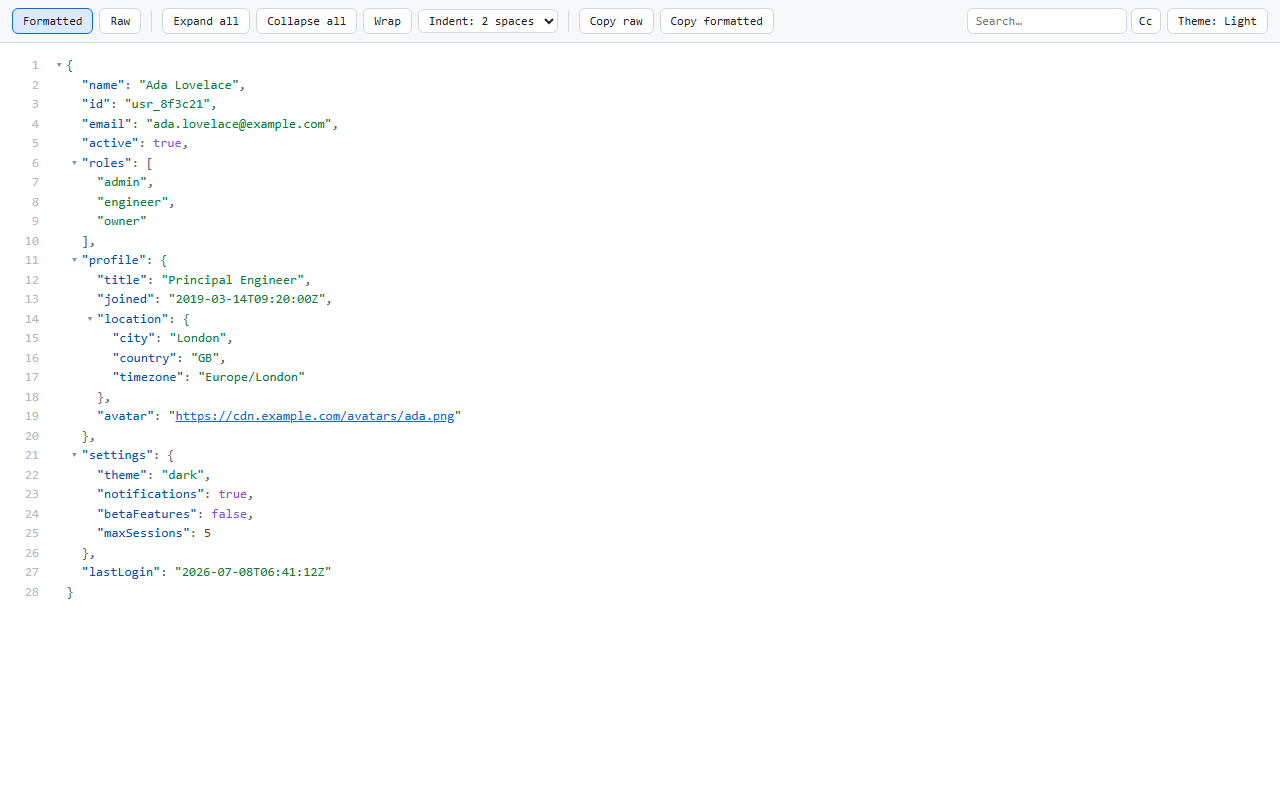
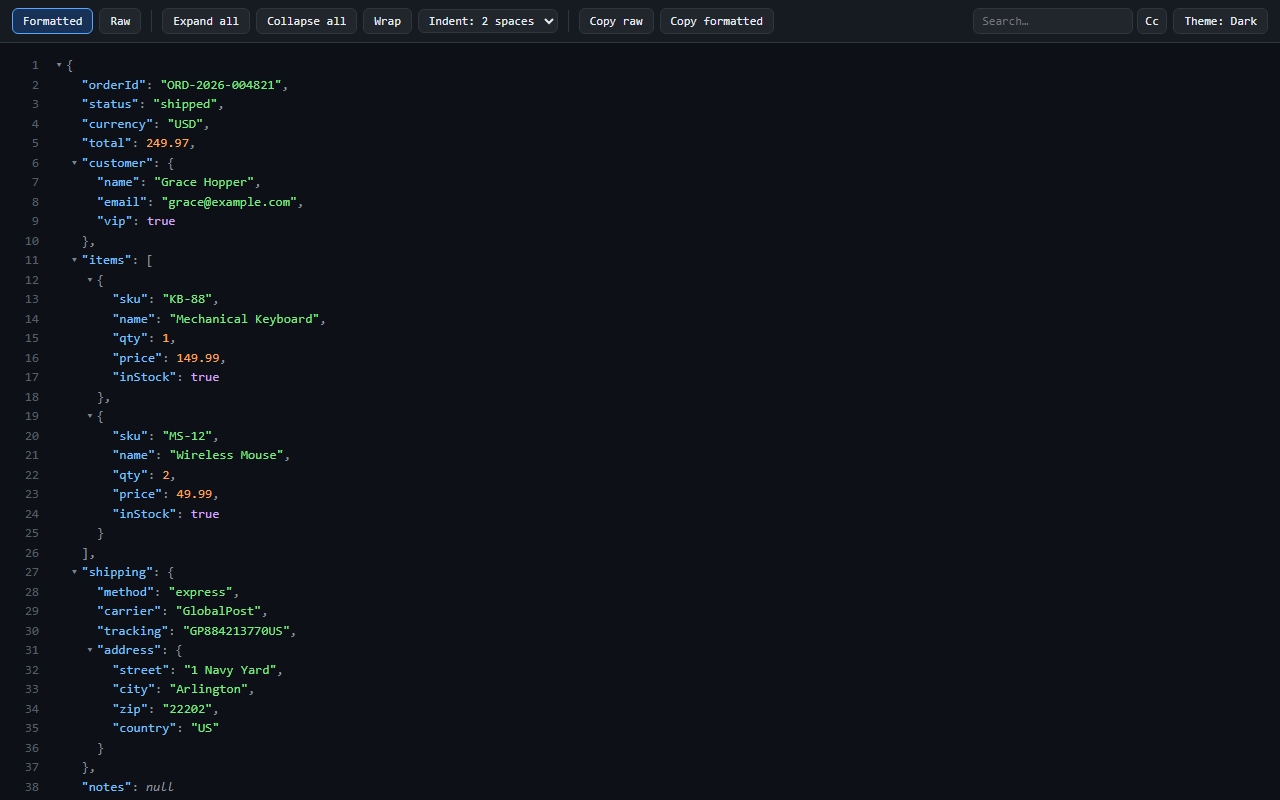
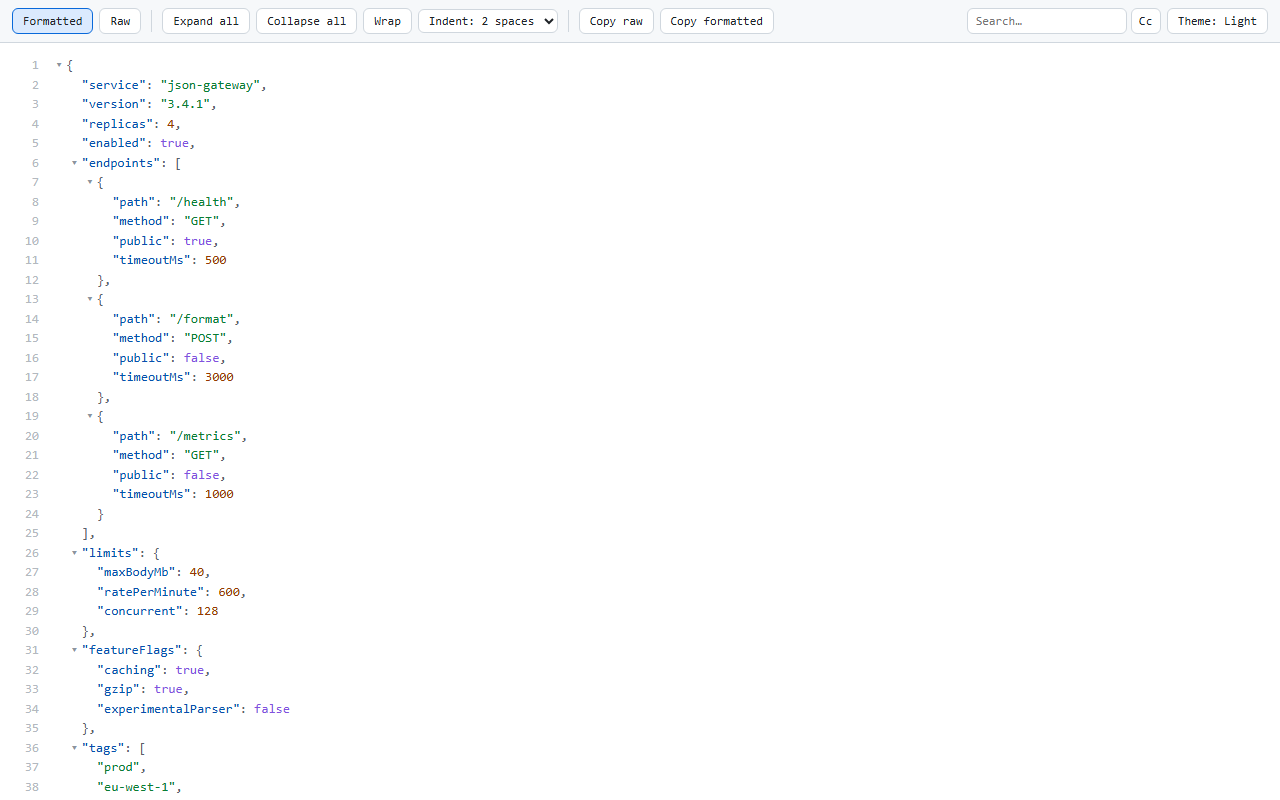
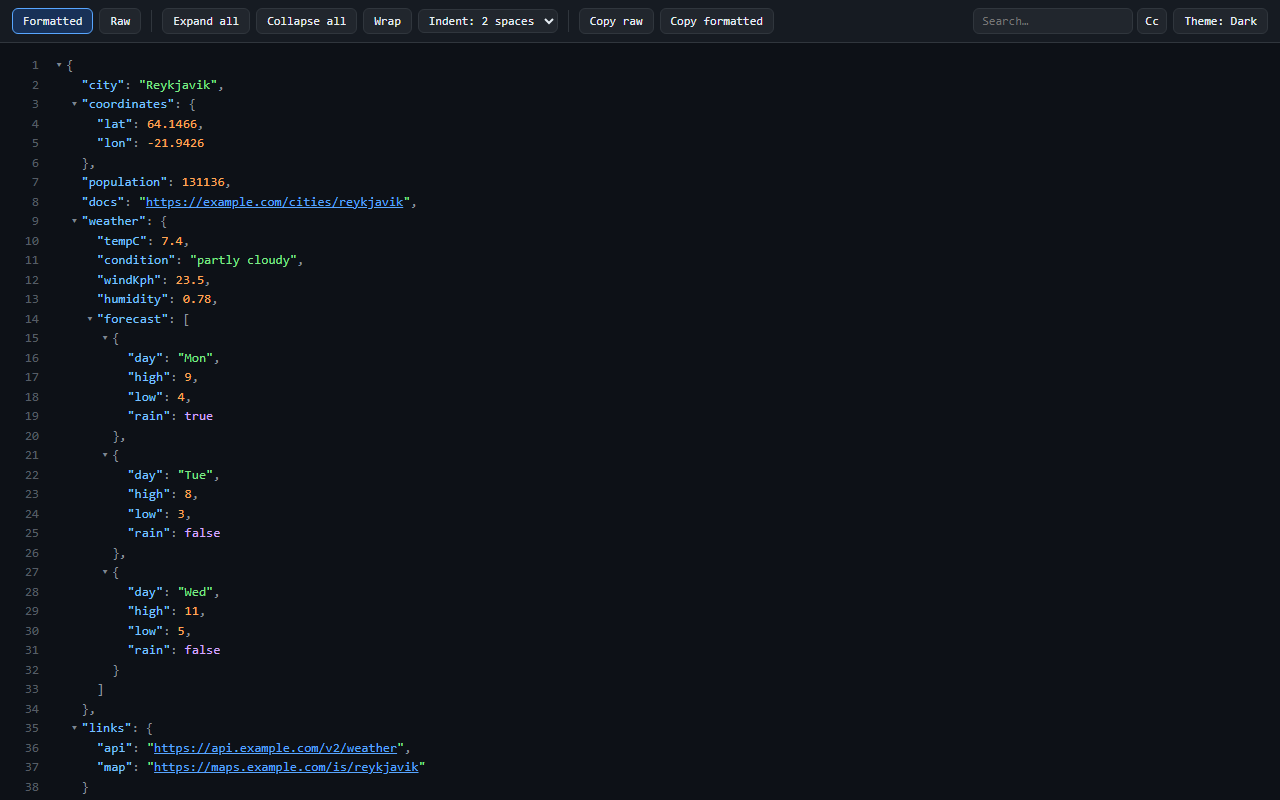
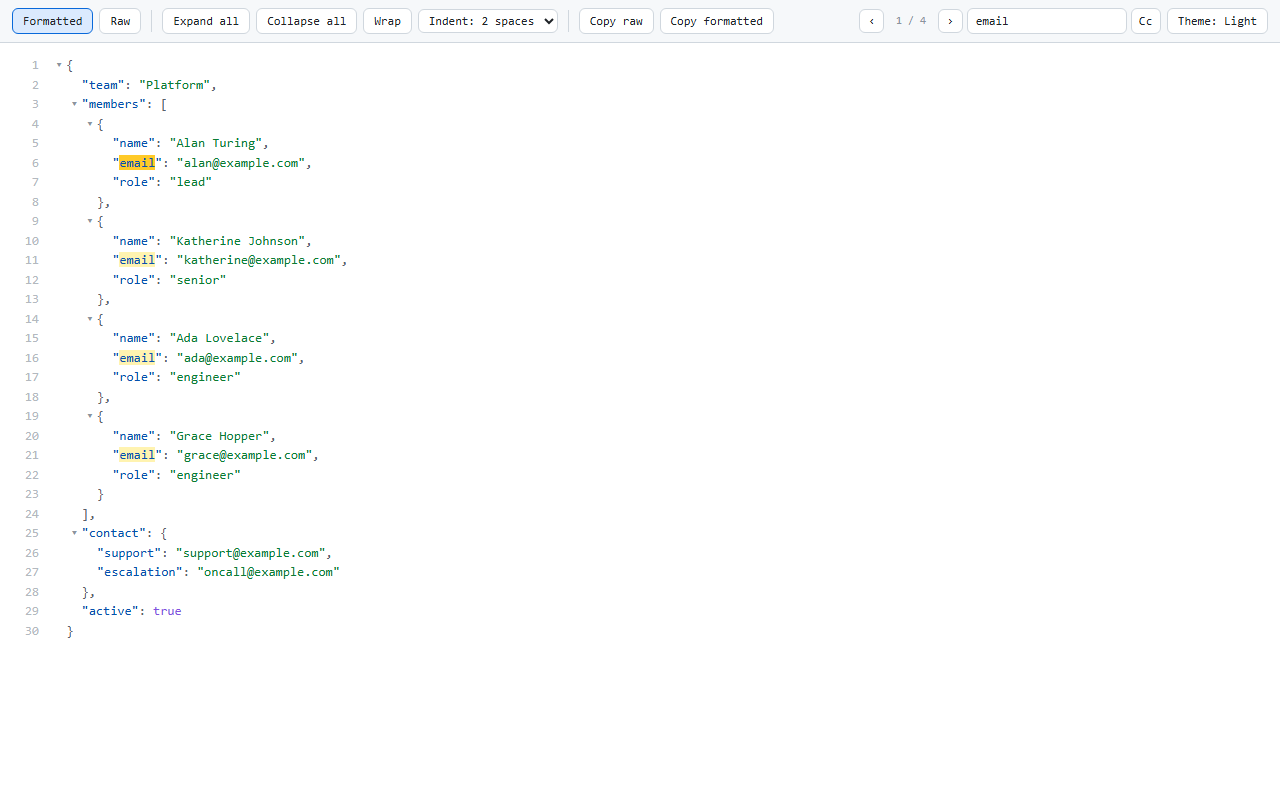
Free JSON Formatter turns any raw JSON page into an interactive, collapsible, syntax-highlighted tree - instantly, and entirely inside your own tab.
PRIVACY, VERIFIABLE
- No ads. No affiliate code. Nothing is injected into any page you visit.
- No telemetry, no analytics, no tracking.
- Zero network requests - the extension has no server to talk to.
- One permission: "storage", used only to remember your own settings.
- Open source (MIT). Read every line: github.com/andret2344/free-json-formatter
- Under 30 kB packed. No remote code, no bundled SDKs.
These are checkable claims, not promises. The end-to-end test suite asserts that formatting a document makes no network request at all, and the privacy policy lists every single key the extension writes to your device.
FEATURES
- Automatic detection of JSON pages (application/json, .json URLs, or a plain
of valid JSON)
- Collapsible tree with lazy rendering - multi-megabyte documents stay responsive
- Syntax highlighting for keys, strings, numbers, booleans and null
- In-tree search with match count, next/previous, and case-sensitivity toggle - it searches the parsed JSON, so it finds matches inside branches you have not opened yet
- Line numbers that stay stable when you fold, exactly like code folding
- Copy path - hover any line, copy a console-ready accessor (json.items[0].id) straight into devtools, where the document is already exposed as "json"
- Line links - click a line number to get #L21 in the address bar; the link reopens that exact line later
- Expand all / Collapse all, cancellable, plus Ctrl/Cmd+click to fold a whole level
- Formatted / Raw toggle - the original text is one click away
- Copy raw or copy re-indented JSON
- Indent guides, highlighted for the level under your pointer
- Clickable URLs inside string values
- Themes: Auto (follows your OS), Light, Dark
- Configurable indentation: 2/4/6/8 spaces, or 1/2 tabs
- Line wrapping toggle
- Settings for maximum payload size and initial tree depth - the popup never reloads your tab, so nothing on screen is thrown awayBUILT FOR BIG DOCUMENTS
Large files open at a sensible depth instead of dumping 20,000 lines on you. Branches are rendered only when you open them. Expanding a huge tree runs in batches you can cancel at any time.Works on Chrome, Edge, Brave, and Firefox.
Source: github.com/andret2344/free-json-formatter
Issues: github.com/andret2344/free-json-formatter/issues
Free JSON Formatter 是做什么的
Free JSON Formatter 是一款面向 Edge 的实用工具类扩展,主要用来解决浏览器里某类具体的小问题。官方对它的介绍是:Fast, private JSON viewer. Collapsible tree, search, themes. No ads, no tracking, no network requests. Open source.在微软 Edge 加载项商店上,它当前版本 0.2.0,约 2 名用户。
适合什么人用
从功能定位看,Free JSON Formatter 更适合想补上浏览器原生缺失功能的用户。如果你平时只是偶尔遇到相关需求,用浏览器自带功能也能凑合;但如果这件事每天都发生,装一个专门处理它的扩展通常比手动操作省事得多。
怎么安装 Free JSON Formatter
- 打开微软 Edge 加载项商店上的官方页面;
- 点「添加到浏览器」并确认权限提示;
- 装好后在扩展列表里固定图标,方便随时开关。
本站只做索引与介绍,安装包来自官方商店。如果商店页面提示当前地区不可用,说明该扩展未在你所在区域上架。
常见问题
Free JSON Formatter 是免费的吗?
Free JSON Formatter 在微软 Edge 加载项商店免费提供下载。它是浏览器扩展,装上就能直接用,不需要注册账号。
Free JSON Formatter 安全吗?
它只申请了 0 项权限,范围比较克制,没有申请「读取所有网站数据」这种大权限。
Free JSON Formatter 支持哪些浏览器?
当前收录的版本来自微软 Edge 加载项商店,适用于 Edge。同一个扩展在其他商店可能有对应版本,但功能与版本号不一定相同。
怎么卸载 Free JSON Formatter?
在扩展管理页找到 Free JSON Formatter,点移除即可。它在本地保存的设置会一起清掉,不会残留数据。
权限清单 来自 manifest.json 原文
接口权限 1
storage