
FlowRead — RSVP Speed Reader EN
Creatools · EEdge MV3
Revolutionise your reading. A scientifically proven tool to double or triple your reading speed. Upload books or read websites.
<all_urls>),意味着它可以读取你在任意站点的页面内容,包括已登录的页面。这是许多扩展正常工作的必要条件,但也值得你确认来源可信。
截图


简介
Revolutionise your reading. A scientifically proven tool to double or triple your reading speed. Upload books or read websites.
FlowRead uses Rapid Serial Visual Presentation (RSVP) — a scientifically-backed technique that turbocharges reading speed with no loss of comprehension.
FlowRead was designed for researchers, writers, founders, students, the chronically curious - anyone with a heavy reading burden and a TBR pile that never shrinks. The interface is deliberately minimal so nothing distracts from the words.
What you can read
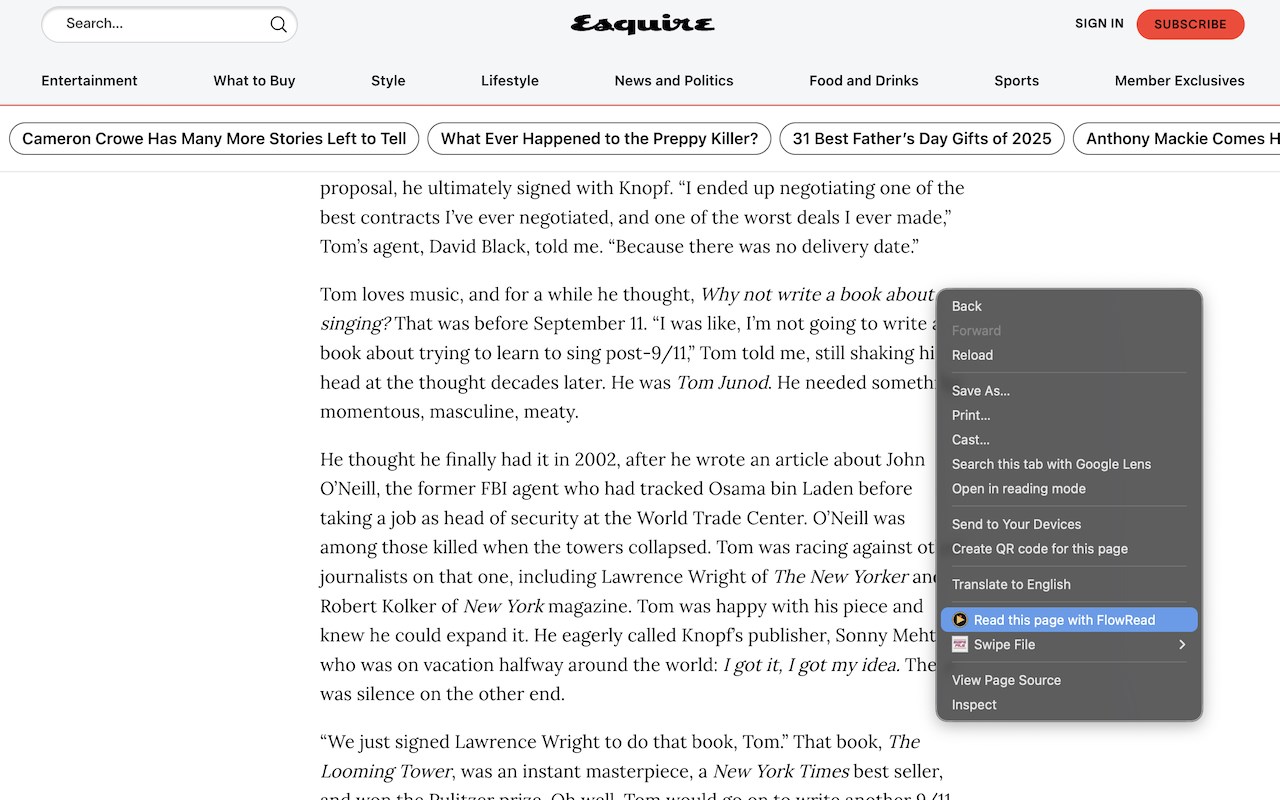
— Any webpage or article, via the right-click context menu
— PDF documents
— EPUB ebooks
— DOCX Word files
— Plain text
Features
— Adjustable speed from 100 to 800 words per minute
— Optimal Recognition Point (ORP) highlighting — the precise letter your eye should focus on, shown in red
— Smart pacing — punctuation and longer words automatically get a little more time
— Bookmark and resume — close the tab and pick up exactly where you left off
— 1, 2 or 3 word options
— Full keyboard control
Reading webpages and articles via context menu is always free.
Enjoy 10,000 words of free uploads. FlowRead Pro unlocks unlimited file uploads — read full books, cover to cover.
$20. One payment, yours forever.
FlowRead — RSVP Speed Reader 是做什么的
FlowRead — RSVP Speed Reader 是一款面向 Edge 的效率工具类扩展,主要用来管住注意力、屏蔽干扰站点、记录时间。官方对它的介绍是:Revolutionise your reading. A scientifically proven tool to double or triple your reading speed. Upload books or read websites.在微软 Edge 加载项商店上,它当前版本 1.1.0,评分 4(4 人评价),约 38 名用户。
适合什么人用
从功能定位看,FlowRead — RSVP Speed Reader 更适合想专注工作学习、减少无效刷网页的用户。如果你平时只是偶尔遇到相关需求,用浏览器自带功能也能凑合;但如果这件事每天都发生,装一个专门处理它的扩展通常比手动操作省事得多。需要注意的是它作用于所有网站,装上后建议先观察一两天,确认不影响常用站点的正常使用。
怎么安装 FlowRead — RSVP Speed Reader
- 打开微软 Edge 加载项商店上的官方页面;
- 点「添加到浏览器」并确认权限提示;
- 装好后在扩展列表里固定图标,方便随时开关。
本站只做索引与介绍,安装包来自官方商店。如果商店页面提示当前地区不可用,说明该扩展未在你所在区域上架。
常见问题
FlowRead — RSVP Speed Reader 是免费的吗?
FlowRead — RSVP Speed Reader 在微软 Edge 加载项商店免费提供下载。它是浏览器扩展,装上就能直接用,不需要注册账号。
FlowRead — RSVP Speed Reader 安全吗?
它只申请了 0 项权限,范围比较克制,没有申请「读取所有网站数据」这种大权限。
FlowRead — RSVP Speed Reader 支持哪些浏览器?
当前收录的版本来自微软 Edge 加载项商店,适用于 Edge。同一个扩展在其他商店可能有对应版本,但功能与版本号不一定相同。
怎么卸载 FlowRead — RSVP Speed Reader?
在扩展管理页找到 FlowRead — RSVP Speed Reader,点移除即可。它在本地保存的设置会一起清掉,不会残留数据。
权限清单 来自 manifest.json 原文
站点访问(可选) 1
<all_urls>
接口权限 4
activeTabcontextMenusscriptingstorage