Flexi PDF Reader
Flexi PDF Reader · EEdge MV3
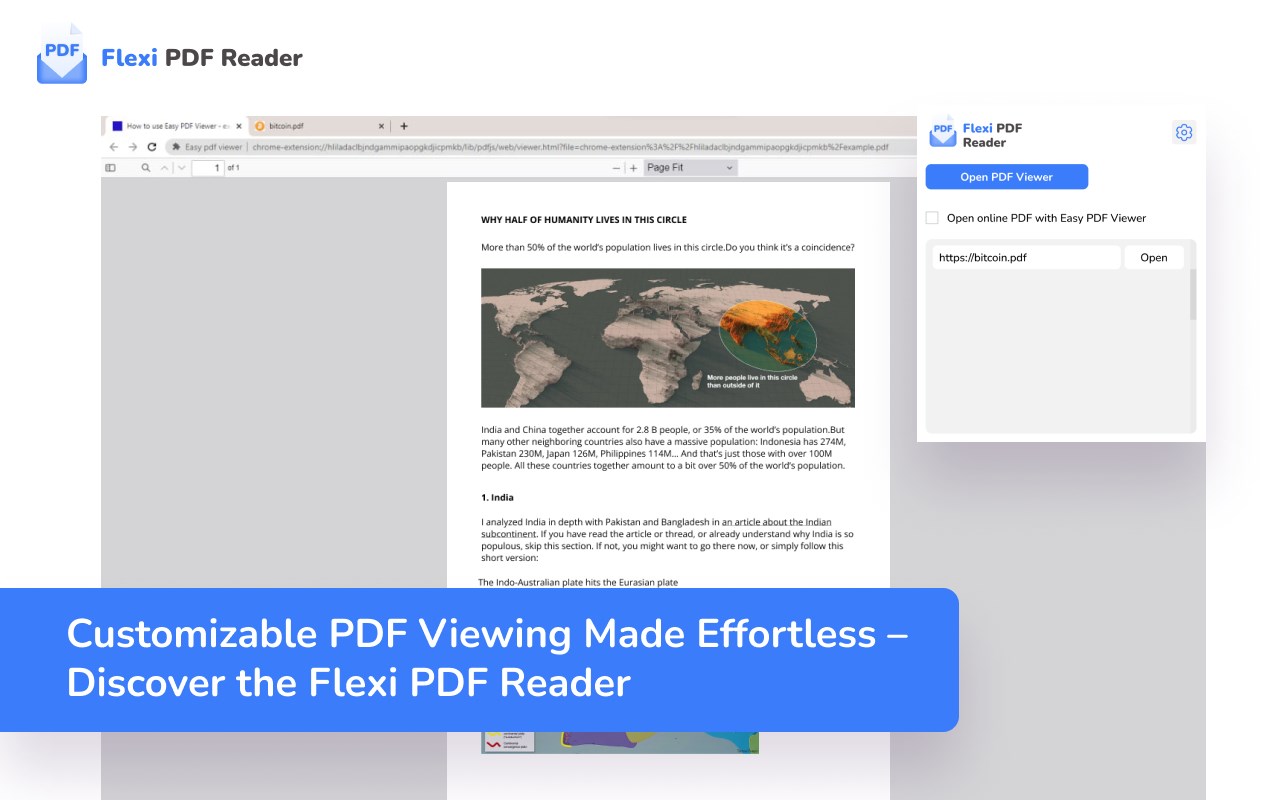
Customizable PDF Viewing Made Effortless – Discover the Flexi PDF Reader
<all_urls>),意味着它可以读取你在任意站点的页面内容,包括已登录的页面。这是许多扩展正常工作的必要条件,但也值得你确认来源可信。
截图
简介
Introducing Flexi PDF Reader: Your Ultimate Browser Extension for Effortless PDF Viewing.
Experience the freedom of tailored PDF reading with Flexi PDF Reader. Whether you're a dedicated researcher, a diligent student, or a busy professional, our browser extension is designed to enhance your productivity and streamline your reading experience.
Features That Empower You:
🔍 Highly Customizable PDF Viewer: Tired of the one-size-fits-all approach? Flexi PDF Reader lets you mold your viewing experience exactly as you prefer. Adjust layouts, fonts, and more to match your unique reading style.
📑 Default or Tab PDF Viewing: Seamlessly integrate Flexi PDF Reader into your browsing routine. Choose to view PDFs by default or within tabs, ensuring uninterrupted browsing.
🌙 Dark Mode for Eye Comfort: Whether it's late-night research or a preference for dark interfaces, our dark mode ensures strain-free reading in any lighting condition.
🔎 Zoom and Auto-Rotate: Dive into the details with customizable zoom options. And with auto-rotate, Flexi PDF Reader adapts to your screen orientation, keeping your reading smooth and hassle-free.
📂 Open Local PDF Files: Access your local PDFs directly within your browser. No more juggling between applications – Flexi PDF Reader makes it effortless.
🖋️ Annotations at Your Fingertips: Mark up your PDFs with ease using our annotation tools. Highlight, underline, and jot down notes directly within your browser, streamlining your research and collaboration.
Flexi PDF Reader is more than a viewer; it's your reading companion tailored to your preferences. Whether you're a student, researcher, or professional, we invite you to explore the world of customizable PDF viewing. Elevate your productivity – get Flexi PDF Reader today.
Compared to other PDF tools and viewers, Flexi PDF Reader offers a uniquely customizable and browser-native experience. While Adobe Acrobat: PDF edit, convert, sign tools is a robust suite with extensive editing and signing features, Flexi PDF Reader focuses on fast and flexible reading, with built-in annotations and dark mode tailored for daily use.
Awesome PDF Viewer, Reader and Fast PDF Reader offer quick access but lack the deeper customization that Flexi provides, such as layout and font tweaking. BeeLine Reader PDF Viewer focuses on reading enhancement through color gradients, whereas Flexi enhances readability through layout, zoom, and dark mode versatility.
Dark PDF Reader offers a dark theme, but Flexi goes further with screen orientation-aware auto-rotate and inline annotations. PDF Viewer, PDF Reader, and PDF Viewer Pro - View, Edit, Fill, Convert, Sign, and More serve general purposes, but often overcomplicate or lack local PDF file handling within the browser, which Flexi handles smoothly.
For those using Open in Foxit™ Reader, Open in PDF Reader, or Open in PDF Viewer, Flexi PDF Reader eliminates the need for external programs by embedding all features into the browser. This offers a cleaner workflow without app switching.
Power users of Smartbooqing PDF viewer, Toledo Ultra PDF viewer, Umbra PDF Viewer, and PDF Viewer for Vimium C might find Flexi PDF Reader a more user-friendly alternative with annotation tools built-in. Similarly, WebAssembly PDF Viewer Editor and doqment PDF Reader may offer technical depth, but Flexi delivers the most balanced feature set for regular users.
Lastly, users of pdf护眼阅读器 will appreciate that Flexi PDF Reader includes built-in dark mode and eye-comfort features, combined with annotation support – making it not just a reader but a complete productivity tool.
引入Flexi PDF Reader:您的终极浏览器扩展,轻松阅读PDF。
通过Flexi PDF Reader体验定制化的PDF阅读,无论您是一位专注的研究人员、勤奋的学生还是繁忙的专业人士,我们的浏览器扩展都旨在提升您的工作效率和优化阅读体验。
赋予您权力的功能:
🔍高度可定制的PDF阅读器:厌倦了一刀切的方式?Flexi PDF Reader允许您根据自己的喜好定制阅读体验。调整布局、字体等,以适应您独特的阅读风格。
📑默认或选项卡PDF阅读:无缝集成Flexi PDF Reader到您的浏览例程中。选择默认或选项卡方式查看PDF,确保您的浏览不受中断。
🌙夜间模式保护眼睛:无论是深夜研究还是对暗色界面的偏好,我们的夜间模式确保您在任何光线条件下都能轻松阅读,减轻眼部负担。
🔎缩放和自动旋转:通过可定制的缩放选项深入细节。而且,借助自动旋转功能,Flexi PDF Reader可以适应您的屏幕方向,使您的阅读流畅无忧。
📂打开本地PDF文件:直接在浏览器中访问您的本地PDF文件。不再需要在应用程序之间切换 - Flexi PDF Reader让这一切变得轻而易举。
🖋️指尖上的批注:使用我们的批注工具轻松标记PDF。在浏览器中直接进行高亮、下划线和记录笔记,简化您的研究和协作。
Flexi PDF Reader不仅仅是一个阅读器;它是根据您的喜好量身定制的阅读伴侣。无论您是学生、研究人员还是专业人士,我们邀请您探索可定制的PDF阅读世界。提升您的工作效率 - 立即获取Flexi PDF Reader。
Flexi PDF Reader 是做什么的
Flexi PDF Reader 是一款面向 Edge 的效率工具类扩展,主要用来管住注意力、屏蔽干扰站点、记录时间。官方对它的介绍是:Customizable PDF Viewing Made Effortless – Discover the Flexi PDF Reader在微软 Edge 加载项商店上,它当前版本 1.0.3,评分 5(4335 人评价),约 12,848 名用户。
适合什么人用
从功能定位看,Flexi PDF Reader 更适合想专注工作学习、减少无效刷网页的用户。如果你平时只是偶尔遇到相关需求,用浏览器自带功能也能凑合;但如果这件事每天都发生,装一个专门处理它的扩展通常比手动操作省事得多。需要注意的是它作用于所有网站,装上后建议先观察一两天,确认不影响常用站点的正常使用。
怎么安装 Flexi PDF Reader
- 打开微软 Edge 加载项商店上的官方页面;
- 点「添加到浏览器」并确认权限提示;
- 装好后在扩展列表里固定图标,方便随时开关。
本站只做索引与介绍,安装包来自官方商店。如果商店页面提示当前地区不可用,说明该扩展未在你所在区域上架。
常见问题
Flexi PDF Reader 是免费的吗?
Flexi PDF Reader 在微软 Edge 加载项商店免费提供下载。它是浏览器扩展,装上就能直接用,不需要注册账号。
Flexi PDF Reader 安全吗?
它只申请了 0 项权限,范围比较克制,没有申请「读取所有网站数据」这种大权限。
Flexi PDF Reader 支持哪些浏览器?
当前收录的版本来自微软 Edge 加载项商店,适用于 Edge。同一个扩展在其他商店可能有对应版本,但功能与版本号不一定相同。
怎么卸载 Flexi PDF Reader?
在扩展管理页找到 Flexi PDF Reader,点移除即可。它在本地保存的设置会一起清掉,不会残留数据。
权限清单 来自 manifest.json 原文
站点访问(可选) 1
<all_urls>
接口权限 6
alarmscontextMenusdeclarativeNetRequestfaviconscriptingstorage