
Fennec SEO Auditor EN
FennecSEO · EEdge MV3
Fennec SEO Auditor is a browser extension that audits the SEO of the current web page and provides detailed reports.
<all_urls>),意味着它可以读取你在任意站点的页面内容,包括已登录的页面。这是许多扩展正常工作的必要条件,但也值得你确认来源可信。
截图
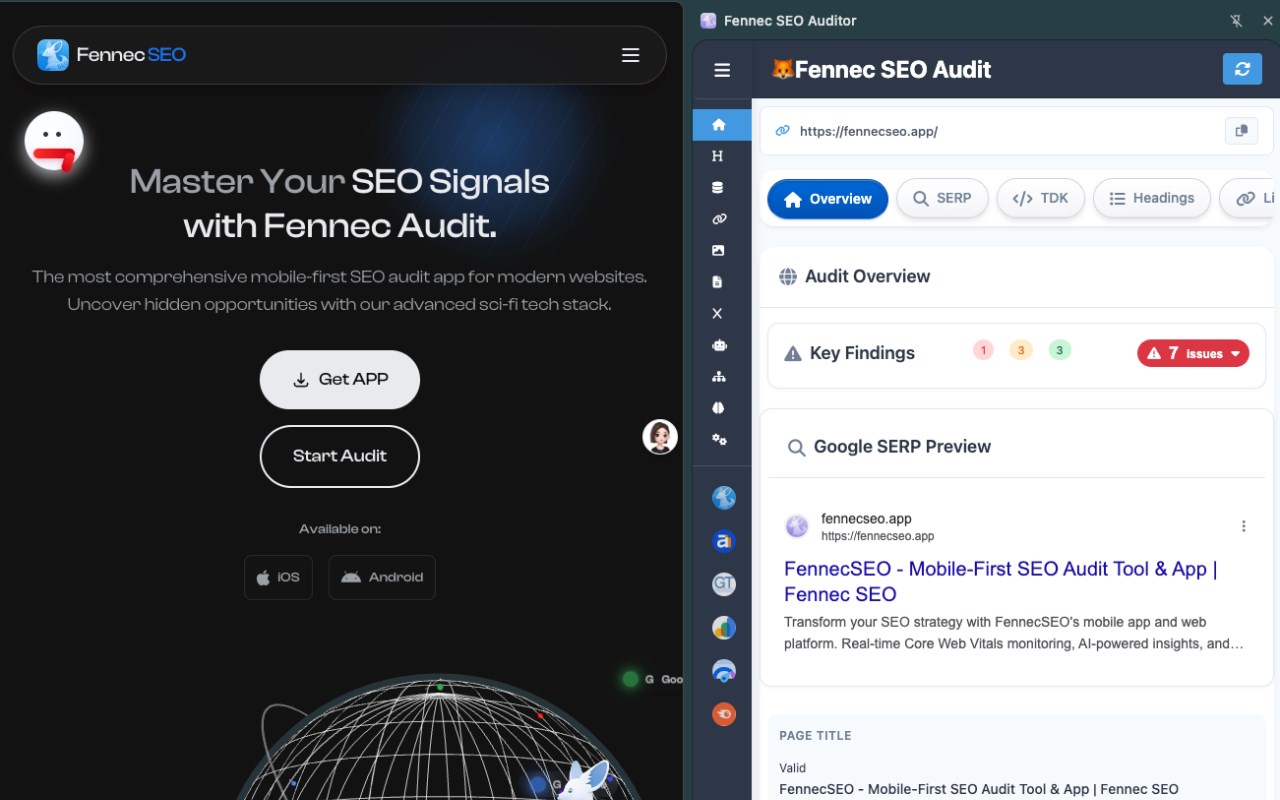
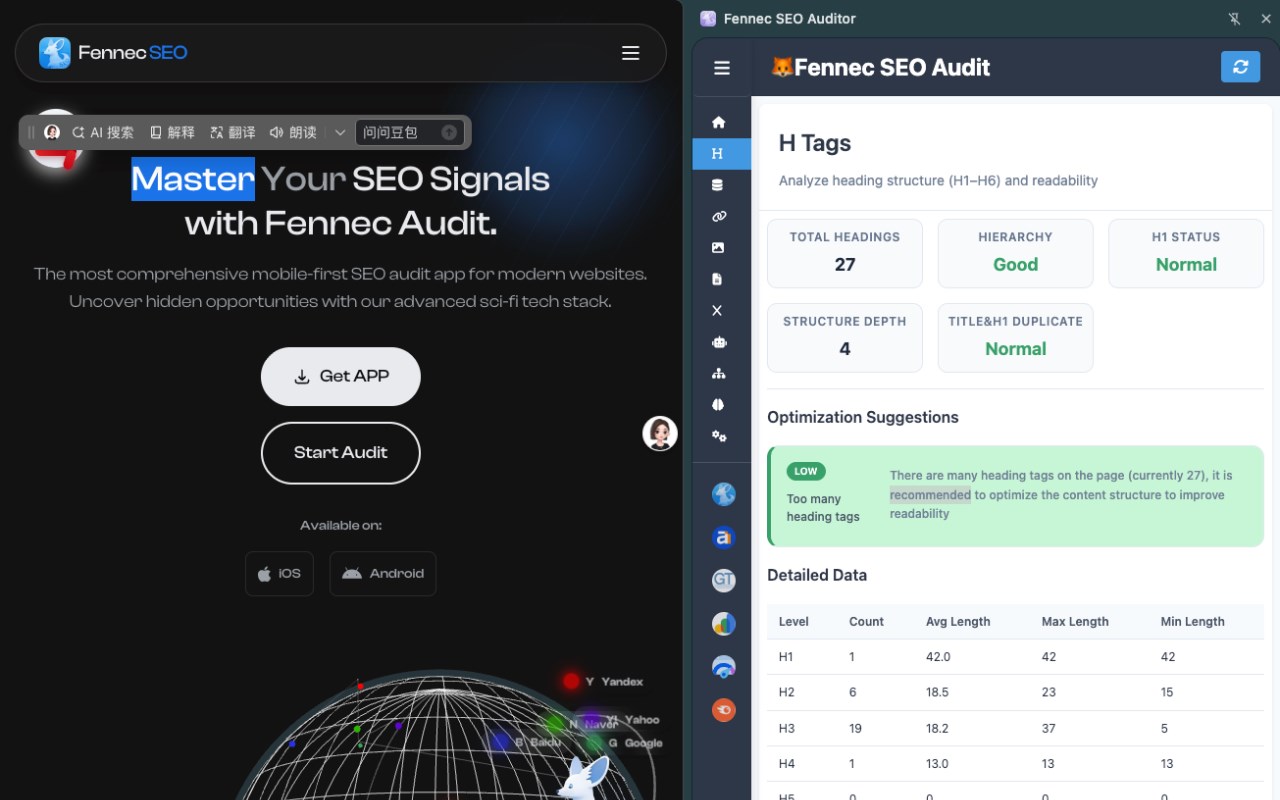
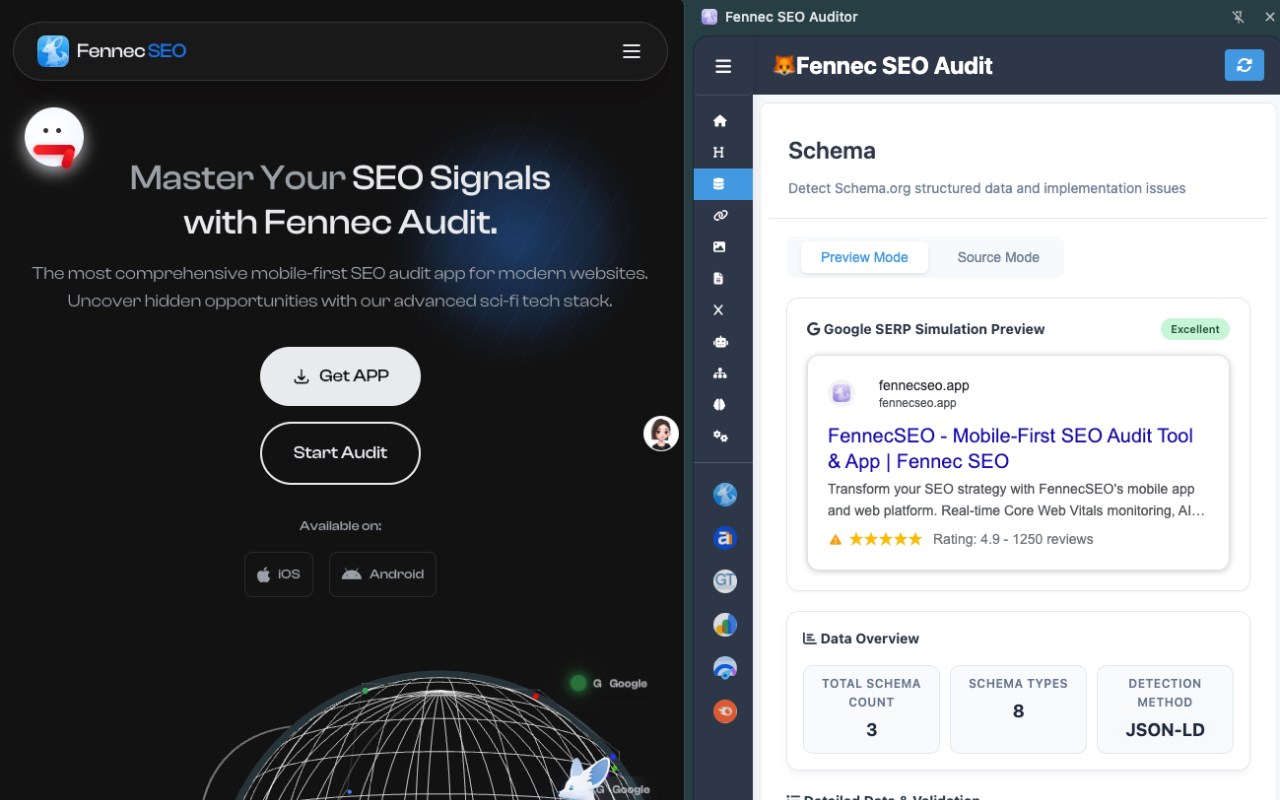
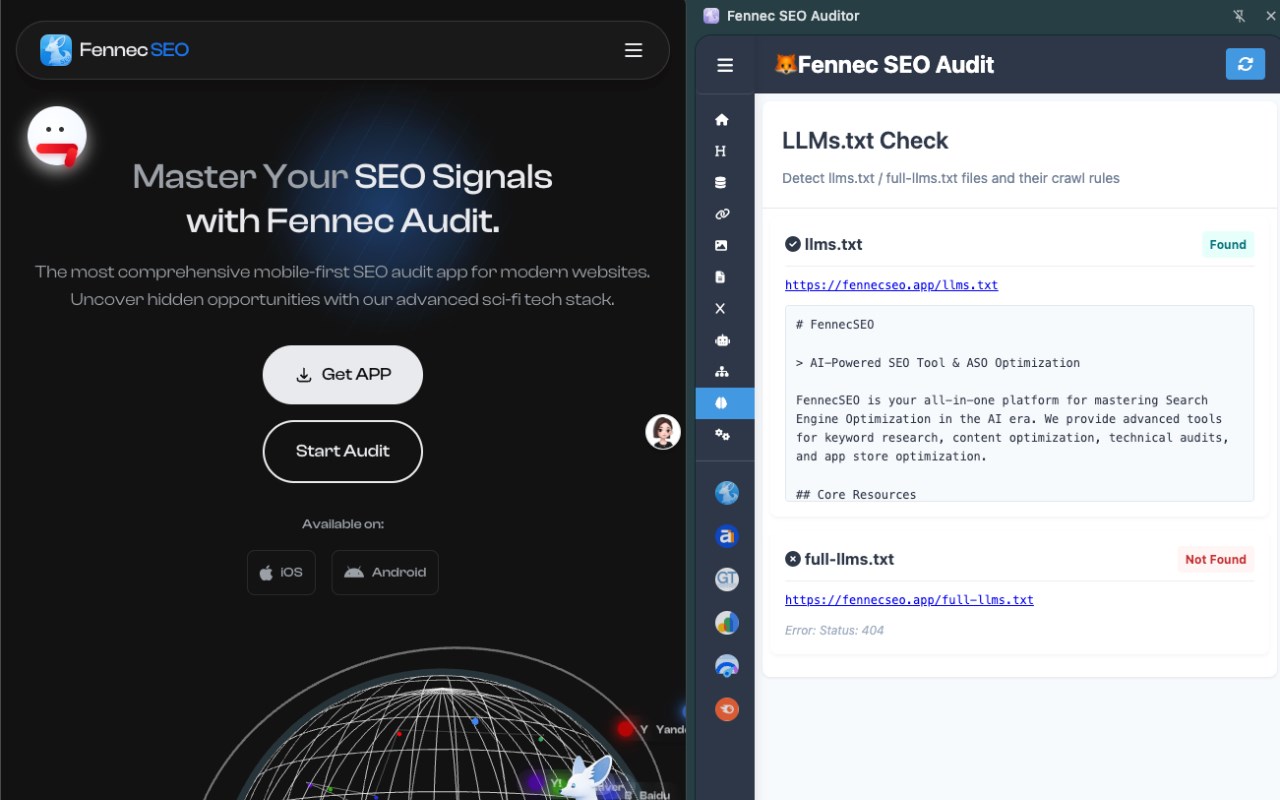
简介
Fennec SEO Auditor is a powerful browser extension designed for SEO specialists, digital marketers, webmasters, content creators, and technical SEO professionals who require real-time, comprehensive analysis of a web page’s SEO performance directly from their browser. Installed as a side panel within browser, this tool transforms your browsing experience by enabling you to conduct in-depth on-page SEO audits seamlessly while you explore any website, whether it’s a client’s site, a competitor’s page, or your own project.
The extension delivers a full suite of SEO auditing functions, consolidating vast amounts of data into actionable insights without requiring you to leave the current page. It inspects essential SEO elements including meta tags, headings, links, images, robots.txt files, sitemaps, structured data (schema markup), and social media metadata such as Open Graph and Twitter cards. What sets Fennec SEO Auditor apart is its modular architecture and user-friendly interface; you can shift from a broad overview of the site’s SEO health to detailed examinations of individual components effortlessly.
Upon launching the extension, the side panel appears on the right side of the browser browser, constantly visible but unobtrusive, allowing for quick audits as you navigate through pages. The audit results are presented using tables, charts, and grades powered by Chart.js, offering a clear and structured view of SEO signals and potential issues. The tool checks critical SEO factors such as meta title and description presence and quality, heading hierarchy (H1 through H6) with counts and best-practice warnings, link distribution including internal, external, and nofollow links, along with detailed link attributes. For images, it highlights missing or empty alt attributes, detects oversized images, and provides quick previews and original source links for easy verification.
Fennec SEO Auditor also verifies the existence and correctness of robots.txt files and sitemaps, reporting their accessibility and parsing key directives that impact site indexing and crawling. Its schema analysis module detects various structured data formats (JSON-LD, Microdata, RDFa) and validates them to help optimize pages for enhanced search engine results, including rich snippets. Social tag analysis ensures that Open Graph and Twitter card metadata are configured properly to maximize content visibility and sharing effectiveness on social platforms.
Additional features include context menu integration, providing quick access to third-party SEO tools such as Ahrefs, GTmetrix, PageSpeed Insights, Semrush, and more directly from the right-click menu for expanded off-page and performance analysis. The extension supports hotkey shortcuts and background scripts to run audits efficiently without interrupting your workflow.
Fennec SEO Auditor is ideal for a broad audience—from SEO consultants running daily on-page audits and content marketers refining their article structure, to technical SEOs validating robots.txt rules, schema markup, and canonical URLs, and product managers needing rapid SEO checks integrated into their browser workflow. It empowers users to perform thorough SEO evaluations without switching environments or juggling multiple tools, simplifying the process of diagnosing SEO problems, benchmarking competitors, or verifying optimizations.
Installation is straightforward through the browser Web Store, and the extension requires permissions to access tab content, scripting capabilities for safe HTML parsing offscreen, context menus, storage for preferences, and rendering inside the browser side panel. Notably, it does not modify page content or inject ads; all data collected is used solely for analysis and audit reporting.
Key Features:
- Comprehensive SEO Audit: Analyze current web pages in detail covering meta tags, headings, links, images, robots.txt, sitemap availability, schema data, and social media metadata all in one click.
- Modular Toolset: Specialized audit components for schema validation, social metadata extraction, link and sitemap checks, keyword evaluations, and accessibility checks.
- Interactive Side Panel: Persistent, easy-to-use panel within browser with charts, tables, and graded reports for rapid interpretation.
- Technical Issue Detection: Identifies problems like missing or malformed meta tags, broken links, canonical URL issues, robots.txt misconfigurations, and image alt text problems.
- Structured Data Validation: Supports JSON-LD, Microdata, and RDFa formats, providing error analysis and previews mimicking search engine rich results.
- Visual Content Insight: Highlights image optimization needs including lazy-loading, alt attribute presence, and large file size detection to optimize page load and SEO.
- Context Menu & Hotkeys: Offers quick audit triggers via right-click menus and customizable keyboard shortcuts, including effortless integration with popular SEO tools.
How It Works:
1. Install Fennec SEO Auditor from the browser Web Store and grant necessary permissions.
2. Click the extension icon in the browser toolbar to open the side panel with the initial SEO audit for the current page.
3. View a comprehensive audit report displaying meta information, headings, links, images, robots.txt, schema, and social metadata.
4. Navigate through audit sections using tabs or the left-side menu to explore detailed modules like heading structure, schema validation, link analysis, and image audit.
5. Refresh the audit anytime with a click to reanalyze the current page dynamically as you work.
6. Use the right-click context menu to launch off-page SEO tools or perform additional checks on the page domain or URL.
7. Apply insights from the reports to adjust on-page elements, fix technical issues, and optimize content structure for better search engine performance.
Privacy: - No personal data collected.
Fennec SEO Auditor 是做什么的
Fennec SEO Auditor 是一款面向 Edge 的效率工具类扩展,主要用来管住注意力、屏蔽干扰站点、记录时间。官方对它的介绍是:Fennec SEO Auditor is a browser extension that audits the SEO of the current web page and provides detailed reports.在微软 Edge 加载项商店上,它当前版本 1.0.1,约 5 名用户。
适合什么人用
从功能定位看,Fennec SEO Auditor 更适合想专注工作学习、减少无效刷网页的用户。如果你平时只是偶尔遇到相关需求,用浏览器自带功能也能凑合;但如果这件事每天都发生,装一个专门处理它的扩展通常比手动操作省事得多。需要注意的是它作用于所有网站,装上后建议先观察一两天,确认不影响常用站点的正常使用。
怎么安装 Fennec SEO Auditor
- 打开微软 Edge 加载项商店上的官方页面;
- 点「添加到浏览器」并确认权限提示;
- 装好后在扩展列表里固定图标,方便随时开关。
本站只做索引与介绍,安装包来自官方商店。如果商店页面提示当前地区不可用,说明该扩展未在你所在区域上架。
常见问题
Fennec SEO Auditor 是免费的吗?
Fennec SEO Auditor 在微软 Edge 加载项商店免费提供下载。它是浏览器扩展,装上就能直接用,不需要注册账号。
Fennec SEO Auditor 安全吗?
它只申请了 0 项权限,范围比较克制,没有申请「读取所有网站数据」这种大权限。
Fennec SEO Auditor 支持哪些浏览器?
当前收录的版本来自微软 Edge 加载项商店,适用于 Edge。同一个扩展在其他商店可能有对应版本,但功能与版本号不一定相同。
怎么卸载 Fennec SEO Auditor?
在扩展管理页找到 Fennec SEO Auditor,点移除即可。它在本地保存的设置会一起清掉,不会残留数据。
权限清单 来自 manifest.json 原文
站点访问(可选) 1
*://*/*
接口权限 6
contextMenusoffscreenscriptingsidePanelstoragetabs