
Email Finder by Data Sniper EN
Data Sniper LLC · EEdge MV3
Find website emails instantly with Data Sniper's Email Finder—one click to boost your outreach!
<all_urls>),意味着它可以读取你在任意站点的页面内容,包括已登录的页面。这是许多扩展正常工作的必要条件,但也值得你确认来源可信。
截图
简介
Email Finder by Data Sniper is a powerful browser extension designed to revolutionize the way professionals, marketers, recruiters, and business owners find email addresses and contact details online. This sophisticated tool integrates seamlessly into your browsing experience, enabling you to instantly uncover verified email addresses and relevant contact information from any website you visit—all with just a single click. By automating the tedious task of manual lead searching, Email Finder by Data Sniper accelerates your outreach, lead generation, and networking efforts, making it an essential companion for your business or professional growth.
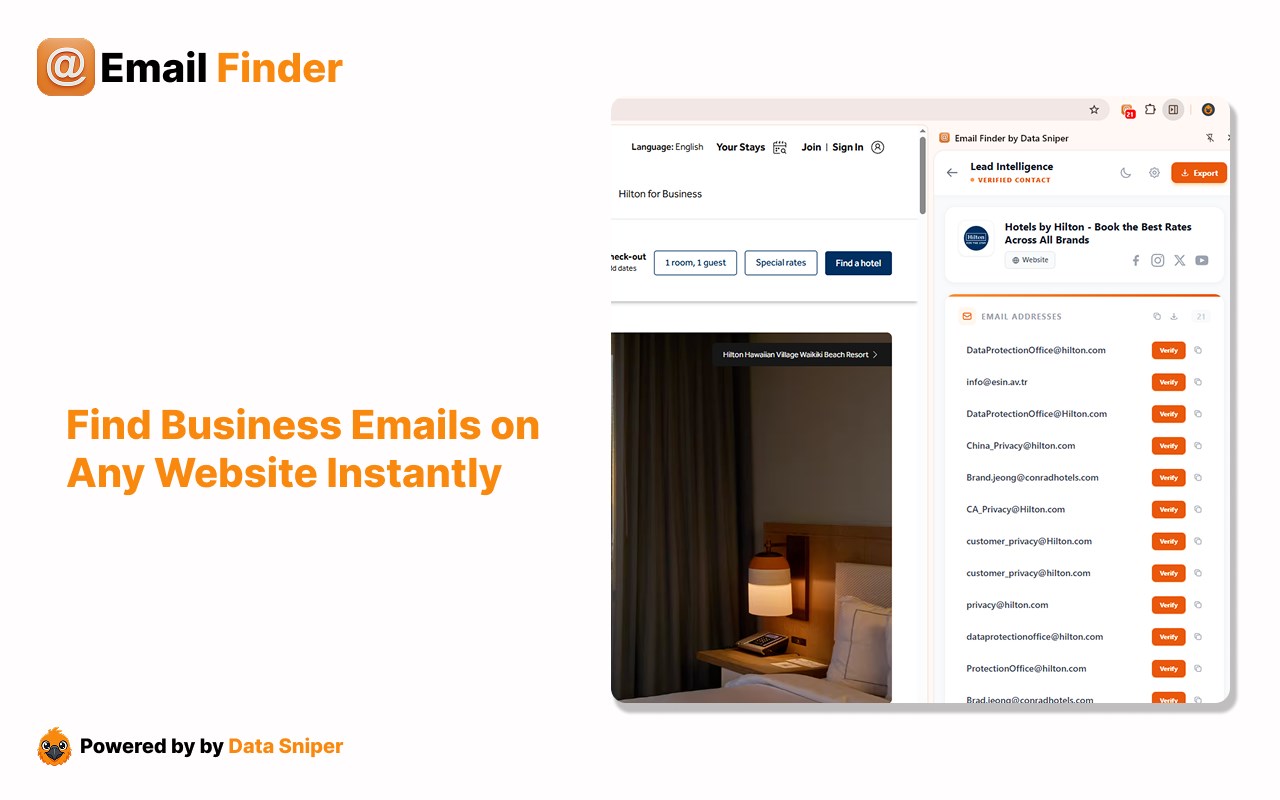
Whether you're conducting small business networking, handling large-scale sales campaigns, or recruiting talent, this extension’s advanced content scanning technology digs deep into both visible and hidden webpage elements. It intelligently parses HTML content, extracting legitimate email addresses while minimizing false positives through smart filtering algorithms. The discovered contacts are displayed in a clean, interactive side panel that is user-friendly and responsive, built using modern React components. This panel allows effortless copying, exporting, and organizing of your leads, streamlining management and integration with your workflows.
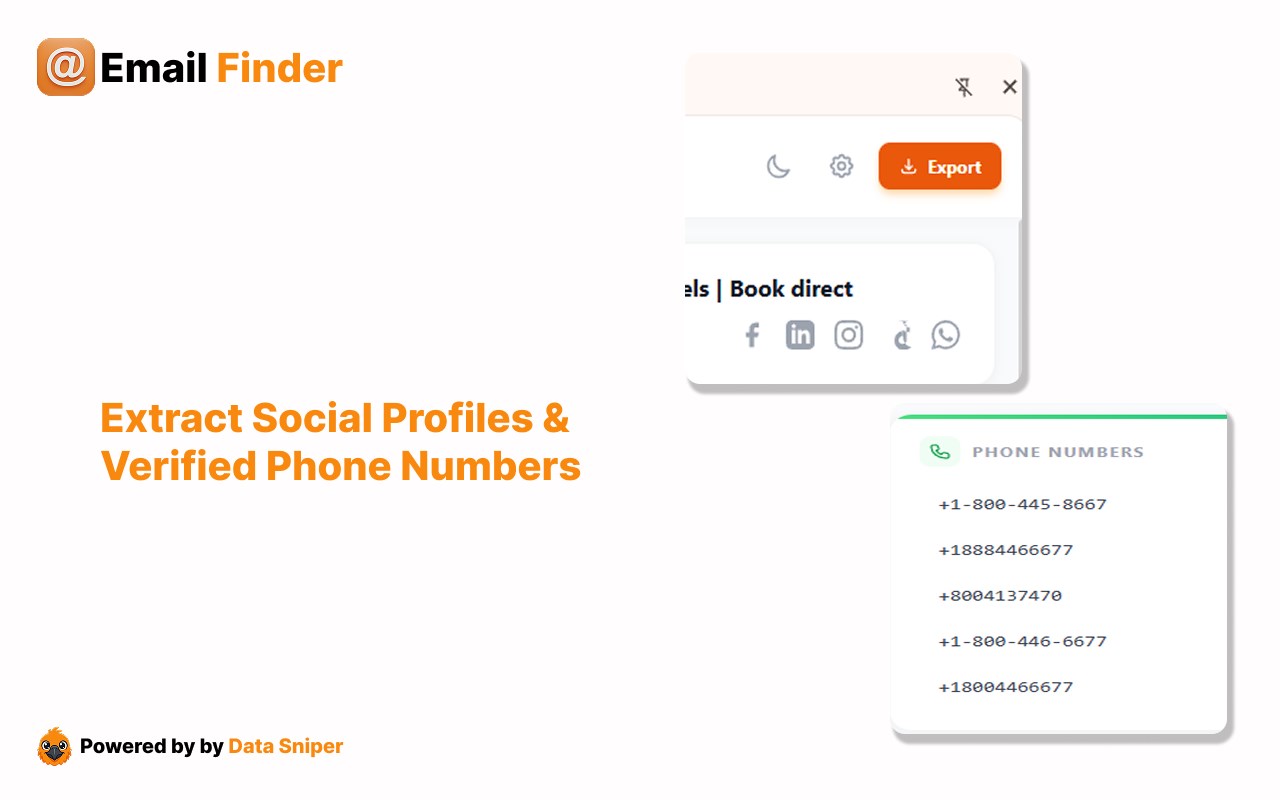
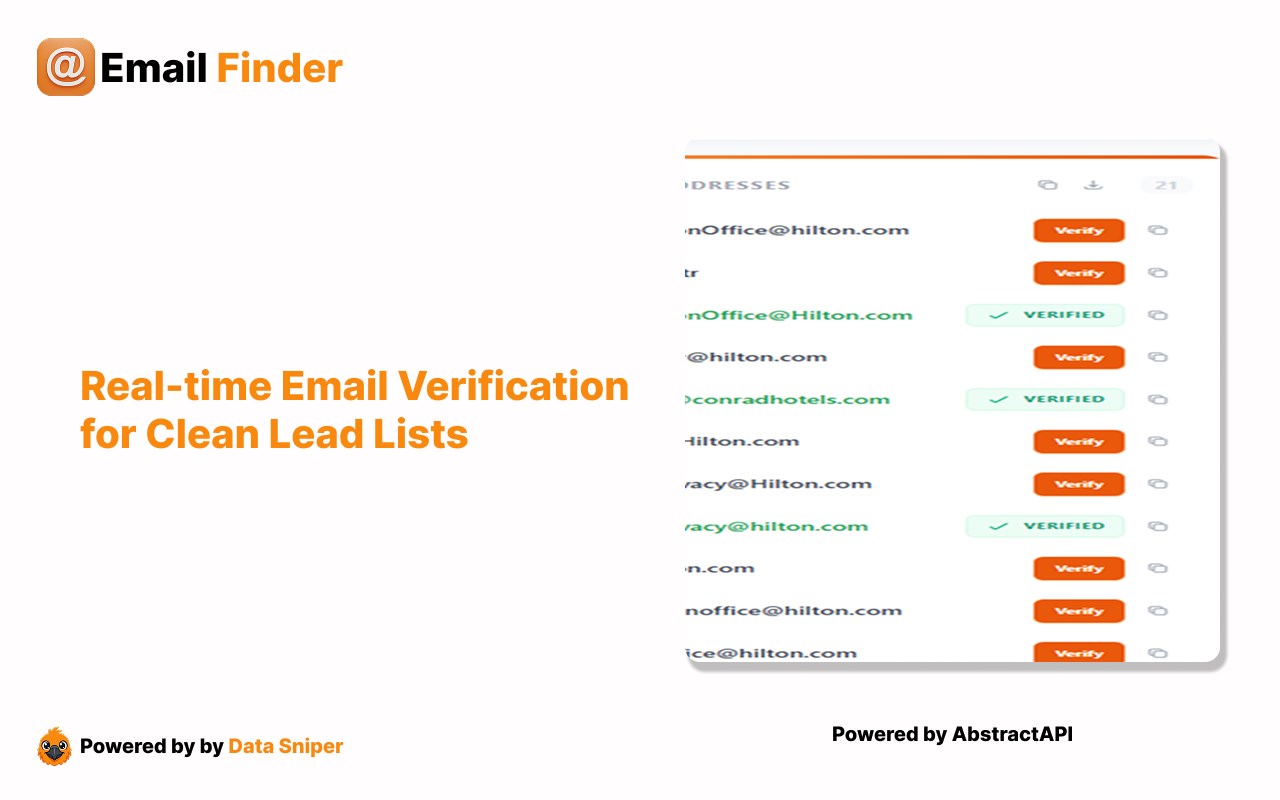
Beyond email extraction, Email Finder by Data Sniper expands its capabilities to include social media scraping—automatically finding profiles on platforms like LinkedIn, Facebook, Instagram, and X (formerly Twitter), giving you a broader spectrum of contact points for your outreach. Real-time email validation is a standout feature—by integrating your AbstractAPI key, the extension verifies email addresses instantly, helping keep your bounce rates low and ensuring your contact lists remain clean and actionable.
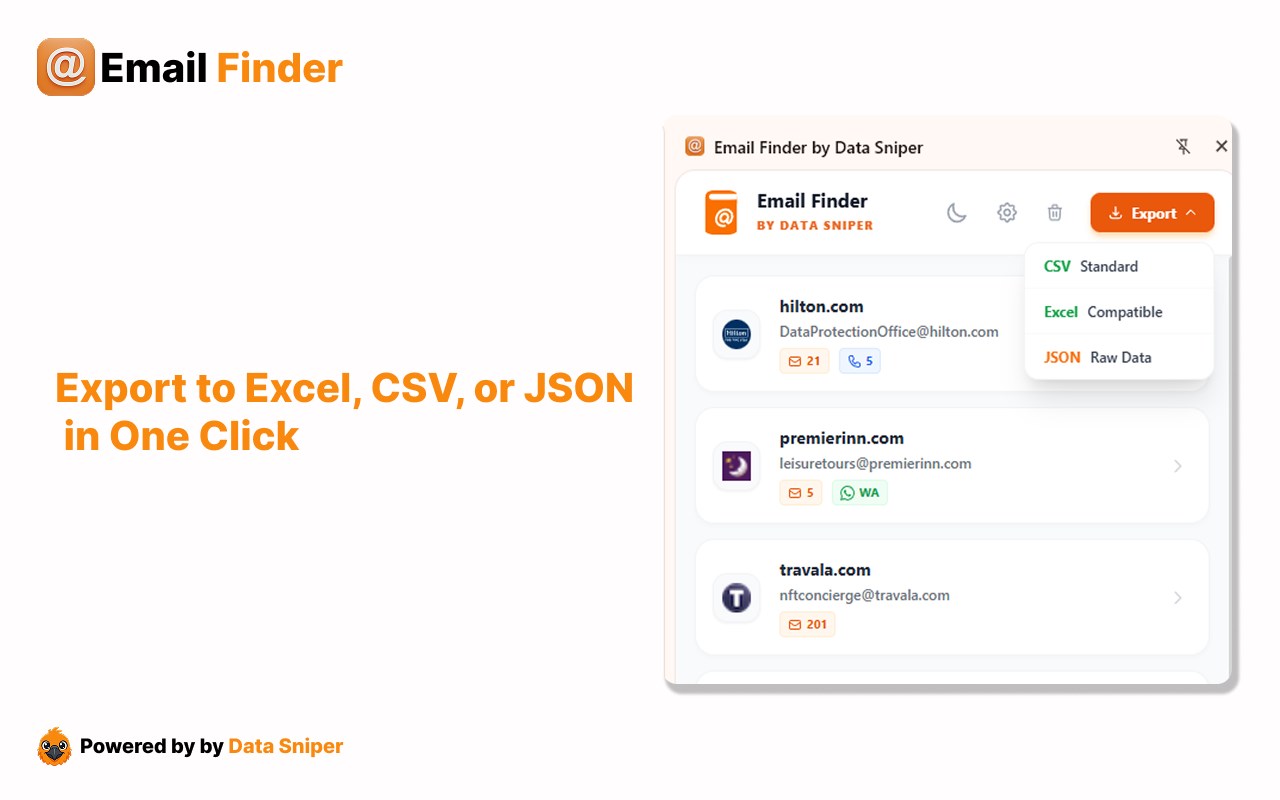
The extension also offers bulk export options in multiple formats such as Excel, CSV, and JSON, making it compatible with most CRM systems and marketing tools. To further empower users, it extracts advanced webpage metadata including meta titles, SEO descriptions, and keywords, providing valuable intelligence on prospects and competitors. The customizable lead intelligence dashboard supports dark mode for user comfort during extensive use and lets you review, manage, and verify your leads in a single hub before exporting or initiating contact.
Installation is straightforward: simply add Email Finder by Data Sniper from your browser’s extension store, then browse as usual. The extension’s content scripts operate silently in the background, scanning pages you visit for emails and social profiles. When you engage the extension icon, the side panel instantly populates with relevant data, accessible for review and export. Badge notifications on the toolbar keep you instantly informed about new findings without interrupting your browsing flow. You can open identified emails or related pages in new tabs with a single click, allowing quick follow-up actions.
Designed with privacy and security in mind, Email Finder by Data Sniper does not collect personal data or transmit your browsing information. It only analyzes content within your active tabs, focusing solely on publicly available data. This transparent privacy approach ensures your data and browsing habits remain confidential and secure.
Ideal for sales teams, recruiters, marketers, and SEO professionals, Email Finder by Data Sniper vastly improves the efficiency of building prospect lists, candidate sourcing, outreach campaigns, and competitive research. By streamlining lead acquisition and validation all within your browser, it helps you close deals faster and grow your professional network effortlessly.
Key Features:
- Instant Website Email Extraction: Quickly find and display verified email addresses on any webpage with minimal effort.
- Intelligent Filtering: Uses advanced algorithms to reduce spam and irrelevant results, ensuring clean, actionable contact lists.
- Social Media Scraper: Automatically detect and extract social profiles from LinkedIn, Facebook, Instagram, X (Twitter), and more.
- Real-Time Email Validation: Integrate AbstractAPI to verify email addresses instantly, maintaining low bounce rates and higher deliverability.
- Bulk Export Options: Export your leads in Excel, CSV, or JSON formats tailored for easy CRM integration and data management.
- Metadata & SEO Grabbing: Extract meta titles, SEO descriptions, and keywords to gain competitive insights and prospect intelligence.
- Interactive Side Panel UI: Responsive, user-friendly dashboard with dark mode to view, organize, verify, and export leads seamlessly.
- Badge Notifications: Receive unobtrusive updates about new email findings directly on the browser toolbar.
- One-Click New Tab Opening: Open identified emails or contact-related pages immediately in new tabs for fast action.
- Customizable Storage & Settings: Browser storage keeps your settings and collected data safe, with options for unlimited storage for power users.
How It Works:
1. Install Email Finder by Data Sniper from your browser’s extension store.
2. Navigate to any website or social media profile page you want to extract contact information from.
3. The extension’s background scripts scan the webpage content automatically, identifying emails and social profiles as you browse.
4. Click the extension icon to open the interactive side panel listing all discovered emails and metadata for your review.
5. Use the copy, export, and management tools within the side panel to prepare your leads for outreach or CRM integration.
6. Enable AbstractAPI integration for real-time email validation to ensure the quality of your leads.
7. Receive notifications via badge icons when new emails or profiles are detected without interrupting your workflow.
8. Open any identified emails or related webpages in new tabs with a single click for immediate follow-up.
9. Customize your preferenc…
Email Finder by Data Sniper 是做什么的
Email Finder by Data Sniper 是一款面向 Edge 的效率工具类扩展,主要用来管住注意力、屏蔽干扰站点、记录时间。官方对它的介绍是:Find website emails instantly with Data Sniper's Email Finder—one click to boost your outreach!在微软 Edge 加载项商店上,它当前版本 1.0.2,约 27 名用户。
适合什么人用
从功能定位看,Email Finder by Data Sniper 更适合想专注工作学习、减少无效刷网页的用户。如果你平时只是偶尔遇到相关需求,用浏览器自带功能也能凑合;但如果这件事每天都发生,装一个专门处理它的扩展通常比手动操作省事得多。需要注意的是它作用于所有网站,装上后建议先观察一两天,确认不影响常用站点的正常使用。
怎么安装 Email Finder by Data Sniper
- 打开微软 Edge 加载项商店上的官方页面;
- 点「添加到浏览器」并确认权限提示;
- 装好后在扩展列表里固定图标,方便随时开关。
本站只做索引与介绍,安装包来自官方商店。如果商店页面提示当前地区不可用,说明该扩展未在你所在区域上架。
常见问题
Email Finder by Data Sniper 是免费的吗?
Email Finder by Data Sniper 在微软 Edge 加载项商店免费提供下载。它是浏览器扩展,装上就能直接用,不需要注册账号。
Email Finder by Data Sniper 安全吗?
它只申请了 0 项权限,范围比较克制,没有申请「读取所有网站数据」这种大权限。
Email Finder by Data Sniper 支持哪些浏览器?
当前收录的版本来自微软 Edge 加载项商店,适用于 Edge。同一个扩展在其他商店可能有对应版本,但功能与版本号不一定相同。
怎么卸载 Email Finder by Data Sniper?
在扩展管理页找到 Email Finder by Data Sniper,点移除即可。它在本地保存的设置会一起清掉,不会残留数据。
权限清单 来自 manifest.json 原文
站点访问(可选) 1
<all_urls>
接口权限 4
sidePanelstoragetabsunlimitedStorage