
Edge™ 版 Markdown 编辑器
Helperbird · EEdge MV3
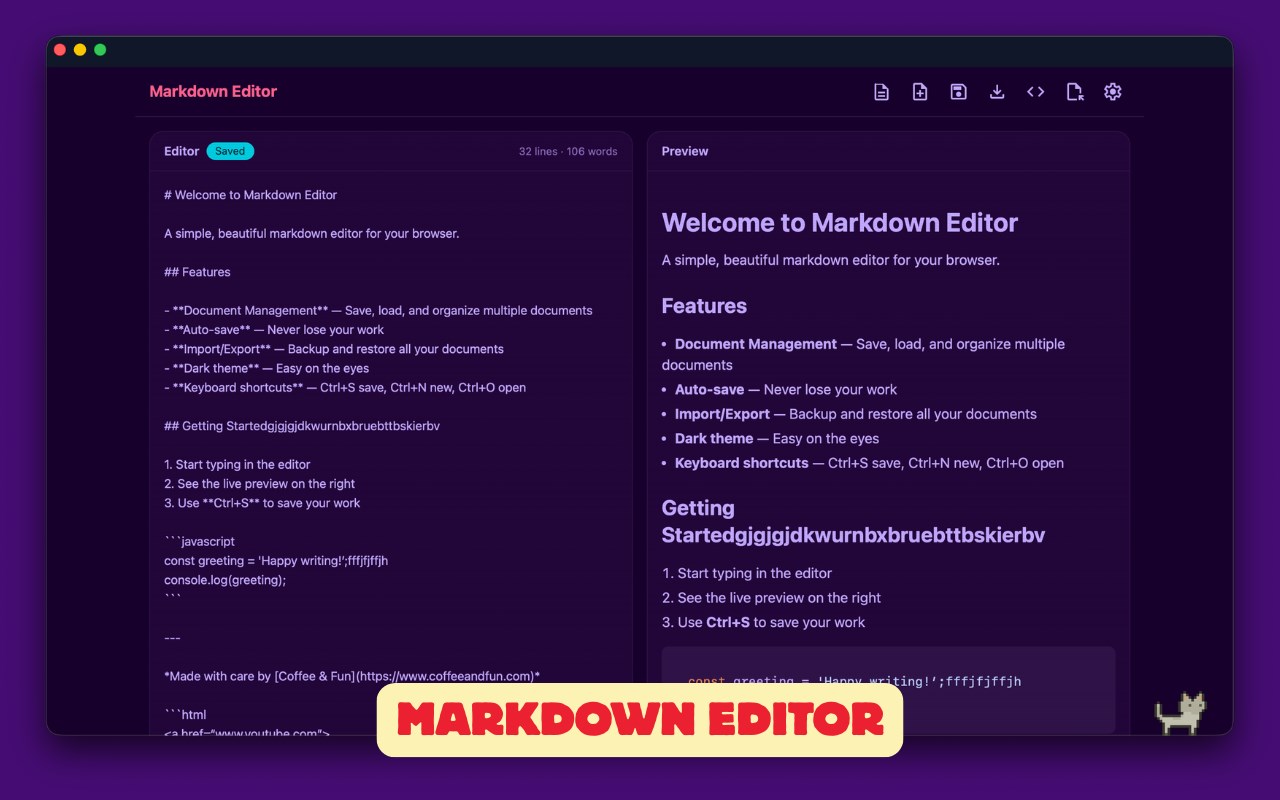
使用我们简洁易用的、GitHub风格的Markdown编辑器,随时随地轻松创建和查看Markdown文件。
截图
简介
Say hello to your new favorite Markdown editor, designed to make your writing experience smooth and enjoyable on Microsoft Edge.
With our editor, you can write in Markdown and see your text transform in real-time. Your documents live in a built-in library with auto-save and version history, and exporting to HTML, Markdown, or a ZIP of everything is just a click away.
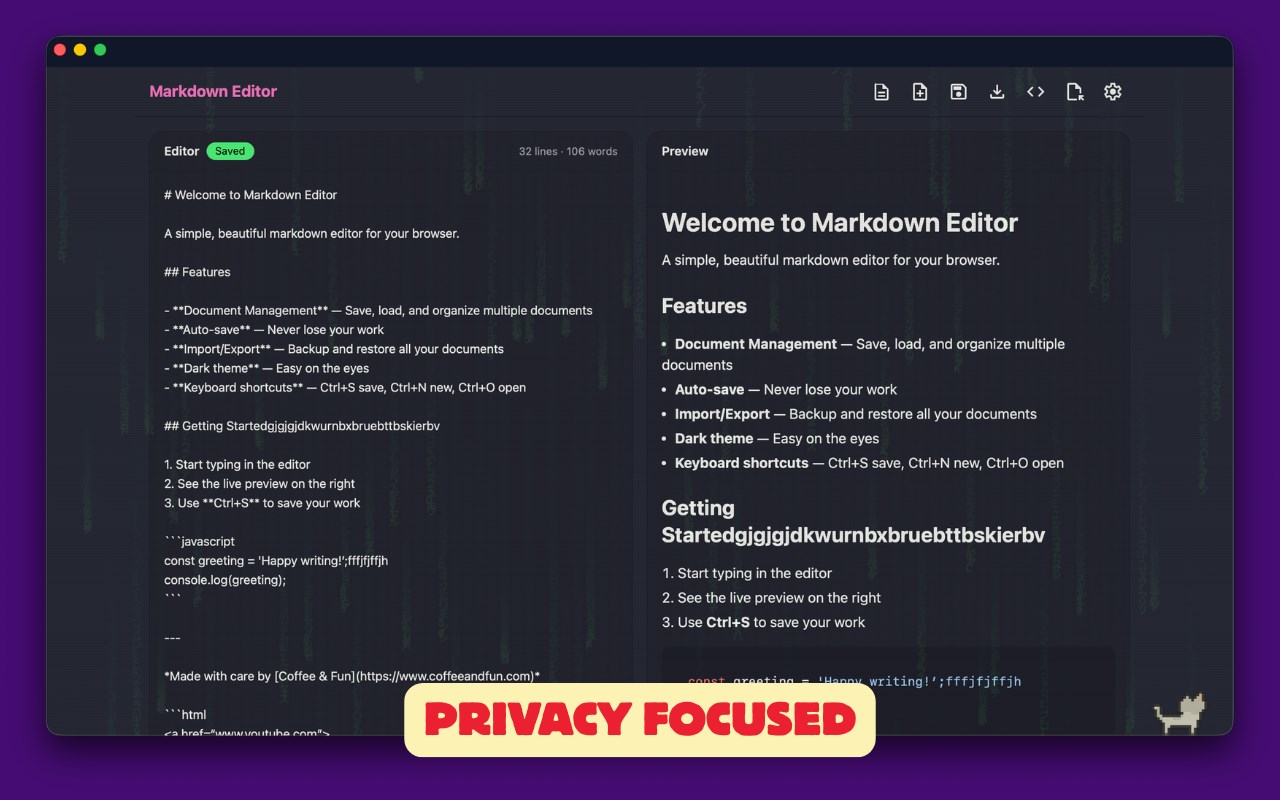
What's special about our editor? We respect your privacy – no data tracking, no accounts, no servers. Everything runs on your device, even offline. Enjoy a simple and secure Markdown editing experience.
🌟 Features
🔹 Real-time Preview: See your changes as you type.
🔹 Document Library: Auto-save, recent files, and one-click switching.
🔹 Version History: Every save keeps snapshots you can restore anytime.
🔹 Find & Replace: Search your document with match-case and replace-all.
🔹 Outline Panel: Jump to any heading in long documents.
🔹 Formatting Toolbar: Bold, links, lists and more — plus Ctrl+B/I/K shortcuts.
🔹 Smart Lists: Bullets, numbers, and checklists continue as you type.
🔹 Smart Paste: Copied web pages become clean Markdown automatically.
🔹 Templates: Start from a README, meeting notes, blog post, and more.
🔹 Math & Diagrams: Optional KaTeX equations and Mermaid flowcharts.
🔹 Github Flavored Markdown: Tables, task lists, footnotes, and highlights.
🔹 Code Highlighting: 35+ languages in both editor and preview modes.
🔹 Export Your Way: Styled HTML in three themes, .md files, or a full ZIP backup.
🔹 Print to PDF: Use Edge's native printer.
🔹 Drag and Drop: Easily import your .md files.
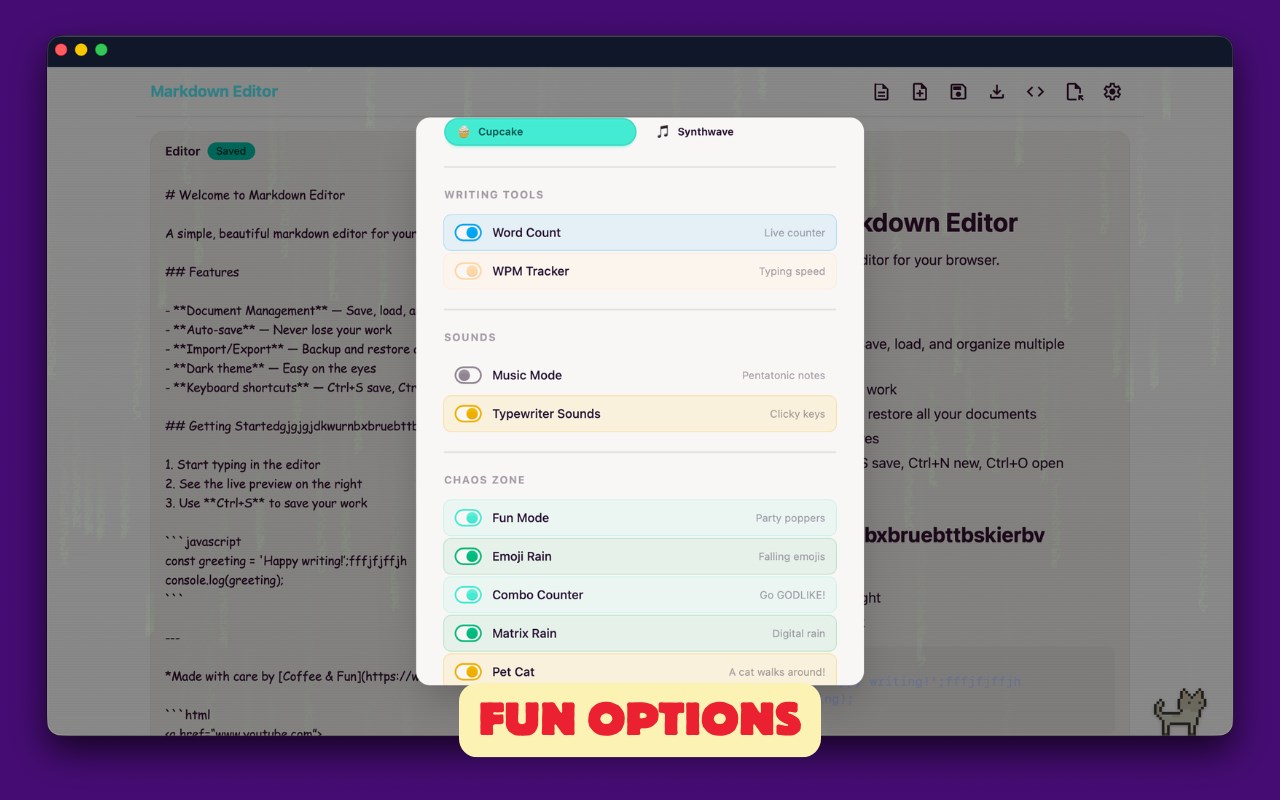
🔹 Make It Yours: Eight themes and four fonts, including OpenDyslexic.
🔹 Focus Tools: Word count, reading time, word goals, typewriter scrolling.
🔹 A Little Joy: Optional confetti, typewriter sounds, and a tiny pixel cat.
🔹 Offline Mode: Works perfectly even without an internet connection.
🌐 Supported Languages
🔹 JavaScript
🔹 TypeScript
🔹 HTML
🔹 CSS
🔹 SQL
🔹 Python
🔹 Ruby
🔹 PHP
🔹 Perl
🔹 Objective-C
🔹 Swift
🔹 Kotlin
🔹 Go
🔹 Rust
🔹 Java
🔹 C
🔹 C++
🔹 C#
🔹 JSON
🔹 YAML
🔹 XML
🔹 Bash
🔹 Shell Session
🔹 Markdown
🔹 GraphQL
🔹 Lua
🔹 R
❓ Questions?
Have any questions or requests? Reach out to us at hello@coffeeandfun.com.
Edge™ 版 Markdown 编辑器 是做什么的
Edge™ 版 Markdown 编辑器 是一款面向 Edge 的实用工具类扩展,主要用来解决浏览器里某类具体的小问题。官方对它的介绍是:使用我们简洁易用的、GitHub风格的Markdown编辑器,随时随地轻松创建和查看Markdown文件。在微软 Edge 加载项商店上,它当前版本 2026.7.30,评分 2.8(4 人评价),约 6,023 名用户。
适合什么人用
从功能定位看,Edge™ 版 Markdown 编辑器 更适合想补上浏览器原生缺失功能的用户。如果你平时只是偶尔遇到相关需求,用浏览器自带功能也能凑合;但如果这件事每天都发生,装一个专门处理它的扩展通常比手动操作省事得多。
怎么安装 Edge™ 版 Markdown 编辑器
- 打开微软 Edge 加载项商店上的官方页面;
- 点「添加到浏览器」并确认权限提示;
- 装好后在扩展列表里固定图标,方便随时开关。
本站只做索引与介绍,安装包来自官方商店。如果商店页面提示当前地区不可用,说明该扩展未在你所在区域上架。
常见问题
Edge™ 版 Markdown 编辑器 是免费的吗?
Edge™ 版 Markdown 编辑器 在微软 Edge 加载项商店免费提供下载。它是浏览器扩展,装上就能直接用,不需要注册账号。
Edge™ 版 Markdown 编辑器 安全吗?
它只申请了 0 项权限,范围比较克制,没有申请「读取所有网站数据」这种大权限。
Edge™ 版 Markdown 编辑器 支持哪些浏览器?
当前收录的版本来自微软 Edge 加载项商店,适用于 Edge。同一个扩展在其他商店可能有对应版本,但功能与版本号不一定相同。
怎么卸载 Edge™ 版 Markdown 编辑器?
在扩展管理页找到 Edge™ 版 Markdown 编辑器,点移除即可。它在本地保存的设置会一起清掉,不会残留数据。
权限清单 来自 manifest.json 原文
接口权限 2
storageunlimitedStorage