
Easy Tab
Bruce-Jiang · EEdge MV3
Easy Tab 是一个极简、现代化且完全自定义的浏览器新标签页,集成了书签深度搜索、精美跳转动画及多样化快捷方式管理。
<all_urls>),意味着它可以读取你在任意站点的页面内容,包括已登录的页面。这是许多扩展正常工作的必要条件,但也值得你确认来源可信。
截图


简介
Easy Tab is an innovative browser extension designed to transform and personalize your new tab experience with elegance and simplicity. This modern and minimalist tool replaces the standard new tab page with a fully customizable dashboard, allowing users to efficiently manage bookmarks and shortcuts while enjoying a visually appealing interface.
Upon opening a new tab, Easy Tab presents a clean, stylish layout consisting of a lateral bookmarks panel and a main section dedicated to animated shortcuts. The bookmarks sidebar offers powerful, deep search functionality, enabling users to instantly locate, filter, and organize bookmarks within the entire bookmark tree. This feature is particularly useful for users with extensive bookmark collections, providing quick access without clutter.
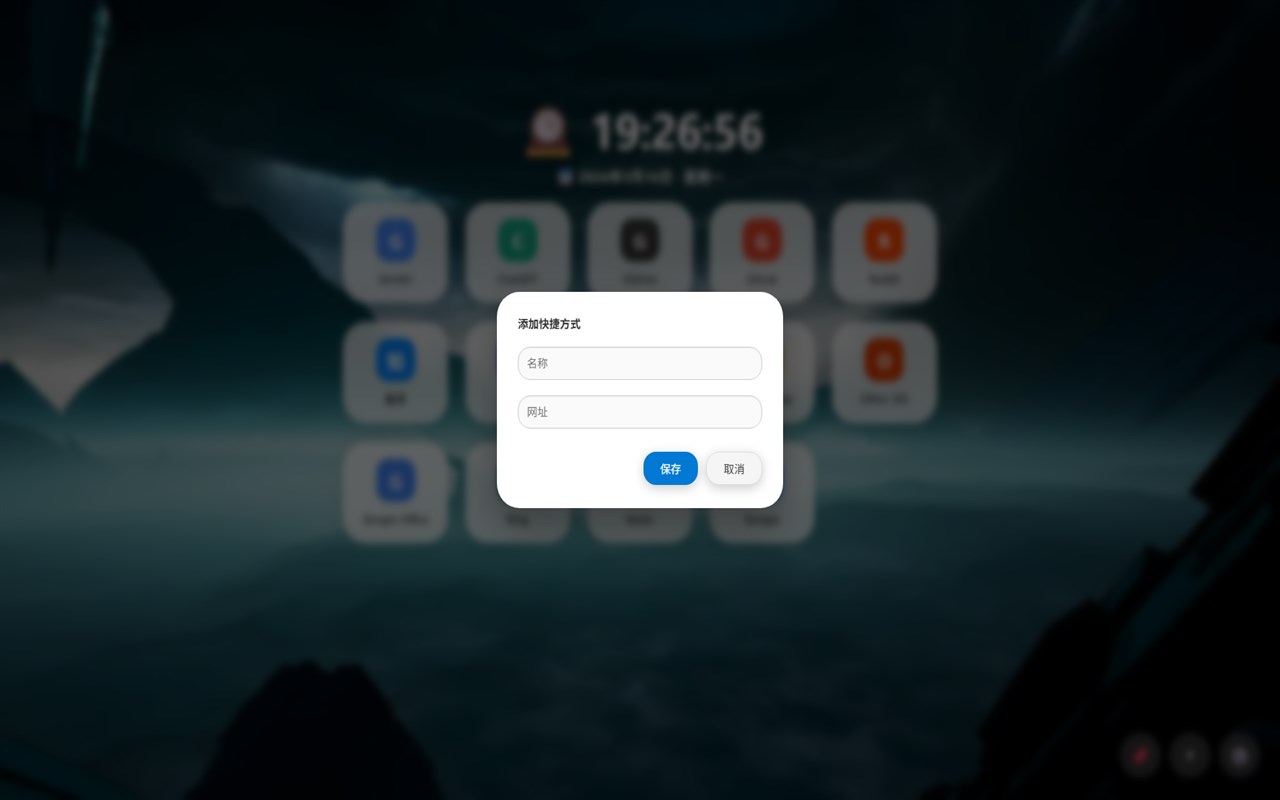
The central area hosts customizable shortcuts to your favorite websites and tools. These shortcuts are not only easy to create and manage but also enhanced with smooth animated transitions that make navigation feel fluid and enjoyable. Shortcuts can be added directly from any webpage via the browser’s right-click context menu, where you can name and configure them as you like. This seamless integration means you can quickly build a personalized dashboard tailored to your workflow.
Easy Tab puts user control first: shortcuts are fully editable and can be easily removed with intuitive context menus or drag-and-drop actions. This flexibility ensures that your new tab remains organized and up to date with your browsing habits. The visual design is minimalistic yet visually inspiring, featuring customizable backgrounds and greeting headers that add a welcoming, modern touch every time a new tab is opened.
Privacy is a core principle of Easy Tab. All customization data, including bookmarks, shortcuts, and preferences, is stored locally on your device. This approach guarantees that your browsing data remains private and secure, with no information sent externally.
With its combination of advanced bookmark searching, elegant shortcut animations, and full customization, Easy Tab is perfect for productivity enthusiasts, bookmark collectors, and anyone seeking a refreshing, functional new tab experience that truly reflects their personal style.
Key Features:
- Deep bookmark search & intuitive sidebar: Quickly search, filter, and navigate your entire bookmark collection from a dedicated lateral panel with ease.
- Customizable shortcuts with animated transitions: Organize and access your favorite sites with beautiful animations that enhance your browsing experience.
- Context menu integration for quick shortcut creation: Add shortcuts directly from any page via right-click, with customizable names.
- Fully editable and removable shortcuts: Control your dashboard by editing shortcut details or deleting them via simple context menus or drag-and-drop.
- Modern, responsive interface design: Enjoy a clean, minimalist look with customizable backgrounds and a welcoming greeting header.
- Local storage for persistence & privacy: All your settings and data are safely stored on your device for privacy and consistent experience.
- Unlimited customization: Add, edit, reorder, or remove bookmarks and shortcuts according to your preferences and needs.
How It Works:
1. Install Easy Tab to automatically replace your default new tab page with a personalized dashboard.
2. Use the sidebar panel to browse, search, and organize all your bookmarks effortlessly.
3. Create custom shortcuts either from the dashboard or by right-clicking any page to add it instantly to your shortcuts.
4. Manage your shortcuts with intuitive drag-and-drop and context menu options to edit or delete as needed.
5. Enjoy smooth animated transitions each time you navigate using your shortcuts, making browsing visually engaging.
6. Personalize your new tab by customizing backgrounds and greeting headers to match your style.
7. All your bookmarks, shortcuts, and preferences are stored locally, ensuring your setup is private and persists across sessions.
Privacy: - No personal data collected. All shortcuts, preferences, and bookmark data are stored locally on your device. Easy Tab is designed for maximum privacy—none of your browsing habits or customization is shared.
Easy Tab 是做什么的
Easy Tab 是一款面向 Edge 的效率工具类扩展,主要用来管住注意力、屏蔽干扰站点、记录时间。官方对它的介绍是:Easy Tab 是一个极简、现代化且完全自定义的浏览器新标签页,集成了书签深度搜索、精美跳转动画及多样化快捷方式管理。在微软 Edge 加载项商店上,它当前版本 1.0.0,约 7 名用户。
适合什么人用
从功能定位看,Easy Tab 更适合想专注工作学习、减少无效刷网页的用户。如果你平时只是偶尔遇到相关需求,用浏览器自带功能也能凑合;但如果这件事每天都发生,装一个专门处理它的扩展通常比手动操作省事得多。需要注意的是它作用于所有网站,装上后建议先观察一两天,确认不影响常用站点的正常使用。
怎么安装 Easy Tab
- 打开微软 Edge 加载项商店上的官方页面;
- 点「添加到浏览器」并确认权限提示;
- 装好后在扩展列表里固定图标,方便随时开关。
本站只做索引与介绍,安装包来自官方商店。如果商店页面提示当前地区不可用,说明该扩展未在你所在区域上架。
常见问题
Easy Tab 是免费的吗?
Easy Tab 在微软 Edge 加载项商店免费提供下载。它是浏览器扩展,装上就能直接用,不需要注册账号。
Easy Tab 安全吗?
它只申请了 0 项权限,范围比较克制,没有申请「读取所有网站数据」这种大权限。
Easy Tab 支持哪些浏览器?
当前收录的版本来自微软 Edge 加载项商店,适用于 Edge。同一个扩展在其他商店可能有对应版本,但功能与版本号不一定相同。
怎么卸载 Easy Tab?
在扩展管理页找到 Easy Tab,点移除即可。它在本地保存的设置会一起清掉,不会残留数据。
权限清单 来自 manifest.json 原文
站点访问(可选) 2
http://*/*https://*/*
接口权限 6
bookmarkscontextMenusscriptingstoragetabsunlimitedStorage