
Easy for X EN
OinkAndStuff · Edge MV3
Ex Twitter, now X for Microsoft Edge. A low profile and compact client with full X - Twitter features. Mobile interface now on X
<all_urls>),意味着它可以读取你在任意站点的页面内容,包括已登录的页面。这是许多扩展正常工作的必要条件,但也值得你确认来源可信。
截图
简介
★★★★★
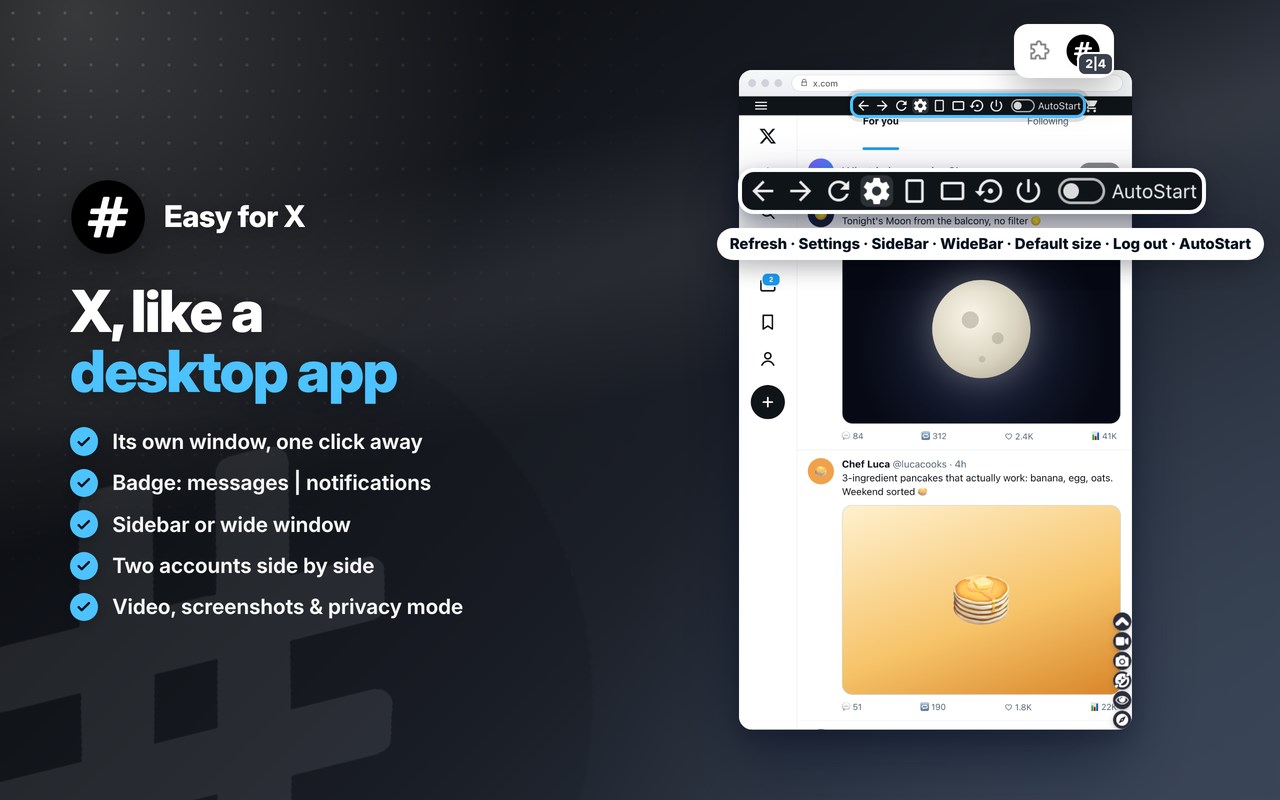
X (formerly Twitter), like a desktop app: click the toolbar icon and it opens in a compact window of its own, always one click away 🚀
Follow the news and the people you like as it happens, post your thoughts, photos and videos, repost, like and reply, and chat in your messages 📰
New messages and notifications show on the icon, and two accounts can run side by side, all on the official site 🔓
It opens X's mobile view in a compact window: a cleaner interface that's lighter on CPU, RAM and network than a full browser tab 🍃
FEATURES
✔ Your X timeline, trends and breaking news: post, repost, like and reply 📰
✔ Messages with your friends, and videos and live streams 💬
✔ The badge on the icon shows your new messages and notifications (for example 2|4) 🔔
✔ Light and compact: the site's mobile view in a small window, easy on CPU, RAM and network 🍃
✔ SideBar or WideBar in one click, and back to the default size and place 📐
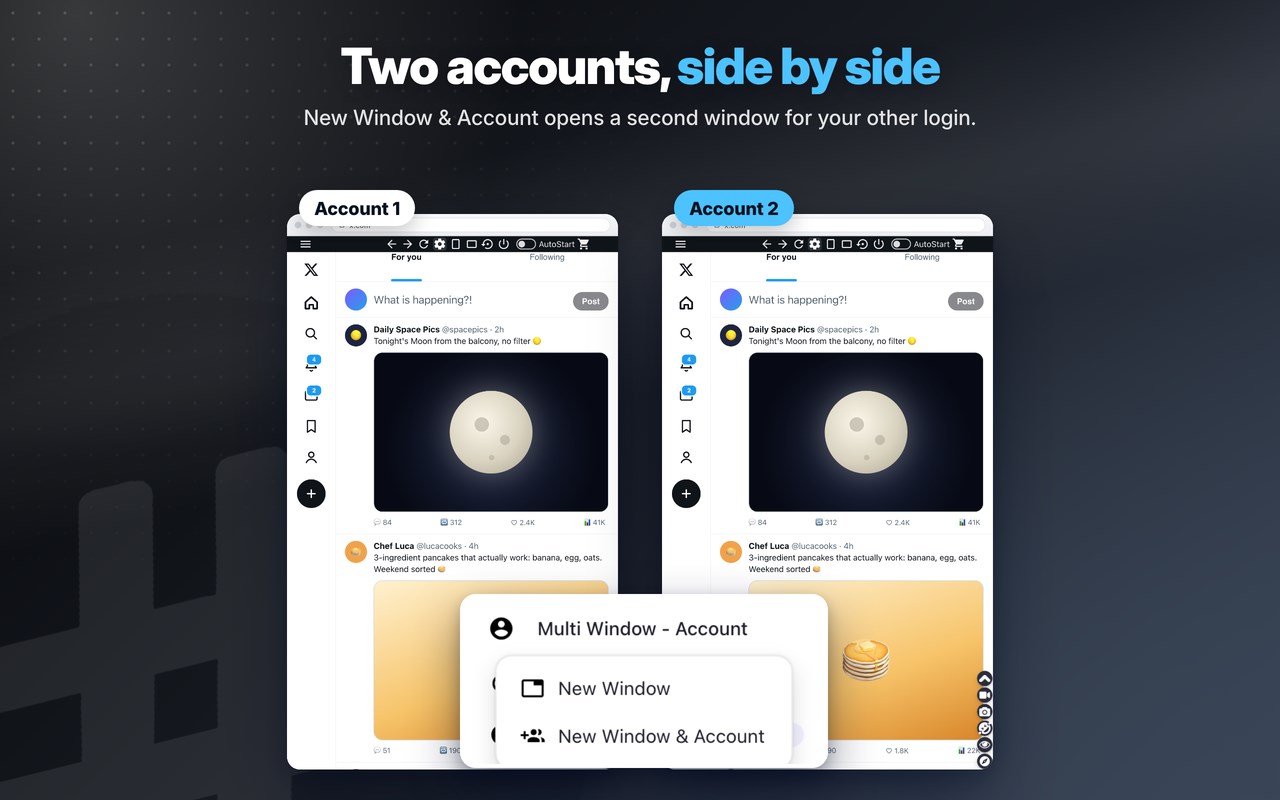
✔ Multi Window - Account: a second window, or 2 different accounts at the same time, side by side 👥
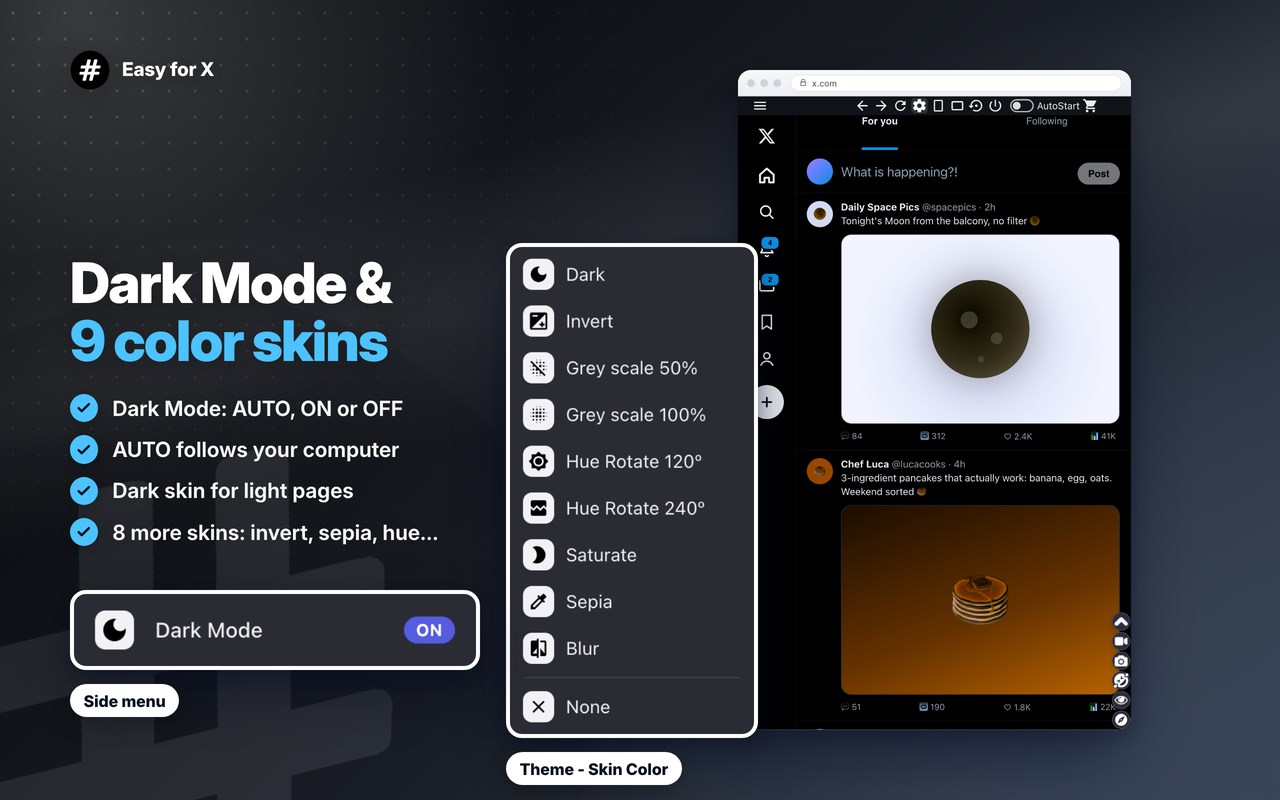
✔ NEW modern look and NEW Dark Mode: AUTO (like your computer), ON or OFF 🌙
✔ Theme - Skin Color: 9 skins, including the NEW Dark skin for light pages 🎨
✔ Window Screenshot: save the whole window as an image in one click 📷
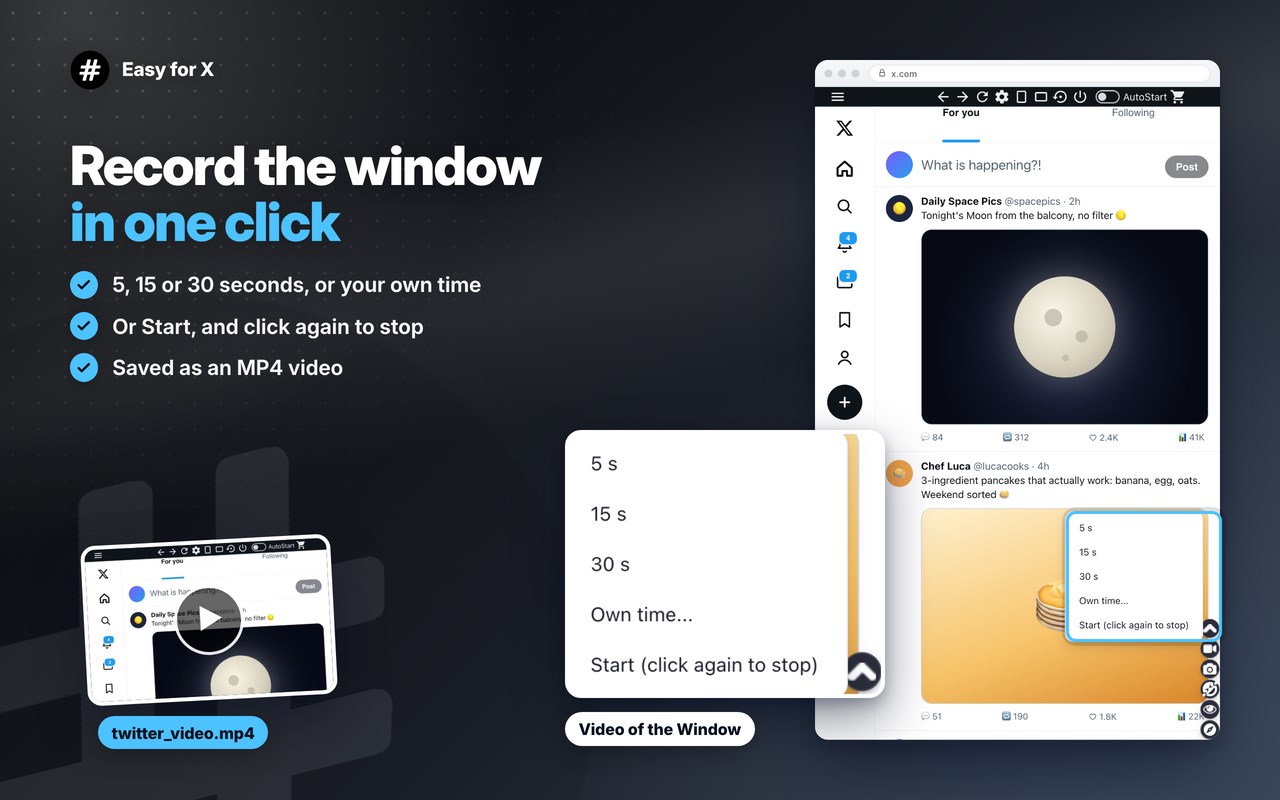
✔ Video of the Window: record it for 5, 15 or 30 seconds or your own time, saved as MP4 🎥
✔ Emoji Keyboard: put emojis in your messages in one click 😀
✔ Incognito mode: the page stays dimmed until you point at it 🕶️
✔ Auto-Start with the browser, and right-click a link to open it here 🚀
ANDROID APP
📱 Also available as an Android App for Smartphone/Tablet devices. Get it here: https://www.oinkandstuff.com/project/easy-twitter/#download
PREMIUM FEATURES
⭐ Premium Level 1 · free with 3 of our extensions installed
📸 Window screenshots · 🎥 Window videos up to 10 min · 📰 Multi Window - Account · 💧 Theme - Skin Color
👑 Premium Level 2 · optional, paid (yearly or lifetime), one purchase for all our extensions
✅ Everything in Level 1, without installing other extensions
🚫 No pop-ups or promotions
🤖 AI Assistant: summarize, translate and help write, on your computer
🔀 Quick Switch · 📌 Always on Top · 🎥 Window videos up to 30 min
🪟 Split/Multi View: any website beside this window
🚀 New Premium features, with early access · 💬 Priority support by email
🐗 Support Oinkandstuff
All other features are free. Premium Level 2 is sold by Oinkandstuff, not by Microsoft, on our website, with payments by Stripe. Prices are on the Premium page in the extension. Terms of sale and refunds: https://www.oinkandstuff.com/privacy-policy/#terms-of-sale
📌 This extension includes promotion to other Oinkandstuff extensions to increase awareness of other work that we produce, you may find some very useful 😀 All our extensions are free to install and use; only Premium Level 2 is paid 📌
————————————————————
ABOUT OINKANDSTUFF
————————————————————
🐗 #OinkAndStuff is certified as 100% Free of malware 🐞 by Softpedia Labs 🔬
💎 +40 Apps for your Browser and Android 🔥 +1 Million active users Worldwide 📣
————————————————————
CHANGELOG & RELEASE NOTES
————————————————————
📔 Available on the product page: https://www.oinkandstuff.com/project/easy-twitter/#changelog
————————————————————
LEGAL
————————————————————
X™ is a trademark of X Corp., registered in the U.S. and other countries. This is an independent project developed by Oinkandstuff and has no relationship to that company.
————————————————————
PRIVACY POLICY & TERMS OF SERVICE
————————————————————
By installing this product you agree to our privacy policy & terms of service: https://www.oinkandstuff.com/privacy-policy/
————————————————————
REQUIRED PERMISSIONS
————————————————————
You may consult the list of permissions and the reason why they are required on the product page: https://www.oinkandstuff.com/project/easy-twitter/#permissions
“notifications” – Used to send desktop notifications. For example when a new message arrives or the App is updated.
“contextMenus” – Allows adding more settings when you right-click the App icon in the browser toolbar and in the browser context menu, for example to open links in the App when you right-click them.
“storage” – Used to save settings on your local computer (for example Theme - Skin Color, incognito mode, the hidden top bar and the size and position of the Extension window).
“unlimitedStorage” – Storage is limited to 5MB of data that may not be enough to store all configs.
“webRequest” & “webRequestBlocking” – Used to intercept some requests and modify x-frame-options or user-agent in order to provide you the mobile/smartphone version of the app (lighter, faster, less internet consumption and run as Sidebar) and also run the webpage in a background iframe (so that you can have real-time silent notifications with the latest news in the App icon on the browser toolbar as a badge).
“all_urls” – We cannot predict ahead of time which hosts/domains we must modify in order to provide the desired functionality detailed in the webRequest permission. It also allows you to share content (links or text) from other pages directly inside the App and tweet a friend for example. Also used to allow intercommunication with other oinkandstuff Apps (i.e. Emoji Keyboard).
“scripting” – Used to insert the JS or CSS that fits the site inside the Extension window (top bar, side menu, themes and layout fixes) on the required hosts/domains.
“system.display” – Used to detect the display size and position the Extension window (SideBar, WideBar and the second window of Multi Window - Account).
“host_permissions” – Permission to access the hosts/domains that we must modify in order to provide the functionality detailed above. It also allows you to share content (links or text) from other pages directly inside the App and send it as a Chat to a friend, for example. Also used to allow intercommunication with other Oinkandstuff Apps (i.e. Emoji Keyboard) and to count your new messages and notifications for the badg…
Easy for X 是做什么的
Easy for X 是一款面向 Edge 的实用工具类扩展,主要用来解决浏览器里某类具体的小问题。官方对它的介绍是:Ex Twitter, now X for Microsoft Edge. A low profile and compact client with full X - Twitter features. Mobile interface now on X在微软 Edge 加载项商店上,它当前版本 12.1,评分 4.5(12 人评价),约 2,116 名用户。
适合什么人用
从功能定位看,Easy for X 更适合想补上浏览器原生缺失功能的用户。如果你平时只是偶尔遇到相关需求,用浏览器自带功能也能凑合;但如果这件事每天都发生,装一个专门处理它的扩展通常比手动操作省事得多。需要注意的是它作用于所有网站,装上后建议先观察一两天,确认不影响常用站点的正常使用。
怎么安装 Easy for X
- 打开微软 Edge 加载项商店上的官方页面;
- 点「添加到浏览器」并确认权限提示;
- 装好后在扩展列表里固定图标,方便随时开关。
本站只做索引与介绍,安装包来自官方商店。如果商店页面提示当前地区不可用,说明该扩展未在你所在区域上架。
常见问题
Easy for X 是免费的吗?
Easy for X 在微软 Edge 加载项商店免费提供下载。它是浏览器扩展,装上就能直接用,不需要注册账号。
Easy for X 安全吗?
它只申请了 0 项权限,范围比较克制,没有申请「读取所有网站数据」这种大权限。
Easy for X 支持哪些浏览器?
当前收录的版本来自微软 Edge 加载项商店,适用于 Edge。同一个扩展在其他商店可能有对应版本,但功能与版本号不一定相同。
怎么卸载 Easy for X?
在扩展管理页找到 Easy for X,点移除即可。它在本地保存的设置会一起清掉,不会残留数据。
权限清单 来自 manifest.json 原文
站点访问(可选) 1
<all_urls>
接口权限 7
activeTabcontextMenusnotificationsscriptingstoragesystem.displayunlimitedStorage