
DragCode EN
TrunSUT · EEdge MV3
Point or select any text on a page and turn it into a QR code, Base64, Morse code, binary, or hex - instantly, entirely on-device.
<all_urls>),意味着它可以读取你在任意站点的页面内容,包括已登录的页面。这是许多扩展正常工作的必要条件,但也值得你确认来源可信。
截图


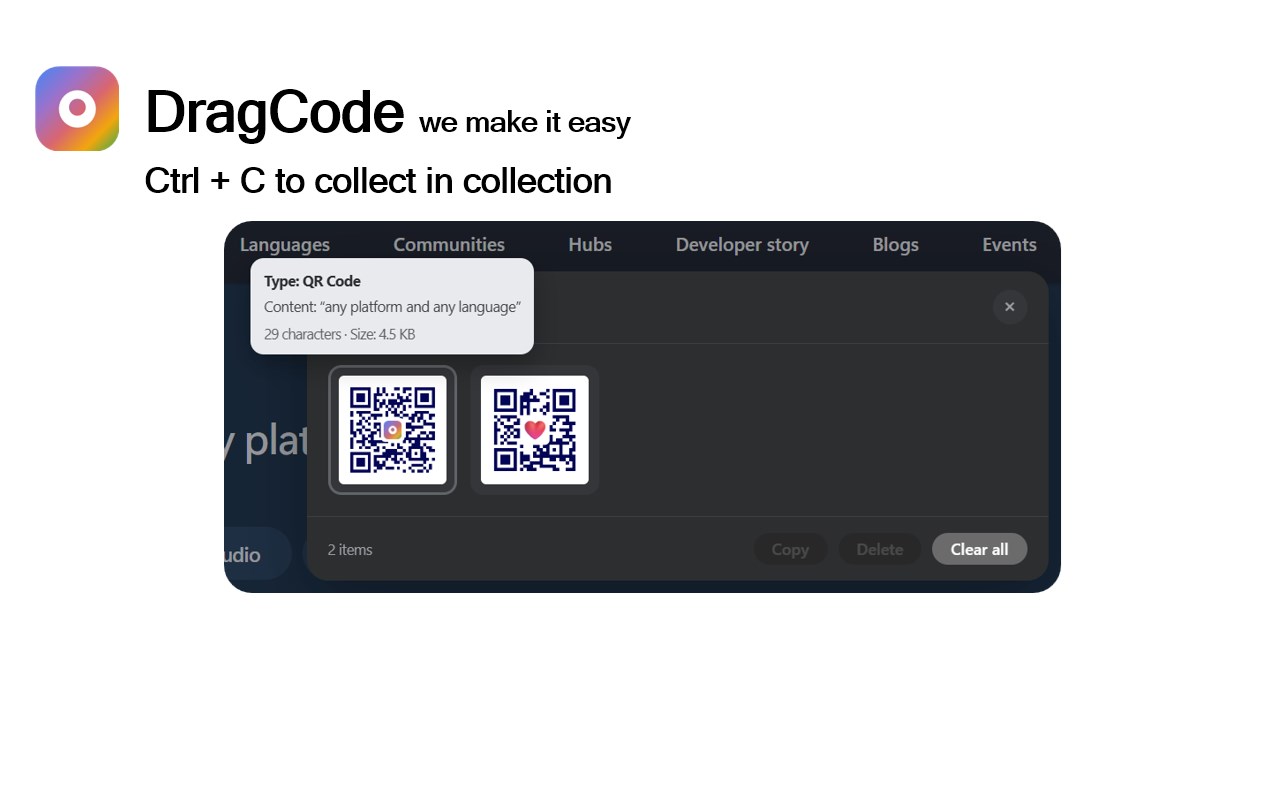
简介
DragCode is a highly versatile browser extension that empowers you to instantly convert any text selected or pointed to on a webpage into a wide range of encoded formats such as QR codes, barcodes (Code 128 and Code 39), Base64, Morse code, binary, and hexadecimal. Designed for seamless integration within your browsing experience, DragCode allows quick and effortless data encoding without the need for additional software or internet connectivity. All encoding is performed locally on your device, ensuring utmost privacy and security by eliminating any network calls during the conversion processes.
Whether you need to share URLs visually, encode secret messages, represent data snippets securely, or simply generate barcodes and codes for professional or educational tasks, DragCode provides a reliable and fast solution. Its intuitive popup interface supports 24 languages and accommodates right-to-left text directions, making the tool accessible and user-friendly worldwide. Beyond basic encoding, DragCode offers extensive customization options — including personalized colors, icons, and emoji logos for QR codes — enabling you to create visually appealing, branded, or thematic codes. For users seeking high-resolution output for printing or presentations, premium features like 4K or 8K quality codes can be unlocked conveniently via secure donations managed through Stripe.
DragCode integrates smoothly with your browsing workflow. Use the context menu via right-click to encode selected text on any webpage, or activate the floating launcher icon to access the tool swiftly. All generated codes and conversions can be copied to the clipboard or downloaded as image files for use inside or outside the browser. The extension also includes a storage collection explorer, allowing you to review, manage, copy, or delete previously generated codes, making it ideal for ongoing projects and record-keeping.
This extension works universally across all tabs and webpages, providing a consistent and accessible encoding utility anywhere you browse. Whether you are a developer, educator, security professional, or general user, DragCode’s comprehensive support for various encoding standards and enhanced privacy features makes it an indispensable tool for visually encoding and sharing information securely and effectively.
Key Features:
- Instantly transform any highlighted or hovered text into QR codes, Code 128/39 barcodes, Base64, Morse code, binary, or hexadecimal formats directly within your browser.
- 100% local device processing ensures no network requests are made, safeguarding your sensitive data and privacy.
- Elegant and user-friendly popup interface featuring support for 24 languages, right-to-left text layout, and accessible controls.
- Extensive customization options for QR codes including colors, icons, emoji logos, and premium access to ultra-HD outputs (4K/8K) through donations.
- Convenient context menu integration for quick right-click encoding of selected text anywhere on the web.
- Storage collection explorer to manage, copy, or delete previously generated codes, streamlining workflow and tracking.
- Donation feature to unlock premium capabilities, securely processed via Stripe with payment verification even if popup focus is lost.
- Easy copy-to-clipboard and image download functionality for all encoded formats ensuring seamless reuse and distribution.
- Enable or disable DragCode globally with a toggle from the toolbar or popup to suit your workflow preferences anytime.
How It Works:
1. Install DragCode and click its toolbar icon to access the popup interface.
2. Enable the extension either via the popup or context menu and select your desired encoding format (QR, barcode, Base64, Morse, binary, hex).
3. Highlight, point to, or hover over any text on a webpage. DragCode detects this automatically and displays an overlay or panel with the encoded output.
4. Preview the generated code or encoded string, then copy it to your clipboard or download it as an image. Switch encoding types or customize visuals as needed.
5. Use the built-in storage collection explorer to review all your saved codes, manage them by copying or deleting, facilitating ongoing use and organization.
6. To access enhanced visual features like custom colors, icons, emojis, and ultra-HD resolution outputs, make a donation securely through Stripe. The extension verifies payments even if the popup loses focus.
7. Enjoy DragCode’s pervasive functionality as it operates across all your browser tabs and webpages, securely and privately encoding text on demand.
Privacy: - No personal data collected. All encoding is performed locally on your device, and text never leaves your environment. Donations are securely processed via Stripe with adherence to strict privacy standards.
DragCode 是做什么的
DragCode 是一款面向 Edge 的效率工具类扩展,主要用来管住注意力、屏蔽干扰站点、记录时间。官方对它的介绍是:Point or select any text on a page and turn it into a QR code, Base64, Morse code, binary, or hex - instantly, entirely on-device.在微软 Edge 加载项商店上,它当前版本 1.0.0,约 4 名用户。
适合什么人用
从功能定位看,DragCode 更适合想专注工作学习、减少无效刷网页的用户。如果你平时只是偶尔遇到相关需求,用浏览器自带功能也能凑合;但如果这件事每天都发生,装一个专门处理它的扩展通常比手动操作省事得多。需要注意的是它作用于所有网站,装上后建议先观察一两天,确认不影响常用站点的正常使用。
怎么安装 DragCode
- 打开微软 Edge 加载项商店上的官方页面;
- 点「添加到浏览器」并确认权限提示;
- 装好后在扩展列表里固定图标,方便随时开关。
本站只做索引与介绍,安装包来自官方商店。如果商店页面提示当前地区不可用,说明该扩展未在你所在区域上架。
常见问题
DragCode 是免费的吗?
DragCode 在微软 Edge 加载项商店免费提供下载。它是浏览器扩展,装上就能直接用,不需要注册账号。
DragCode 安全吗?
它只申请了 0 项权限,范围比较克制,没有申请「读取所有网站数据」这种大权限。
DragCode 支持哪些浏览器?
当前收录的版本来自微软 Edge 加载项商店,适用于 Edge。同一个扩展在其他商店可能有对应版本,但功能与版本号不一定相同。
怎么卸载 DragCode?
在扩展管理页找到 DragCode,点移除即可。它在本地保存的设置会一起清掉,不会残留数据。
权限清单 来自 manifest.json 原文
站点访问(可选) 1
<all_urls>
接口权限 5
activeTabalarmscontextMenusnotificationsstorage