Dishylink: Starlink Desktop App (Unofficial) EN
DaveyHert · EEdge MV3
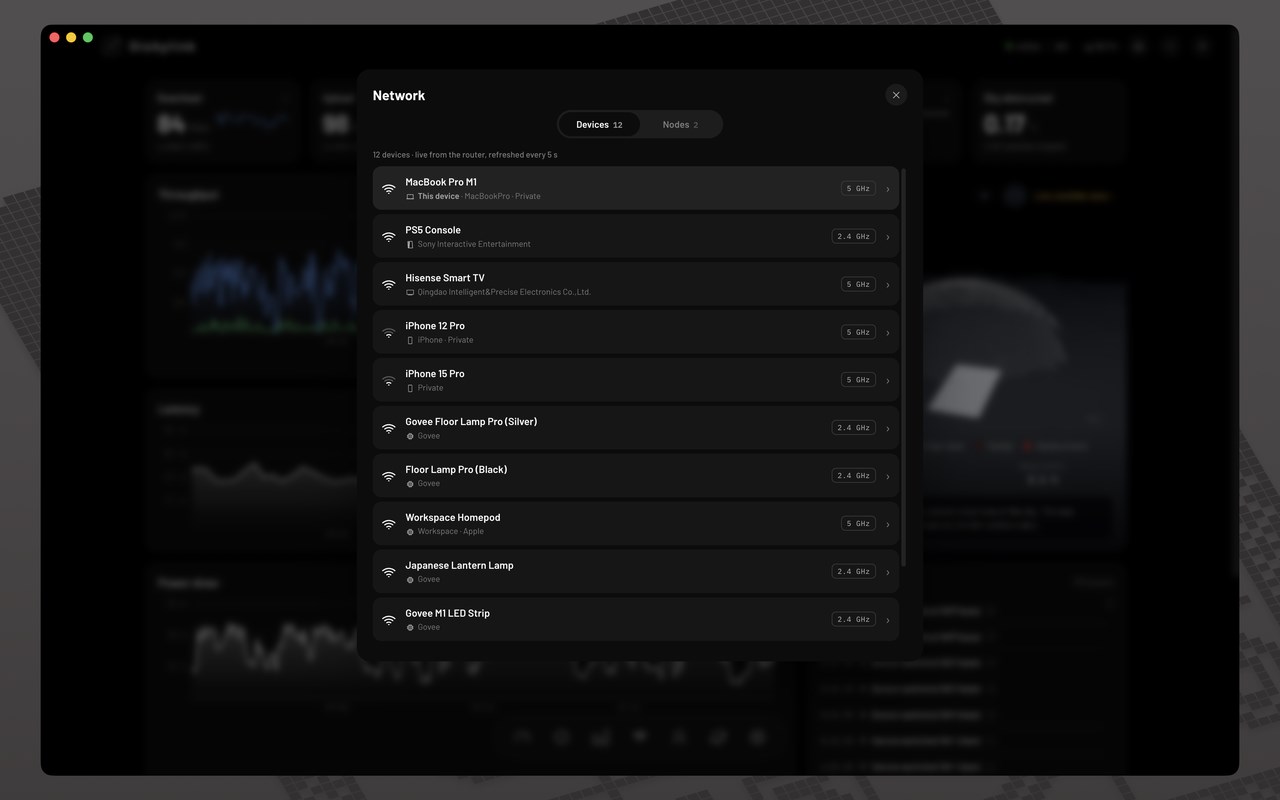
Monitor your Starlink's performance and health. Live telemetry, speed test, obstruction map, alignment, alerts, per-device usage.
截图
简介
Dishylink turns your browser into a full monitoring dashboard for your Starlink
kit. It reads the dish and router directly over your local network, showing live
telemetry the official app doesn't surface — and none of it leaves your machine.
WHAT YOU GET
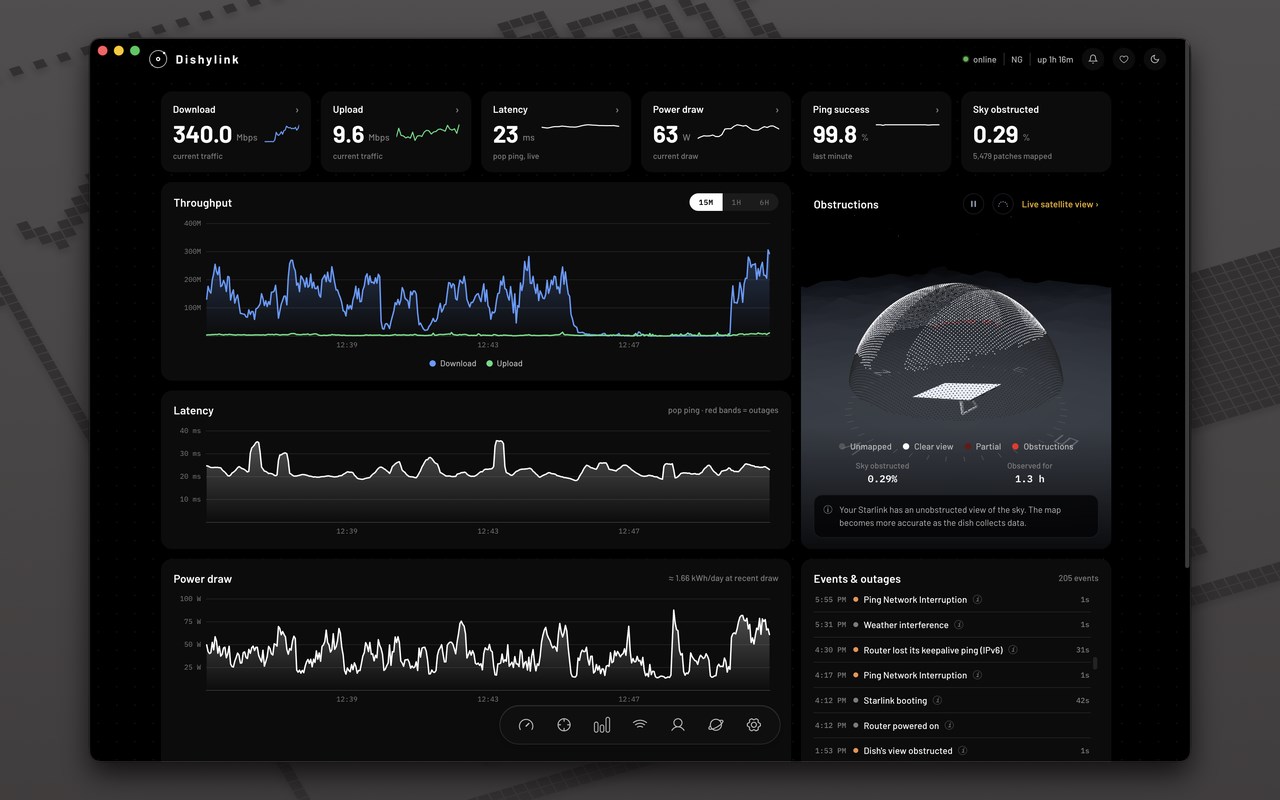
• Live status: throughput, latency, obstruction and hardware health, updating
as they change.
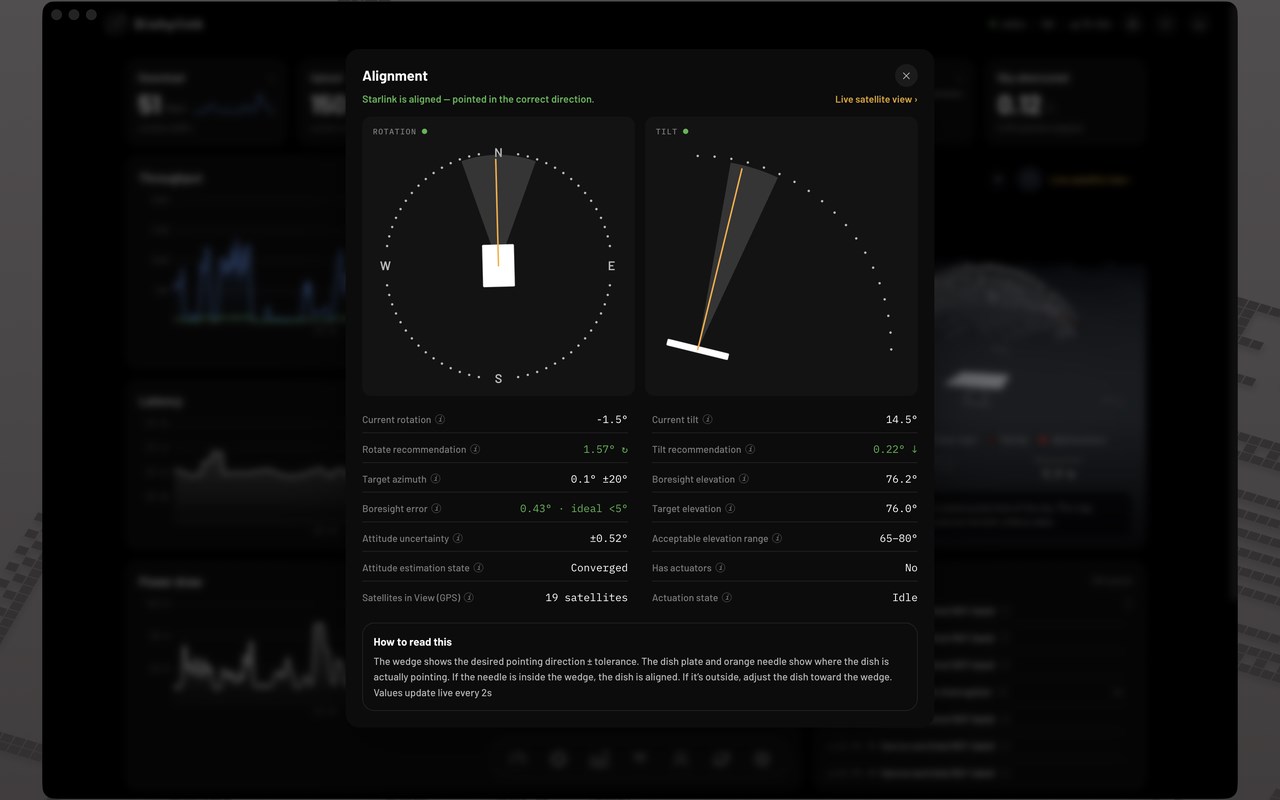
• Dish alignment: target rotation and tilt, with the exact nudge in degrees
when the dish is off, so you can fine-tune for the strongest signal.
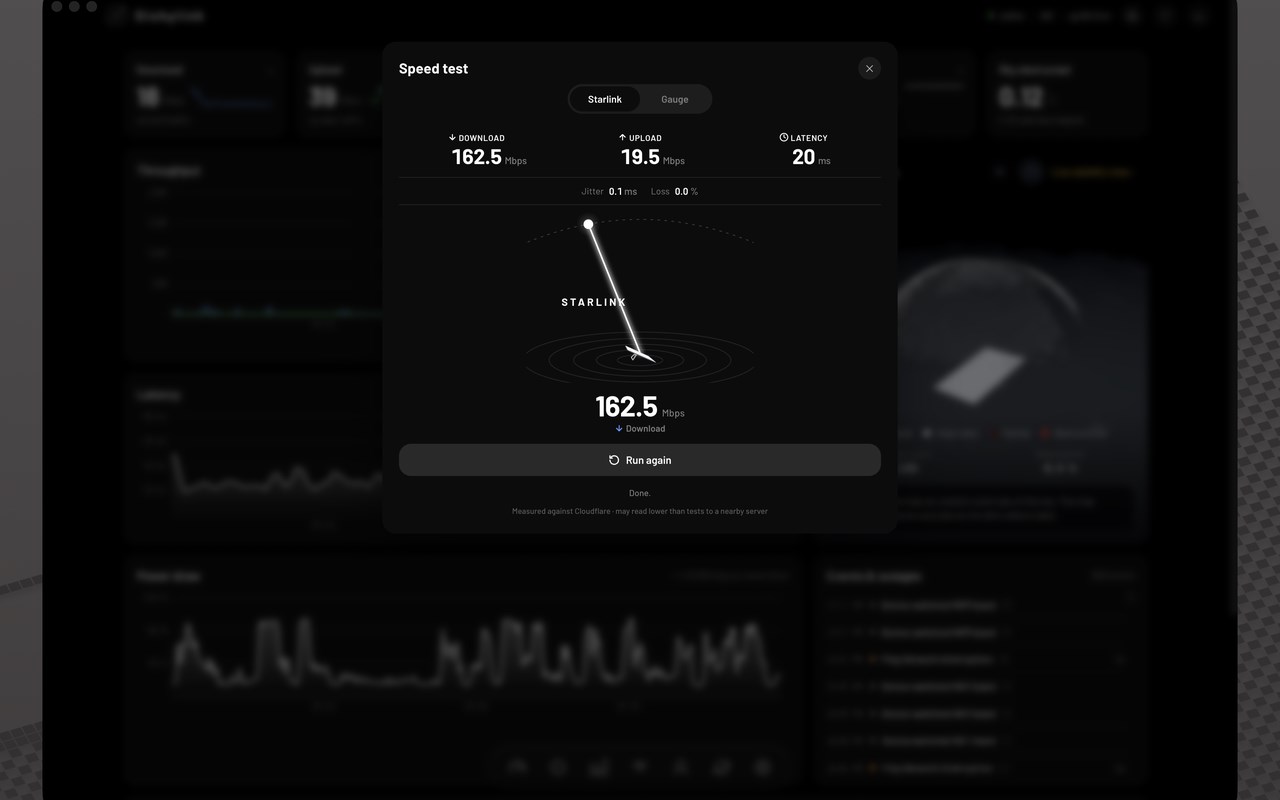
• Speed test: download, upload and latency measured through the Starlink link.
• Satellites and obstructions: the constellation passing overhead, and a
time-lapse of what's blocking your view of the sky.
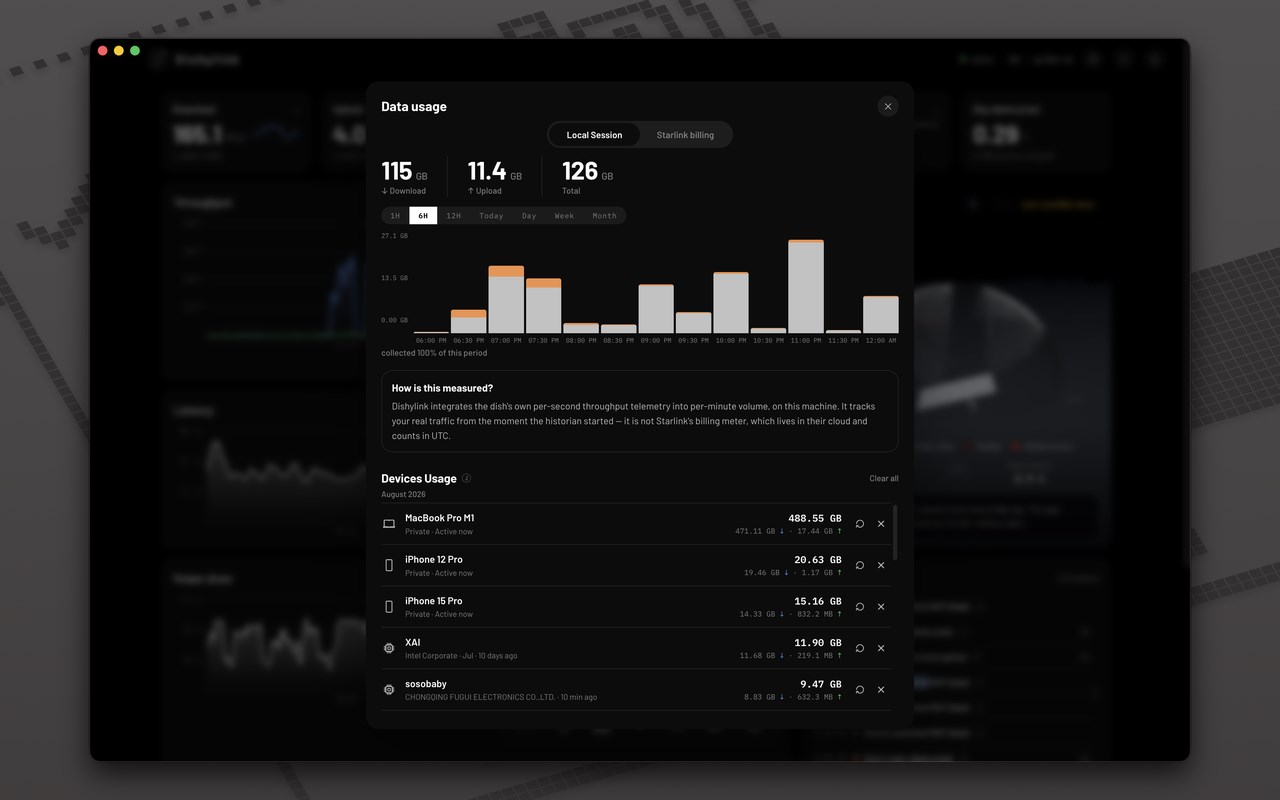
• Data usage: every byte through the dish, split by download and upload, over
any window from an hour to a month. Per-device totals name what's actually
spending it, each client identified by name, vendor and type, with six months
of history kept.
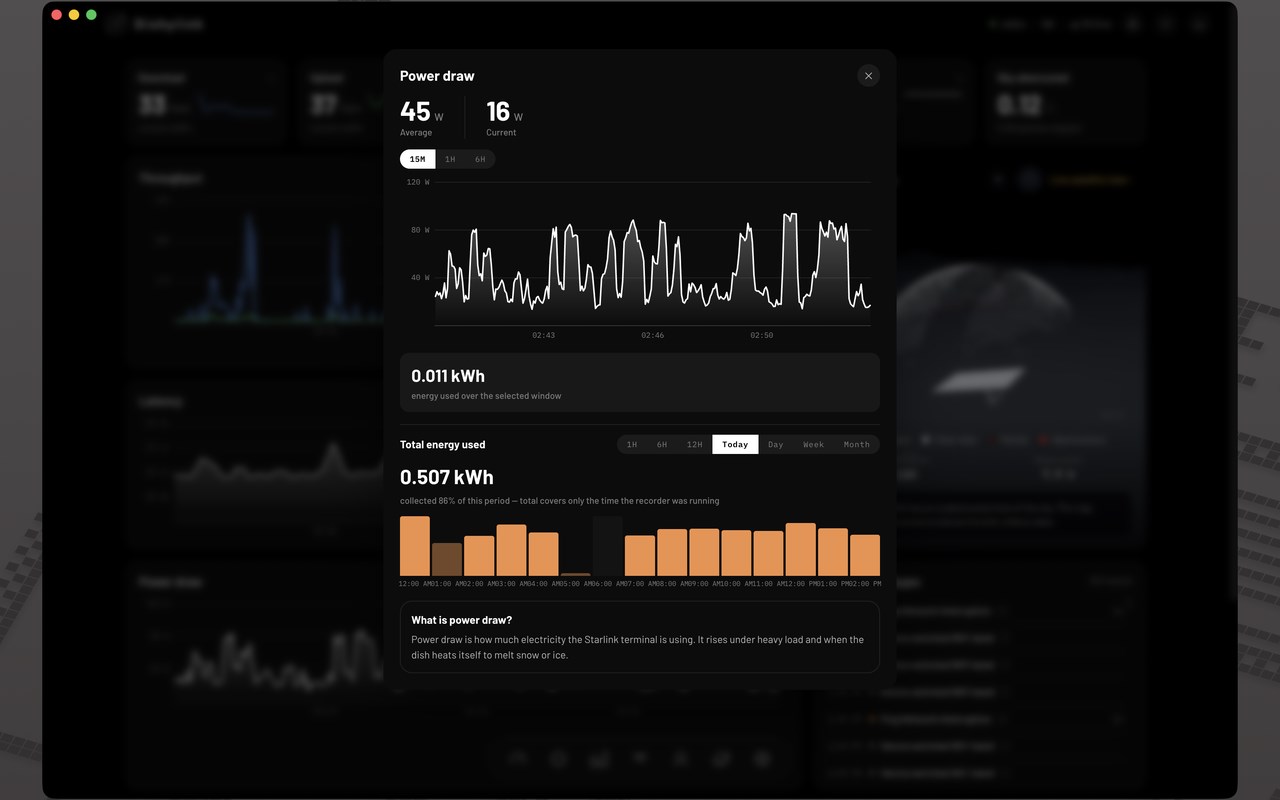
• Power usage: real-time draw plus historical energy totals. Your terminal only
remembers the last few minutes; Dishylink keeps the rest, and every total says
how much of its period was actually recorded.
• Latency analytics: tells you whether the lag is Starlink or your own router.
• Alerts and event log: raised the moment the dish or router stops answering,
overheats or hits weather, and cleared once it passes. Notifications reach you
with the dashboard closed, and the toolbar badge carries the count: all
alerts, only faults a device reported about itself, or nothing at all.
• Network rules: three ways to hold a device off the network. A limit pauses it
once it has used a set amount of data, and frees up when the cycle turns over,
on a daily, weekly, monthly, custom or Starlink billing-cycle basis. A
schedule pauses it outside the hours you set, on chosen weekdays or dates. A
timer pauses it once a countdown runs out. Any rule covers a single device or
a group, with an allowance either pooled across the group or applied to each
device in it.
• Remote management: run your network from anywhere, not just when you're sat
on it. Rename or pause any connected device, and read the client roster and
dish settings even when the local network can't serve them. Dishylink refuses
to pause the device it is running on, from any network.
• Bypass mode: switch the router in and out of bypass. A bypassed router reads
as bypassed rather than as missing, so its silence raises no alert.
• Controls: snow melt, sleep schedule, update window, reboots and other
maintenance on supported firmware, with any pending dish or router update
shown on the dashboard.
• Router and dish settings: change subnet and DNS servers, reach a router that
isn't on the default address, and factory reset either one behind an armed
confirmation.
• Multi-language support. Dishylink now comes in English, Spanish, French, German and Portuguese. Change it in Settings › App.
• Outage post-mortem reports. When an outage ends, the history recorder writes up the five minutes before it: latency, throughput, the dish's own cause, and any heat or snow melt.
PRIVACY
No account, no backend, no analytics. Dishylink reads your hardware over your own
network and keeps what it records in your browser. Nothing is collected by us.
Starlink account figures, such as billing-cycle usage, use the starlink.com
session already signed in to this browser.
REQUIREMENTS
• Microsoft Edge 144 or later
• A Starlink kit on the same network as this browser
ABOUT RECORDING
The extension records only while your browser is running, and the dish itself
only remembers its last ~15 minutes, so any stretch with the browser closed shows
as an honest gap rather than being filled in. For round-the-clock history, the
desktop app records continuously.
Dishylink is an unofficial, open-source project (MIT licensed). It is not
affiliated with, endorsed by, or sponsored by SpaceX or Starlink.
Source: https://github.com/DaveyHert/Dishylink
Dishylink: Starlink Desktop App (Unofficial) 是做什么的
Dishylink: Starlink Desktop App (Unofficial) 是一款面向 Edge 的效率工具类扩展,主要用来管住注意力、屏蔽干扰站点、记录时间。官方对它的介绍是:Monitor your Starlink's performance and health. Live telemetry, speed test, obstruction map, alignment, alerts, per-device usage.在微软 Edge 加载项商店上,它当前版本 1.3.1,评分 5(1 人评价),约 351 名用户。
适合什么人用
从功能定位看,Dishylink: Starlink Desktop App (Unofficial) 更适合想专注工作学习、减少无效刷网页的用户。如果你平时只是偶尔遇到相关需求,用浏览器自带功能也能凑合;但如果这件事每天都发生,装一个专门处理它的扩展通常比手动操作省事得多。
怎么安装 Dishylink: Starlink Desktop App (Unofficial)
- 打开微软 Edge 加载项商店上的官方页面;
- 点「添加到浏览器」并确认权限提示;
- 装好后在扩展列表里固定图标,方便随时开关。
本站只做索引与介绍,安装包来自官方商店。如果商店页面提示当前地区不可用,说明该扩展未在你所在区域上架。
常见问题
Dishylink: Starlink Desktop App (Unofficial) 是免费的吗?
Dishylink: Starlink Desktop App (Unofficial) 在微软 Edge 加载项商店免费提供下载。它是浏览器扩展,装上就能直接用,不需要注册账号。
Dishylink: Starlink Desktop App (Unofficial) 安全吗?
它只申请了 0 项权限,范围比较克制,没有申请「读取所有网站数据」这种大权限。
Dishylink: Starlink Desktop App (Unofficial) 支持哪些浏览器?
当前收录的版本来自微软 Edge 加载项商店,适用于 Edge。同一个扩展在其他商店可能有对应版本,但功能与版本号不一定相同。
怎么卸载 Dishylink: Starlink Desktop App (Unofficial)?
在扩展管理页找到 Dishylink: Starlink Desktop App (Unofficial),点移除即可。它在本地保存的设置会一起清掉,不会残留数据。
权限清单 来自 manifest.json 原文
接口权限 6
alarmscookiesdeclarativeNetRequestWithHostAccessgeolocationnotificationsstorage
其他商店也有这款
同一款扩展在不同浏览器下的版本,权限与更新节奏可能不同
