
Delete X Tweets - Remove Twitter Posts EN
Browser Agents · EEdge MV3
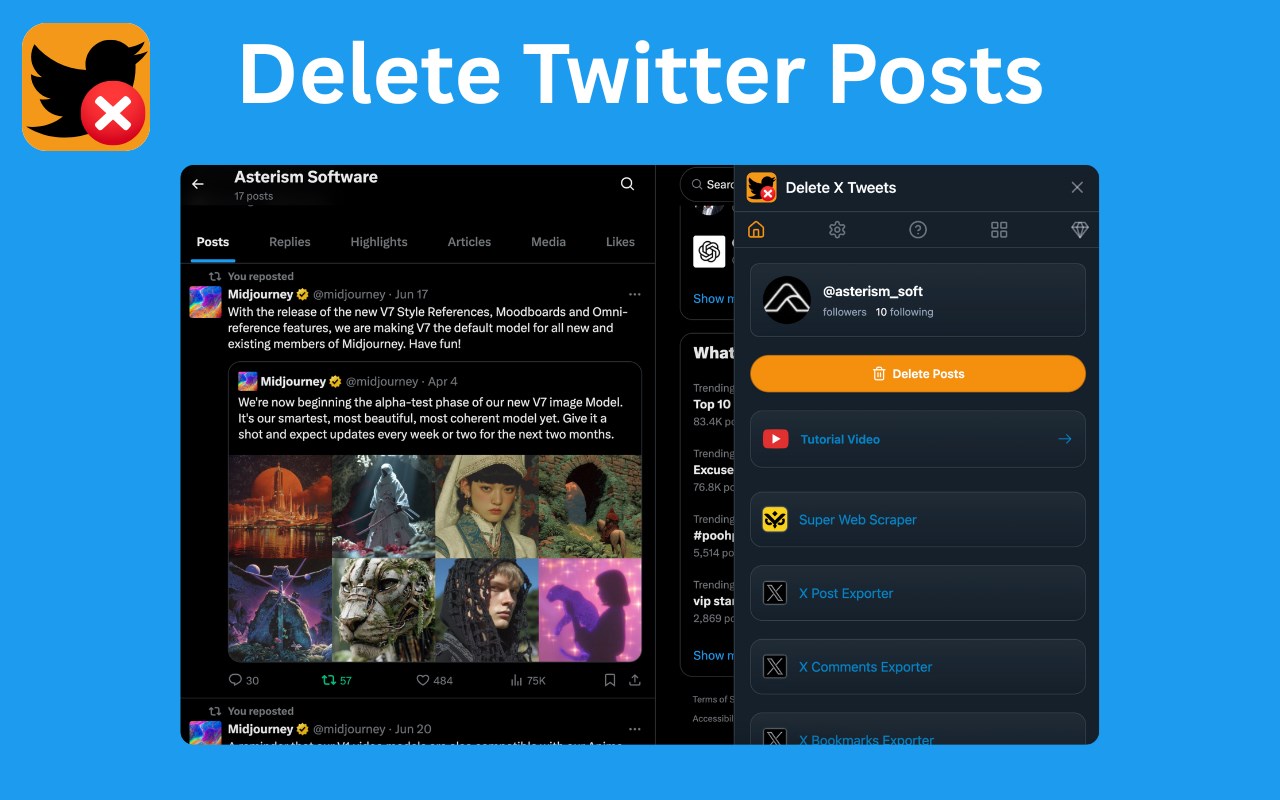
Delete X Tweets - Quickly bulk delete tweets and clean up your X profile for better privacy and brand management.
截图


简介
🧹 Delete X Tweets: Bulk Delete Your Tweets Safely & Easily
Effortlessly manage your X (formerly Twitter) profile with Delete X Tweets, the fast, simple, and secure extension for removing multiple posts at once. Whether you want to clean up your timeline, protect your privacy, or start fresh, this powerful tool makes it easy.
Unlike online services that require uploading your entire archive, Delete X Tweets works 100% locally in your browser ✅. That means your tweets never leave your computer — ensuring maximum privacy and security.
Take control of your digital footprint today with confidence!
🌟 Why Use Delete X Tweets?
1. 🚀 Bulk Delete Tweets Instantly
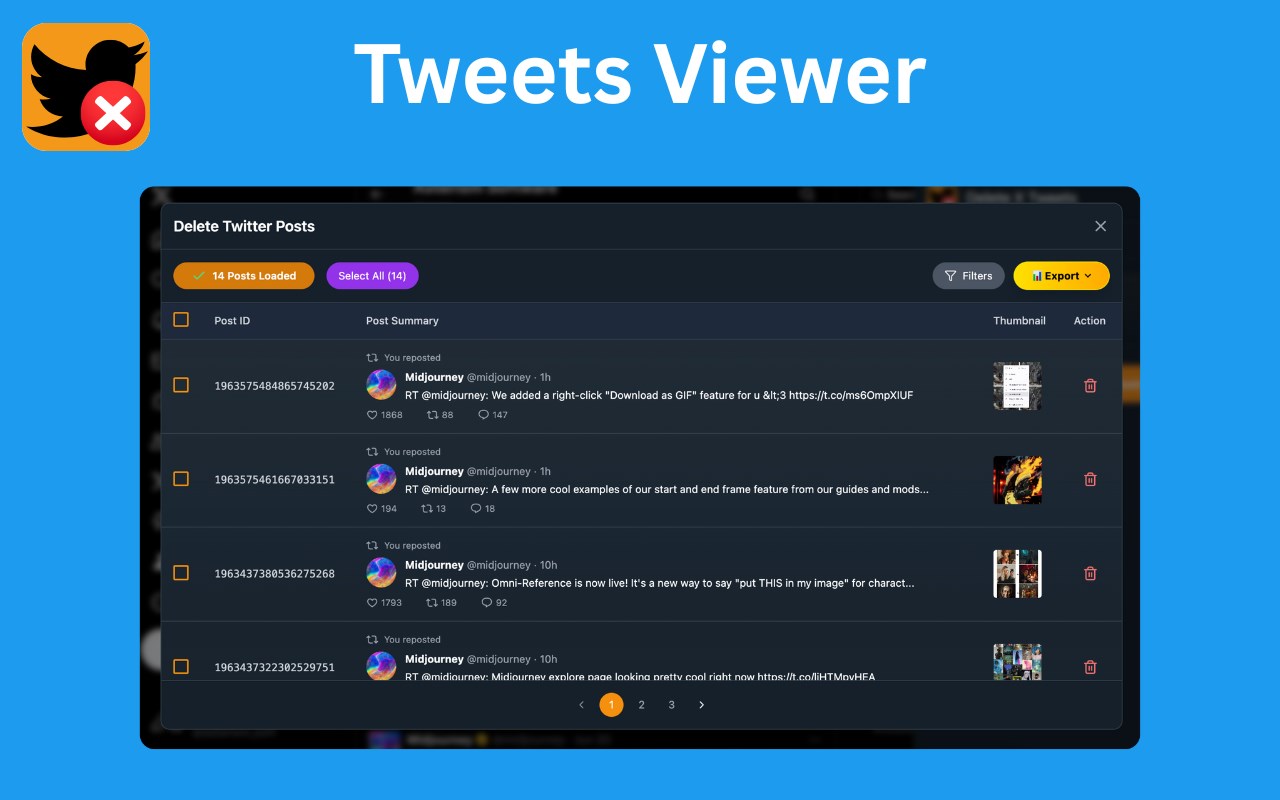
Select and remove multiple tweets, replies, and retweets at once — no more wasting hours manually deleting posts.
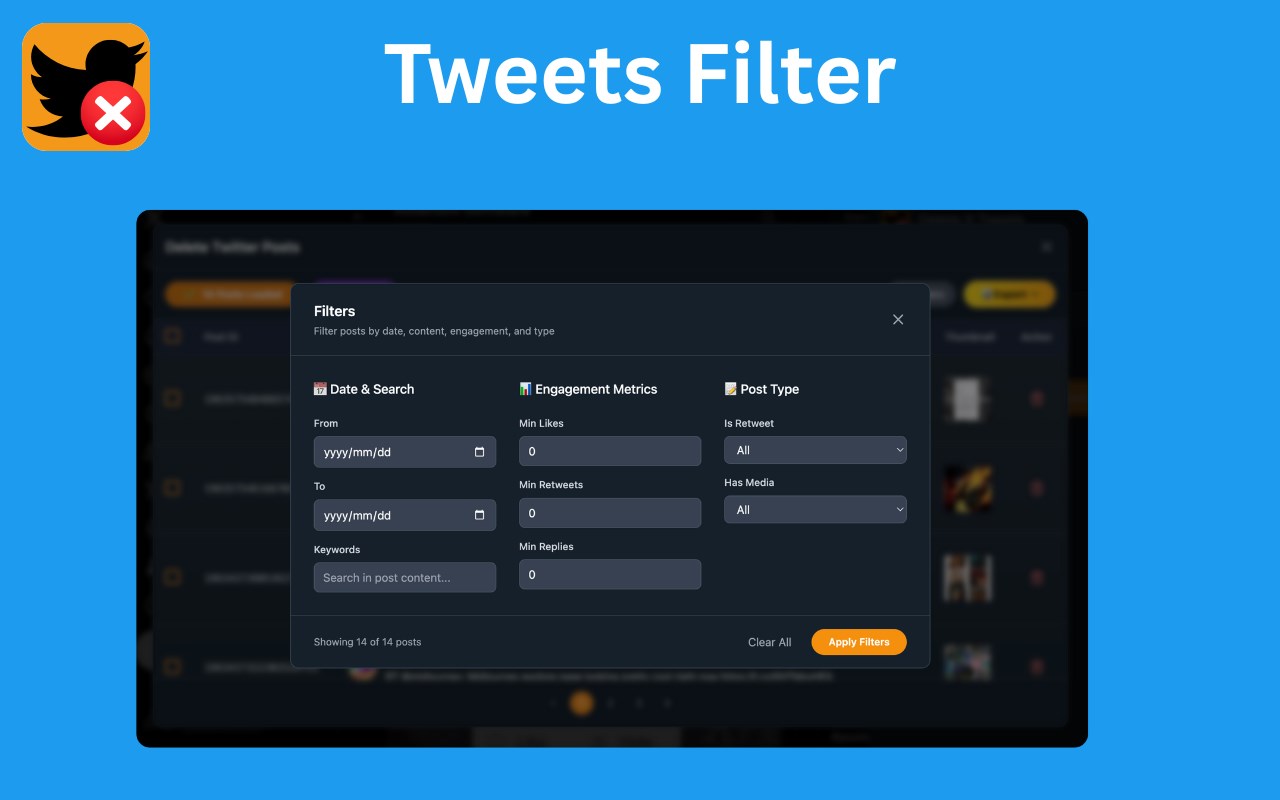
2. 🔍 Smart Filters for Precision
Search and delete tweets by keyword, hashtag, or date range. Quickly find exactly the posts you want gone.
3. 💾 Export & Backup Your Tweets
Save a copy of your tweets before deletion. Keep your personal archive for reference or memory preservation.
4. 📊 Pro Features – Export Any User’s Tweets
Upgrade to Pro and export tweets from any public X account for research, analysis, or content archiving.
(Note: you cannot delete tweets from other accounts.)
5. 🛡️ 100% Privacy by Design
All data is processed locally on your device. Nothing is uploaded, stored, or shared with external servers.
6. 👌 Simple & Intuitive Interface
Just install the extension, go to X.com, and start managing your posts. No account creation. No archive request. Just pure simplicity.
📖 How to Use Delete X Tweets
1. Open your browser and go to your X (Twitter) profile.
2. Click the Delete X Tweets extension icon in the toolbar.
3. The tool will load your tweets — you can filter, search, or create a backup.
4. Select the tweets you want to remove.
5. Hit Delete to instantly bulk remove them from your profile.
✅ That’s it! In minutes, your X timeline will be cleaner, fresher, and easier to manage.
🔑 Key Benefits
• Protect your online reputation
• Prepare your profile for job applications or career changes
• Remove old opinions and embarrassing posts
• Declutter your digital identity for a fresh start
• Maintain complete privacy and control
💎 Go Pro
Upgrade to Pro and enjoy:
- Batch delete up to 500 posts
- Export and backup posts
- Advanced posts filters
- Priority support
🔒 Data Privacy & Security
Your tweets, account info, and history are never stored or transmitted. Everything runs 100% locally on your device. Your privacy is our top priority.
⚠️ Disclaimer
Delete X Tweets is a third-party browser extension developed independently. It is not affiliated with, endorsed by, or an official product of X Corp.
🔥 Reclaim your online presence today! Install Delete X Tweets for the fastest, safest, and most reliable way to bulk delete tweets on X (Twitter).
Delete X Tweets - Remove Twitter Posts 是做什么的
Delete X Tweets - Remove Twitter Posts 是一款面向 Edge 的效率工具类扩展,主要用来管住注意力、屏蔽干扰站点、记录时间。官方对它的介绍是:Delete X Tweets - Quickly bulk delete tweets and clean up your X profile for better privacy and brand management.在微软 Edge 加载项商店上,它当前版本 1.5.0,约 38 名用户。
适合什么人用
从功能定位看,Delete X Tweets - Remove Twitter Posts 更适合想专注工作学习、减少无效刷网页的用户。如果你平时只是偶尔遇到相关需求,用浏览器自带功能也能凑合;但如果这件事每天都发生,装一个专门处理它的扩展通常比手动操作省事得多。
怎么安装 Delete X Tweets - Remove Twitter Posts
- 打开微软 Edge 加载项商店上的官方页面;
- 点「添加到浏览器」并确认权限提示;
- 装好后在扩展列表里固定图标,方便随时开关。
本站只做索引与介绍,安装包来自官方商店。如果商店页面提示当前地区不可用,说明该扩展未在你所在区域上架。
常见问题
Delete X Tweets - Remove Twitter Posts 是免费的吗?
Delete X Tweets - Remove Twitter Posts 在微软 Edge 加载项商店免费提供下载。它是浏览器扩展,装上就能直接用,不需要注册账号。
Delete X Tweets - Remove Twitter Posts 安全吗?
它只申请了 0 项权限,范围比较克制,没有申请「读取所有网站数据」这种大权限。
Delete X Tweets - Remove Twitter Posts 支持哪些浏览器?
当前收录的版本来自微软 Edge 加载项商店,适用于 Edge。同一个扩展在其他商店可能有对应版本,但功能与版本号不一定相同。
怎么卸载 Delete X Tweets - Remove Twitter Posts?
在扩展管理页找到 Delete X Tweets - Remove Twitter Posts,点移除即可。它在本地保存的设置会一起清掉,不会残留数据。
权限清单 来自 manifest.json 原文
接口权限 4
activeTabdownloadsstoragewebRequest