
Data Scraper - Easy Web Scraping EN
Data Miner · EEdge MV3
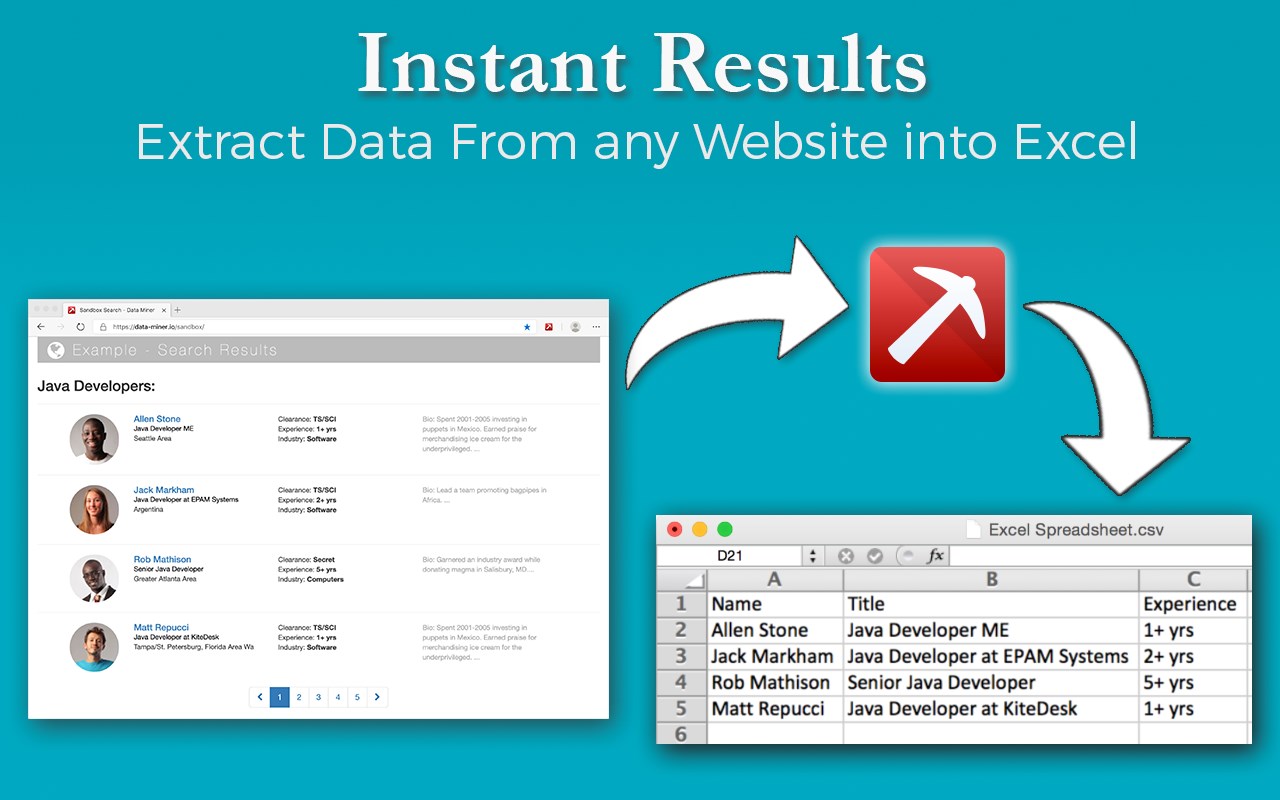
Data Scraper extracts data out of HTML web pages and imports it into Microsoft Excel spreadsheets
截图


简介
Data Miner is a data extraction tool that lets you scrape any HTML web page.
You can extract tables and lists from any page and upload them to Google Sheets or Microsoft Excel. With Data Miner you can export web pages into XLS, CSV, XLSX or TSV files (.xls .csv .xlsx .tsv)
You can use Data Miner for FREE with the starter subscription plan. You will get 500 free page scrape credits per month. This way you can see how Scraper works and what you can export with no risk. Beyond our free plan, we have paid plans for more scraping features.
Using one of the thousands scraping recipes, you can convert most of the popular websites to csv with just one click. The recipes are user generated and shared for others to use. We have over 50,000 recipes for more than 10,000 top websites in the world. Data Miner is not your average scraping tool, no other scrape tool has such a collection of recipes!
Use Data Miner with an SEO tool, CRM recruiter systems to make the most of any page scraping scenario. Scraper works with any recruiter tool, sales leads management tool or email marketing campaign. Screen scraping and data downloading has never been easier. No need to outsource your sourcing, converting and crawling. You can scrape quickly and easily with Data Miner.
Examples of the type of data our 80,000 users have been able to scrap using Data Miner:
* Search results from search engines.
* Extract emails and ID from social media profiles.
* Get price and product information from ecommerce sites.
* Get email and addresses and phone numbers from website directories.
* Get social network connections and friends.
* Get contact info from professional social profiles.
* Get sentiment info by analyzing tweets.
* Scrape reviews and ratings
* Analyze posts for likes, comments, connection and contacts
* Use well formatted csv files to upload data and import into to ecommerce sites.
* Automatically fill forms on registration sites.
WHO LOVES DATAMINER?
Are you a recruiter that spends hours scouring leads sites like Linkedin, Salesforce, and Sales Navigator for potential candidates? A sales rep sourcing leads from Data.com and Salesnavigator? Or an Amazon retail seller fighting to understand your reviews and Amazon competition. How about small a business owner who wants to be free from manually tracking potential competition on yelp, yellow pages, ebay or manta? Are you a social media manager with your head deep in Excel Spreadsheet and Google search results trying to reconcile social media friends list with linkedin connections or maybe your are a marketing manager struggling with leadgen email marketing campaigns or with importing or exporting email lists.
Data Miner is for you:
* Sales people looking for leads
* Leadgen companies
* Amazon distributers
* Amazon retail sellers
* Recruiters looking for top candidates
* Job searches looking for the best jobs in jobs databases
* Small business owners trying to manage ratings and reviews.
* Data science / scientists wanting more clean data
* Marketing professionals analyzing social media sites
* Students learning data science and skrap and mining
* Amazon customers
* People who tried using import.io, email hunter, rapportive
* Growth hackers looking for ways to collect and analyze data
* Social media managers organizing friends list and email contacts
ADDITIONAL FEATURES OF DATAMINER SCRAPER:
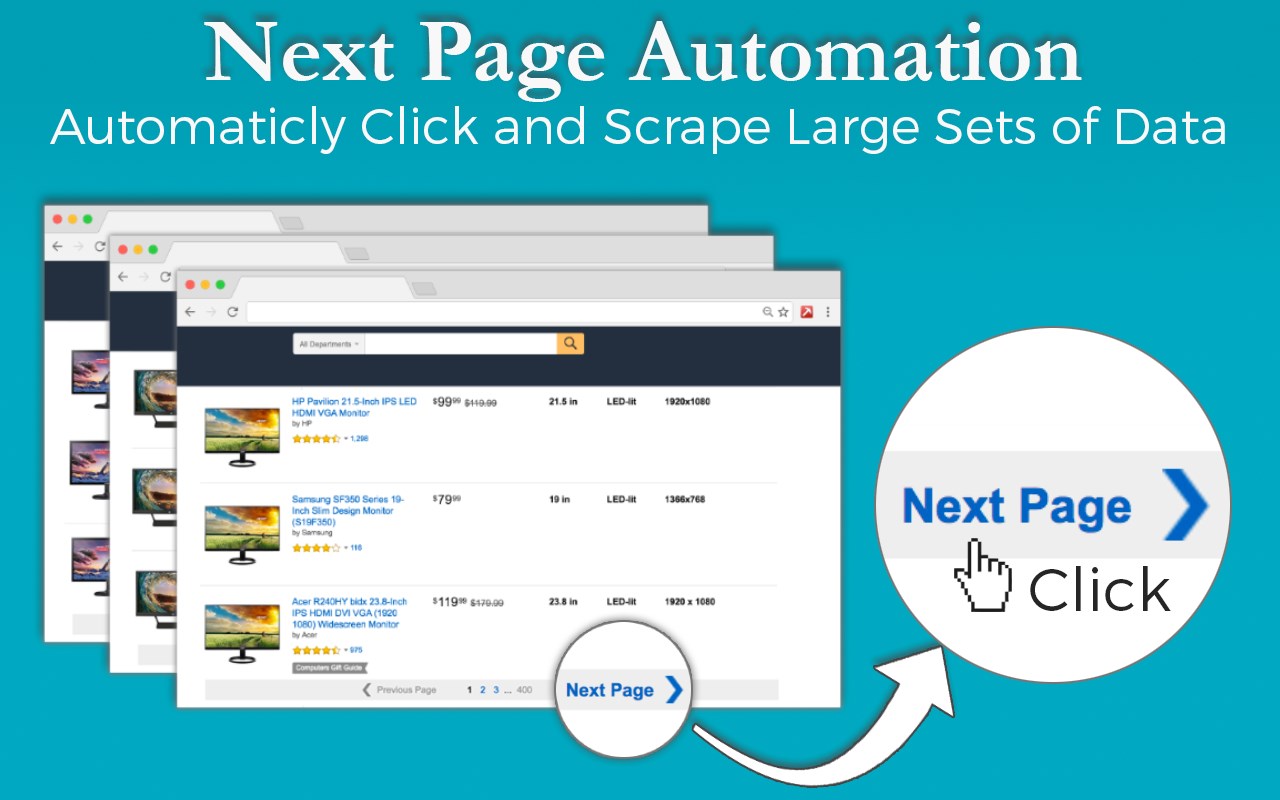
* Automated crawling of paginated websites.
* Scrape single page or multi page crawl and scrapeing.
* Automatic navigation to next page.
* Extract emails with RegEx (regular expressions)
* Download image scraping
* Download completed pages complete with images scraping
* International language support with UTF-8
* Form filling using xls data and scraping
HOW DOES ThIS SCRAPER WORK?
Dataminer Scraper uses Xpath, JQuery and CSS Selector to identify the information in the HTML web page. Then it scrapes that information and presents it to you in form of a table which you can save as a CSV or XLS file and open it in spreadsheets. Fill form works similarly but insert the data as well. Scraper is a data converter, extractor, crawler combined in one which can harvest emails or any other text from web pages. It supports UTF-8 so this Scraper scraps Chinese, Japanese, Russian, etc with ease. You do not need to have coding, xml, json experience.
CONTACT INFO:
The Dataminer Scraper team is ready to help you. We have a lot of scraping videos and step by step tutorials. If you have problems using the tool or using one of our existing recipes or need a new recipe, let us know. We have a huge community of users who can also assist. Just ask your question on stackoverflow and tag it with #dataminer. You can also reach us on social media, Twitter @dataminerio or via email at support@dataminer.io.
IMPORTANT INFO:
All your data is always private and visible only to you. Whether you're using our free or paid plans, Data Miner does not keep your data, does not send your data to our servers, and does not share your data with anyone. Site’s like importio emailhunter use their servers to scrape unlike Data Miner which uses your own computer and can even work offline. This Scraper is a webscraper that lives only in your browser. Nothing scraped leaves you computer and sites don’t know you are scrapeing.
Data Miner requires you to accept our terms of service to use the software. Please refer to our site at https://dataminer.io. Part of our terms of use is that you understand and abide by the terms of use of whatever site you are using and that the user generated recipes are there for you to use “as is” without any obligation from Data Miner to modify or fix them or to help you use them. We do provide ample tutorials and help documents for how to use Data Miner and how to make webscraper or modify webscraper recipes on your own.
Try the best web page scraper and extract data from any websites now!
(C) 2021 Copyright Software Innovation Lab
Data Scraper - Easy Web Scraping 是做什么的
Data Scraper - Easy Web Scraping 是一款面向 Edge 的效率工具类扩展,主要用来管住注意力、屏蔽干扰站点、记录时间。官方对它的介绍是:Data Scraper extracts data out of HTML web pages and imports it into Microsoft Excel spreadsheets在微软 Edge 加载项商店上,它当前版本 5.8.91,评分 3.2(10 人评价),约 66,923 名用户。
适合什么人用
从功能定位看,Data Scraper - Easy Web Scraping 更适合想专注工作学习、减少无效刷网页的用户。如果你平时只是偶尔遇到相关需求,用浏览器自带功能也能凑合;但如果这件事每天都发生,装一个专门处理它的扩展通常比手动操作省事得多。
怎么安装 Data Scraper - Easy Web Scraping
- 打开微软 Edge 加载项商店上的官方页面;
- 点「添加到浏览器」并确认权限提示;
- 装好后在扩展列表里固定图标,方便随时开关。
本站只做索引与介绍,安装包来自官方商店。如果商店页面提示当前地区不可用,说明该扩展未在你所在区域上架。
常见问题
Data Scraper - Easy Web Scraping 是免费的吗?
Data Scraper - Easy Web Scraping 在微软 Edge 加载项商店免费提供下载。它是浏览器扩展,装上就能直接用,不需要注册账号。
Data Scraper - Easy Web Scraping 安全吗?
它只申请了 0 项权限,范围比较克制,没有申请「读取所有网站数据」这种大权限。
Data Scraper - Easy Web Scraping 支持哪些浏览器?
当前收录的版本来自微软 Edge 加载项商店,适用于 Edge。同一个扩展在其他商店可能有对应版本,但功能与版本号不一定相同。
怎么卸载 Data Scraper - Easy Web Scraping?
在扩展管理页找到 Data Scraper - Easy Web Scraping,点移除即可。它在本地保存的设置会一起清掉,不会残留数据。
权限清单 来自 manifest.json 原文
接口权限 5
activeTabcontextMenusscriptingstorageunlimitedStorage
接口权限(可选) 5
clipboardWritedownloadsnotificationspageCapturetabs