CourseSpeed — Video Speed Controller & AI Notes EN
JoyCraft · EEdge MV3
Video speed controller + AI course notes from subtitles, chapters & timestamps. Udemy, Coursera, LinkedIn, Skillshare. 5 free/mo.
截图

简介
Supercharge your online learning with AI-powered study notes and precise speed control.
CourseSpeed enhances Udemy, Coursera, LinkedIn Learning, and Skillshare with tools that make you a faster, smarter learner.
━━━━━━━━━━━━━━━━━━━━
KEY FEATURES
━━━━━━━━━━━━━━━━━━━━
🤖 AI Study Notes — 3 included free. Record lecture audio in the side panel — speech-to-text transcription generates structured study notes with key concepts, summaries, and action points. One-click subtitle summarization works on any lecture with captions.
⚡ Speed Control — 0.25x to 4x playback with customizable keyboard shortcuts. Slow down complex lectures or speed through reviews. Per-platform settings auto-remember your preferences.
📊 Learning Stats — Track total study time, time saved by speed listening, session count, and daily streaks automatically. 14-day full preview, then data keeps recording in the background.
🔖 Chapter Bookmarks — Save any moment with one click (Shift+B). View all bookmarks with timestamps and jump back instantly.
📝 Notes Export — Export AI notes as Word (.doc) documents — opens in Microsoft Word, Google Docs, or WPS.
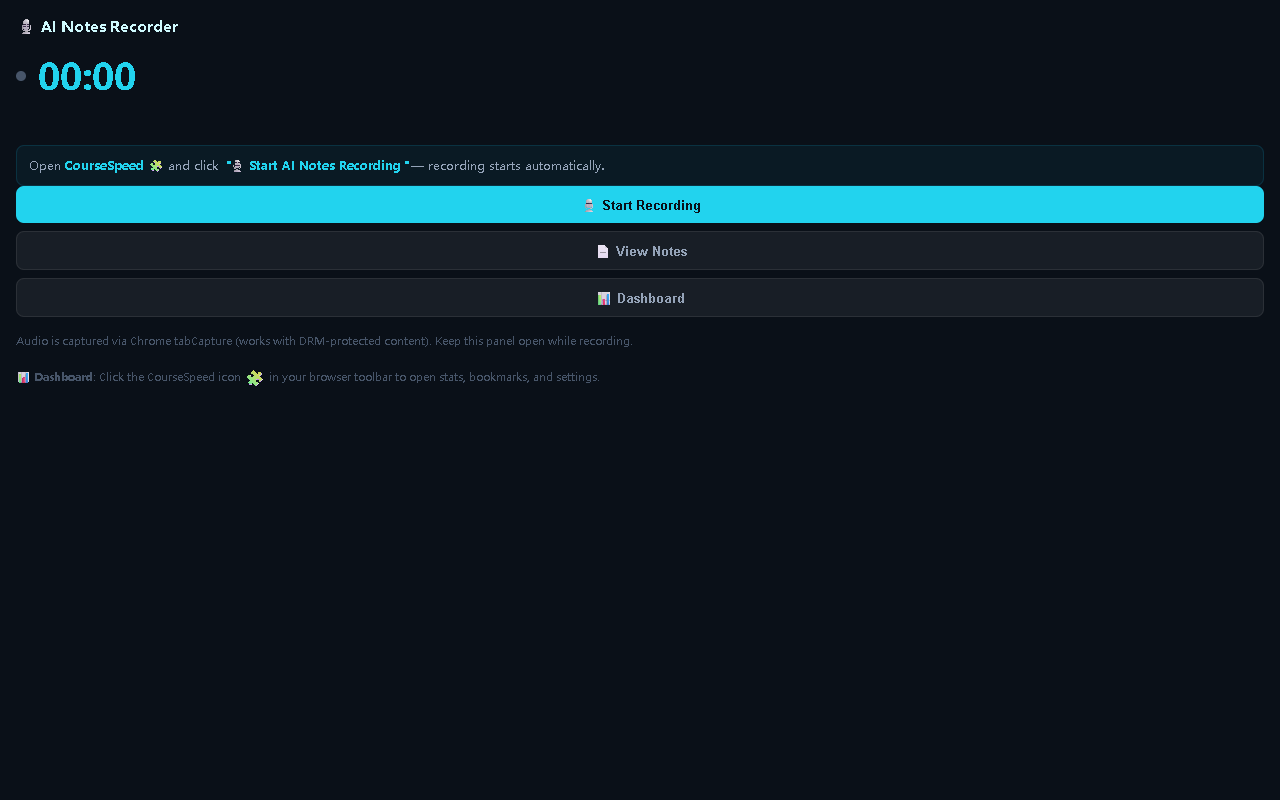
🌐 Side Panel Recorder — Record audio from course tabs and get AI summaries without leaving the player. Panel stays docked alongside the video for continuous note-taking.
━━━━━━━━━━━━━━━━━━━━
PLATFORMS
━━━━━━━━━━━━━━━━━━━━
Udemy · Coursera · LinkedIn Learning · Skillshare
━━━━━━━━━━━━━━━━━━━━
PRICING
━━━━━━━━━━━━━━━━━━━━
🆓 Free — 3 AI notes total + unlimited speed control + bookmarks (3) + 14-day stats preview.
💎 Premium — $4.99/month or $39.99/year. Unlimited AI notes, unlimited bookmarks, lifetime learning dashboard, custom skip durations, CSV export, Word export, weekly learning goals.
━━━━━━━━━━━━━━━━━━━━
PRIVACY
━━━━━━━━━━━━━━━━━━━━
Subtitle text or recorded audio is sent to our server solely for AI note generation when you explicitly request it, then immediately discarded — never stored. Bookmarks, notes, and learning stats stay locally on your device. No tracking. No ads. No sign-up required.
https://joycraft.dev/privacy
CourseSpeed — Video Speed Controller & AI Notes 是做什么的
CourseSpeed — Video Speed Controller & AI Notes 是一款面向 Edge 的效率工具类扩展,主要用来管住注意力、屏蔽干扰站点、记录时间。官方对它的介绍是:Video speed controller + AI course notes from subtitles, chapters & timestamps. Udemy, Coursera, LinkedIn, Skillshare. 5 free/mo.在微软 Edge 加载项商店上,它当前版本 1.0.16,约 5 名用户。
适合什么人用
从功能定位看,CourseSpeed — Video Speed Controller & AI Notes 更适合想专注工作学习、减少无效刷网页的用户。如果你平时只是偶尔遇到相关需求,用浏览器自带功能也能凑合;但如果这件事每天都发生,装一个专门处理它的扩展通常比手动操作省事得多。
怎么安装 CourseSpeed — Video Speed Controller & AI Notes
- 打开微软 Edge 加载项商店上的官方页面;
- 点「添加到浏览器」并确认权限提示;
- 装好后在扩展列表里固定图标,方便随时开关。
本站只做索引与介绍,安装包来自官方商店。如果商店页面提示当前地区不可用,说明该扩展未在你所在区域上架。
常见问题
CourseSpeed — Video Speed Controller & AI Notes 是免费的吗?
CourseSpeed — Video Speed Controller & AI Notes 在微软 Edge 加载项商店免费提供下载。它是浏览器扩展,装上就能直接用,不需要注册账号。
CourseSpeed — Video Speed Controller & AI Notes 安全吗?
它只申请了 0 项权限,范围比较克制,没有申请「读取所有网站数据」这种大权限。
CourseSpeed — Video Speed Controller & AI Notes 支持哪些浏览器?
当前收录的版本来自微软 Edge 加载项商店,适用于 Edge。同一个扩展在其他商店可能有对应版本,但功能与版本号不一定相同。
怎么卸载 CourseSpeed — Video Speed Controller & AI Notes?
在扩展管理页找到 CourseSpeed — Video Speed Controller & AI Notes,点移除即可。它在本地保存的设置会一起清掉,不会残留数据。
权限清单 来自 manifest.json 原文
接口权限 4
activeTabsidePanelstoragetabCapture