
CouponPe: Automatic Coupon Code Finder EN
CouponPe · EEdge MV3
Find and auto-apply eligible coupon, promo and discount codes at supported checkouts.
截图

简介
CouponPe is an automatic coupon code finder for Microsoft Edge. It helps you find eligible coupon codes, promo codes, discount codes and shopping deals on supported online stores. At checkout, CouponPe gives you a clear choice: try available codes safely, or copy a code to paste yourself.
FIND COUPON CODES AT CHECKOUT
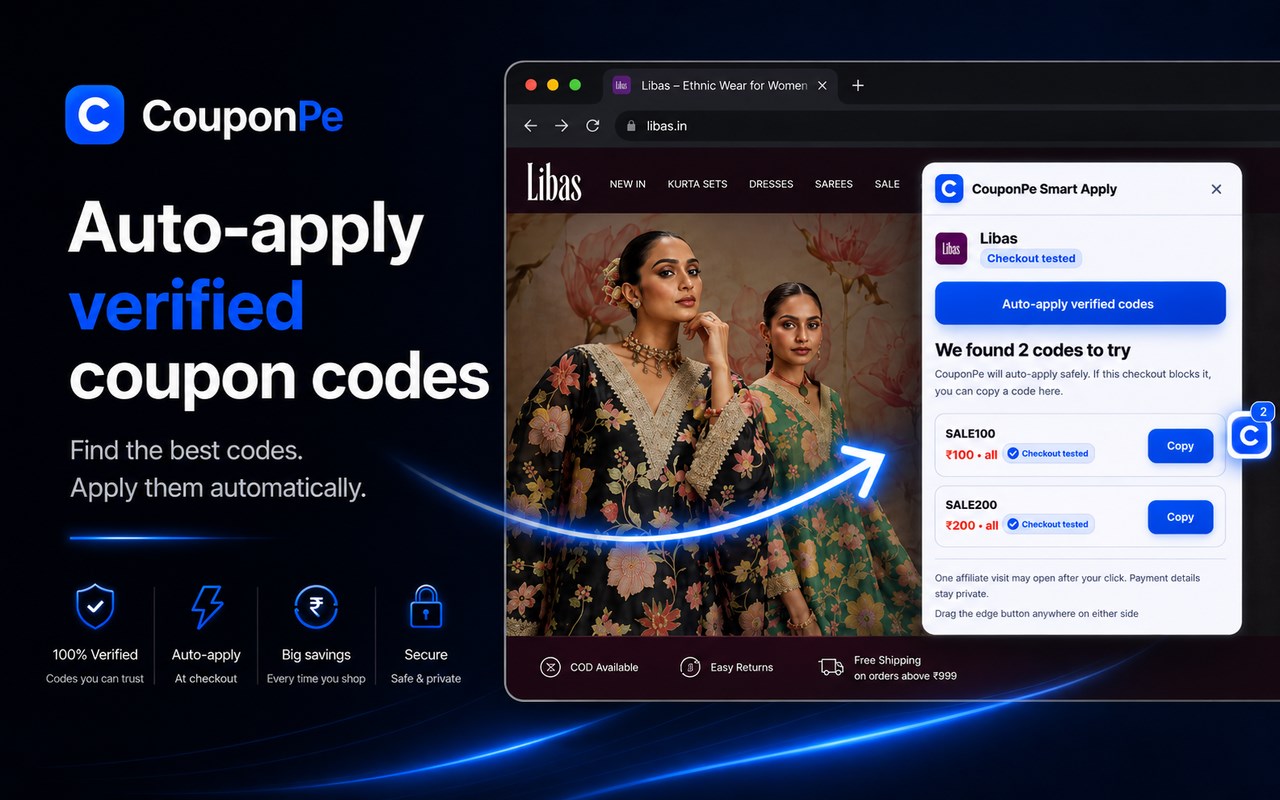
When you reach a cart or checkout and see a “coupon code”, “promo code” or “discount code” field, open CouponPe to view offer options for that store. This reduces the need to search multiple coupon websites and test codes one by one.
SMART COUPON TESTING
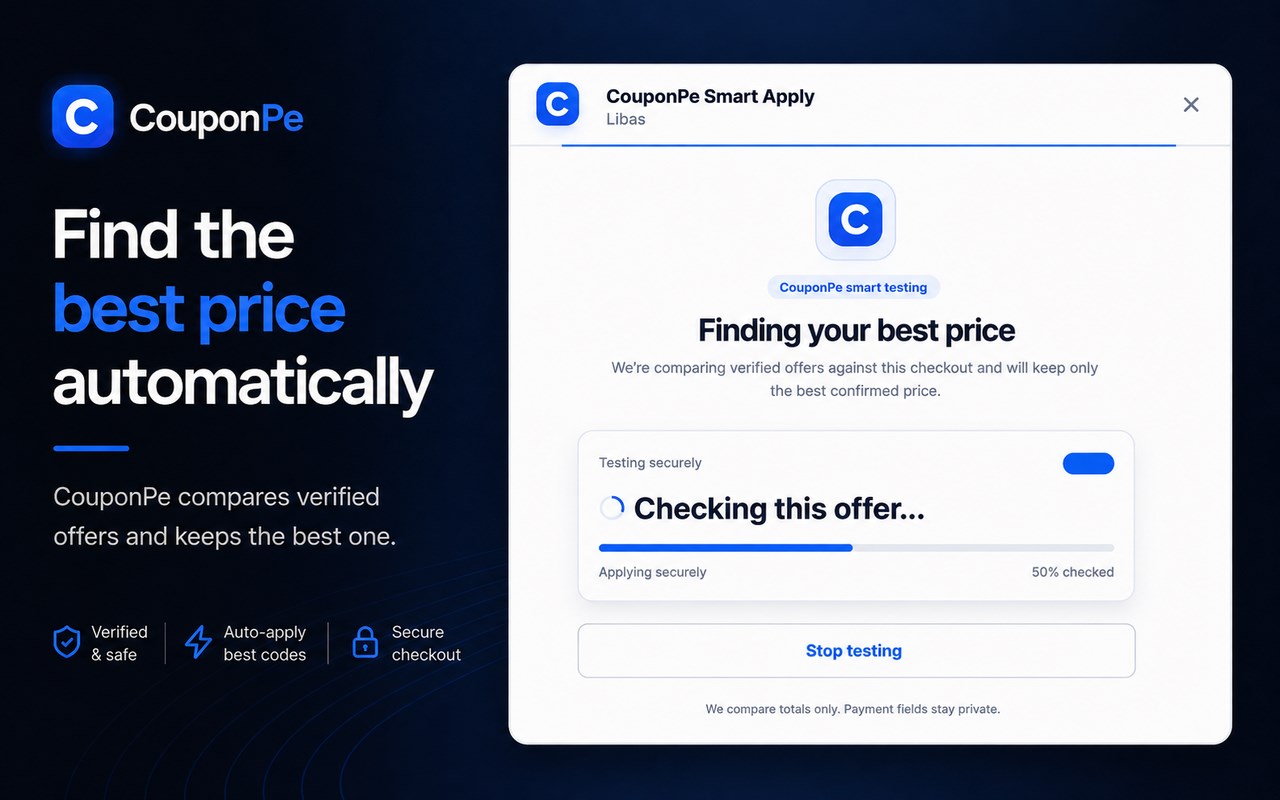
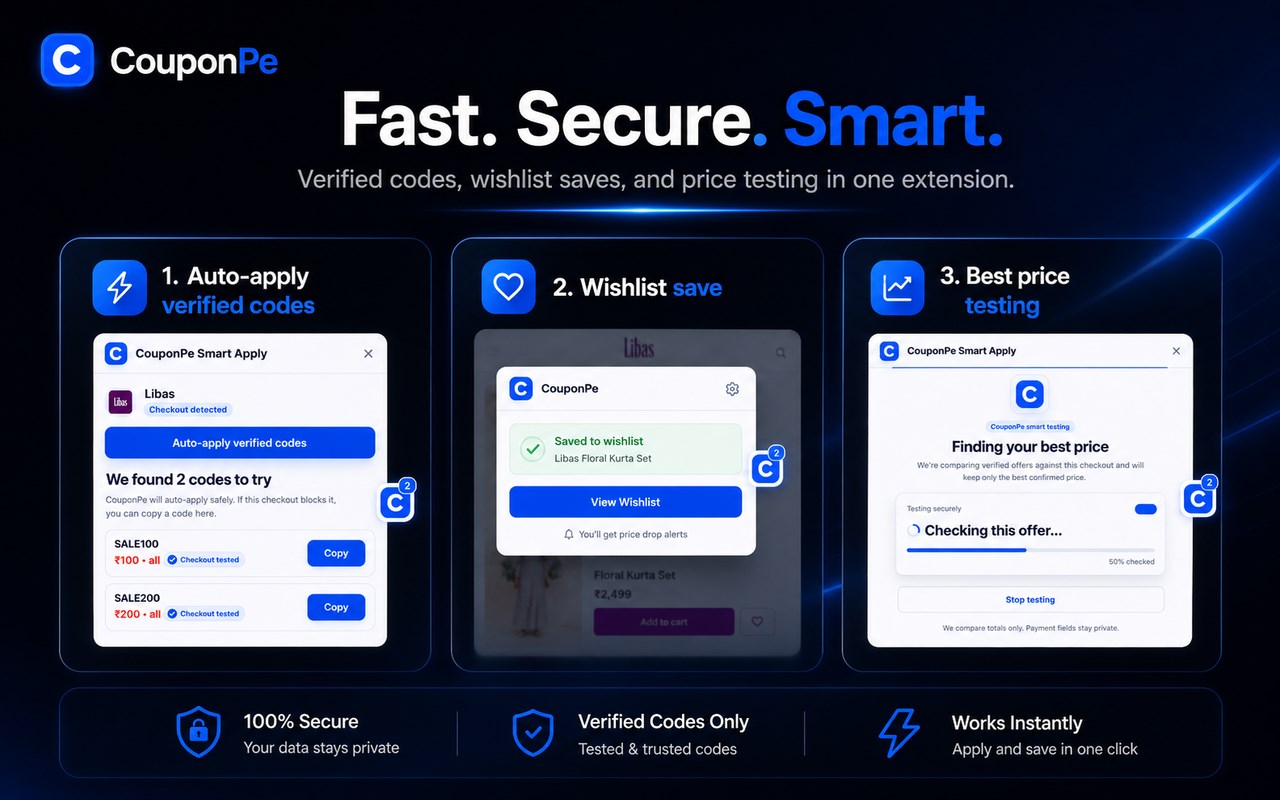
On supported checkouts, choose Auto-apply verified codes. CouponPe can try eligible codes and keeps a saving only when the checkout confirms it. CouponPe does not promise that every store, cart or code will result in a saving.
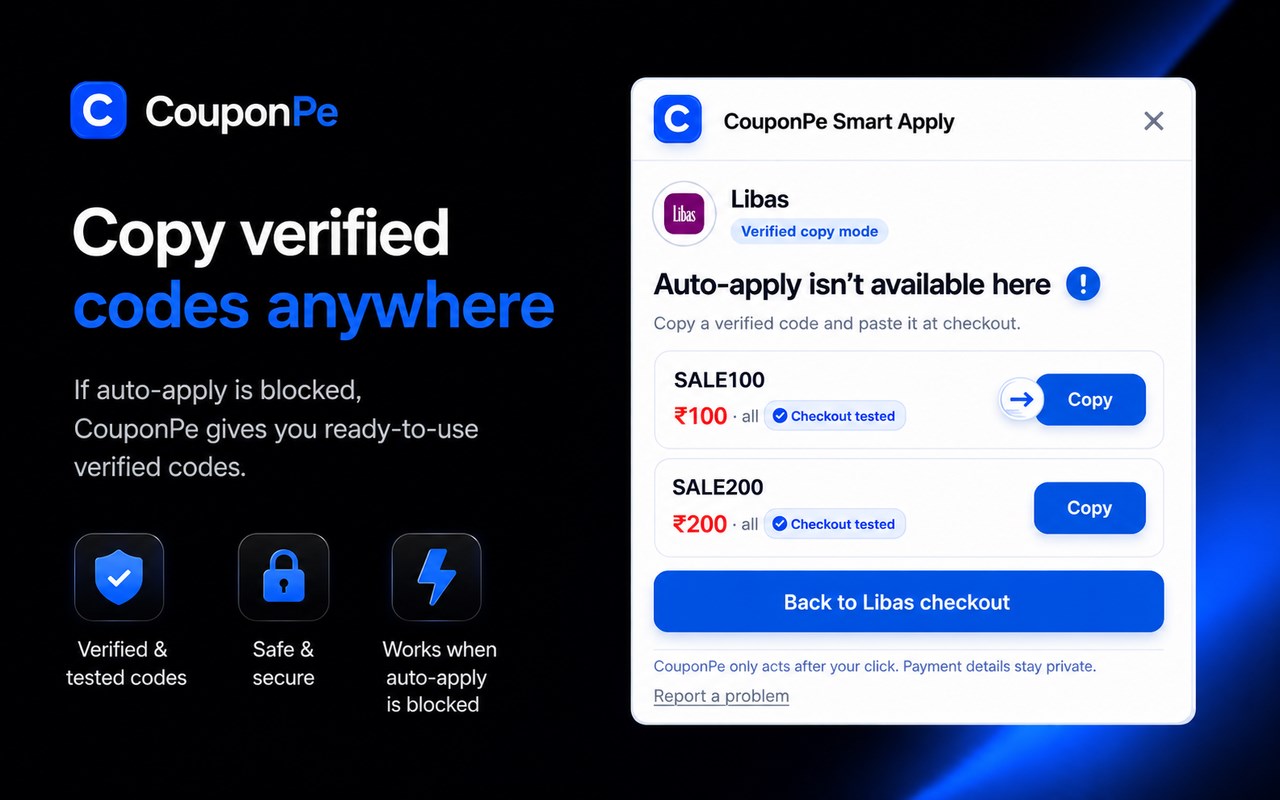
Some stores use different coupon forms, embedded checkout providers, or flows where automated entry is not safe. In those cases, CouponPe clearly switches to copy mode. Copy the displayed coupon, promo or discount code and paste it into the store’s coupon field yourself.
FIRST-ORDER AND STORE OFFERS
When available for a supported store, CouponPe can show first-order coupons, new-user offers, app-only deals, bank or wallet conditions, and cart-related discounts. Eligibility, minimum order, payment method, app-versus-web availability and final savings always depend on the merchant and your cart.
SAVE PRODUCTS FOR LATER
On a product page, choose Save this product to keep a product title, image, price snapshot, store and URL in a private browser-based wishlist. Nothing is saved until you select the button.
GOOGLE SEARCH BADGES
On selected Google search results, CouponPe may show a compact badge when coupon codes are available for a merchant. Select the CouponPe badge to open that merchant’s CouponPe coupon page. The normal merchant result continues to open the merchant website; an eligible partner route may open only after your direct click.
WHY USE COUPONPE
• Find eligible coupon codes, promo codes, discount codes and store deals.
• Auto-apply codes where the checkout can be handled safely.
• Use a clear copy-and-paste fallback where automation is unavailable.
• Save products locally in a private wishlist.
• See offer ordering informed by available verification and approved shopper feedback.
• Coupon availability can vary by store, country and cart.
HOW TO USE COUPONPE
1. Add CouponPe to Microsoft Edge.
2. Shop on a supported online store.
3. At cart or checkout, open CouponPe.
4. Choose Auto-apply when available, or Copy a displayed code.
5. Review the merchant’s final order total before placing an order.
PRIVACY
CouponPe uses the current merchant context to find relevant offers. It does not read payment details, card details, OTPs, passwords, addresses, login credentials or cookies. Product details stay in your browser unless you choose Save this product. CouponPe does not sell personal information or use shopper data for personalised advertising.
AFFILIATE DISCLOSURE
Some supported stores may pay CouponPe a commission after a qualifying purchase. CouponPe opens a partner route only after your direct click on an eligible result or offer action. Affiliate relationships do not change an offer’s verification status or ordering.
Privacy Policy: https://www.couponpe.com/privacy-policy
How CouponPe makes money: https://www.couponpe.com/how-we-make-money
CouponPe: Automatic Coupon Code Finder 是做什么的
CouponPe: Automatic Coupon Code Finder 是一款面向 Edge 的购物比价类扩展,主要用来比价、查历史价格、自动套用优惠券、返现。官方对它的介绍是:Find and auto-apply eligible coupon, promo and discount codes at supported checkouts.在微软 Edge 加载项商店上,它当前版本 0.13.11,评分 5(1 人评价),约 73 名用户。
适合什么人用
从功能定位看,CouponPe: Automatic Coupon Code Finder 更适合经常网购、想在下单前确认是否真便宜的用户。如果你平时只是偶尔遇到相关需求,用浏览器自带功能也能凑合;但如果这件事每天都发生,装一个专门处理它的扩展通常比手动操作省事得多。
怎么安装 CouponPe: Automatic Coupon Code Finder
- 打开微软 Edge 加载项商店上的官方页面;
- 点「添加到浏览器」并确认权限提示;
- 装好后在扩展列表里固定图标,方便随时开关。
本站只做索引与介绍,安装包来自官方商店。如果商店页面提示当前地区不可用,说明该扩展未在你所在区域上架。
常见问题
CouponPe: Automatic Coupon Code Finder 是免费的吗?
CouponPe: Automatic Coupon Code Finder 在微软 Edge 加载项商店免费提供下载。它是浏览器扩展,装上就能直接用,不需要注册账号。
CouponPe: Automatic Coupon Code Finder 安全吗?
它只申请了 0 项权限,范围比较克制,没有申请「读取所有网站数据」这种大权限。
CouponPe: Automatic Coupon Code Finder 支持哪些浏览器?
当前收录的版本来自微软 Edge 加载项商店,适用于 Edge。同一个扩展在其他商店可能有对应版本,但功能与版本号不一定相同。
怎么卸载 CouponPe: Automatic Coupon Code Finder?
在扩展管理页找到 CouponPe: Automatic Coupon Code Finder,点移除即可。它在本地保存的设置会一起清掉,不会残留数据。
权限清单 来自 manifest.json 原文
接口权限 4
activeTabscriptingstoragewebNavigation