Country Filter for X EN
TechyGeeksHome · EEdge MV3
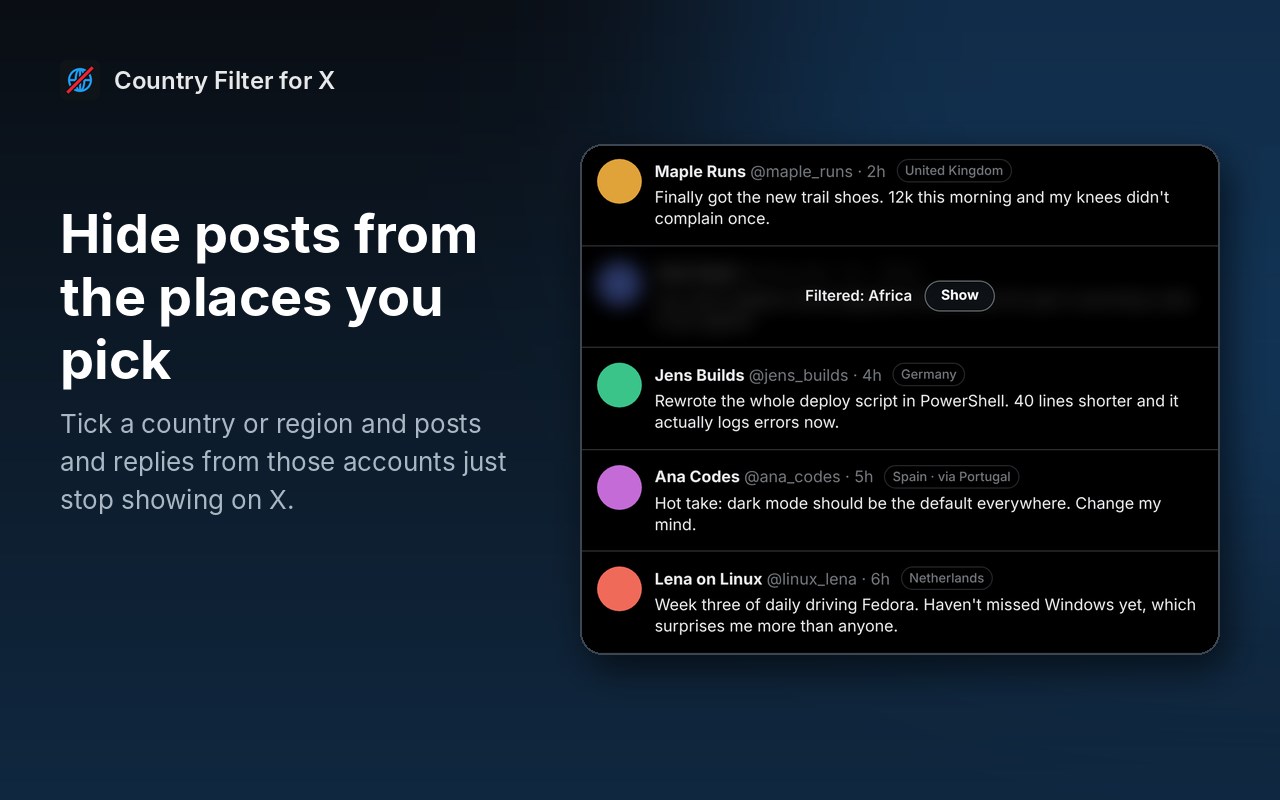
Hide or blur X posts and replies from the countries and regions you choose, using X's own "Account based in" info.
截图
简介
X now shows where every account is based on its "About this account" page. Country Filter for X puts that to work on your feed.
Tick a country or a whole region, and posts and replies from accounts based there simply stop showing. No more scrolling past the same engagement farms and reply spam.
What it does:
- Hides posts and replies from the countries or regions you pick
- Or blurs them instead, with a Show button if you're curious
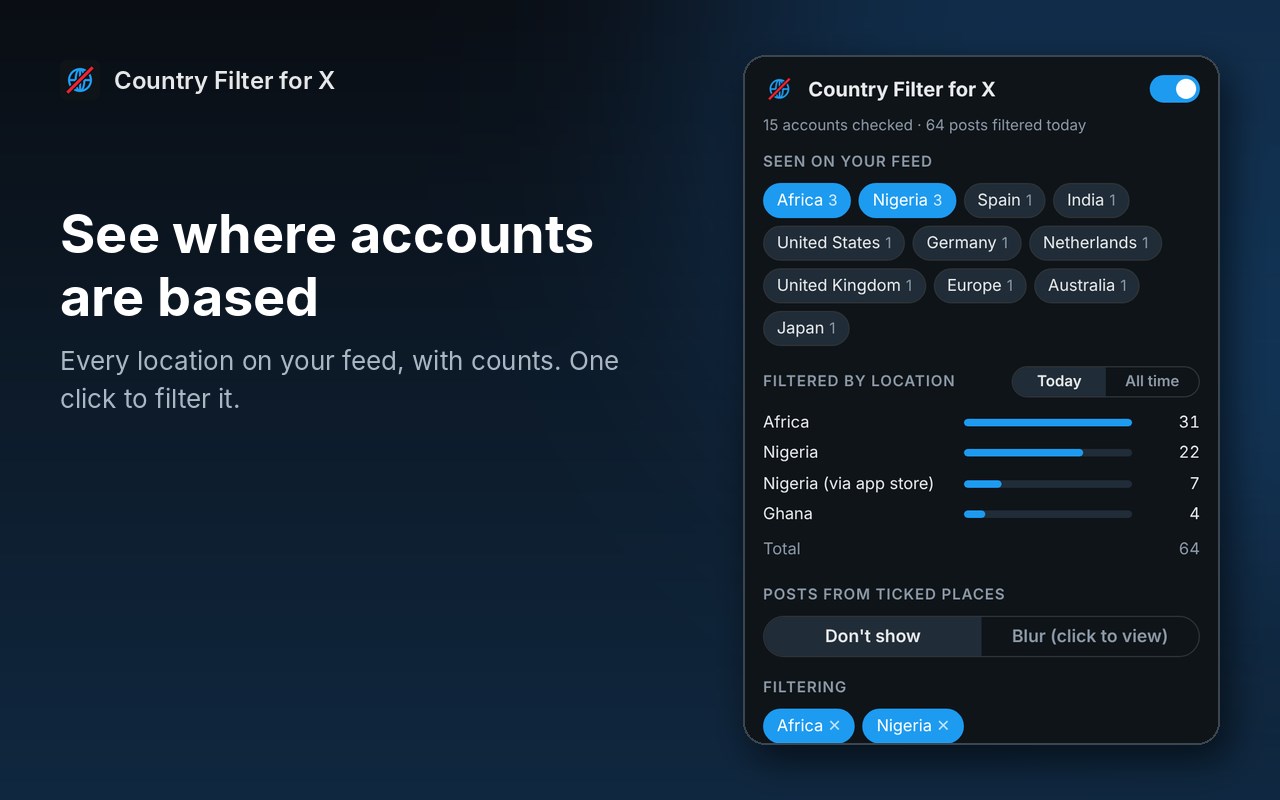
- Puts a small location tag next to every name, so you can see where accounts are based at a glance
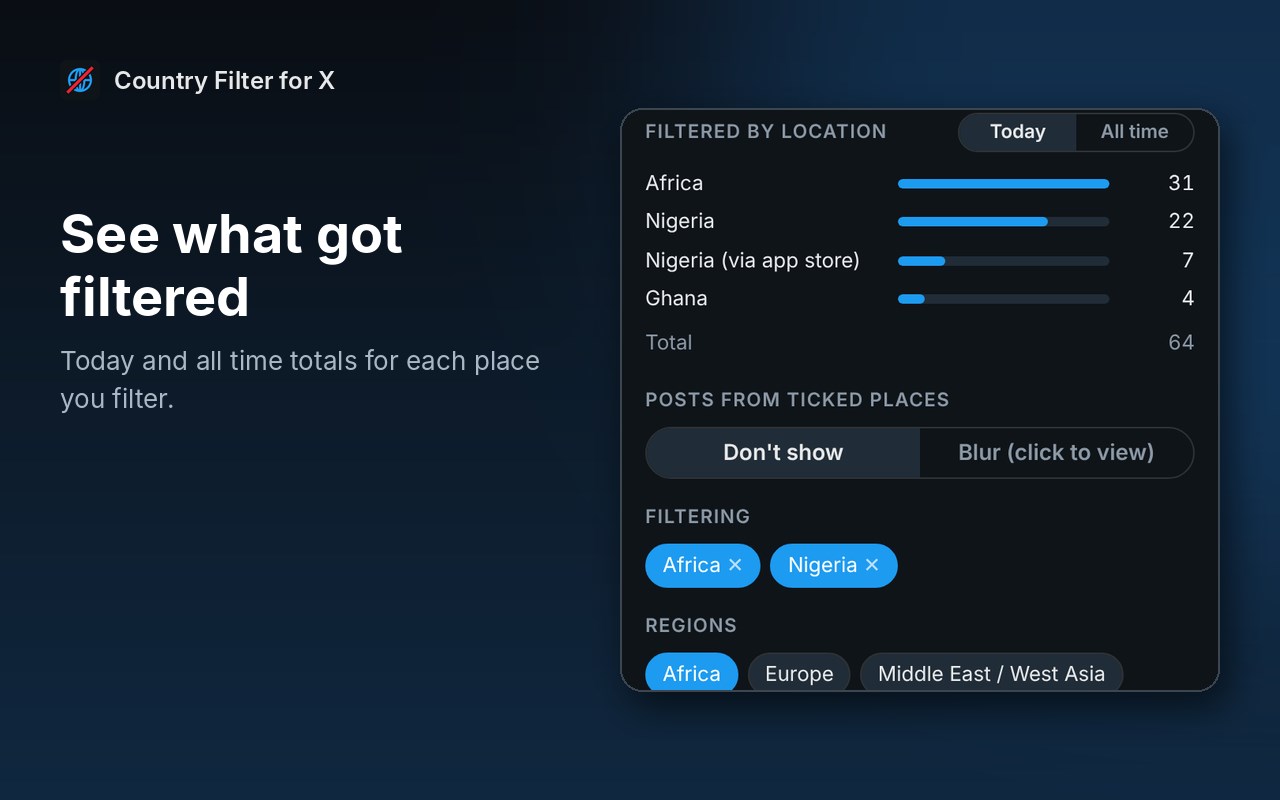
- Lists every location it has seen on your feed, with counts, so you can filter with one click
- Shows how many posts it has filtered from each place, today and all time
- Can also match the "Connected via" app store, which catches some accounts using a VPN to look like they're somewhere else
- Keeps a "never hide" list for accounts you always want to see
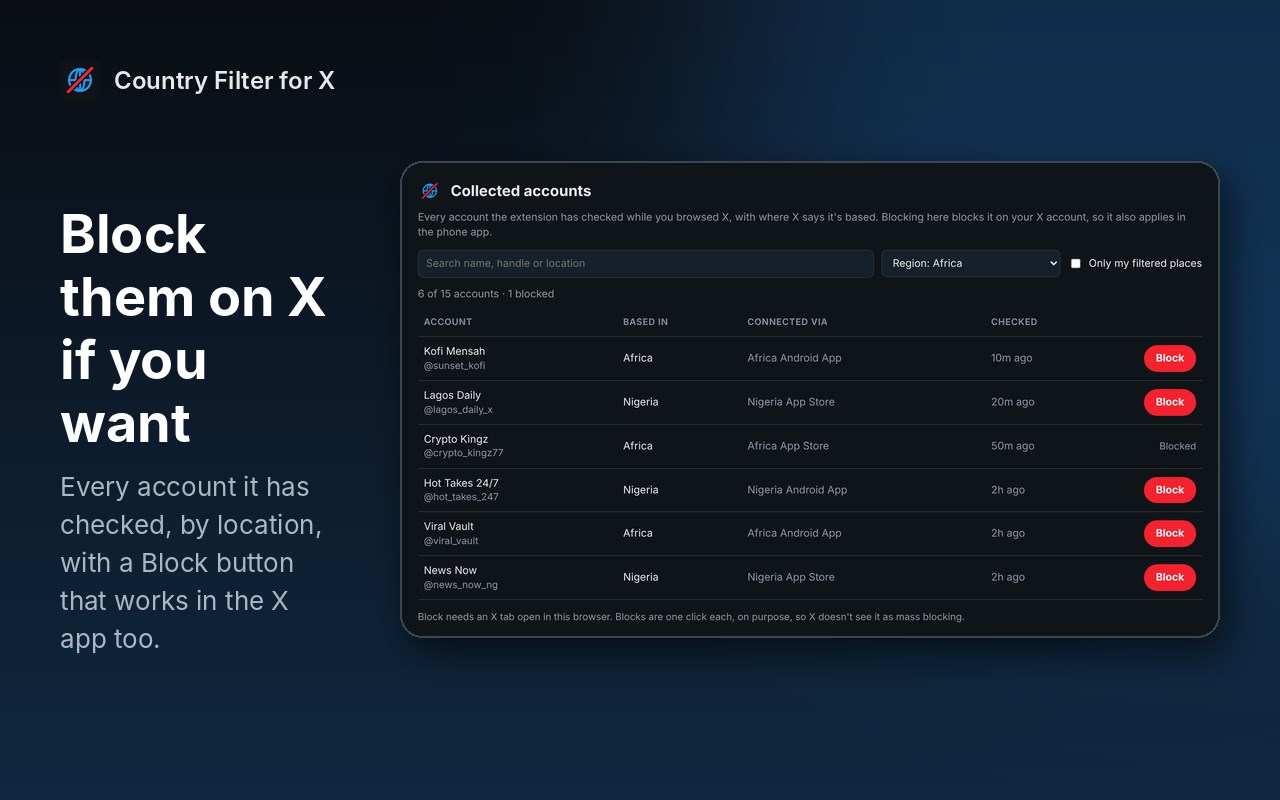
- Optional: a Collected accounts page listing every account it has checked, by location, with a Block button. Blocks go on your X account, so they work in the X phone app too. Blocking is one click per account, on purpose.
Good to know:
- It uses the same location X shows on each profile, so it's only as accurate as X's own info. Some accounts only show a region, like "Africa", so regions are included as well as countries.
- X allows about 50 new account checks every 15 minutes. Accounts are remembered for 30 days, so after the first day or so most of your feed is already known.
- It only works on x.com in your browser. It can't filter the X phone app, apart from accounts you block.
Privacy: everything stays in your browser. No account, no tracking, no servers of ours. It talks only to x.com, using your own signed-in session.
Free and open source, from TechyGeeksHome. Country Filter for X is an independent tool and is not connected to X Corp.
Country Filter for X 是做什么的
Country Filter for X 是一款面向 Edge 的实用工具类扩展,主要用来解决浏览器里某类具体的小问题。官方对它的介绍是:Hide or blur X posts and replies from the countries and regions you choose, using X's own "Account based in" info.在微软 Edge 加载项商店上,它当前版本 1.0.0。
适合什么人用
从功能定位看,Country Filter for X 更适合想补上浏览器原生缺失功能的用户。如果你平时只是偶尔遇到相关需求,用浏览器自带功能也能凑合;但如果这件事每天都发生,装一个专门处理它的扩展通常比手动操作省事得多。
怎么安装 Country Filter for X
- 打开微软 Edge 加载项商店上的官方页面;
- 点「添加到浏览器」并确认权限提示;
- 装好后在扩展列表里固定图标,方便随时开关。
本站只做索引与介绍,安装包来自官方商店。如果商店页面提示当前地区不可用,说明该扩展未在你所在区域上架。
常见问题
Country Filter for X 是免费的吗?
Country Filter for X 在微软 Edge 加载项商店免费提供下载。它是浏览器扩展,装上就能直接用,不需要注册账号。
Country Filter for X 安全吗?
它只申请了 0 项权限,范围比较克制,没有申请「读取所有网站数据」这种大权限。
Country Filter for X 支持哪些浏览器?
当前收录的版本来自微软 Edge 加载项商店,适用于 Edge。同一个扩展在其他商店可能有对应版本,但功能与版本号不一定相同。
怎么卸载 Country Filter for X?
在扩展管理页找到 Country Filter for X,点移除即可。它在本地保存的设置会一起清掉,不会残留数据。
权限清单 来自 manifest.json 原文
接口权限 1
storage