
Costco好市多图片下载器Plus
fire-team · EEdge MV3
一键下载Costco好市多商品的高清图片,轻松批量下载Costco图片为ZIP压缩文件。
截图
简介
Easily Capture Costco Product Images Like Never Before
Stop wasting hours manually saving images! Our enhanced tool empowers you to:
✅ One-click to get all images from any Costco product page
✅ Bulk saving of images in seconds - no more saving one by one
✅ Preserve Original Quality - Get images exactly as displayed (No compressed files)
✅ 100% Private - Zero servers involved, Costco-compliant
✅ Install now and streamline your image-scraping process!
Perfect For:
🛒 Sellers creating cross-platform listings
📊 Marketing teams designing print/web campaigns
📦 Suppliers building visual product databases
🔍 Researchers analyzing packaging trends
How to Use:
Download and bulk save Costco product images can be done quickly with our tool, without any need for coding. Simply follow these steps:
- Click "Add" to install the extension.
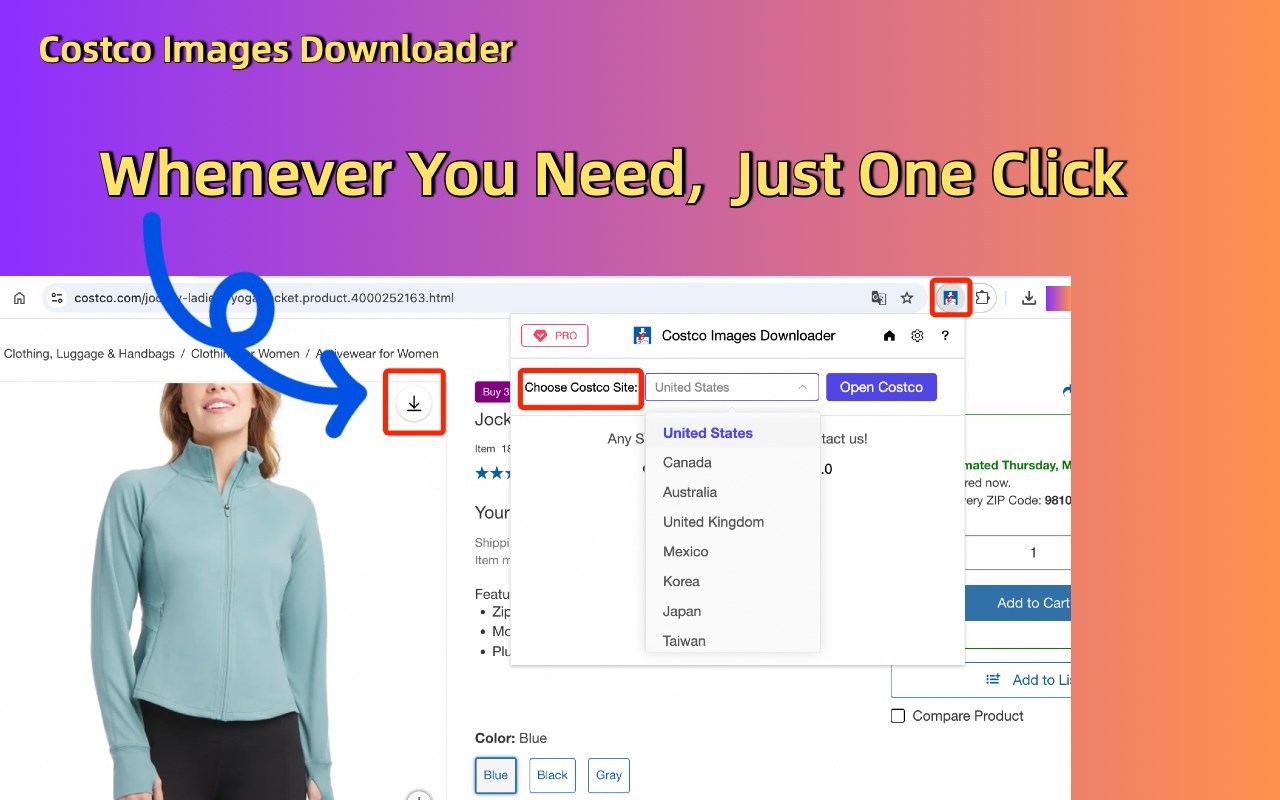
- Open any product on Costco.com.
- Click the “download icon” on the top right of the product listings images.
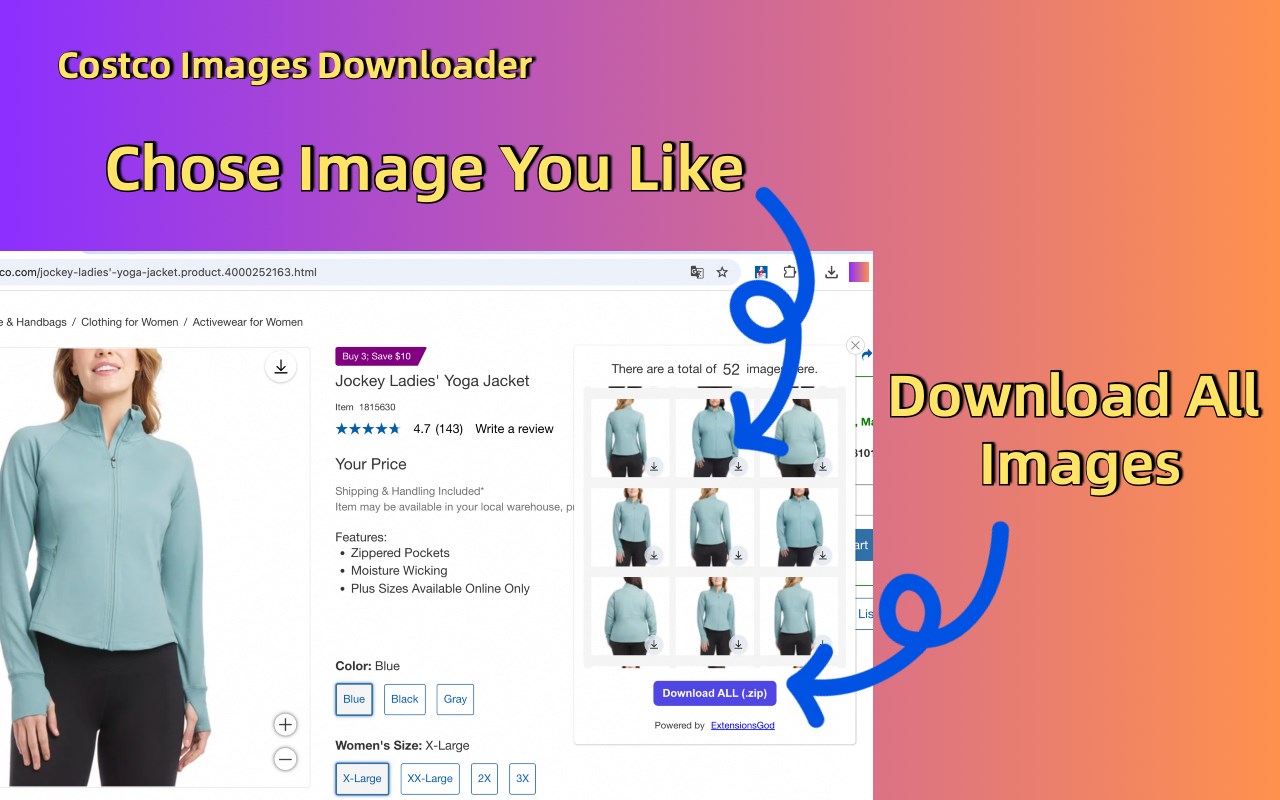
- All the product pics should be displayed on the popup window. You can save them one by one individually or as a bundled zip file.
Is it free?
Yes, it's free! You can access the basic features or upgrade to get more features.
Data Privacy
- All data is processed in your local computer, it is never passing through our web server, no one knows what you exported.
Feedback and Support:
- If you have any questions or need support, please contact us here: help@extensionsgod.com
Disclaimer
- Costco and all related marks are trademarks of Costco.com, Inc. or its affiliates. This independent project was developed by ExtensionGod and has no relationship with Costco Inc.
In-App Purchases
- Our Extension is a freemium product with a nominal subscription fee. With a paid subscription, you can download high-quality images as a bundled zip file and receive premium support. The exact cost is displayed in the extension's interface, ensuring transparency and ease of understanding.
Costco好市多图片下载器Plus 是做什么的
Costco好市多图片下载器Plus 是一款面向 Edge 的效率工具类扩展,主要用来管住注意力、屏蔽干扰站点、记录时间。官方对它的介绍是:一键下载Costco好市多商品的高清图片,轻松批量下载Costco图片为ZIP压缩文件。在微软 Edge 加载项商店上,它当前版本 1.0.6,约 26 名用户。
适合什么人用
从功能定位看,Costco好市多图片下载器Plus 更适合想专注工作学习、减少无效刷网页的用户。如果你平时只是偶尔遇到相关需求,用浏览器自带功能也能凑合;但如果这件事每天都发生,装一个专门处理它的扩展通常比手动操作省事得多。
怎么安装 Costco好市多图片下载器Plus
- 打开微软 Edge 加载项商店上的官方页面;
- 点「添加到浏览器」并确认权限提示;
- 装好后在扩展列表里固定图标,方便随时开关。
本站只做索引与介绍,安装包来自官方商店。如果商店页面提示当前地区不可用,说明该扩展未在你所在区域上架。
常见问题
Costco好市多图片下载器Plus 是免费的吗?
Costco好市多图片下载器Plus 在微软 Edge 加载项商店免费提供下载。它是浏览器扩展,装上就能直接用,不需要注册账号。
Costco好市多图片下载器Plus 安全吗?
它只申请了 0 项权限,范围比较克制,没有申请「读取所有网站数据」这种大权限。
Costco好市多图片下载器Plus 支持哪些浏览器?
当前收录的版本来自微软 Edge 加载项商店,适用于 Edge。同一个扩展在其他商店可能有对应版本,但功能与版本号不一定相同。
怎么卸载 Costco好市多图片下载器Plus?
在扩展管理页找到 Costco好市多图片下载器Plus,点移除即可。它在本地保存的设置会一起清掉,不会残留数据。
权限清单 来自 manifest.json 原文
接口权限 3
downloadsidentitystorage