
CopyLoad EN
HoangX · EEdge MV3
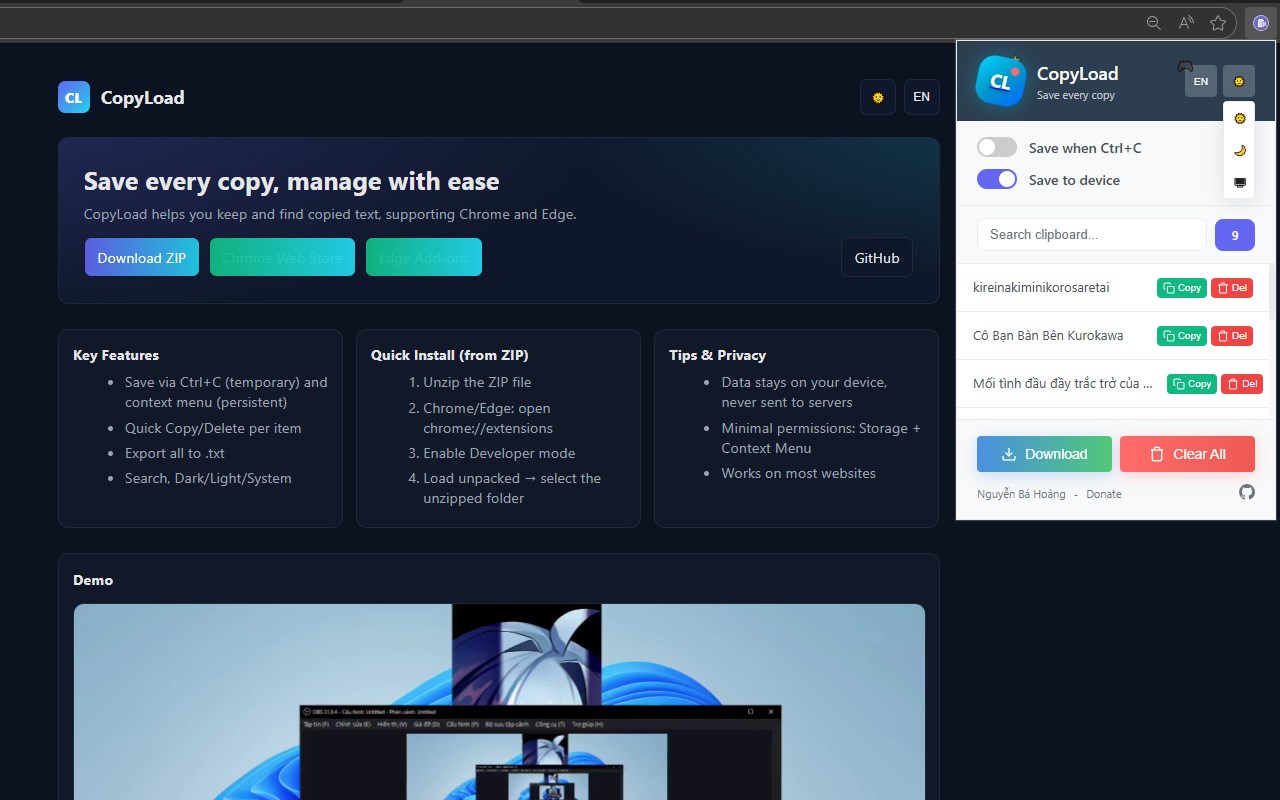
Clipboard history manager: save text and images, search, pin, paste from history, PIN lock.
<all_urls>),意味着它可以读取你在任意站点的页面内容,包括已登录的页面。这是许多扩展正常工作的必要条件,但也值得你确认来源可信。
截图
简介
CopyLoad is a privacy-first clipboard manager for Microsoft Edge. It remembers every text snippet and image you copy, so you can search, pin, and paste them back — instantly and safely.
Everything stays on your device. No accounts, no cloud sync, no telemetry, no ads.
━━━━━━━━━━━━━━━━━━━━━━━━━━━
✨ KEY FEATURES
━━━━━━━━━━━━━━━━━━━━━━━━━━━
📋 AUTOMATIC CAPTURE
• Auto-saves text on Ctrl+C, cut, and paste (optional)
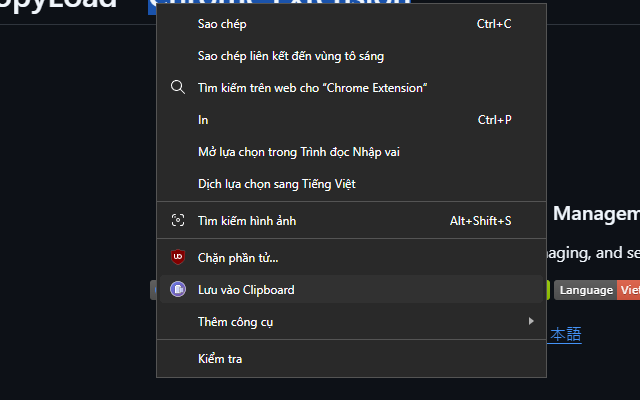
• Right-click any selection → "Save to CopyLoad"
• Right-click any image → "Save image to CopyLoad"
• Paste images directly from the system clipboard
🔍 POWERFUL SEARCH & ORGANIZE
• Instant full-text search across your history
• Auto-classifies items: text, link, email, number, code
• Pin important snippets to the top
• Bulk select, delete, or move items
• Separate temporary vs. permanent storage
🖼️ IMAGE HISTORY
• Stores copied images with thumbnails
• Pin, preview, or delete any image
• Perfect for saving screenshots, memes, and design assets
⚡ PASTE MULTI (FAST PASTE)
• Hit Ctrl+V in any input field → a history picker appears
• Pick with arrow keys or number keys 1–0
• Use Ctrl+Shift+V whenever you want a normal paste
• Saves hours of switching tabs and re-copying
🔒 SECURITY & PRIVACY
• Optional 4–6 digit PIN lock for popup, manager, and Paste Multi
• Auto-lock after inactivity
• PIN secured with PBKDF2 hashing
• Password-protected JSON export with AES-GCM encryption
• Zero network calls for clipboard data — everything stays local
💾 DATA YOU CONTROL
• Export / import history as JSON
• Optional encrypted backup with password
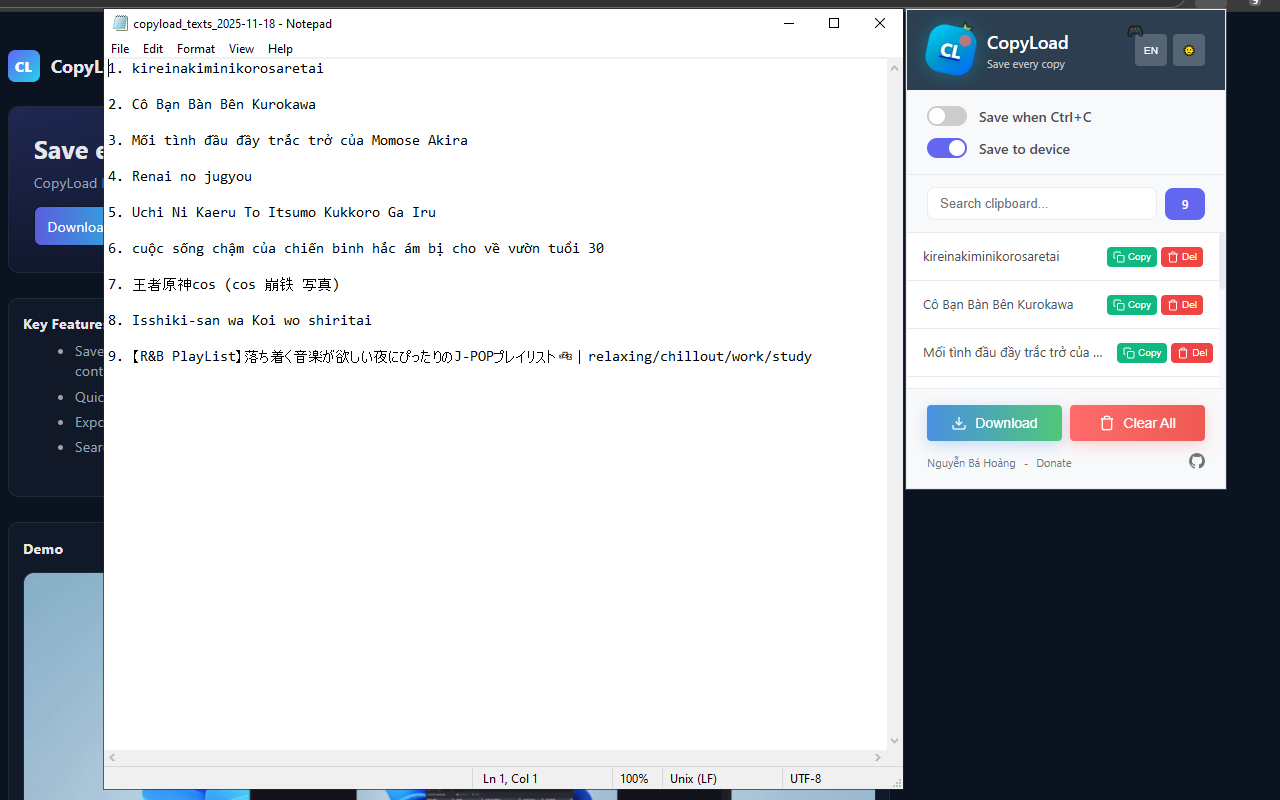
• Plain .txt export
• Auto-delete old items after a set time
• One-click "Clear all"
🎨 POLISHED UI
• Light, Dark, and System themes
• Vietnamese & English interface
• Compact popup + full-featured manager page
• Built on Manifest V3 with modern standards
━━━━━━━━━━━━━━━━━━━━━━━━━━━
🔐 YOUR PRIVACY MATTERS
━━━━━━━━━━━━━━━━━━━━━━━━━━━
• Clipboard content is stored ONLY on your device (IndexedDB + chrome.storage)
• No analytics, no tracking, no remote clipboard sync
• No data sent to any server — ever
• Open-source on GitHub: https://github.com/anhhackta/CopyLoad-Extension
Note: The PIN is a UI lock for convenience. Clipboard history in IndexedDB is not fully encrypted at rest — use the password-protected JSON export for encrypted backups.
━━━━━━━━━━━━━━━━━━━━━━━━━━━
🎯 WHO IS THIS FOR?
━━━━━━━━━━━━━━━━━━━━━━━━━━━
• Developers copying code snippets
• Writers moving text between docs
• Designers grabbing screenshots and images
• Anyone who copies the same thing twice a day
• Privacy-conscious users tired of cloud clipboard services
━━━━━━━━━━━━━━━━━━━━━━━━━━━
🚀 QUICK START
━━━━━━━━━━━━━━━━━━━━━━━━━━━
1. Install CopyLoad
2. Copy any text or image — it's saved automatically
3. Click the CopyLoad icon to view history
4. Enable "Paste Multi" in Settings for Ctrl+V paste-from-history
5. Enable PIN in Settings to lock your history
━━━━━━━━━━━━━━━━━━━━━━━━━━━
💬 SUPPORT & FEEDBACK
━━━━━━━━━━━━━━━━━━━━━━━━━━━
Website: https://anhhackta.github.io/CopyLoad-Extension/
GitHub: https://github.com/anhhackta/CopyLoad-Extension
Report a bug: https://github.com/anhhackta/CopyLoad-Extension/issues
Email support via the developer contact on this listing.
Made with ❤️ by Nguyễn Bá Hoàng (@anhhackta)
License: MIT — free and open source.
CopyLoad 是做什么的
CopyLoad 是一款面向 Edge 的效率工具类扩展,主要用来管住注意力、屏蔽干扰站点、记录时间。官方对它的介绍是:Clipboard history manager: save text and images, search, pin, paste from history, PIN lock.在微软 Edge 加载项商店上,它当前版本 1.1.2,约 4 名用户。
适合什么人用
从功能定位看,CopyLoad 更适合想专注工作学习、减少无效刷网页的用户。如果你平时只是偶尔遇到相关需求,用浏览器自带功能也能凑合;但如果这件事每天都发生,装一个专门处理它的扩展通常比手动操作省事得多。需要注意的是它作用于所有网站,装上后建议先观察一两天,确认不影响常用站点的正常使用。
怎么安装 CopyLoad
- 打开微软 Edge 加载项商店上的官方页面;
- 点「添加到浏览器」并确认权限提示;
- 装好后在扩展列表里固定图标,方便随时开关。
本站只做索引与介绍,安装包来自官方商店。如果商店页面提示当前地区不可用,说明该扩展未在你所在区域上架。
常见问题
CopyLoad 是免费的吗?
CopyLoad 在微软 Edge 加载项商店免费提供下载。它是浏览器扩展,装上就能直接用,不需要注册账号。
CopyLoad 安全吗?
它只申请了 0 项权限,范围比较克制,没有申请「读取所有网站数据」这种大权限。
CopyLoad 支持哪些浏览器?
当前收录的版本来自微软 Edge 加载项商店,适用于 Edge。同一个扩展在其他商店可能有对应版本,但功能与版本号不一定相同。
怎么卸载 CopyLoad?
在扩展管理页找到 CopyLoad,点移除即可。它在本地保存的设置会一起清掉,不会残留数据。
权限清单 来自 manifest.json 原文
站点访问(可选) 1
<all_urls>
接口权限 4
clipboardReadclipboardWritecontextMenusstorage