CopyCaution EN
Soltech Consulting · EEdge MV3
Local-first ClickFix and phishing warnings, enhanced by optional AI analysis.
截图
简介
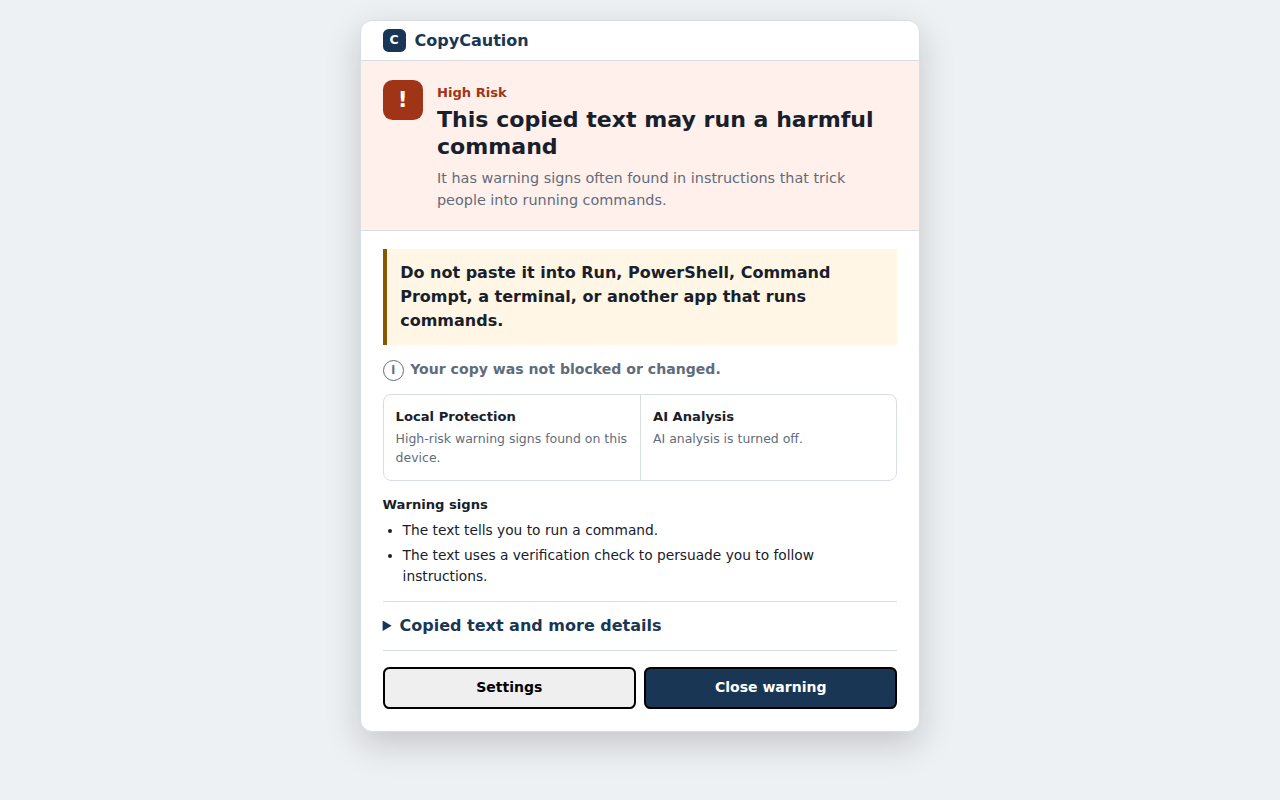
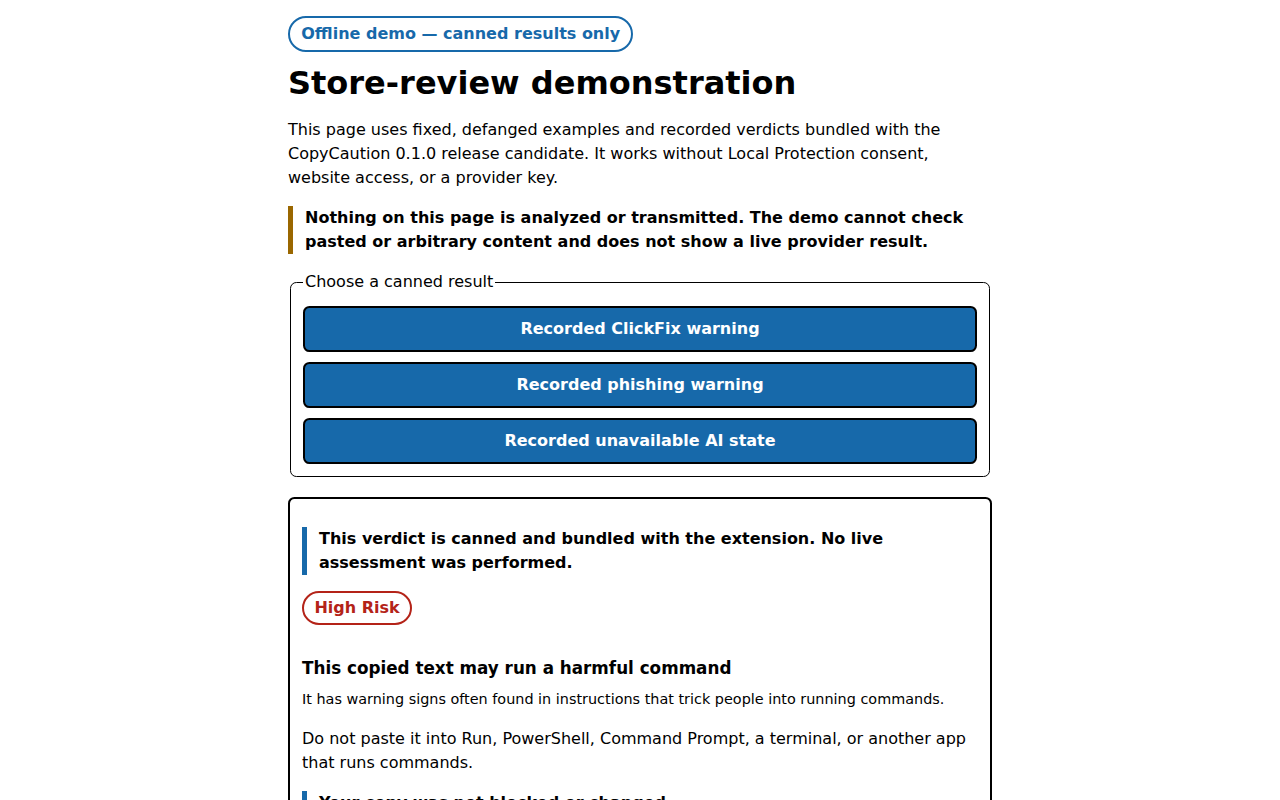
CopyCaution is a local-first Chromium extension that helps you recognize ClickFix-style copied commands and suspicious messages. It gives structured, plain-language advisory warnings before you decide what to do next.
CopyCaution never runs copied content, blocks a copy, changes the clipboard, or claims that content is safe. It cannot see what happens in Run, PowerShell, Command Prompt, Terminal, or another app outside the browser.
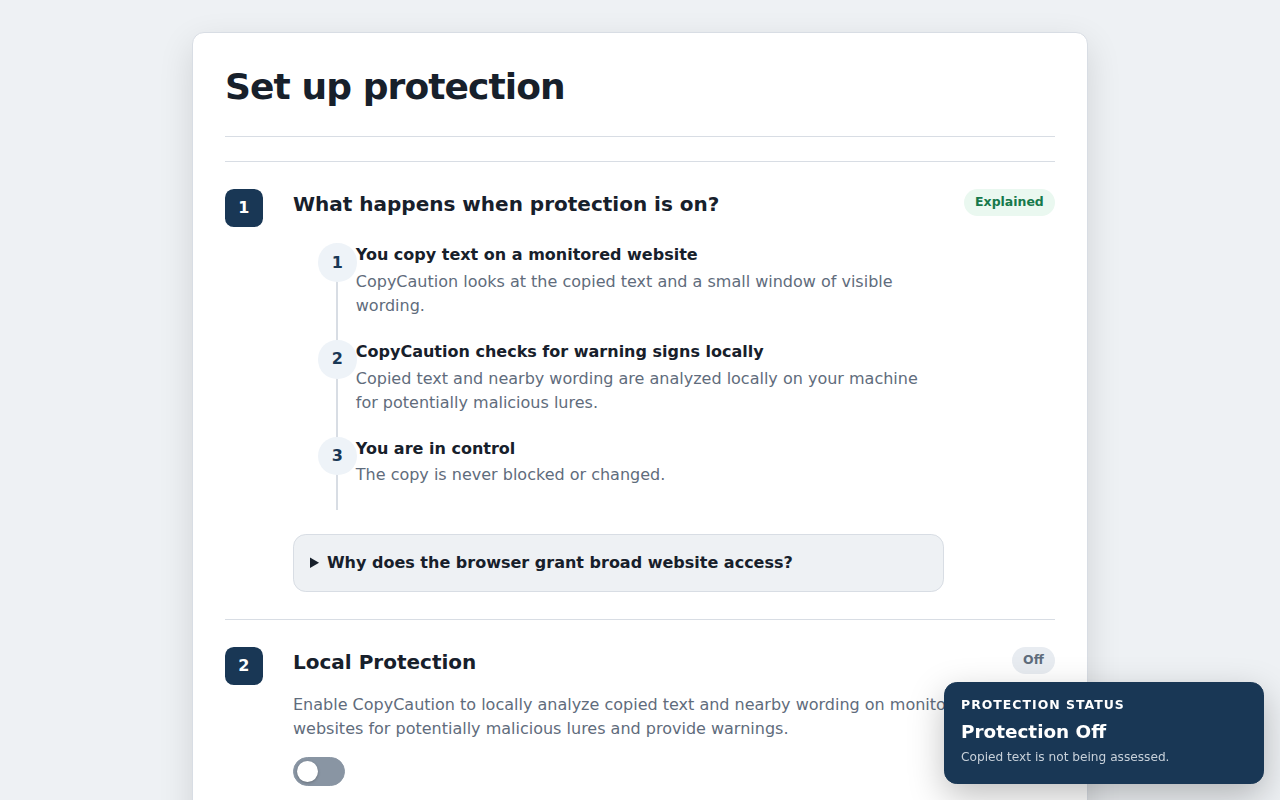
First-run setup has three steps:
1. Review how protection handles a monitored website copy.
2. Turn on Local Protection with one affirmative consent action.
3. Optionally add AI Protection using your own OpenAI or Anthropic API key.
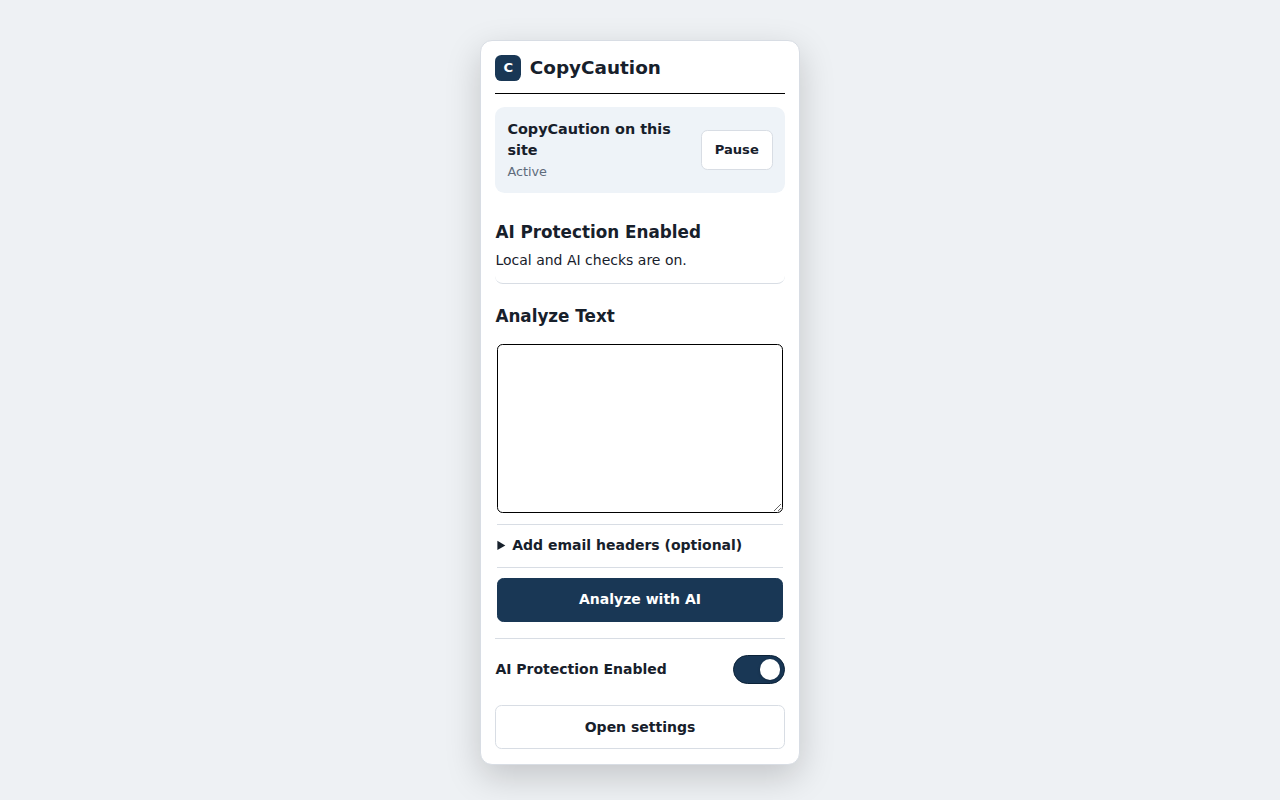
You can use Local Protection without enabling AI Protection. Paste-to-check is available when AI Protection is enabled with a tested, selected provider.
LOCAL PROTECTION FOR MONITORED WEBSITE COPIES
After you consent and enable Local Protection, CopyCaution responds when you copy text on an ordinary HTTP or HTTPS website where the browser grants site access. It assesses the copied text locally and may inspect a small, bounded window of nearby visible wording for closed lure cues. It does not proactively scan or crawl the whole page.
Local Protection looks for combinations of warning signs associated with ClickFix and related execution lures. A shell command, encoded text, or one generic phrase alone is not treated as proof of an attack.
OPTIONAL AI PROTECTION
AI Protection is off until you configure your own OpenAI or Anthropic API key, successfully test a provider, select it, review the focused disclosure, and consent. Local Protection always runs first. Clearly benign copies and text without attack-relevant signals stay on your device.
Qualifying monitored website copies may then be sent automatically to only the provider you selected. CopyCaution applies best- effort secret redaction, size, deduplication, site, private-mode, and rate controls before a request. Your provider may charge for API use. There is no fallback, retry, comparison, or hidden request to the other provider.
AI Analysis can raise a local warning or add approved reasons, but it cannot lower or clear a Local Protection warning. Provider failures leave the local warning active.
PASTE-TO-CHECK
Paste a command or copied payload for execution-risk assessment, or paste a message or email for phishing assessment after AI Protection is enabled. Paste-to-check is an explicit submit action and turns off when AI Protection is turned off, even though the selected provider and saved key remain available for later re-enablement. Optional email headers are parsed locally; if parsing succeeds, only a small approved set of fields can be submitted after focused confirmation.
LOCAL URL ADVICE
The toolbar can point out HTTP transport or address characters and structures that are commonly used to mislead. This is local URL- form advice only. CopyCaution does not use reputation data, compare the address with an official site, or label a site safe, malicious, cloned, or legitimate.
PRIVACY
- Local Protection is inactive until you consent and turn it on.
- CopyCaution does not read the general clipboard or clipboard history.
- It does not proactively scan or crawl whole pages.
- Copies are never blocked, changed, cleared, or delayed.
- There is no CopyCaution account, telemetry, analytics, crash reporting, advertising, remote configuration, or developer-operated provider proxy.
- API keys remain in trusted local extension storage and are replace/delete only; saved values are never displayed again.
- Before automatic AI Analysis, CopyCaution attempts to redact recognizable passwords, one-time codes, recovery codes, API keys, tokens, and private-key material. Redaction is best effort and may not identify every sensitive value.
- A qualifying automatic request can contain redacted copied text, at most one separately labelled redacted local analysis representation, the declared mode, and closed lure-cue codes.
- Page URL, origin, title, raw nearby wording, browsing history, clipboard history, telemetry, and analytics are never sent to an AI provider.
- You can disable automatic AI Analysis for an exact website origin while keeping Local Protection enabled.
- Private browsing is local-only in this release.
Only the one provider selected by the user receives an approved request. OpenAI and Anthropic have their own terms, retention practices, and charges.
WHY INSTALL COPYCAUTION?
- Get an advisory warning when copied text matches combined ClickFix-style execution and lure signals.
- Keep clearly benign and non-attack-relevant website copies local.
- Add optional AI-assisted analysis without sending every copy to a provider.
- Check suspicious messages and emails without connecting an inbox.
- See plain-language evidence in an extension-owned warning window that a hostile page cannot authoritatively replace.
- Keep control: turn all protection off, turn off AI while retaining Local Protection, restrict browser site access, remove site exclusions, replace or delete provider keys, and close warnings at any time.
IMPORTANT LIMITATIONS
CopyCaution provides advice, not prevention or a guarantee of safety. Coverage depends on browser-granted site access and browser- observable copy paths. It does not cover browser-internal pages, local files, mobile browsers, execution surfaces outside the browser, or every password-field, context-menu, or assistive-technology copy path. It does not perform brand-aware clone detection, domain reputation, connected-email scanning, or general clipboard monitoring.
CopyCaution 是做什么的
CopyCaution 是一款面向 Edge 的效率工具类扩展,主要用来管住注意力、屏蔽干扰站点、记录时间。官方对它的介绍是:Local-first ClickFix and phishing warnings, enhanced by optional AI analysis.在微软 Edge 加载项商店上,它当前版本 0.1.0。
适合什么人用
从功能定位看,CopyCaution 更适合想专注工作学习、减少无效刷网页的用户。如果你平时只是偶尔遇到相关需求,用浏览器自带功能也能凑合;但如果这件事每天都发生,装一个专门处理它的扩展通常比手动操作省事得多。
怎么安装 CopyCaution
- 打开微软 Edge 加载项商店上的官方页面;
- 点「添加到浏览器」并确认权限提示;
- 装好后在扩展列表里固定图标,方便随时开关。
本站只做索引与介绍,安装包来自官方商店。如果商店页面提示当前地区不可用,说明该扩展未在你所在区域上架。
常见问题
CopyCaution 是免费的吗?
CopyCaution 在微软 Edge 加载项商店免费提供下载。它是浏览器扩展,装上就能直接用,不需要注册账号。
CopyCaution 安全吗?
它只申请了 0 项权限,范围比较克制,没有申请「读取所有网站数据」这种大权限。
CopyCaution 支持哪些浏览器?
当前收录的版本来自微软 Edge 加载项商店,适用于 Edge。同一个扩展在其他商店可能有对应版本,但功能与版本号不一定相同。
怎么卸载 CopyCaution?
在扩展管理页找到 CopyCaution,点移除即可。它在本地保存的设置会一起清掉,不会残留数据。
权限清单 来自 manifest.json 原文
接口权限 2
activeTabstorage