
Copybaj EN
Md. Shahriar Alam · EEdge MV3
Plays funny sounds when copying from AI sites like ChatGPT, Claude, Gemini. Stop cheating, start coding!
截图
简介
Copybaj – Fun Sound Extension for AI Copy Awareness
Copybaj is a playful browser extension built to add a bit of humor and awareness when users copy content from AI platforms. Many people quickly copy code or text from tools like ChatGPT, Claude, Gemini, Copilot, Bard, Perplexity and similar AI assistants. Copybaj turns that moment into something memorable by playing funny meme-style sound effects whenever a copy action happens.
The extension does not block copying or interfere with workflow. Instead, it simply reacts to the action. When a user copies content from supported AI platforms, Copybaj analyzes the clipboard selection and determines whether it contains code, plain text, or a mixture of both. Based on the detected type, it plays a matching sound effect instantly.
The goal is simple. Add humor to the copy habit and gently encourage people, especially students and developers, to think about learning instead of blindly copying and pasting.
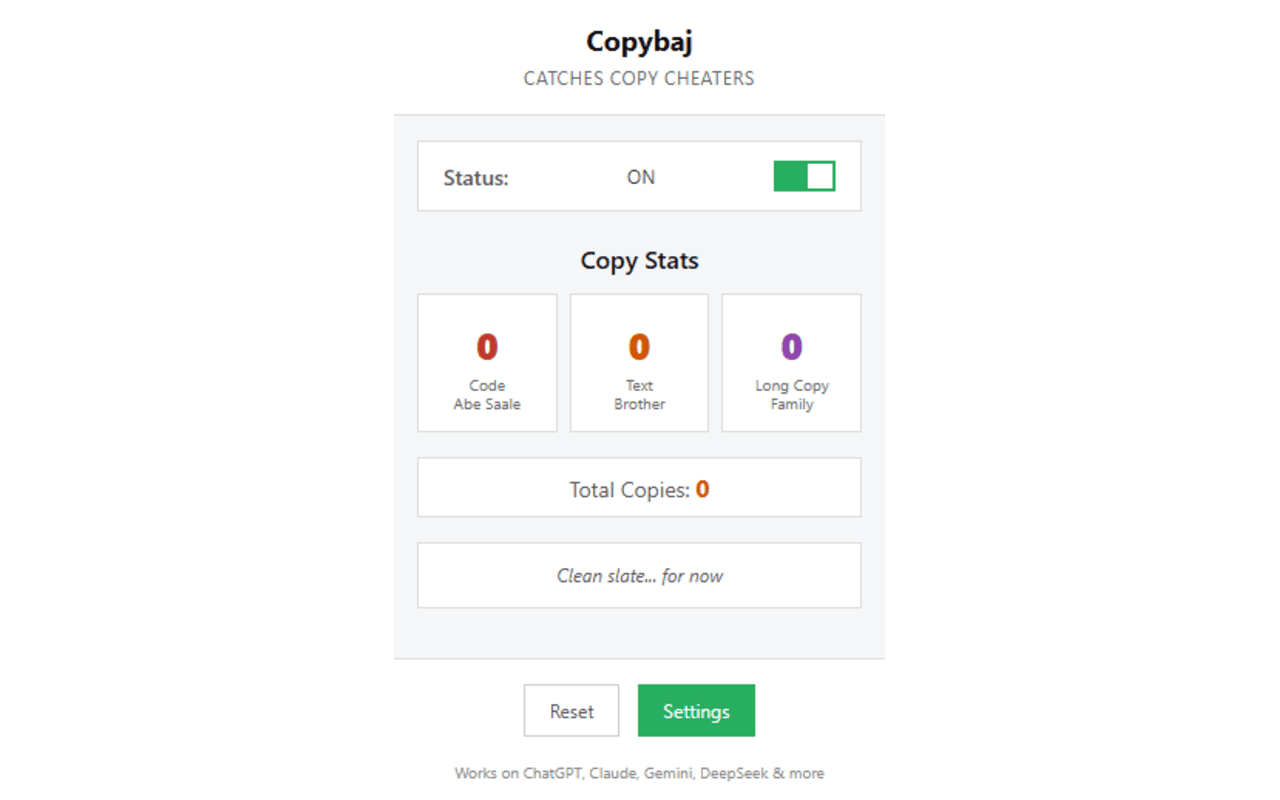
Once installed, Copybaj runs quietly in the background and automatically monitors copy actions on supported AI websites. It keeps track of how many times users copy code, text, or mixed content and stores those statistics locally inside the browser.
The extension includes a clean popup dashboard where users can see their copy statistics, quickly enable or disable the extension, and read playful roast-style messages based on their activity. A full settings page is also available for deeper customization.
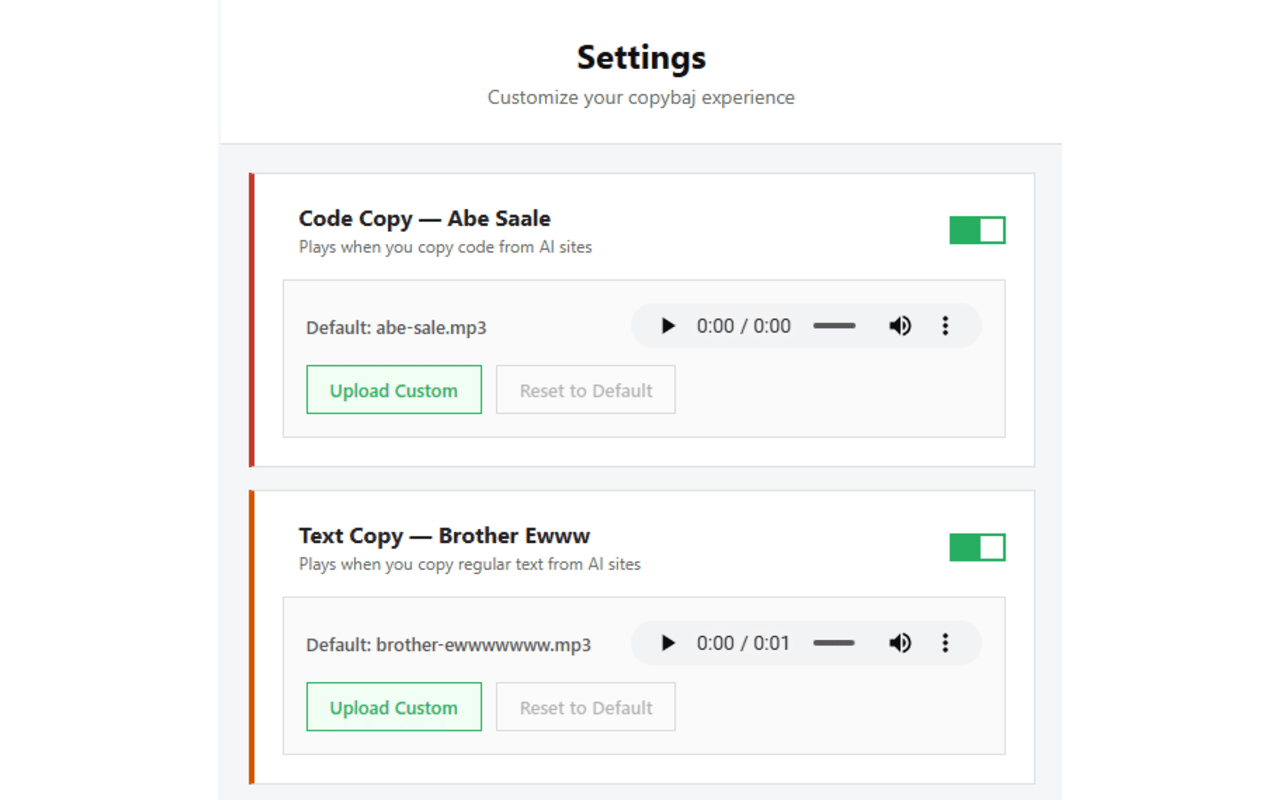
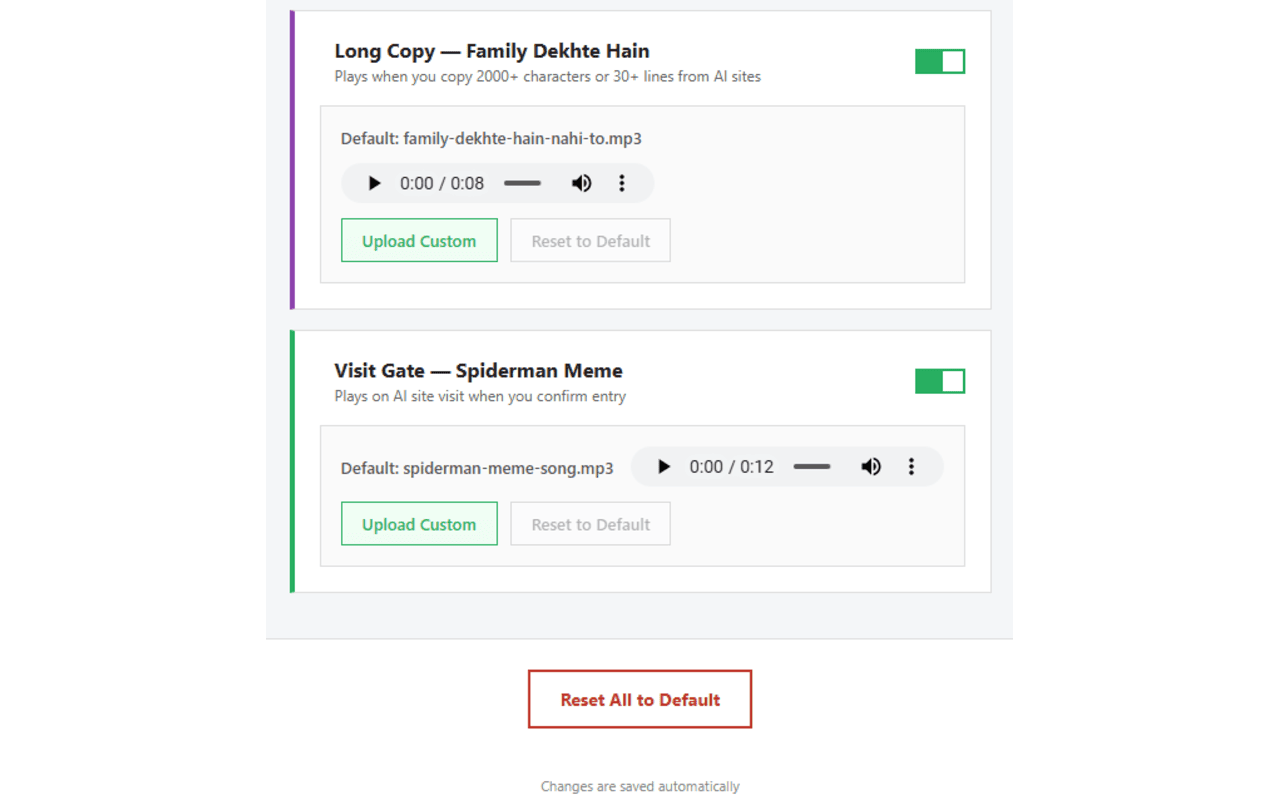
Users can upload their own custom sound clips, enable or disable sounds for specific content types, preview audio before saving changes, and reset all statistics and settings with a single click.
Copybaj is lightweight, fast, and designed to stay out of the way while still adding a fun and slightly embarrassing reminder whenever someone hits Ctrl+C on AI-generated content.
Key Features
• Plays funny meme-style sounds when users copy content from AI platforms
• Detects whether the copied content is code, plain text, or mixed
• Different sound effects for different content types
• Allows users to upload custom sound clips
• Popup dashboard showing copy statistics and activity insights
• Global enable or disable toggle
• Individual sound toggles for code, text, and mixed content
• Roast-style messages based on user copy behavior
• Reset option to clear all statistics and restore default settings
• Simple and clean popup and settings interface with sound preview support
How It Works
1. Install the extension.
2. Visit supported AI platforms.
3. When a copy action occurs, Copybaj analyzes the selected content.
4. It determines whether the content is code, text, or mixed.
5. A matching humorous sound effect plays instantly.
6. The extension records the copy action locally and updates statistics.
7. Users can open the popup panel to view their copy stats or adjust settings.
Privacy
Copybaj does not collect, transmit, or store any personal data.
All activity tracking, preferences, and statistics remain stored locally inside the user's browser environment.
No browsing data or clipboard content is sent anywhere outside the device.
Copybaj 是做什么的
Copybaj 是一款面向 Edge 的效率工具类扩展,主要用来管住注意力、屏蔽干扰站点、记录时间。官方对它的介绍是:Plays funny sounds when copying from AI sites like ChatGPT, Claude, Gemini. Stop cheating, start coding!在微软 Edge 加载项商店上,它当前版本 1.1.0,约 1 名用户。
适合什么人用
从功能定位看,Copybaj 更适合想专注工作学习、减少无效刷网页的用户。如果你平时只是偶尔遇到相关需求,用浏览器自带功能也能凑合;但如果这件事每天都发生,装一个专门处理它的扩展通常比手动操作省事得多。
怎么安装 Copybaj
- 打开微软 Edge 加载项商店上的官方页面;
- 点「添加到浏览器」并确认权限提示;
- 装好后在扩展列表里固定图标,方便随时开关。
本站只做索引与介绍,安装包来自官方商店。如果商店页面提示当前地区不可用,说明该扩展未在你所在区域上架。
常见问题
Copybaj 是免费的吗?
Copybaj 在微软 Edge 加载项商店免费提供下载。它是浏览器扩展,装上就能直接用,不需要注册账号。
Copybaj 安全吗?
它只申请了 0 项权限,范围比较克制,没有申请「读取所有网站数据」这种大权限。
Copybaj 支持哪些浏览器?
当前收录的版本来自微软 Edge 加载项商店,适用于 Edge。同一个扩展在其他商店可能有对应版本,但功能与版本号不一定相同。
怎么卸载 Copybaj?
在扩展管理页找到 Copybaj,点移除即可。它在本地保存的设置会一起清掉,不会残留数据。
权限清单 来自 manifest.json 原文
接口权限 1
storage