
ColorScope - Color Picker & Palette EN
Tan Dijital · EEdge MV3
Pick colors from any webpage, copy as HEX/RGB/HSL, build beautiful palettes, and save your color history.
截图
简介
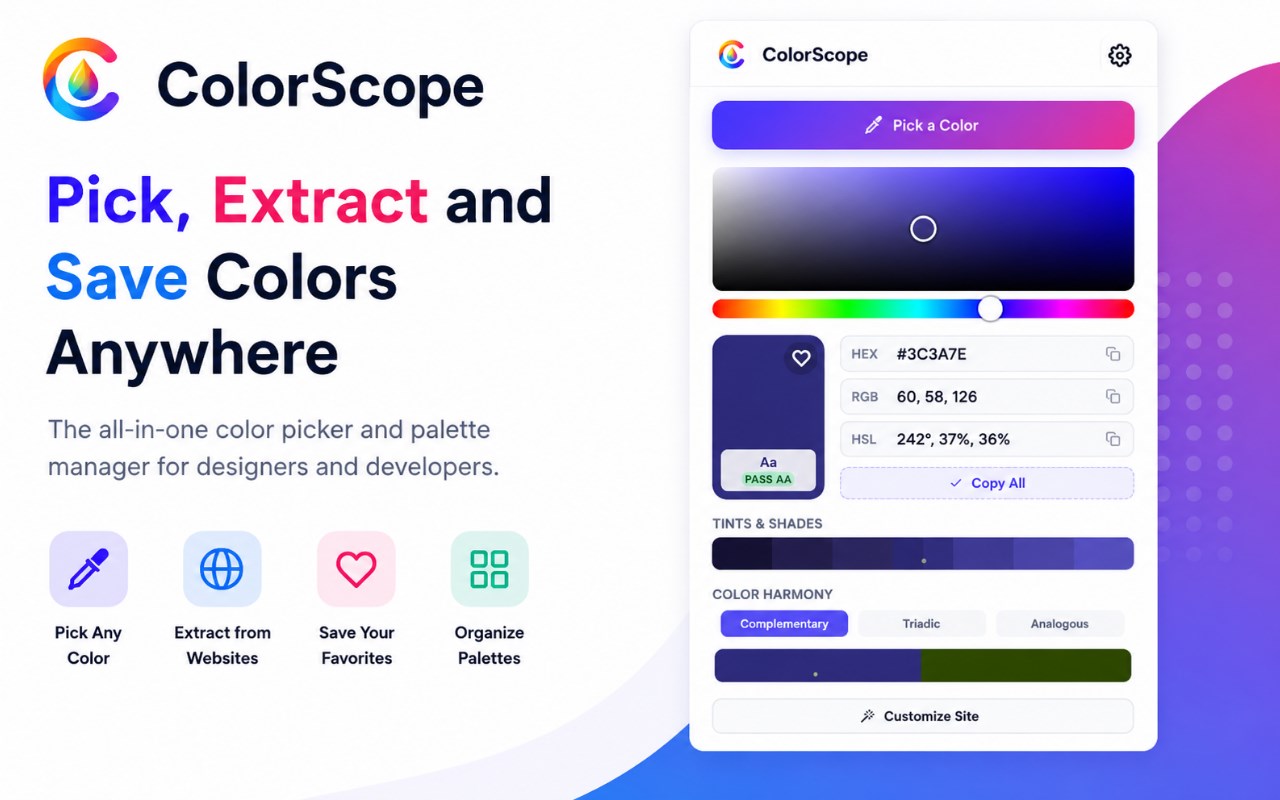
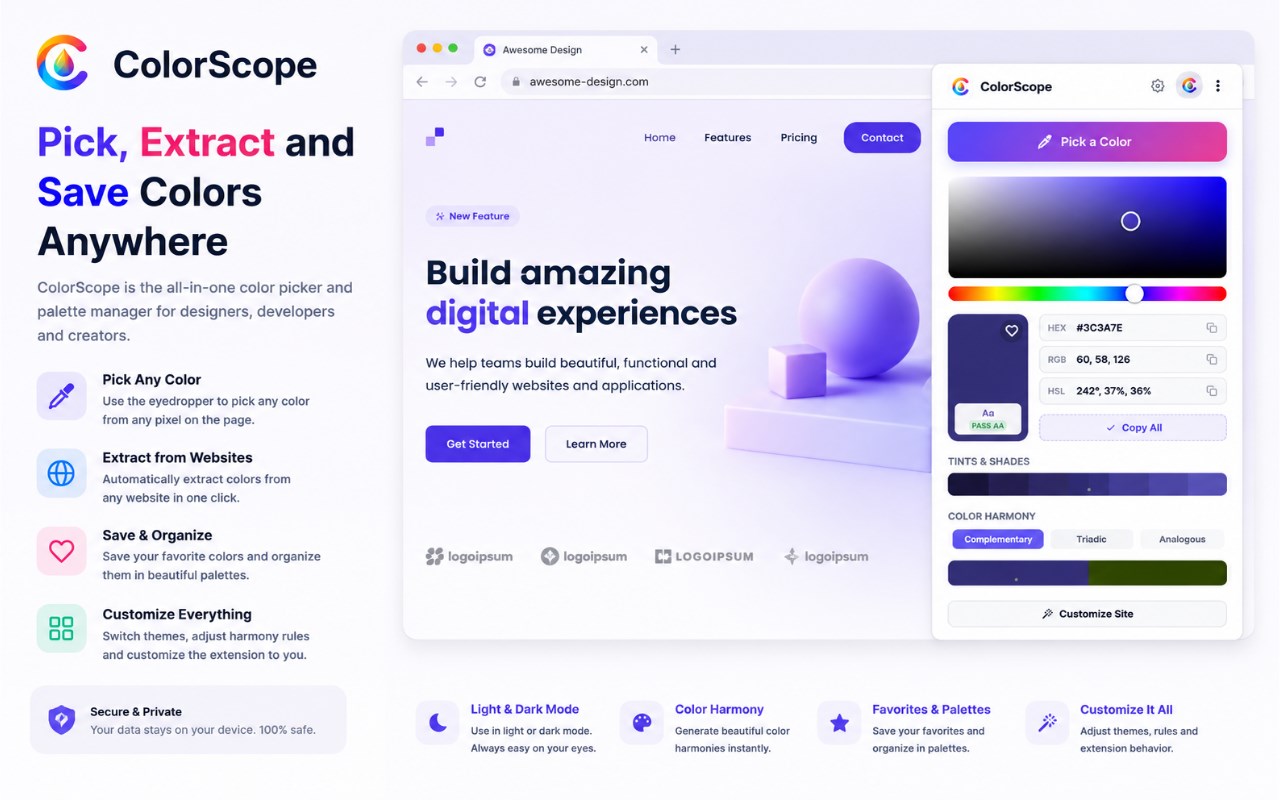
ColorScope is a browser-based color utility designed for selecting, analyzing, organizing, and testing colors directly while you browse. Built as a compact but capable workspace, it combines practical tools for designers, developers, and anyone who needs reliable color values from websites. Instead of acting as only a simple picker, it brings together page-based color capture, manual color exploration, format conversion, accessibility checks, palette management, page color scanning, and live visual experimentation in one extension.
At the center of the experience is flexible color selection. ColorScope includes a Pick a Color action that uses the browser’s eyedropper capability when supported, making it easy to capture any visible color from a webpage. It also includes a built-in canvas-based picker with a hue strip and visual color board, allowing manual browsing and fine-tuning of values inside the popup. After a color is chosen, the extension shows it in multiple formats, including HEX, RGB, HSL, HSV, and OKLCH. Each format has its own copy control, and a Copy All option is available for exporting several values quickly.
ColorScope also helps users understand how a color behaves in real design work. It can generate tints and shades for the active color, making it easier to explore lighter and darker variations for interfaces, themes, and component states. It also provides harmony modes such as complementary, triadic, and analogous combinations, helping users build more coordinated color systems. For accessibility-focused tasks, the extension includes a contrast checker with text and background controls, a visible ratio display, and pass or fail style indicators. The package also references an accessible text color suggestion feature. In addition, ColorScope includes previews for Protanopia, Deuteranopia, and Tritanopia so users can review how colors may appear under different vision conditions.
Organization is another major part of the extension. Selected colors are kept in history, and important colors can be saved to favorites with custom names. Users can also create reusable palettes and group up to five colors into collections for later use. These palettes can be copied as a plain HEX list or exported as CSS custom properties, which is useful for theme building and front-end styling work. A dedicated site tab can scan the current page and extract colors used in backgrounds, text and accents, and borders and lines, making it easier to understand the visual structure of a site at a glance.
A standout feature is the live page customization mode. ColorScope can place a floating editing bar on the current page and let users click elements to test visual changes directly. Available controls indicate support for text color, background color, border color, border side selection, corner radius, opacity, font size, and bold styling. It also includes actions for applying changes to all matching elements, undoing edits, resetting the page, copying generated CSS, scanning site colors, and picking colors directly from the page. This makes it useful for rapid experimentation before implementing final styling changes.
The extension also supports multiple languages, with package dictionaries for English, Turkish, German, Spanish, and French, and it includes Auto, Light, and Dark theme modes. Data such as color history, favorites, palettes, language, and theme are stored in browser storage. The package also defines a Pro tier with expanded limits and additional premium capabilities, along with license activation and validation controls. Overall, ColorScope is positioned as an all-in-one browser color companion for reference, testing, analysis, and workflow organization.
Key Features:
- Pick colors from webpages with the browser eyedropper when supported, or use the built-in visual color board and hue strip.
- View and copy color values in HEX, RGB, HSL, HSV, and OKLCH formats, including a Copy All option.
- Generate tints and shades, and explore complementary, triadic, and analogous harmony modes.
- Check contrast between text and background colors with ratio feedback and pass or fail style indicators.
- Preview colors under Protanopia, Deuteranopia, and Tritanopia simulation modes.
- Save recent colors in history, store favorites with custom names, and build reusable palettes of up to five colors.
- Scan the current page to extract colors used in backgrounds, text and accents, and borders and lines.
- Test live styling changes on page elements, then undo, reset, or copy generated CSS.
How It Works:
1. Open the ColorScope popup and choose a color with either the webpage eyedropper or the built-in picker.
2. Review the selected color in available formats such as HEX, RGB, HSL, HSV, and OKLCH, then copy the value you need.
3. Explore tints, shades, and harmony options to compare related colors for your design workflow.
4. Save useful colors to history, add favorites with names, or place up to five colors into a reusable palette.
5. Use the contrast checker and color vision simulation tools to evaluate readability and accessibility.
6. Open the site tab to scan the current page and collect detected colors from backgrounds, text, accents, and borders.
7. Launch live customization mode to click page elements, preview style edits, copy CSS, undo changes, or reset the page.
Privacy: - This extension stores color history, favorites, palettes, language, theme, and related settings in browser storage. The package also references browser sync storage for Pro status and license-related values, and license verification requests are used for activation and validation. It accesses the active page for color extraction and live on-page customization.
ColorScope - Color Picker & Palette 是做什么的
ColorScope - Color Picker & Palette 是一款面向 Edge 的效率工具类扩展,主要用来管住注意力、屏蔽干扰站点、记录时间。官方对它的介绍是:Pick colors from any webpage, copy as HEX/RGB/HSL, build beautiful palettes, and save your color history.在微软 Edge 加载项商店上,它当前版本 1.2.0,约 4 名用户。
适合什么人用
从功能定位看,ColorScope - Color Picker & Palette 更适合想专注工作学习、减少无效刷网页的用户。如果你平时只是偶尔遇到相关需求,用浏览器自带功能也能凑合;但如果这件事每天都发生,装一个专门处理它的扩展通常比手动操作省事得多。
怎么安装 ColorScope - Color Picker & Palette
- 打开微软 Edge 加载项商店上的官方页面;
- 点「添加到浏览器」并确认权限提示;
- 装好后在扩展列表里固定图标,方便随时开关。
本站只做索引与介绍,安装包来自官方商店。如果商店页面提示当前地区不可用,说明该扩展未在你所在区域上架。
常见问题
ColorScope - Color Picker & Palette 是免费的吗?
ColorScope - Color Picker & Palette 在微软 Edge 加载项商店免费提供下载。它是浏览器扩展,装上就能直接用,不需要注册账号。
ColorScope - Color Picker & Palette 安全吗?
它只申请了 0 项权限,范围比较克制,没有申请「读取所有网站数据」这种大权限。
ColorScope - Color Picker & Palette 支持哪些浏览器?
当前收录的版本来自微软 Edge 加载项商店,适用于 Edge。同一个扩展在其他商店可能有对应版本,但功能与版本号不一定相同。
怎么卸载 ColorScope - Color Picker & Palette?
在扩展管理页找到 ColorScope - Color Picker & Palette,点移除即可。它在本地保存的设置会一起清掉,不会残留数据。
权限清单 来自 manifest.json 原文
接口权限 4
activeTabclipboardWritescriptingstorage