
Color Tabs - Tab Organizer & Color Coding: Tabs, Icons, Bookmarks EN
MIOTIX CELLULAR APPLICATIONS LTD · EEdge MV3
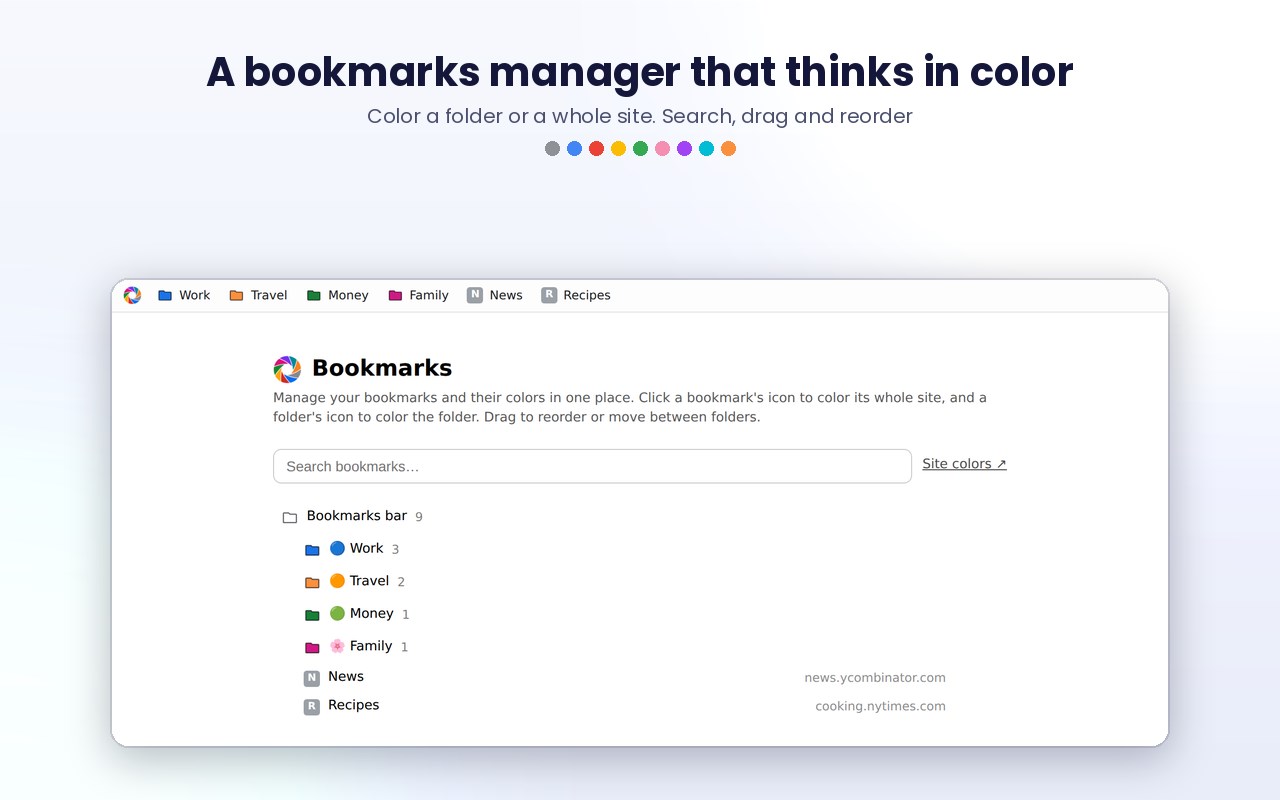
Pick a color per website. Tabs, bookmarks and folders show it everywhere - rims, rings, groups and a colored bookmarks bar.
<all_urls>),意味着它可以读取你在任意站点的页面内容,包括已登录的页面。这是许多扩展正常工作的必要条件,但也值得你确认来源可信。
截图
简介
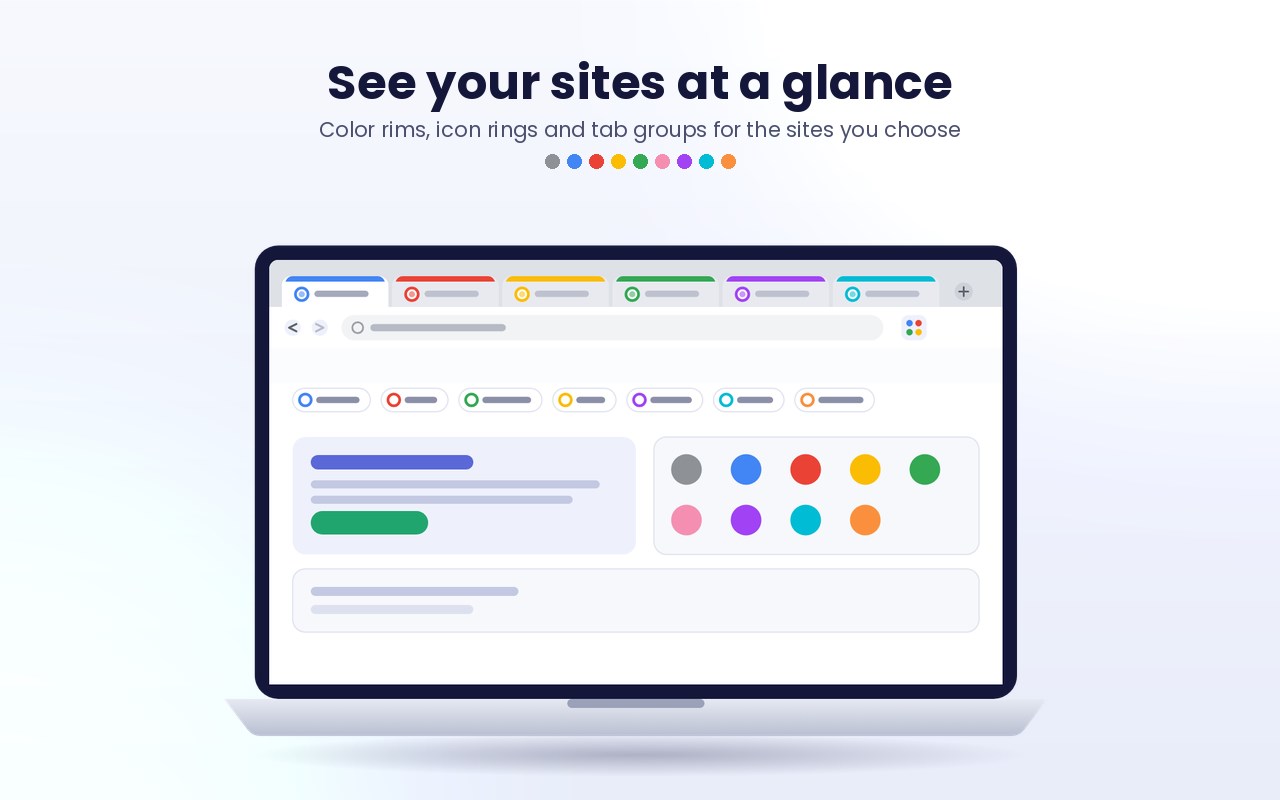
Ever hunted for the right tab among fifty? Color Tabs gives each website a color, and that color follows it everywhere: on the tab itself, around its favicon, and on its bookmarks.
COLOR A SITE IN TWO CLICKS
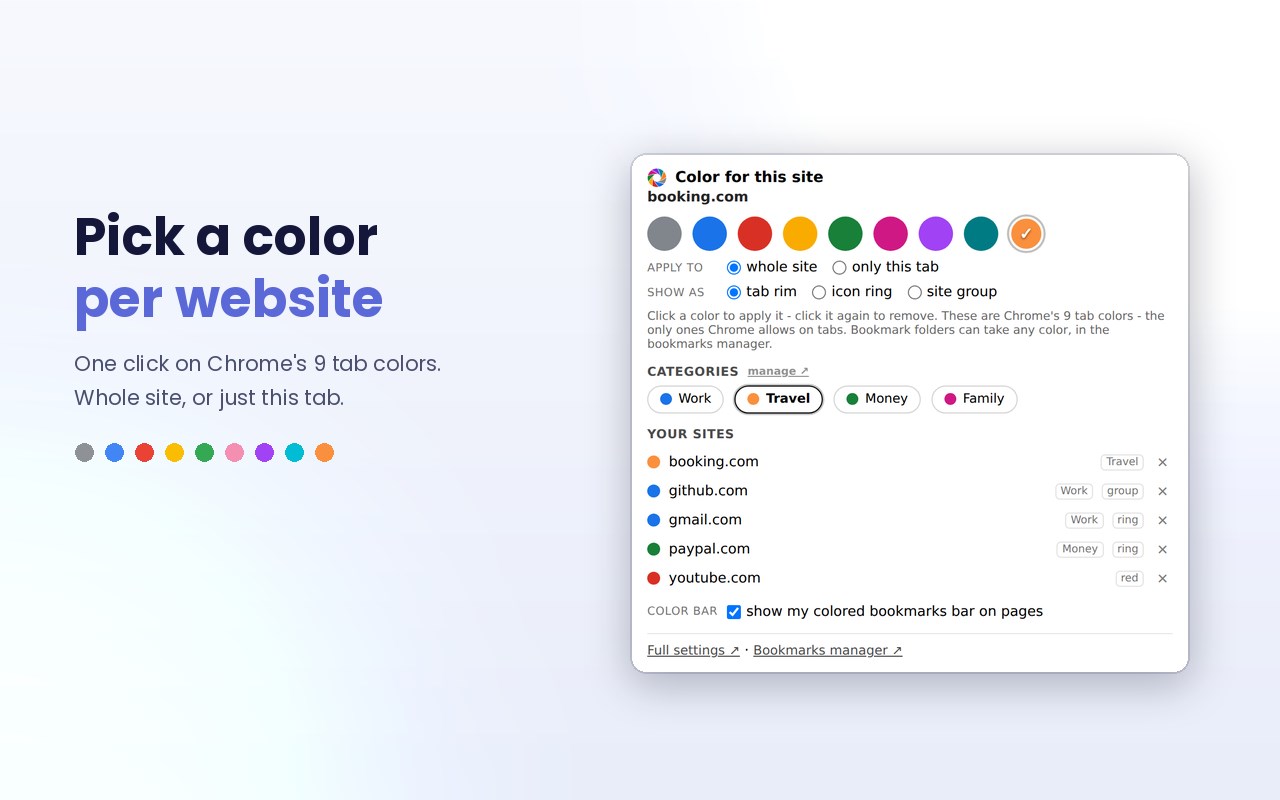
Click the toolbar icon and pick one of the browser's 9 tab colors. Choose how it shows:
- Tab rim: the tab itself gets a colored rim
- Icon ring: a colored ring around the site's favicon
- Site group: all the site's tabs collected in a named colored group
YOUR BOOKMARKS, IN COLOR
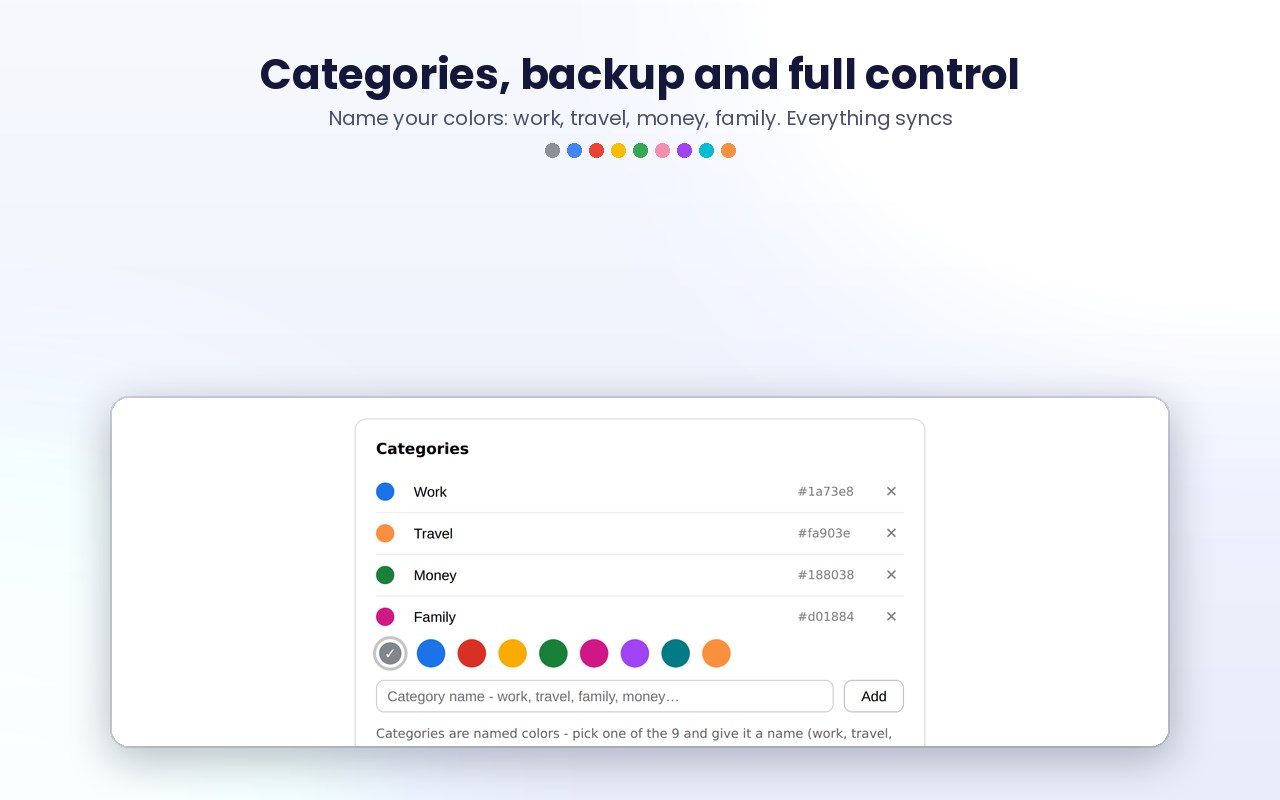
A bookmarks manager where every bookmark shows its site color and folders can take any color you like. Name your colors - work, travel, family, money - and reuse them everywhere. Drag and drop to reorder, add bookmarks and folders inline, and search instantly.
THE COLOR BAR
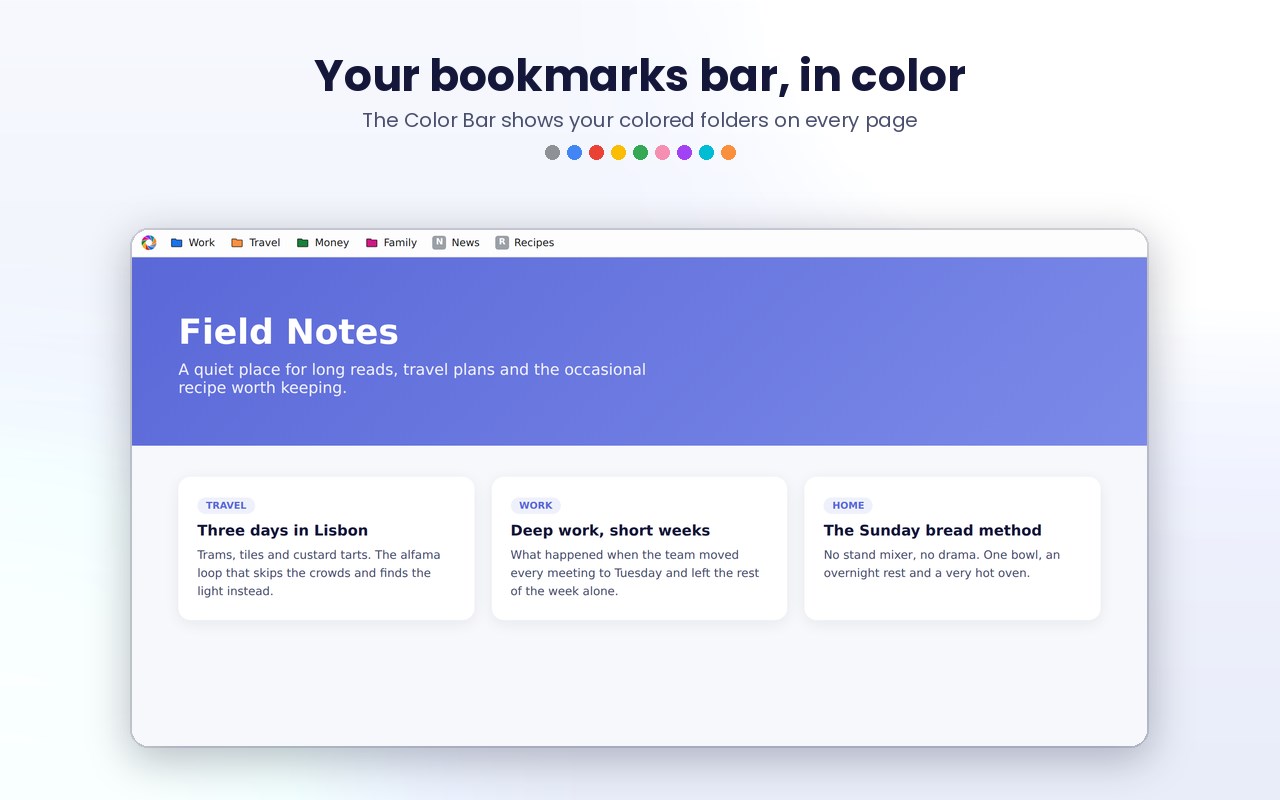
An optional bookmarks strip shown on pages - the familiar bar design, with your colors: colored rings around favicons, painted folder icons and native-style menus.
FAST AND PRIVATE
No account and no tracking. Nothing is collected - your colors sync through your own browser profile. The interface is translated into several languages and fully supports right-to-left text.
FREE AND PRO
The free plan colors up to 5 sites. Pro unlocks unlimited sites, per-tab colors, the Color Bar and backup - a one-time purchase with a 7-day free trial built in.
Color a site once - find it forever.
Color Tabs - Tab Organizer & Color Coding: Tabs, Icons, Bookmarks 是做什么的
Color Tabs - Tab Organizer & Color Coding: Tabs, Icons, Bookmarks 是一款面向 Edge 的效率工具类扩展,主要用来管住注意力、屏蔽干扰站点、记录时间。官方对它的介绍是:Pick a color per website. Tabs, bookmarks and folders show it everywhere - rims, rings, groups and a colored bookmarks bar.在微软 Edge 加载项商店上,它当前版本 2.7.8,约 88 名用户。
适合什么人用
从功能定位看,Color Tabs - Tab Organizer & Color Coding: Tabs, Icons, Bookmarks 更适合想专注工作学习、减少无效刷网页的用户。如果你平时只是偶尔遇到相关需求,用浏览器自带功能也能凑合;但如果这件事每天都发生,装一个专门处理它的扩展通常比手动操作省事得多。需要注意的是它作用于所有网站,装上后建议先观察一两天,确认不影响常用站点的正常使用。
怎么安装 Color Tabs - Tab Organizer & Color Coding: Tabs, Icons, Bookmarks
- 打开微软 Edge 加载项商店上的官方页面;
- 点「添加到浏览器」并确认权限提示;
- 装好后在扩展列表里固定图标,方便随时开关。
本站只做索引与介绍,安装包来自官方商店。如果商店页面提示当前地区不可用,说明该扩展未在你所在区域上架。
常见问题
Color Tabs - Tab Organizer & Color Coding: Tabs, Icons, Bookmarks 是免费的吗?
Color Tabs - Tab Organizer & Color Coding: Tabs, Icons, Bookmarks 在微软 Edge 加载项商店免费提供下载。它是浏览器扩展,装上就能直接用,不需要注册账号。
Color Tabs - Tab Organizer & Color Coding: Tabs, Icons, Bookmarks 安全吗?
它只申请了 0 项权限,范围比较克制,没有申请「读取所有网站数据」这种大权限。
Color Tabs - Tab Organizer & Color Coding: Tabs, Icons, Bookmarks 支持哪些浏览器?
当前收录的版本来自微软 Edge 加载项商店,适用于 Edge。同一个扩展在其他商店可能有对应版本,但功能与版本号不一定相同。
怎么卸载 Color Tabs - Tab Organizer & Color Coding: Tabs, Icons, Bookmarks?
在扩展管理页找到 Color Tabs - Tab Organizer & Color Coding: Tabs, Icons, Bookmarks,点移除即可。它在本地保存的设置会一起清掉,不会残留数据。
权限清单 来自 manifest.json 原文
站点访问(可选) 2
http://*/*https://*/*
接口权限 7
alarmsbookmarkscontextMenusscriptingstoragetabGroupstabs