
Claude Code Browser Bridge EN
tribixbite · EEdge MV3
Bridges Claude Code CLI to Edge Android via WebSocket
<all_urls>),意味着它可以读取你在任意站点的页面内容,包括已登录的页面。这是许多扩展正常工作的必要条件,但也值得你确认来源可信。
截图
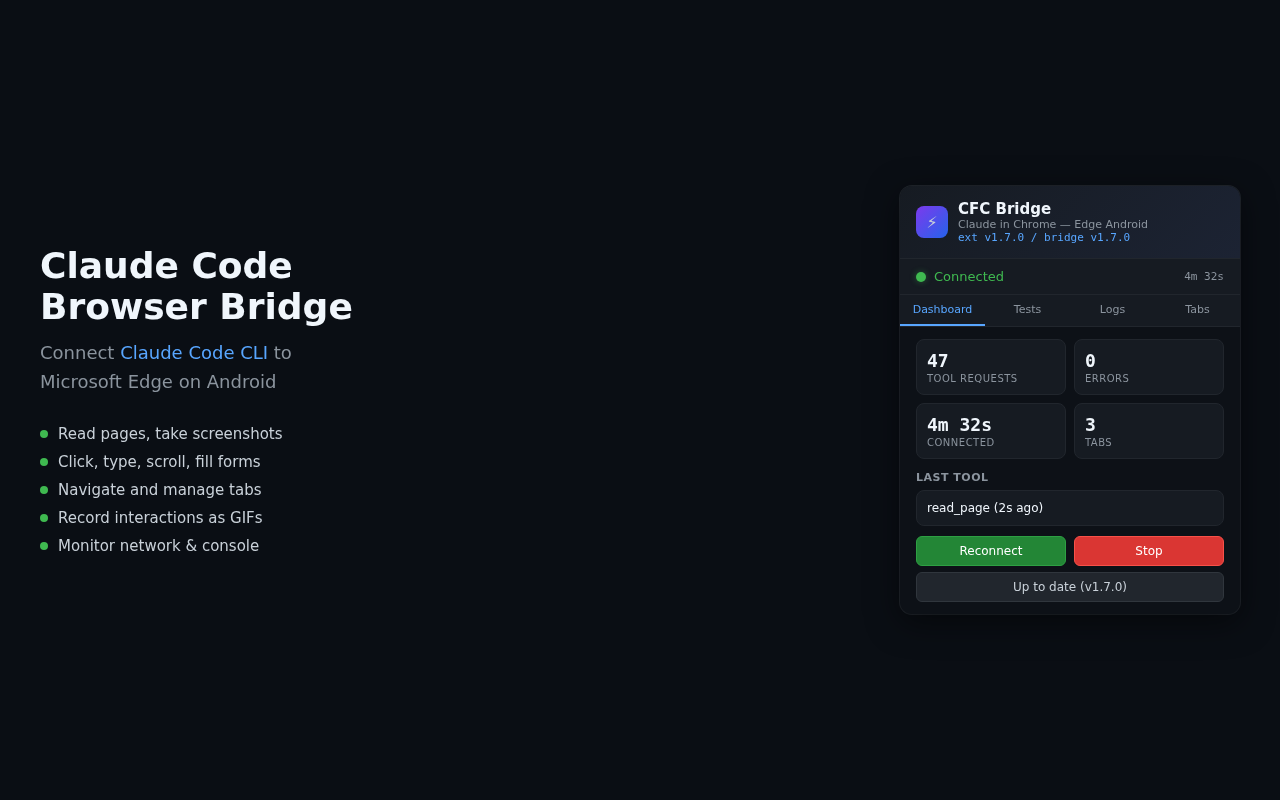
简介
# Edge Add-ons Store Listing
## Extension Name
Claude Code Browser Bridge
## Short Description (132 chars max)
Connects Claude Code CLI to your browser — enables AI-powered browser automation, screenshots, page reading, and form interaction.
## Full Description
Claude Code Browser Bridge connects the Claude Code command-line AI assistant to Microsoft Edge on Android. It enables Claude to interact with web pages through your browser — reading page content, taking screenshots, clicking elements, filling forms, and navigating tabs.
**How it works:**
- A lightweight WebSocket bridge runs in Termux on your Android device
- This extension connects to the bridge and exposes browser capabilities to Claude Code
- Claude Code's MCP (Model Context Protocol) tools can then control the browser
**Features:**
- Read page accessibility trees and full text content
- Take screenshots of any tab
- Click, type, scroll, and interact with page elements
- Navigate between tabs and create new ones
- Fill forms and upload images
- Record multi-step interactions as GIFs
- Monitor network requests and console messages
**Requirements:**
- Android device with Termux installed
- Claude Code CLI (via npm: @anthropic-ai/claude-code)
- Node.js or Bun runtime in Termux
**Setup:**
1. Install this extension in Edge
2. In Termux, run: `npx claude-chrome-android --setup`
3. Start the bridge: `npx claude-chrome-android`
4. The extension auto-connects to the local bridge
**Open Source:** https://github.com/tribixbite/termux-tools
## Category
Developer Tools
## Privacy Policy URL
https://github.com/tribixbite/termux-tools/blob/main/edge-claude-ext/PRIVACY.md
## Support URL
https://github.com/tribixbite/termux-tools/issues
## Website
https://github.com/tribixbite/termux-tools
## Screenshots needed (640x480 or 1280x800)
1. Extension popup showing connected status with bridge
2. Claude Code interacting with a web page via the extension
3. Extension popup showing tab management
Claude Code Browser Bridge 是做什么的
Claude Code Browser Bridge 是一款面向 Edge 的实用工具类扩展,主要用来解决浏览器里某类具体的小问题。官方对它的介绍是:Bridges Claude Code CLI to Edge Android via WebSocket在微软 Edge 加载项商店上,它当前版本 1.9.0,约 3,636 名用户。
适合什么人用
从功能定位看,Claude Code Browser Bridge 更适合想补上浏览器原生缺失功能的用户。如果你平时只是偶尔遇到相关需求,用浏览器自带功能也能凑合;但如果这件事每天都发生,装一个专门处理它的扩展通常比手动操作省事得多。需要注意的是它作用于所有网站,装上后建议先观察一两天,确认不影响常用站点的正常使用。
怎么安装 Claude Code Browser Bridge
- 打开微软 Edge 加载项商店上的官方页面;
- 点「添加到浏览器」并确认权限提示;
- 装好后在扩展列表里固定图标,方便随时开关。
本站只做索引与介绍,安装包来自官方商店。如果商店页面提示当前地区不可用,说明该扩展未在你所在区域上架。
常见问题
Claude Code Browser Bridge 是免费的吗?
Claude Code Browser Bridge 在微软 Edge 加载项商店免费提供下载。它是浏览器扩展,装上就能直接用,不需要注册账号。
Claude Code Browser Bridge 安全吗?
它只申请了 0 项权限,范围比较克制,没有申请「读取所有网站数据」这种大权限。
Claude Code Browser Bridge 支持哪些浏览器?
当前收录的版本来自微软 Edge 加载项商店,适用于 Edge。同一个扩展在其他商店可能有对应版本,但功能与版本号不一定相同。
怎么卸载 Claude Code Browser Bridge?
在扩展管理页找到 Claude Code Browser Bridge,点移除即可。它在本地保存的设置会一起清掉,不会残留数据。
权限清单 来自 manifest.json 原文
站点访问(可选) 1
<all_urls>
接口权限 5
activeTabcookiesscriptingtabswebRequest