
ChatGPT Chat Exporter EN
CompressUnder.com · EEdge MV3
Export your ChatGPT conversations as Copy or TXT, or print them to PDF — fast, and right from your browser.
截图
简介
ChatGPT Chat Exporter makes it easy to save the ChatGPT conversation you are currently viewing in a few practical formats directly from your browser. Built specifically for ChatGPT pages on chatgpt.com, www.chatgpt.com, and chat.openai.com, this extension focuses on one clear task: detecting an open ChatGPT conversation and helping you export it quickly without turning the browser into a general web capture tool. Its workflow is lightweight and task-oriented, making it useful for people who want to preserve chats for notes, records, reference, or offline access.
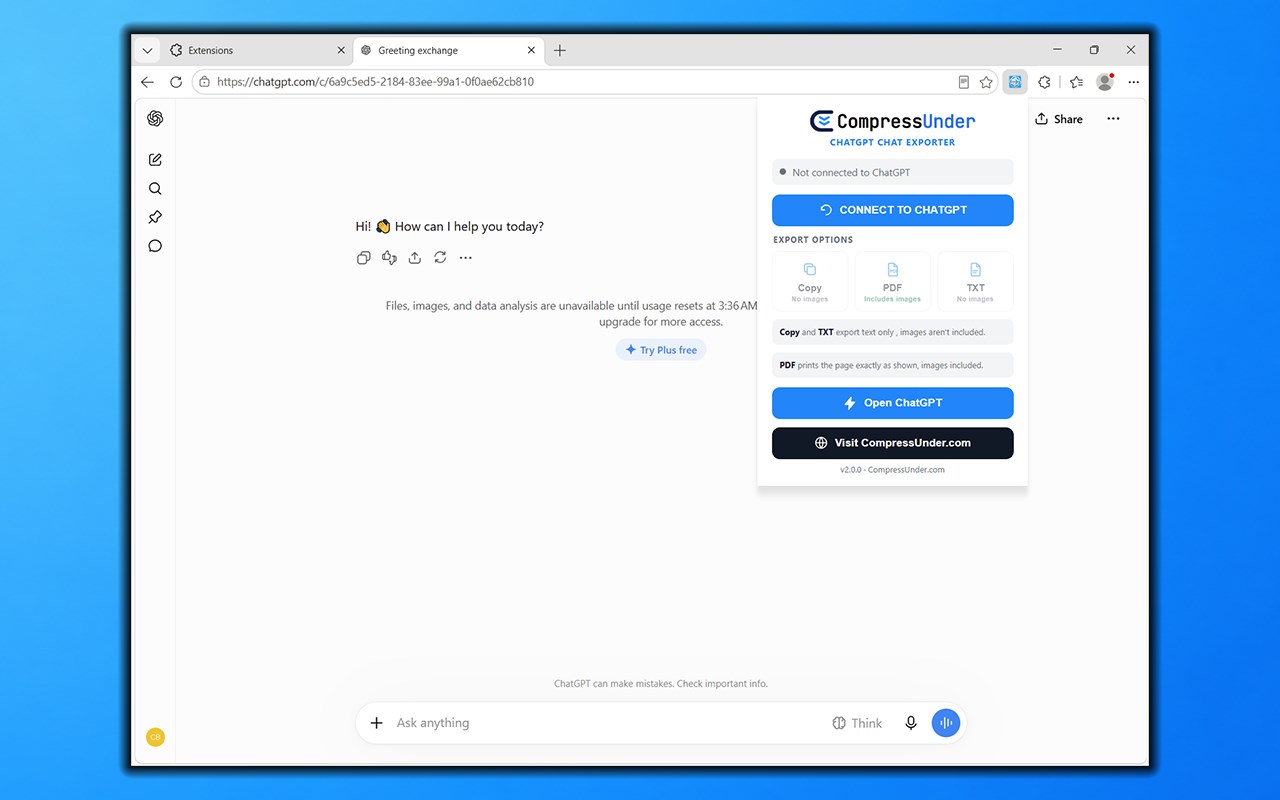
The extension uses a popup interface centered on connection and export status. When you open the popup, it checks whether it can reach a ChatGPT tab and whether a readable conversation is available. Instead of leaving the user guessing, it can show whether it is connected, whether no conversation was found, or whether the browser could not access the expected tab. This status-driven design helps avoid empty exports and gives clear feedback before any action is taken. To streamline repeat use, the extension also remembers the last connected ChatGPT tab in browser storage, allowing it to reconnect more easily if that tab is still open and valid.
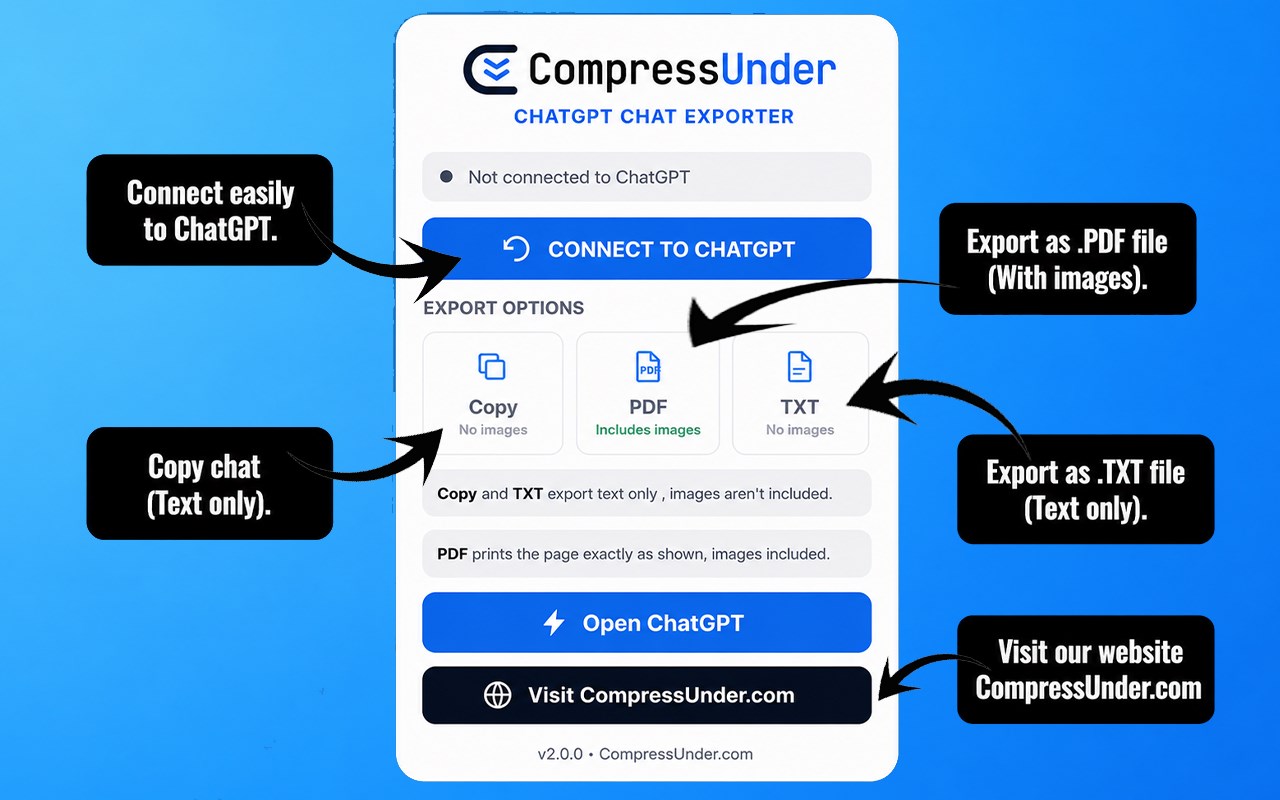
A major strength of the extension is its support for three export methods, each suited to a different use case. The Copy option extracts the visible conversation text and places it on the clipboard so it can be pasted into notes, documents, messages, or other tools right away. The TXT option turns the extracted conversation into a plain text download, which is helpful for simple archiving, documentation, and offline reading. The PDF option takes a different route by triggering the browser’s print dialog on the ChatGPT page itself. Because it works from the rendered page view rather than rebuilding the conversation as plain text, this method can preserve the page as displayed and can include images visible in the conversation.
The package shows that the extension reads rendered conversation elements from the ChatGPT page and organizes them into labeled message pairs. It identifies the role of each message and formats exported text with speaker headings such as User and ChatGPT. It also includes a fallback approach for alternate page structures, which improves reliability when the conversation layout differs. This means the tool is designed to capture the visible conversation in the browser as accurately as possible using the page itself, rather than relying on external services or separate account integrations.
The extension also includes simple convenience actions that support the export flow. If no ChatGPT tab is open, the Open ChatGPT button can focus an existing ChatGPT tab or open a new one. There is also a Visit CompressUnder.com button in the popup. Along with the connection checks and export choices, these controls give the extension a guided feel: open ChatGPT, connect to the right tab, confirm a conversation is available, and export in the format that fits your needs.
Another practical detail is that the extension attempts to recognize whether the page is in a readable state. If the expected conversation area or input interface cannot be found, it warns that no conversation is available yet. This helps prevent confusion and makes the export process more dependable. PDF export can still remain available when the ChatGPT tab is reachable, since it depends on page printing rather than text extraction alone.
Key Features:
- Works specifically with ChatGPT pages on chatgpt.com, www.chatgpt.com, and chat.openai.com.
- Offers three export methods: copy conversation text, download as TXT, or export through the browser print dialog as PDF.
- Formats extracted chat content with clear role labels such as User and ChatGPT.
- Supports text-based export for quick reuse, note-taking, and plain text archiving.
- Uses the browser’s print flow for PDF export, which can preserve the visible page and include images.
- Shows popup status messages so you can tell whether the extension is connected or whether no conversation was found.
- Remembers the last connected ChatGPT tab in storage for faster repeated use.
How It Works:
1. Open the extension popup to check whether a ChatGPT tab is available and connected.
2. If needed, use Open ChatGPT to focus an existing supported tab or open a new one.
3. Connect to the ChatGPT page so the extension can verify whether a conversation is present.
4. Choose Copy to place the visible conversation text on your clipboard.
5. Choose TXT to save the extracted dialogue as a plain text file.
6. Choose PDF to launch the browser’s print dialog for the current ChatGPT page view.
7. If no conversation is found or the tab is unavailable, the extension updates its status and prompts you to reconnect or open a valid page.
Privacy: - This extension uses permissions such as active tab access, scripting, tabs, clipboard writing, downloads, and storage to connect to ChatGPT pages, extract visible conversation text, copy content to the clipboard, download TXT files, and remember the last connected tab. The provided package description does not mention a privacy policy file, analytics logic, remote data transmission code, or any explicit statement that no personal data is collected.
ChatGPT Chat Exporter 是做什么的
ChatGPT Chat Exporter 是一款面向 Edge 的效率工具类扩展,主要用来管住注意力、屏蔽干扰站点、记录时间。官方对它的介绍是:Export your ChatGPT conversations as Copy or TXT, or print them to PDF — fast, and right from your browser.在微软 Edge 加载项商店上,它当前版本 2.0.0,约 307 名用户。
适合什么人用
从功能定位看,ChatGPT Chat Exporter 更适合想专注工作学习、减少无效刷网页的用户。如果你平时只是偶尔遇到相关需求,用浏览器自带功能也能凑合;但如果这件事每天都发生,装一个专门处理它的扩展通常比手动操作省事得多。
怎么安装 ChatGPT Chat Exporter
- 打开微软 Edge 加载项商店上的官方页面;
- 点「添加到浏览器」并确认权限提示;
- 装好后在扩展列表里固定图标,方便随时开关。
本站只做索引与介绍,安装包来自官方商店。如果商店页面提示当前地区不可用,说明该扩展未在你所在区域上架。
常见问题
ChatGPT Chat Exporter 是免费的吗?
ChatGPT Chat Exporter 在微软 Edge 加载项商店免费提供下载。它是浏览器扩展,装上就能直接用,不需要注册账号。
ChatGPT Chat Exporter 安全吗?
它只申请了 0 项权限,范围比较克制,没有申请「读取所有网站数据」这种大权限。
ChatGPT Chat Exporter 支持哪些浏览器?
当前收录的版本来自微软 Edge 加载项商店,适用于 Edge。同一个扩展在其他商店可能有对应版本,但功能与版本号不一定相同。
怎么卸载 ChatGPT Chat Exporter?
在扩展管理页找到 ChatGPT Chat Exporter,点移除即可。它在本地保存的设置会一起清掉,不会残留数据。
权限清单 来自 manifest.json 原文
接口权限 6
activeTabclipboardWritedownloadsscriptingstoragetabs