
Chat AI - SideBar AI by Fusion EN
Fusion Chat · Edge MV3
Chat AI for Edge Search: for Google, Bing, Baidu and more. Generate Images with AI. Developed on GPT-4
截图


简介
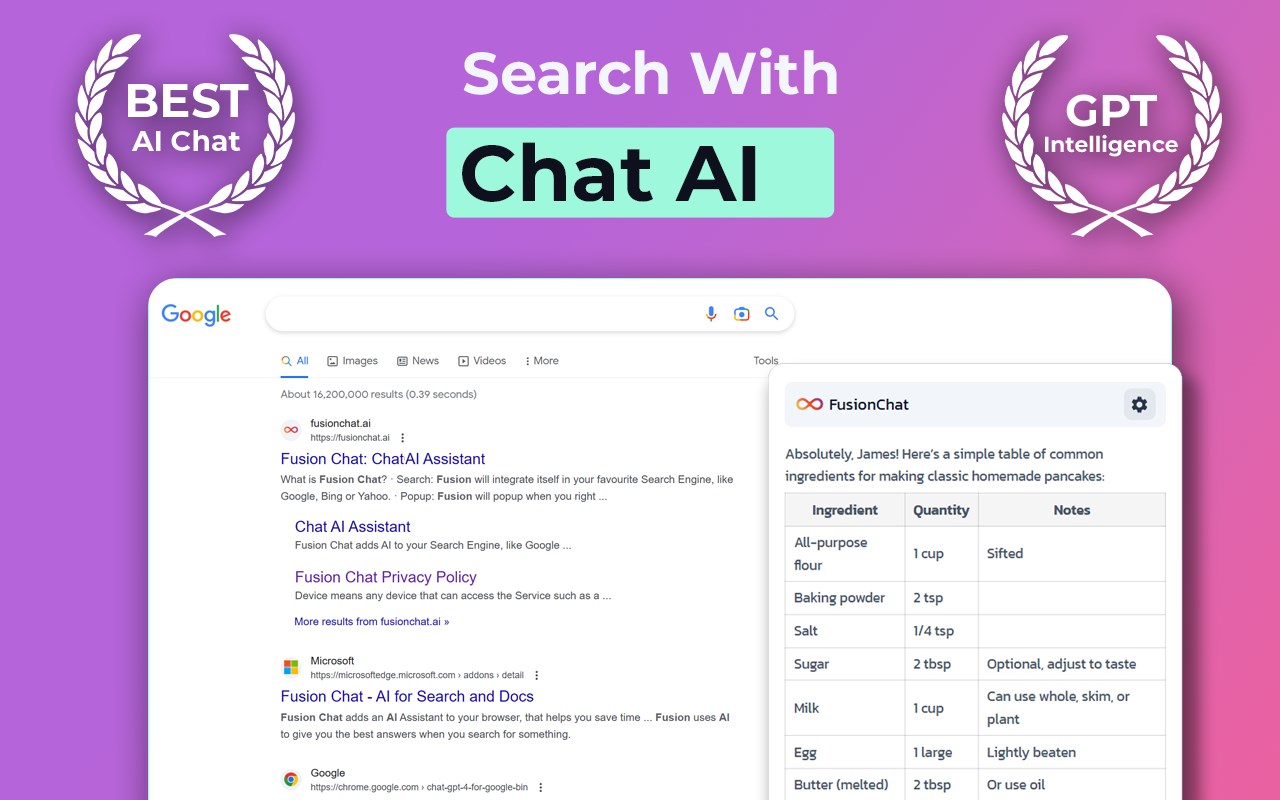
Chat AI for Edge adds an AI Assistant to your browser and search engine such as:
1️⃣Google
2️⃣Baidu
3️⃣Yahoo
4️⃣Bing
5️⃣DuckDuckGo and more
💬Chat with Chat AI every time when you search for something. You will get a detailed answer from Chat AI.🤖
It has the following main features:
1️ Search Engine Integration
➤ Add Chat AI to your Searches
🔍 Chat with Chat AI every time you search for something
2️⃣ AI image generator
➤Generate images using AI
🖼️ Bring your imagination to life by generating images using AI
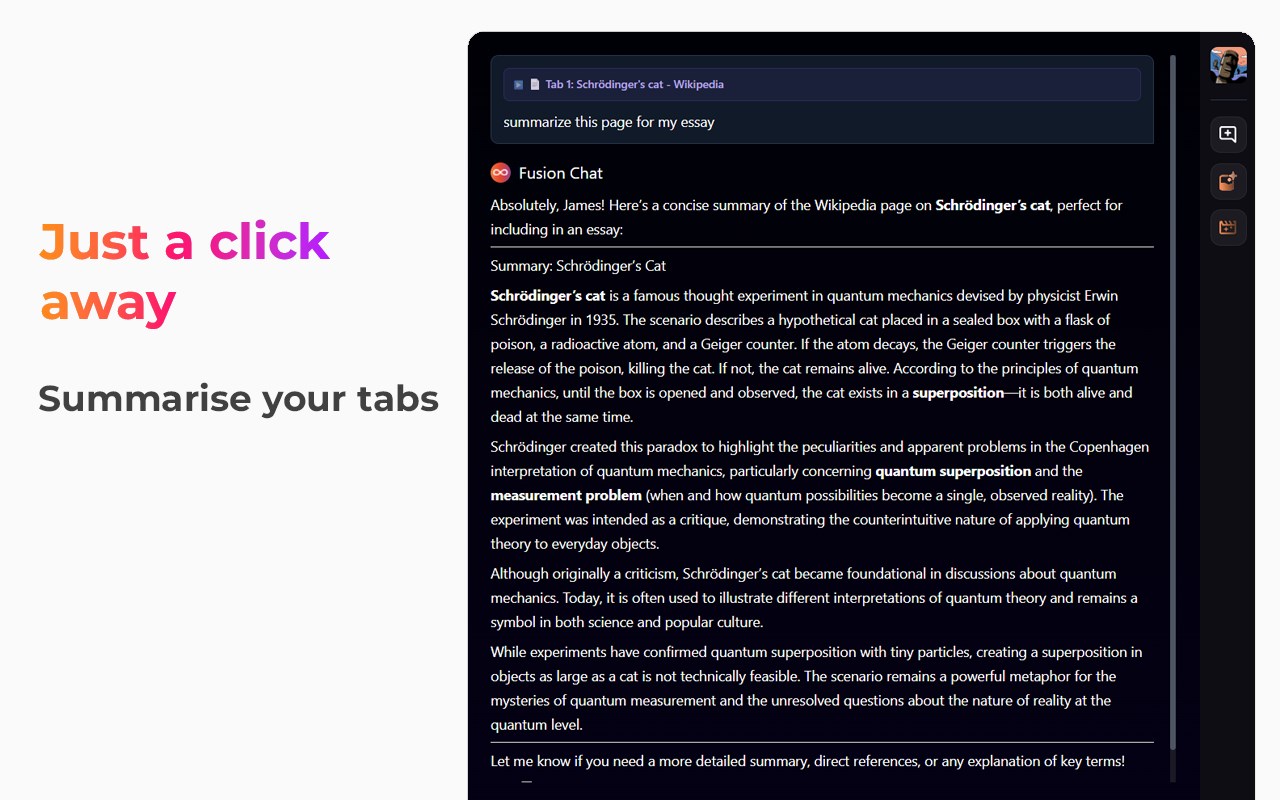
3️ Helper Popup
➤ Call fusion on any page you want by just doing the following:
✅ Click on the page and select Call Fusion
✅ Right Click on highlighted text and select Ask Fusion about: "...
✅ Use the handy shortcut Ctrl+Q (Q - for question)
4️⃣ Document Composer
➤Easily compose document or get inspiration for document, emails and even essays by asking Fusion for help. Just type
Fusion: [Prompt] ?
then press Enter Key. Fusion will start generating a response based on the Prompt given. Which is extremely helpful for generating emails, reports, essays and other documents.
➤ Where can I use Chat AI for Edge
Chat AI for Edge is designed to work seamlessly in your browser, no copy-pasting required. Use it in Google Docs, Email, Social media, and across the web. The following are popular places where Fusion Chat works
🔍 Popular Search Engines: Google, Bing etc
📰 Google Docs
📖Email
📰 LinkedIn
🎥Instagram
📰Twitter
🎥YouTube
📰Facebook
📰And any other site
➤ Fusion works by interfacing with large language models such as GPT-4, which are large language models that are trained on large text that enable the models to inhibit human-like intelligence when responding to prompts.
➤ What’s included?
✅Free
The free version of Fusion comes with free limited credits that you can use to try out Fusion Chat and understand how it works. All the features are below are available based on available demand.
• Search Engine Integration
• Helper Popup
• Document Composer
The free account comes with 50 Credits, which are equivalent to 5000 words generated.
~ Premium
Fusion Chat Premium includes the following features which have high availability, with blazing first AI responses
• Search Engine Integration
• Helper Popup
• Document Composer
Premium accounts start at $7.99 with 1000 credits which is equivalent to 100,000 words generated/month.
Users can also refill their credits where the in-product purchase cost from $4-$10
➤ Terms and Conditions
By installing the extension, you agree to and acknowledge:
www.fusionchat.ai/privacy.html
www.fusionchat.ai/terms.html
Chat AI - SideBar AI by Fusion 是做什么的
Chat AI - SideBar AI by Fusion 是一款面向 Edge 的搜索增强类扩展,主要用来补充搜索结果、切换搜索引擎、过滤无效结果。官方对它的介绍是:Chat AI for Edge Search: for Google, Bing, Baidu and more. Generate Images with AI. Developed on GPT-4在微软 Edge 加载项商店上,它当前版本 1.5.0,评分 4.2(21 人评价),约 22,029 名用户。
适合什么人用
从功能定位看,Chat AI - SideBar AI by Fusion 更适合每天大量搜索、希望结果更干净准确的用户。如果你平时只是偶尔遇到相关需求,用浏览器自带功能也能凑合;但如果这件事每天都发生,装一个专门处理它的扩展通常比手动操作省事得多。
怎么安装 Chat AI - SideBar AI by Fusion
- 打开微软 Edge 加载项商店上的官方页面;
- 点「添加到浏览器」并确认权限提示;
- 装好后在扩展列表里固定图标,方便随时开关。
本站只做索引与介绍,安装包来自官方商店。如果商店页面提示当前地区不可用,说明该扩展未在你所在区域上架。
常见问题
Chat AI - SideBar AI by Fusion 是免费的吗?
Chat AI - SideBar AI by Fusion 在微软 Edge 加载项商店免费提供下载。它是浏览器扩展,装上就能直接用,不需要注册账号。
Chat AI - SideBar AI by Fusion 安全吗?
它只申请了 0 项权限,范围比较克制,没有申请「读取所有网站数据」这种大权限。
Chat AI - SideBar AI by Fusion 支持哪些浏览器?
当前收录的版本来自微软 Edge 加载项商店,适用于 Edge。同一个扩展在其他商店可能有对应版本,但功能与版本号不一定相同。
怎么卸载 Chat AI - SideBar AI by Fusion?
在扩展管理页找到 Chat AI - SideBar AI by Fusion,点移除即可。它在本地保存的设置会一起清掉,不会残留数据。
权限清单 来自 manifest.json 原文
接口权限 2
contextMenusstorage