
Chap by ChatPanel — Privacy-First AI Agent EN
ChatPanel · EEdge MV3
Meet Chap, your AI agent for work: Claude Code, Codex or any model in a privacy-first side panel for meetings, chats & notes.
<all_urls>),意味着它可以读取你在任意站点的页面内容,包括已登录的页面。这是许多扩展正常工作的必要条件,但也值得你确认来源可信。
截图


简介
ChatPanel is a privacy-first AI agent in your browser's side panel. It leverages all sorts of AI models. For example, it can tap into your existing Claude Code, Codex, Antigravity and many more AI agents (Pi, OpenCode, Kiro and more), your own local or API models, or a private model that runs right in your browser — using the context of whatever tab(s) you're on, without routing your data through anyone's servers. And the best part it searches across your chat history, meetings, notes all in one place.
CHAT INSTANTLY, ZERO SETUP (in-browser model) — the moment you install ChatPanel you can chat: a small private AI model runs right in your browser on WebGPU, with no API key, no account, and nothing to install. Your first message downloads it once (~700 MB, cached), then it works offline and 100% on-device — your words never leave your machine. Pick a bigger model from a built-in catalog of ~150 on-device models, or bring your own, whenever you want more power.
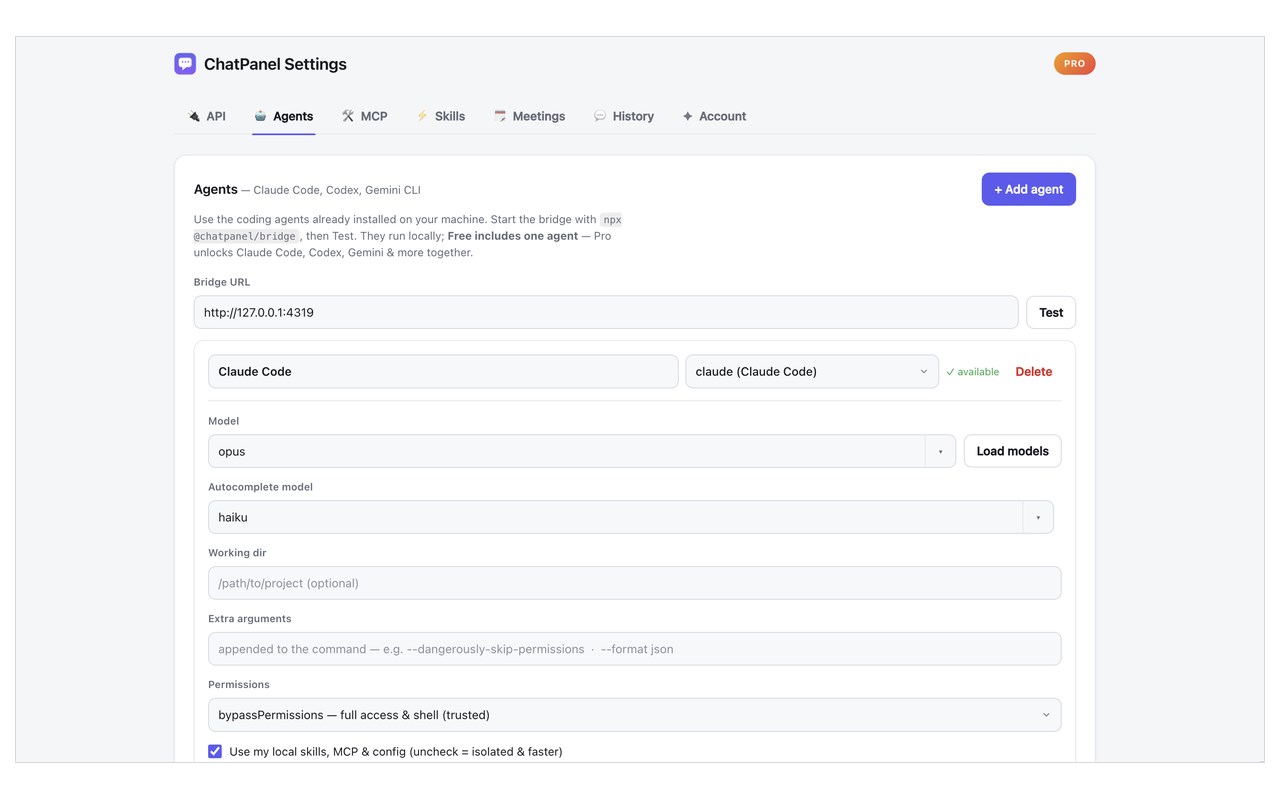
LOCAL AGENTS — via a tiny open-source local bridge, using your own logins and your own compute:
• Claude Code
• Codex
• Antigravity CLI
• Pi
• OpenCode
• More you can configure
Nothing is routed through our servers.
BRING YOUR OWN MODEL — point ChatPanel at any provider, with your own API key. Built-in one-click presets for:
• OpenAI, Anthropic (Claude), Google Gemini and many Agent CLIs
• Local runtimes — Ollama, LM Studio, llama.cpp, vLLM
• Any other OpenAI- or Anthropic-compatible endpoint (custom / self-hosted)
NOTES — ChatPanel includes a local first notebook , where your AI writes WITH you. Capture anything — a chat reply, a page, a meeting takeaway — into notes that link to each other with [[wiki-links]], so your workspace becomes a connected, searchable graph. Inside a note you can co-write with your model (with authorship tracked so you see who wrote what), research across your own notes, chats and meetings AND the web, and turn a selection into a plan. Everything is stored locally and encrypted at rest. You can dictate using locally installed Speech to Text (STT) models - can be downloaded via the ChatPanel Gateway.
BUILT-IN PII REDACTION (privacy you can actually see) — ChatPanel can detect and mask personal data — names, emails, phone numbers, organizations, locations — in your messages before they reach a cloud model, then restore the real values in the reply. Detection runs locally (bundled in-process NER (Named-entity recognition)). So you get the power of cloud models without handing them your sensitive data. An optional local Privacy Gateway extends the same redaction to CLI tools like opencode, aider, and Codex or your own clients.
LIVE MEETINGS SCRIBE — on Zoom, Google Meet, Teams, and Webex, ChatPanel turns a call's live captions into running notes, decisions, and action items, plus a searchable transcript you can ask about afterward. It reads the captions only — never your audio or video — and everything is captured and stored locally. An optional local Gateway even adds on-device speech-to-text so you can dictate, with your audio never leaving your machine. It can monitor for specific content in the meeting and answers for you throughout the meeting.
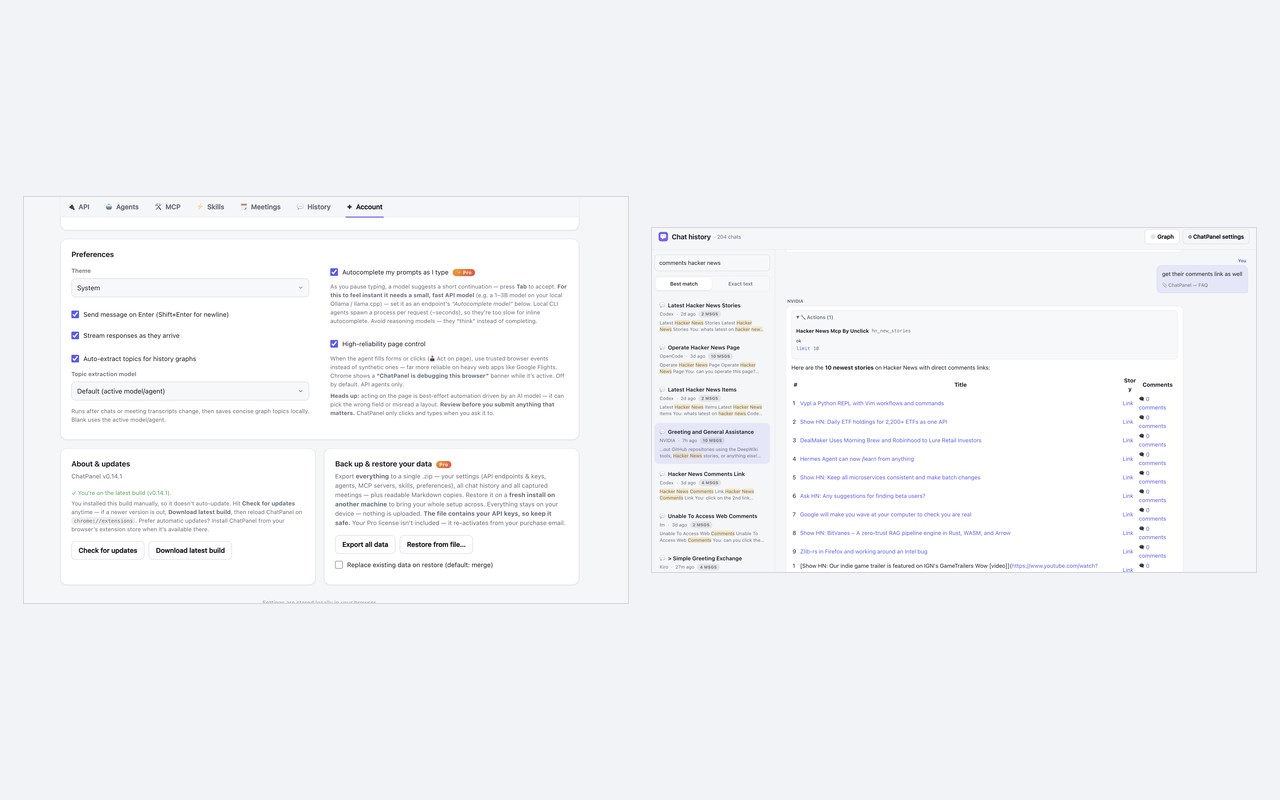
ACT ON PAGE (optional, opt-in) — let your chosen agent fill in forms and click elements on the current tab for you. A high-reliability mode drives the page as genuine browser input so it works on complex web apps. It runs only on the tab you're acting on, only while you ask it to, and entirely on your machine.
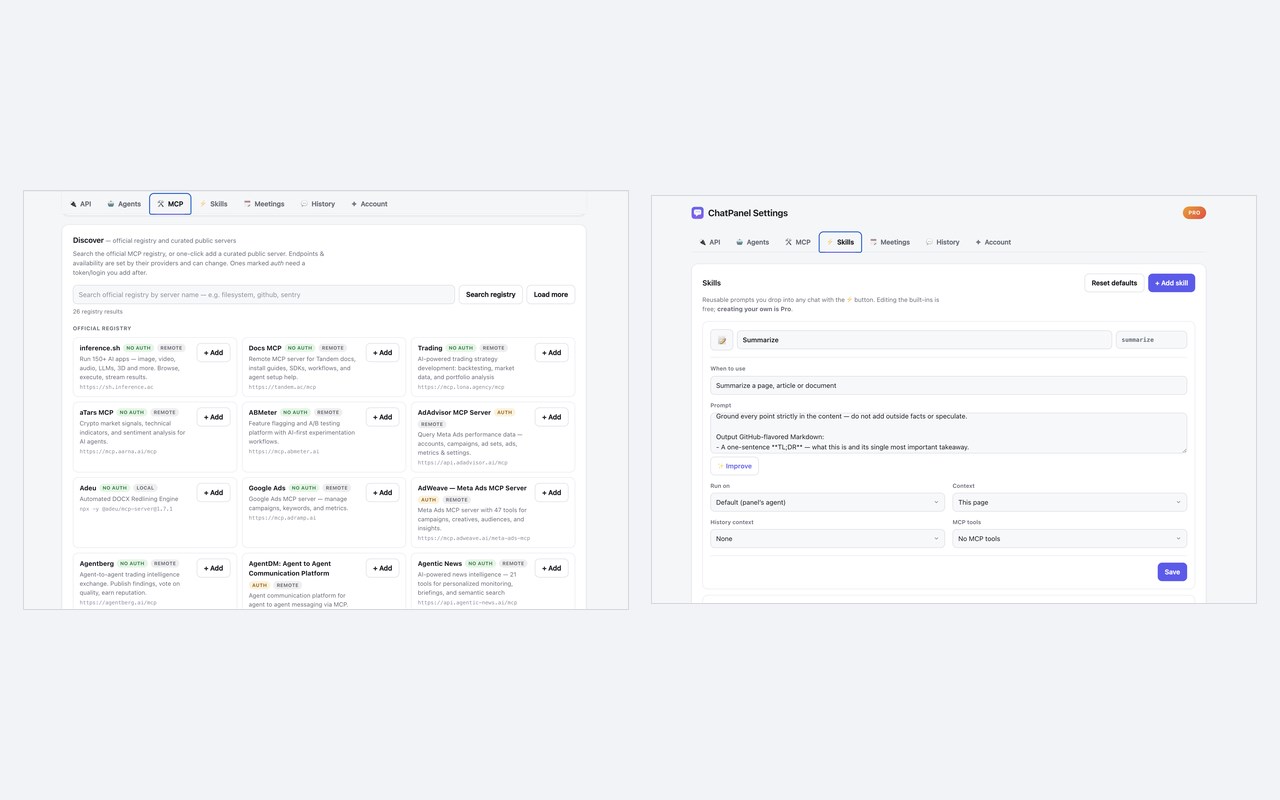
TOOLS & MCP — connect Model Context Protocol (MCP) servers — from a built-in catalog of popular ones or your own — so your agent can use real tools (search, repos, issues, and more). ChatPanel auto-narrows to the most relevant tools per turn for speed, and keeps tool data private (PII stays redacted for remote tools when you want).
WHAT YOU CAN DO:
• Chat from any tab without leaving the page — instantly, with a private in-browser model or the agent/model of your choice
• Pull in the current page, your selected text, several open tabs, or a pasted URL as context
• Attach an image or a screenshot of the page for vision-capable models
• Summarize pages, analyze a URL, explain the code in a repo, and more
• Keep linked, searchable Notes your AI co-writes with you — with research across your workspace and the web, and one-tap plans
• Live AI meeting notes & transcripts from Zoom, Google Meet, Teams, and Webex — captured locally, with optional on-device dictation
• Keep a searchable, local history of every conversation, organized by topic
• Define your own agents, per-agent system prompts, and reusable skills / prompts
• Back up and restore everything — with optional passphrase encryption, and automatic local backups on Pro
PRIVACY-FIRST BY DESIGN:
• A private model can run entirely in your browser — no key, no account, no cloud
• Your settings, chat history, notes, and API keys stay in your browser
• Page content is read only when you explicitly attach it, and is sent only to the agent or model you chose
• Optional on-device PII redaction before anything reaches a cloud model
• Optional passphrase encryption for your local backups
• All extension logic ships inside the package — the optional in-browser model downloads its weights once, on your request, then runs fully on-device
• No telemetry on your conversations; the only server call is a license check that carries no chat content
• Source available to build if you want to verify.
PRICING:
• Free — the in-browser model, one local agent + one model endpoint of your choice, current-tab & URL context, local history, your first 10 notes, live meeting notes, built-in skills
• Pro — all your agents & endpoints, multi-tab / whole-window context, unlimited notes with the AI co-writer, custom skills, per-agent system prompts, PII redaction with names/orgs/locations, exports, and encrypted auto-backup
• Team — cloud sync, shared agents & skills, hosted agents, SSO
Chap by ChatPanel — Privacy-First AI Agent 是做什么的
Chap by ChatPanel — Privacy-First AI Agent 是一款面向 Edge 的效率工具类扩展,主要用来管住注意力、屏蔽干扰站点、记录时间。官方对它的介绍是:Meet Chap, your AI agent for work: Claude Code, Codex or any model in a privacy-first side panel for meetings, chats & notes.在微软 Edge 加载项商店上,它当前版本 0.139.0,评分 4(4 人评价),约 4 名用户。
适合什么人用
从功能定位看,Chap by ChatPanel — Privacy-First AI Agent 更适合想专注工作学习、减少无效刷网页的用户。如果你平时只是偶尔遇到相关需求,用浏览器自带功能也能凑合;但如果这件事每天都发生,装一个专门处理它的扩展通常比手动操作省事得多。需要注意的是它作用于所有网站,装上后建议先观察一两天,确认不影响常用站点的正常使用。
怎么安装 Chap by ChatPanel — Privacy-First AI Agent
- 打开微软 Edge 加载项商店上的官方页面;
- 点「添加到浏览器」并确认权限提示;
- 装好后在扩展列表里固定图标,方便随时开关。
本站只做索引与介绍,安装包来自官方商店。如果商店页面提示当前地区不可用,说明该扩展未在你所在区域上架。
常见问题
Chap by ChatPanel — Privacy-First AI Agent 是免费的吗?
Chap by ChatPanel — Privacy-First AI Agent 在微软 Edge 加载项商店免费提供下载。它是浏览器扩展,装上就能直接用,不需要注册账号。
Chap by ChatPanel — Privacy-First AI Agent 安全吗?
它只申请了 0 项权限,范围比较克制,没有申请「读取所有网站数据」这种大权限。
Chap by ChatPanel — Privacy-First AI Agent 支持哪些浏览器?
当前收录的版本来自微软 Edge 加载项商店,适用于 Edge。同一个扩展在其他商店可能有对应版本,但功能与版本号不一定相同。
怎么卸载 Chap by ChatPanel — Privacy-First AI Agent?
在扩展管理页找到 Chap by ChatPanel — Privacy-First AI Agent,点移除即可。它在本地保存的设置会一起清掉,不会残留数据。
权限清单 来自 manifest.json 原文
站点访问(可选) 1
<all_urls>
接口权限 14
activeTabalarmscontextMenusdebuggerdownloadsidentitynotificationsoffscreenscriptingsidePanelstoragetabsunlimitedStoragewebNavigation