
Channel Blocker EN
Time Machine Development · Edge MV3
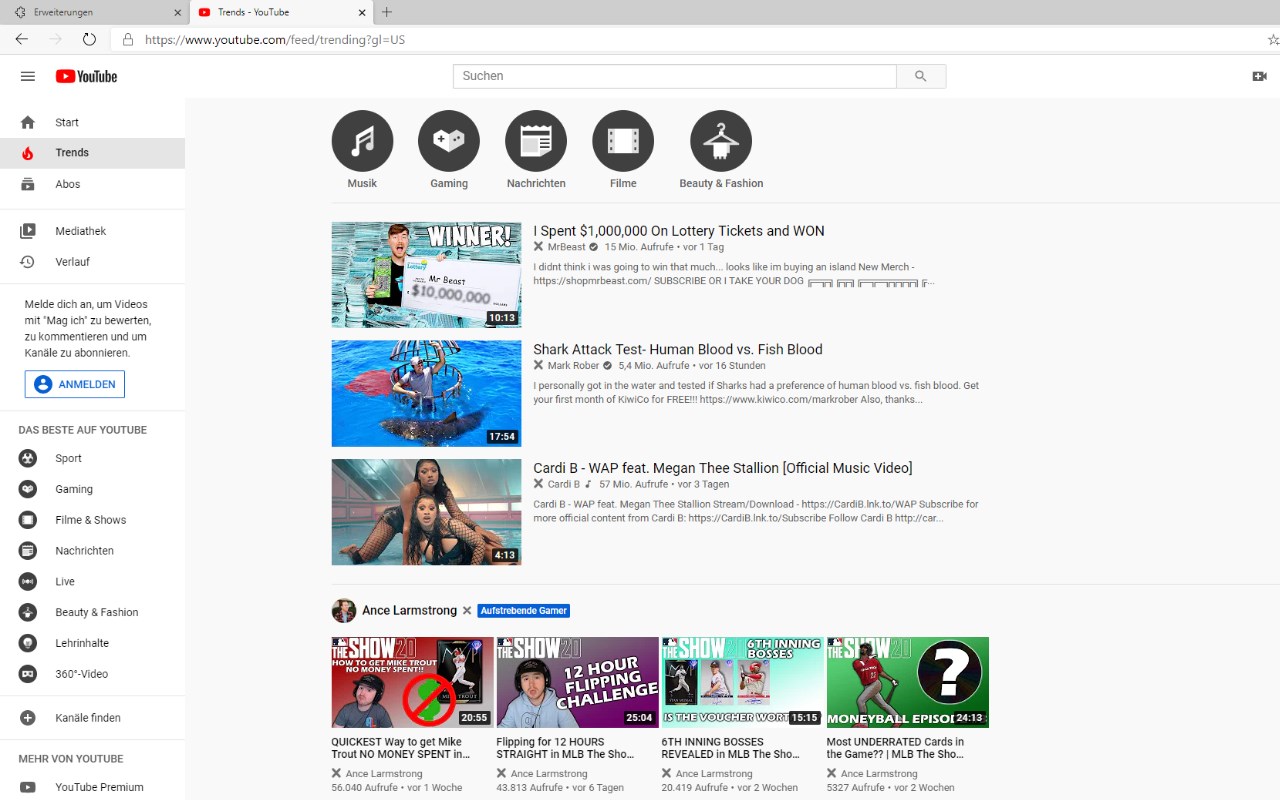
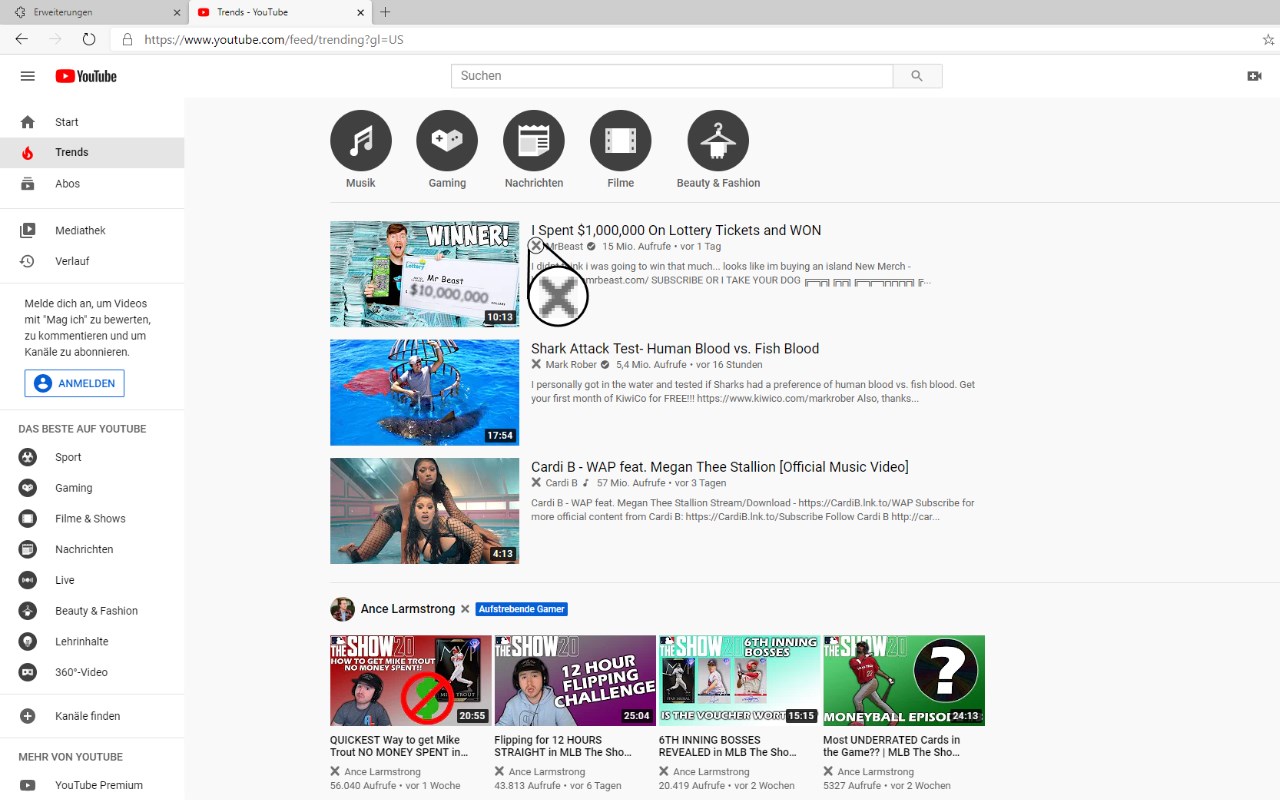
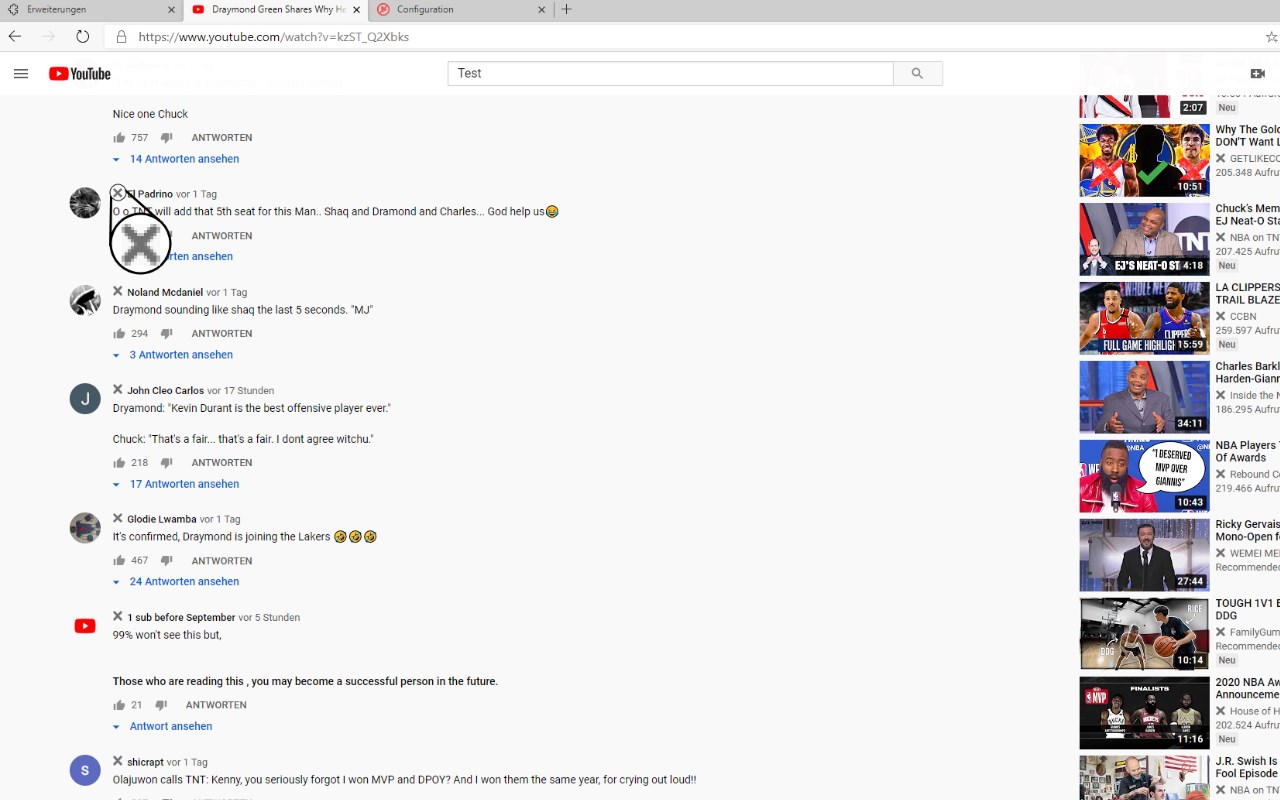
Allows you to block YouTube™ videos and comments by blacklisting users and/or by using regular expressions.
截图
简介
Our Add-on enables the function of blocking anything you'd like. Block separate videos, users or whole channels with only one click! Naturally, the add-on supports regular expressions to ensure you the best customisation possible. And another thing: WE DO NOT COLLECT ANY USER INFORMATION AT ALL.
Do you like what we do? Do you want to support us and our work? A subscription on Patreon would help a lot at developing this tool as well as realising our future projects.
Do you want to support us even more? Please donate and buy us a drink to stay hydrated (Hydration is important, though!).
We would also like to state why the Add-on requires these permissions.
Access your data for www.youtube.com:
- needed for removing users/channels you have blocked on YouTube™, adding the 'x'-button, etc. (rather obvious)
Access browser tabs:
- needed for keeping track of the YouTube™-Tabs and the Add-on setting page tab
Store unlimited amount of client-side data:
- needed for blocking an unlimited number of users/channels
Channel Blocker 是做什么的
Channel Blocker 是一款面向 Edge 的实用工具类扩展,主要用来解决浏览器里某类具体的小问题。官方对它的介绍是:Allows you to block YouTube™ videos and comments by blacklisting users and/or by using regular expressions.在微软 Edge 加载项商店上,它当前版本 3.0.5,评分 4.1(50 人评价),约 24,743 名用户。
适合什么人用
从功能定位看,Channel Blocker 更适合想补上浏览器原生缺失功能的用户。如果你平时只是偶尔遇到相关需求,用浏览器自带功能也能凑合;但如果这件事每天都发生,装一个专门处理它的扩展通常比手动操作省事得多。
怎么安装 Channel Blocker
- 打开微软 Edge 加载项商店上的官方页面;
- 点「添加到浏览器」并确认权限提示;
- 装好后在扩展列表里固定图标,方便随时开关。
本站只做索引与介绍,安装包来自官方商店。如果商店页面提示当前地区不可用,说明该扩展未在你所在区域上架。
常见问题
Channel Blocker 是免费的吗?
Channel Blocker 在微软 Edge 加载项商店免费提供下载。它是浏览器扩展,装上就能直接用,不需要注册账号。
Channel Blocker 安全吗?
它只申请了 0 项权限,范围比较克制,没有申请「读取所有网站数据」这种大权限。
Channel Blocker 支持哪些浏览器?
当前收录的版本来自微软 Edge 加载项商店,适用于 Edge。同一个扩展在其他商店可能有对应版本,但功能与版本号不一定相同。
怎么卸载 Channel Blocker?
在扩展管理页找到 Channel Blocker,点移除即可。它在本地保存的设置会一起清掉,不会残留数据。
权限清单 来自 manifest.json 原文
接口权限 3
storagetabsunlimitedStorage