
网络翻译,字典 - 简单翻译
Simple Translate · Edge MV3
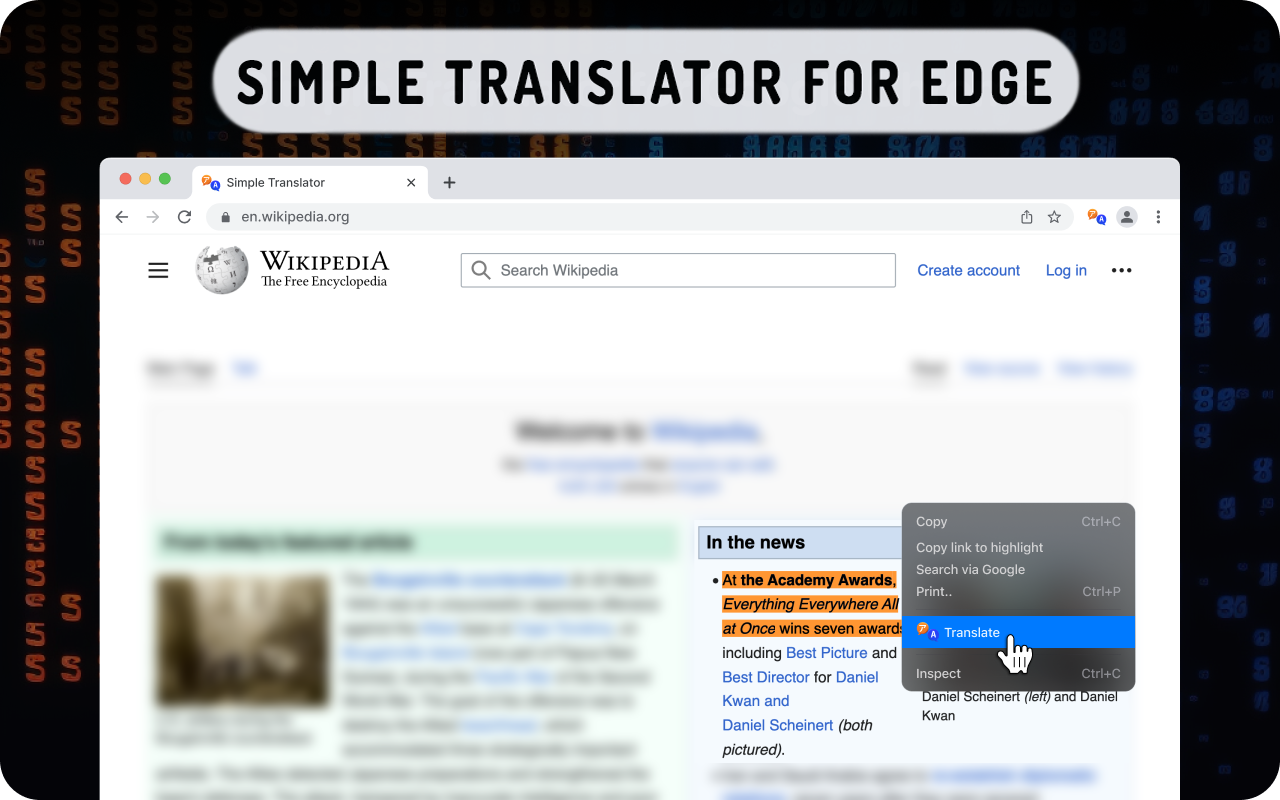
右键单击要使用谷歌翻译器翻译的单词或短语。在线翻译
<all_urls>),意味着它可以读取你在任意站点的页面内容,包括已登录的页面。这是许多扩展正常工作的必要条件,但也值得你确认来源可信。
截图
简介
Right click to the word or phrase to translate using the Google Translator. Online translation
Right click on the word or phrase to translate using the Google Translator. Online translation
🌐 Translate with Ease! Right-click on any word or phrase to access Google Translator for instant online translation.
🔗 Extension Features:
Quickly translate words on the current web page using Google Translator by right-clicking on the desired text.
⚙️ Easy Configuration:
Set your preferred language in the extension settings, allowing the translator to automatically detect the site's language based on your location.
🌐 Multilingual Capabilities:
Translate seamlessly between a wide range of languages.
🔒 Privacy Policy:
Use the "Web Translator" extension at your own risk; no warranty is provided. The author bears no responsibility for any data loss or damage resulting from its use. By using "Web Translator," you agree to these terms.
🔄 Two Convenient Translation Options:
Enjoy a user-friendly translator with the ability to translate by double-clicking on a word during reading or by copying and pasting larger text into the extension's popup.
🎨 Beautiful Design:
Navigate effortlessly through the extension's functionalities with its visually appealing design. Choose the color theme that suits you best.
📖 Efficient Reading:
Read foreign text quickly and understand every word by translating the entire page at once. Use the translation button in the context menu or the extension's popup.
🕰️ History and Favorites:
"Click to Translate" remembers your language history, eliminating the need to choose it repeatedly. Simply add your favorites to the quick menu.
🚫 Disclaimer:
The "Web Translator" EDGE extension is independent of the popular site https://translate.google.com. All copyrights belong to their respective owners. This extension is not supported, sponsored, or owned by Google Inc.
📚 Copyright Acknowledgment:
All copyrights are duly acknowledged and belong to their respective owners. Google does not endorse or sponsor this EDGE extension.
网络翻译,字典 - 简单翻译 是做什么的
网络翻译,字典 - 简单翻译 是一款面向 Edge 的实用工具类扩展,主要用来解决浏览器里某类具体的小问题。官方对它的介绍是:右键单击要使用谷歌翻译器翻译的单词或短语。在线翻译在微软 Edge 加载项商店上,它当前版本 1.1.28,评分 4.5(277 人评价),约 64,631 名用户。
适合什么人用
从功能定位看,网络翻译,字典 - 简单翻译 更适合想补上浏览器原生缺失功能的用户。如果你平时只是偶尔遇到相关需求,用浏览器自带功能也能凑合;但如果这件事每天都发生,装一个专门处理它的扩展通常比手动操作省事得多。需要注意的是它作用于所有网站,装上后建议先观察一两天,确认不影响常用站点的正常使用。
怎么安装 网络翻译,字典 - 简单翻译
- 打开微软 Edge 加载项商店上的官方页面;
- 点「添加到浏览器」并确认权限提示;
- 装好后在扩展列表里固定图标,方便随时开关。
本站只做索引与介绍,安装包来自官方商店。如果商店页面提示当前地区不可用,说明该扩展未在你所在区域上架。
常见问题
网络翻译,字典 - 简单翻译 是免费的吗?
网络翻译,字典 - 简单翻译 在微软 Edge 加载项商店免费提供下载。它是浏览器扩展,装上就能直接用,不需要注册账号。
网络翻译,字典 - 简单翻译 安全吗?
它只申请了 0 项权限,范围比较克制,没有申请「读取所有网站数据」这种大权限。
网络翻译,字典 - 简单翻译 支持哪些浏览器?
当前收录的版本来自微软 Edge 加载项商店,适用于 Edge。同一个扩展在其他商店可能有对应版本,但功能与版本号不一定相同。
怎么卸载 网络翻译,字典 - 简单翻译?
在扩展管理页找到 网络翻译,字典 - 简单翻译,点移除即可。它在本地保存的设置会一起清掉,不会残留数据。
权限清单 来自 manifest.json 原文
站点访问(可选) 1
*://*/*
接口权限 3
contextMenusstoragetabs