
Calendar Extension for Google Calendar™ EN
Calendar extension · EEdge MV3
Calendar extension for Google Calendar — manage events, get reminders, and join meetings right from your browser toolbar.
截图


简介
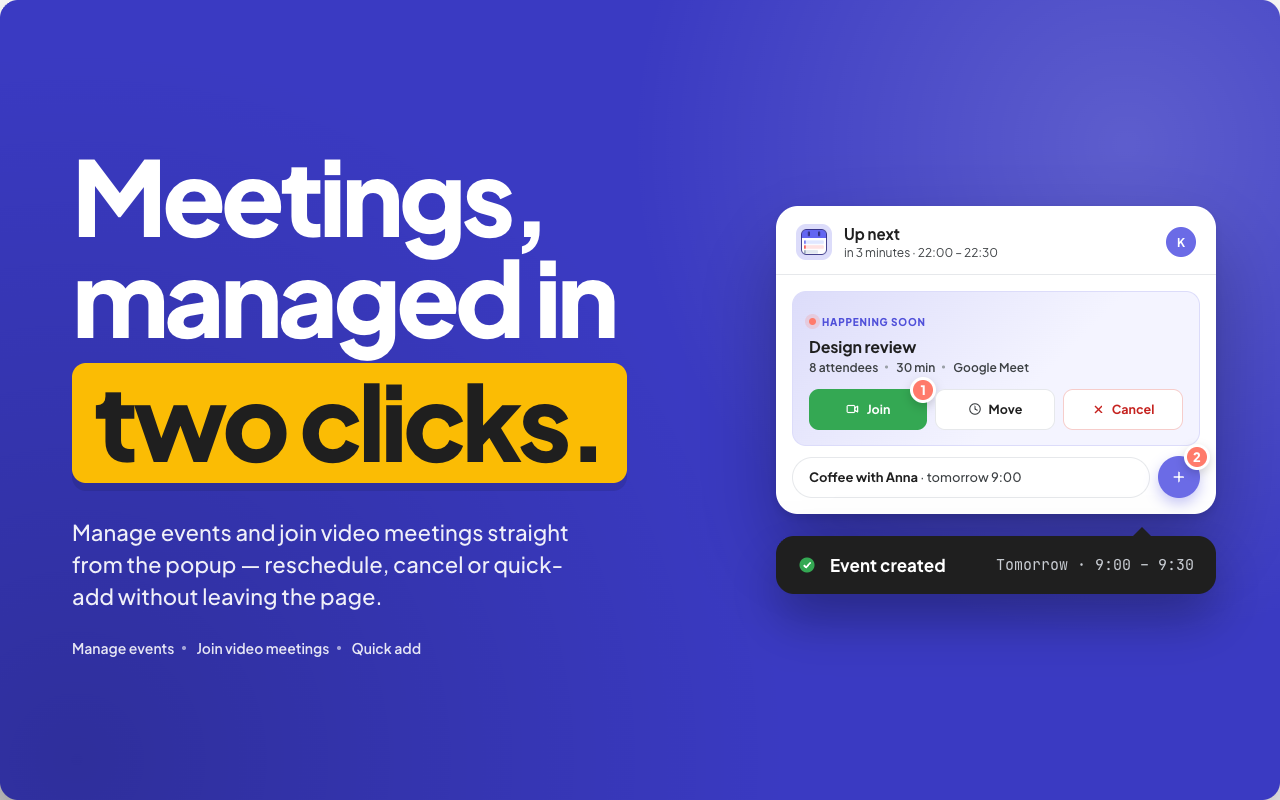
📅 The Google Calendar extension that puts your schedule one click away: check Google Calendar from any tab, create events, send a Google Calendar invite, RSVP, and join video meetings, all from your browser toolbar, without opening a new tab.\n\nClick the toolbar icon (or press Alt+C) and your day, week, or month appears instantly. It is the fastest way to answer \"where is my Google Calendar?\" while you keep working on whatever page you are on.\n\nWHY THIS Edge CALENDAR\nMost people either keep a Google Calendar tab open all day or lose track of their schedule entirely. This edge calendar addon solves both: a compact popup that works like a Google Calendar widget and behaves like a computer desktop calendar, always within reach. No separate download or desktop client required: sign in once, and this lightweight edge plugin brings your full schedule into the toolbar. The popup opens in a fraction of a second and closes the moment you click away, so checking what is next never breaks your flow.\n\nKEY FEATURES\n• Day, week, and month views — a compact calendar tool with a live now indicator and smart grouping: Happening Now, Coming Up, Later, Completed.\n• Quick add — create an event with title, date, time, duration, and guests in seconds; every Google Calendar invite is sent automatically, making Google Calendar appointment scheduling a two-click job.\n• One-click meeting join — the extension detects Google Meet, Zoom, and Microsoft Teams links in your events and shows a Join button right on the event card.\n• RSVP from the popup — accept, decline, or reply Maybe to invitations; the full Google Calendar app stays closed.\n• Calendar reminder done right — desktop notifications before events, an optional badge with a countdown to your next event, and Focus Mode for when you need quiet.\n• Everything in one place — show or hide each of your schedules individually, with colors matching Google Calendar™.\n• Google Calendar dark mode and more — a proper dark theme for late hours, plus light and warm themes, simple or advanced toolbar, and adjustable display size.\n• Works offline — recently loaded events stay available even without a connection.\n• Speaks your language — 52 languages, automatic time zone handling, and keyboard shortcuts for fast navigation.\n\nHOW TO SHARE A GOOGLE CALENDAR\nWondering how to share a Google Calendar without digging through settings? This is a genuinely shareable calendar app: open the sharing panel, enter an email address, choose view or manage rights, and the Google schedule share is done. The other person sees your events in their own app, and revoking access is just as easy. It works as a shared calendar app for a team or a family calendar app for the household, with no extra service in between.\n\nHOW TO USE\n1. Install the extension and click its icon in the Edge toolbar.\n2. Sign in with your Google account — your events load automatically.\n3. Check your schedule, create events, RSVP, and join meetings without leaving the current page.\n\nWHO IT IS FOR\nAnyone who lives by their schedule: teams juggling meetings and deadlines, families coordinating plans, students tracking classes, freelancers managing client appointments. It keeps your day in sight while you work through your to-do list: a real online calendar planner in your toolbar instead of another heavyweight calendar software install. There is nothing to configure on day one: sensible defaults out of the box, deeper options when you want them. If your browser is open all day, this calendar app is now one click away.\n\nREPLACE THE WORKAROUNDS\nIf you have been improvising with a Google Sheets calendar template or a hand-made planner in Google Docs, this extension replaces that patchwork with a live, synced schedule. And for everyday availability sharing and appointment scheduling, the built-in tools are usually all you need. Creating an event, inviting guests, and sharing your schedule take a few clicks, no third-party scheduler required.\n\n🔒 PRIVACY\nYour events travel directly between your browser and Google. The extension has no servers of its own, never sees your data, and does not collect, sell, or share anything. Settings are stored locally on your device.\n\nSUPPORT\nQuestions or ideas? Write to tdallstr@gmail.com — feedback shapes every release.\n\n🚀 GET STARTED\nClick Add to Edge and see today's schedule right away. Stay on top of work meetings, family plans, and everything in between. Make your browser smarter and your day simpler.\n\nGoogle Calendar™ is a trademark of Google LLC. This extension is an independent project and is not affiliated with or endorsed by Google.
Calendar Extension for Google Calendar™ 是做什么的
Calendar Extension for Google Calendar™ 是一款面向 Edge 的效率工具类扩展,主要用来管住注意力、屏蔽干扰站点、记录时间。官方对它的介绍是:Calendar extension for Google Calendar — manage events, get reminders, and join meetings right from your browser toolbar.在微软 Edge 加载项商店上,它当前版本 3.0.7,评分 5(2 人评价),约 350 名用户。
适合什么人用
从功能定位看,Calendar Extension for Google Calendar™ 更适合想专注工作学习、减少无效刷网页的用户。如果你平时只是偶尔遇到相关需求,用浏览器自带功能也能凑合;但如果这件事每天都发生,装一个专门处理它的扩展通常比手动操作省事得多。
怎么安装 Calendar Extension for Google Calendar™
- 打开微软 Edge 加载项商店上的官方页面;
- 点「添加到浏览器」并确认权限提示;
- 装好后在扩展列表里固定图标,方便随时开关。
本站只做索引与介绍,安装包来自官方商店。如果商店页面提示当前地区不可用,说明该扩展未在你所在区域上架。
常见问题
Calendar Extension for Google Calendar™ 是免费的吗?
Calendar Extension for Google Calendar™ 在微软 Edge 加载项商店免费提供下载。它是浏览器扩展,装上就能直接用,不需要注册账号。
Calendar Extension for Google Calendar™ 安全吗?
它只申请了 0 项权限,范围比较克制,没有申请「读取所有网站数据」这种大权限。
Calendar Extension for Google Calendar™ 支持哪些浏览器?
当前收录的版本来自微软 Edge 加载项商店,适用于 Edge。同一个扩展在其他商店可能有对应版本,但功能与版本号不一定相同。
怎么卸载 Calendar Extension for Google Calendar™?
在扩展管理页找到 Calendar Extension for Google Calendar™,点移除即可。它在本地保存的设置会一起清掉,不会残留数据。
权限清单 来自 manifest.json 原文
接口权限 5
alarmsidentitynotificationsoffscreenstorage