
Bulk Post Scheduler for X (Twitter) – CSV & Excel EN
Cliqto Media · EEdge MV3
Bulk schedule tweets and threads on X (Twitter) from CSV or Excel. Fills X's own Schedule dialog. Photos, GIFs, video. Free, local.
截图


简介
Schedule tweets in bulk from a spreadsheet. Write your posts and threads in a CSV or Excel (XLSX) file and import it in Microsoft Edge. Bulk Post Scheduler for X (Twitter) adds every post to X's own Scheduled list. Nothing is published immediately.
Made for people who plan a week or a month of posts at once: social media managers, creators and small businesses. Free, with no API key and no sign-up.
HOW IT WORKS
1. Download the template on the Home or Import screen. Put the date and time together in scheduled_at.
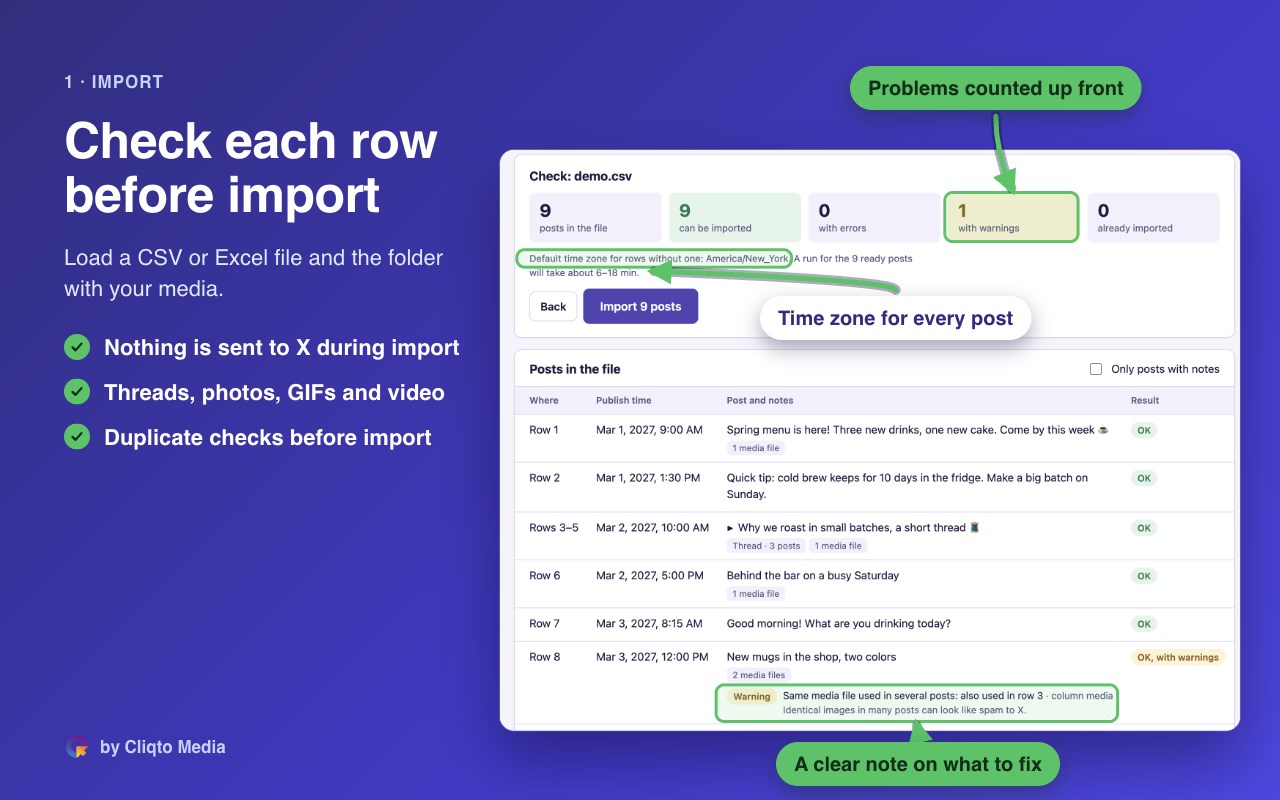
2. Import the file and, if needed, your media folder. The check covers text length, media, dates, duplicates and time zones.
3. Review your queue. You can change a time, skip a post or remove it.
4. Open Connect & Start, connect your tab and confirm the account handle.
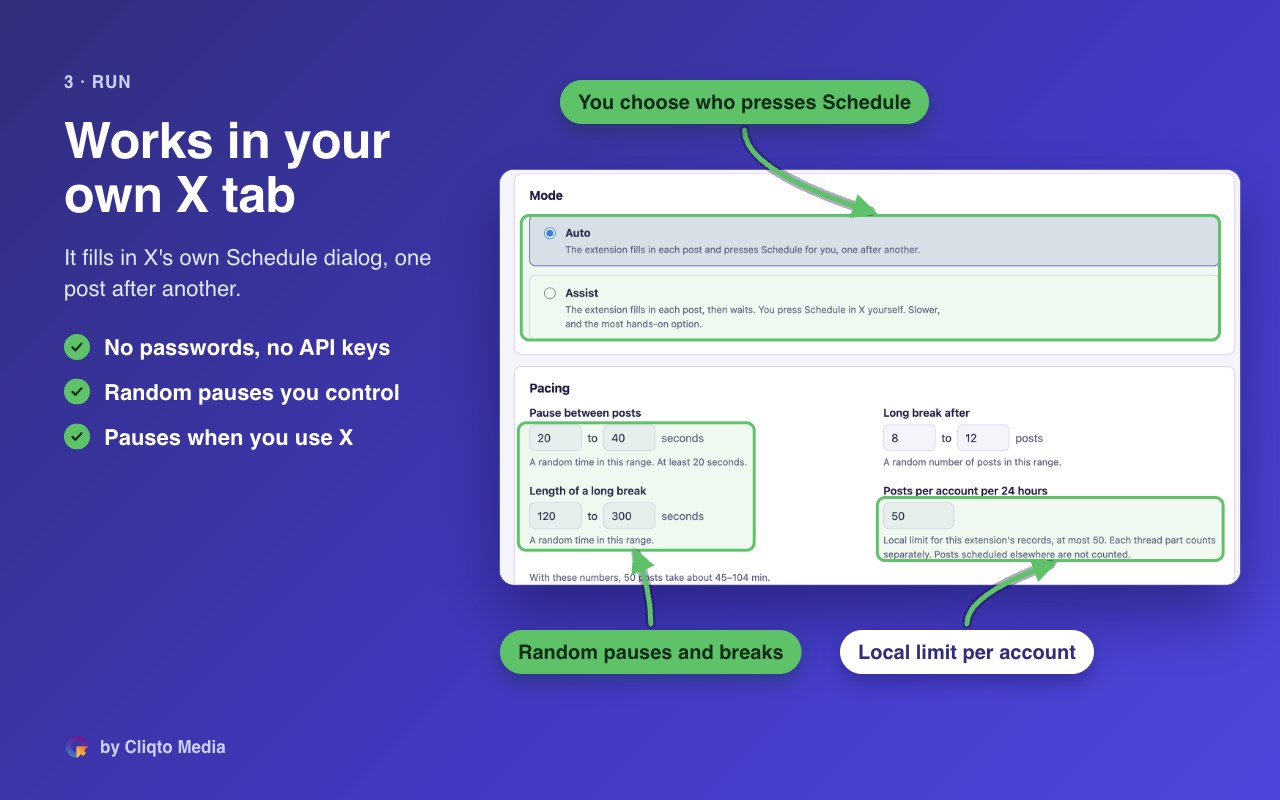
5. Choose Auto or Assist and press Start. Auto fills each post and presses Schedule. In Assist, you make the final click yourself.
Each step in the menu has a mark. It shows what is done and what needs you.
FEATURES AND LIMITS
- Single posts and threads of up to 25 parts. Use adjacent rows with the same thread_id.
- Photos, GIFs and supported videos. Alt text is available for photos and GIFs.
- A time zone for each post. Rows without one use the import default, initially your browser's time zone.
- Adjustable pauses and longer breaks between posts.
- A local limit of up to 50 posts per account in any 24-hour window. Each thread part counts separately. Posts created outside the extension are not counted. The platform may apply other limits.
- Hide posts that are already scheduled before you import the next file.
IF SOMETHING GOES WRONG
Failed or unclear results appear in Needs attention. Unclear posts are not retried automatically. Check the website before retrying. Account changes and blocking messages stop the run. Repeated failures or unclear results also stop it.
DATA
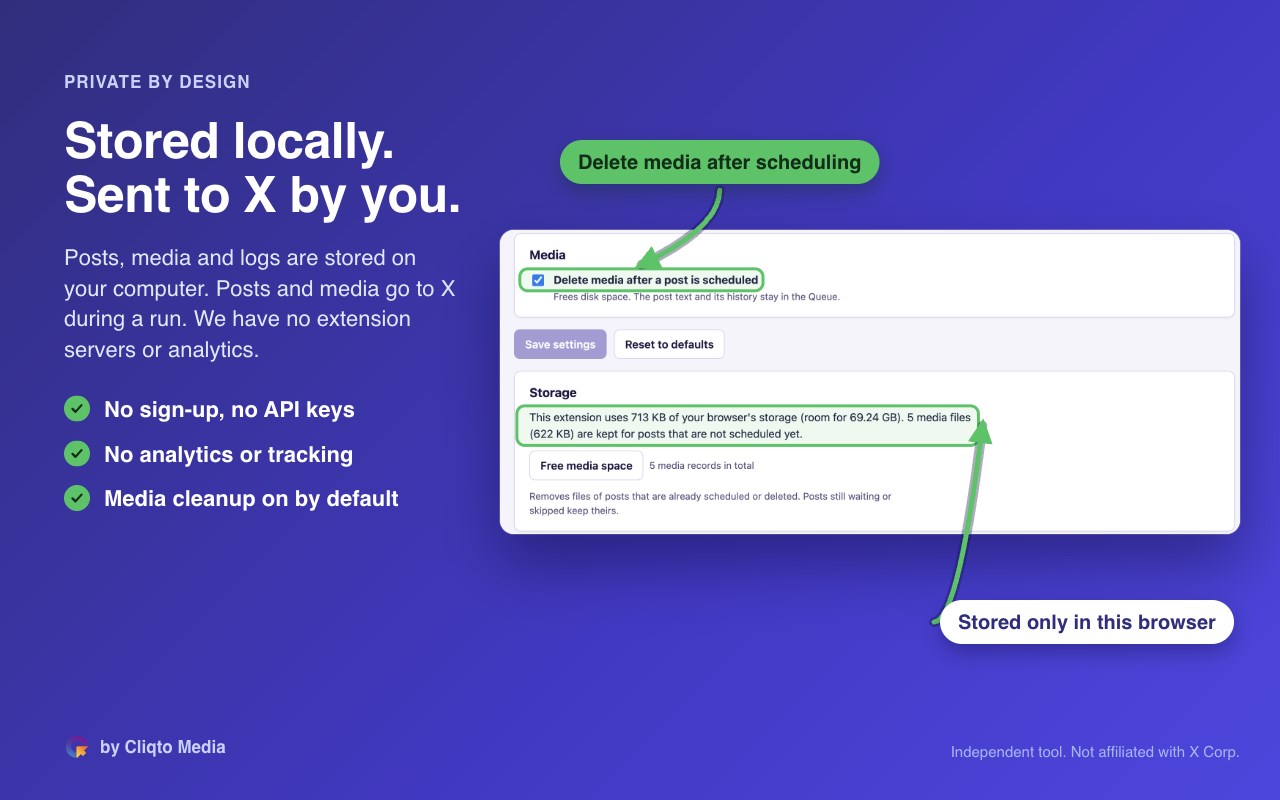
Imported content, settings and logs are stored locally. Posts and media go to x.com after you press Start. Media may reach the site even if you cancel before scheduling. Cliqto Media runs no extension servers and collects no analytics.
REQUIREMENTS
Desktop Microsoft Edge 120 or newer and an X account. The website must use English. Keep its window visible and the extension page open during a run.
Made by Cliqto Media. Inside the extension, the short name is X Bulk Scheduler.
Website: https://cliqtomedia.com/extensions/x-bulk-scheduler/
Support: hello@cliqtomedia.com
This independent tool is not affiliated with, endorsed by, or sponsored by X Corp.
Bulk Post Scheduler for X (Twitter) – CSV & Excel 是做什么的
Bulk Post Scheduler for X (Twitter) – CSV & Excel 是一款面向 Edge 的效率工具类扩展,主要用来管住注意力、屏蔽干扰站点、记录时间。官方对它的介绍是:Bulk schedule tweets and threads on X (Twitter) from CSV or Excel. Fills X's own Schedule dialog. Photos, GIFs, video. Free, local.在微软 Edge 加载项商店上,它当前版本 0.1.2。
适合什么人用
从功能定位看,Bulk Post Scheduler for X (Twitter) – CSV & Excel 更适合想专注工作学习、减少无效刷网页的用户。如果你平时只是偶尔遇到相关需求,用浏览器自带功能也能凑合;但如果这件事每天都发生,装一个专门处理它的扩展通常比手动操作省事得多。
怎么安装 Bulk Post Scheduler for X (Twitter) – CSV & Excel
- 打开微软 Edge 加载项商店上的官方页面;
- 点「添加到浏览器」并确认权限提示;
- 装好后在扩展列表里固定图标,方便随时开关。
本站只做索引与介绍,安装包来自官方商店。如果商店页面提示当前地区不可用,说明该扩展未在你所在区域上架。
常见问题
Bulk Post Scheduler for X (Twitter) – CSV & Excel 是免费的吗?
Bulk Post Scheduler for X (Twitter) – CSV & Excel 在微软 Edge 加载项商店免费提供下载。它是浏览器扩展,装上就能直接用,不需要注册账号。
Bulk Post Scheduler for X (Twitter) – CSV & Excel 安全吗?
它只申请了 0 项权限,范围比较克制,没有申请「读取所有网站数据」这种大权限。
Bulk Post Scheduler for X (Twitter) – CSV & Excel 支持哪些浏览器?
当前收录的版本来自微软 Edge 加载项商店,适用于 Edge。同一个扩展在其他商店可能有对应版本,但功能与版本号不一定相同。
怎么卸载 Bulk Post Scheduler for X (Twitter) – CSV & Excel?
在扩展管理页找到 Bulk Post Scheduler for X (Twitter) – CSV & Excel,点移除即可。它在本地保存的设置会一起清掉,不会残留数据。
权限清单 来自 manifest.json 原文
接口权限 1
unlimitedStorage