
Bulk Delete Tweets — Free X (Twitter) Post Cleaner EN
Badz Khan · EEdge MV3
Bulk delete all your tweets, replies & X posts for free. Mass-delete right in your browser — no password, no API fees.
截图


简介
Bulk Delete Tweets is the free, no-nonsense way to mass-delete your tweets, replies, and X (Twitter) posts — right from your browser. No password to hand over, no expensive API fees, and no monthly subscription. If you want to delete all your tweets and start with a clean timeline, this is the fastest free way to do it.
★ WHY BULK DELETE TWEETS?
Most "tweet deleter" tools rely on X's paid API and charge you a monthly fee or lock the good features behind a paywall. Bulk Delete Tweets works differently — it runs inside your own logged-in x.com session, so it never needs your password and never charges you a cent. It's 100% free, forever.
★ KEY FEATURES
- Bulk delete tweets, replies, and X posts in one run
- 100% free — no subscription, no per-tweet fees, no hidden limits
- No password required — uses the X session you're already logged into
- Private by design — everything runs locally in your browser; nothing is uploaded to any server
- Deletes ONLY your posts — it detects your @handle and automatically skips quote tweets, other people's replies, and suggested posts
- Safe Dry-Run preview — count exactly what will be removed before anything is deleted
- Automatic cooldown — if X rate-limits you, it pauses and resumes on its own
- Live progress bar and counters (Deleted / Skipped / Failed)
- Works on Chrome, Microsoft Edge, and Brave
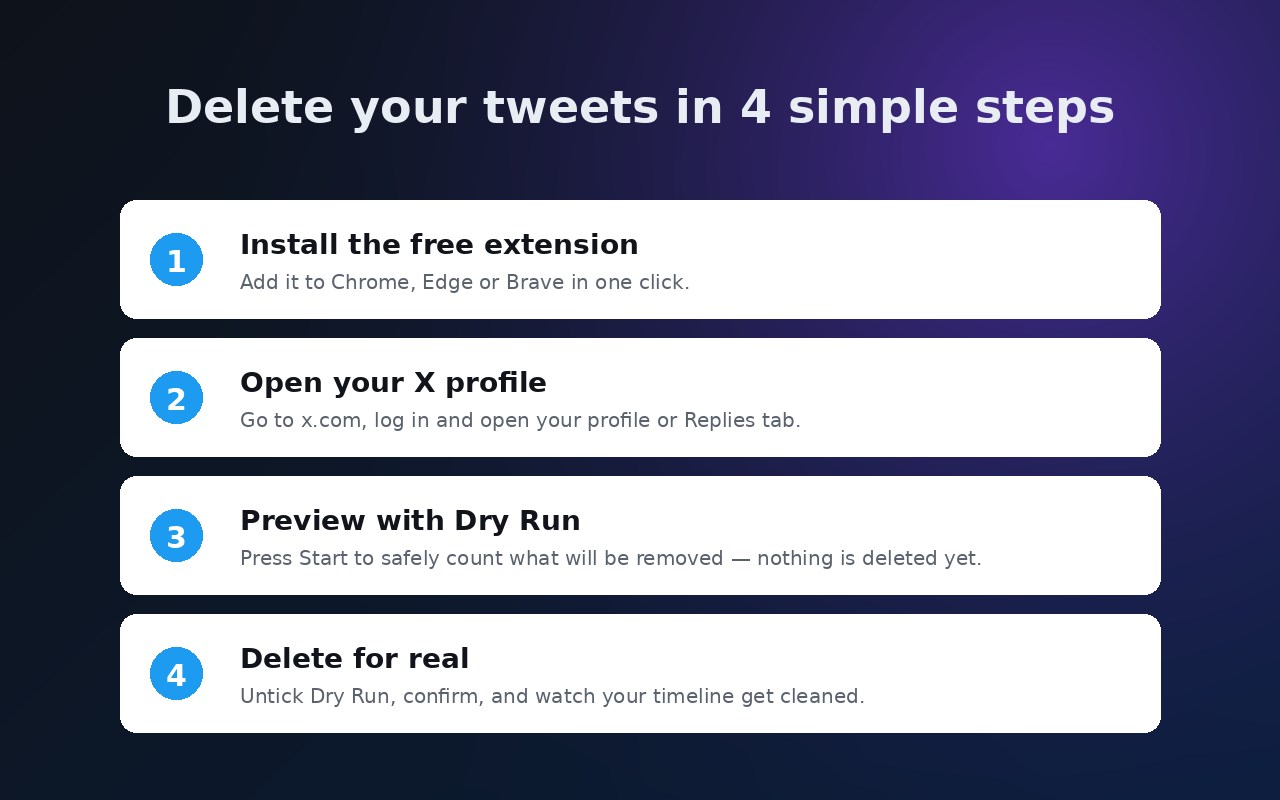
★ HOW IT WORKS (4 EASY STEPS)
1. Install the extension (free).
2. Go to x.com, log in, and open your own profile (or the Replies tab).
3. A panel appears at the bottom-right. Leave "Dry run" ticked and press Start to safely preview.
4. Untick Dry run, press Start, confirm — and watch your tweets get cleaned up.
★ SAFE BY DEFAULT
Your account's safety comes first. Bulk Delete Tweets deletes at a gentle, human-like pace and includes built-in guards:
- A daily limit of 1,000 deletions to stay well clear of aggressive automation. When you hit the limit it pauses and resets the next day, so you can keep going until your whole timeline is clean.
- Automatic cooldown — if X temporarily rate-limits you, the tool pauses for 5 minutes (15 if it happens again) and then continues by itself. Just keep the tab open.
★ PERFECT FOR
- Cleaning up years of old tweets before a job search or public profile check
- Protecting your privacy by removing posts you no longer want visible
- Starting fresh on X without losing your handle
- Tidying up replies and low-value posts in bulk
★ PRIVACY
Bulk Delete Tweets does not collect, store, or transmit your data. It has no server. All actions happen in your browser using your existing X login — exactly the same thing that happens when you delete a post manually, just automated.
★ IMPORTANT
Deletion is permanent and cannot be undone (that's why we default to a safe Dry-Run preview). This extension is not affiliated with or endorsed by X Corp. Automating actions on X is subject to X's Terms of Service — use it responsibly on your own account.
Delete all your tweets the free way. Install Bulk Delete Tweets and take back control of your timeline.
Bulk Delete Tweets — Free X (Twitter) Post Cleaner 是做什么的
Bulk Delete Tweets — Free X (Twitter) Post Cleaner 是一款面向 Edge 的实用工具类扩展,主要用来解决浏览器里某类具体的小问题。官方对它的介绍是:Bulk delete all your tweets, replies & X posts for free. Mass-delete right in your browser — no password, no API fees.在微软 Edge 加载项商店上,它当前版本 1.1.0,约 42 名用户。
适合什么人用
从功能定位看,Bulk Delete Tweets — Free X (Twitter) Post Cleaner 更适合想补上浏览器原生缺失功能的用户。如果你平时只是偶尔遇到相关需求,用浏览器自带功能也能凑合;但如果这件事每天都发生,装一个专门处理它的扩展通常比手动操作省事得多。
怎么安装 Bulk Delete Tweets — Free X (Twitter) Post Cleaner
- 打开微软 Edge 加载项商店上的官方页面;
- 点「添加到浏览器」并确认权限提示;
- 装好后在扩展列表里固定图标,方便随时开关。
本站只做索引与介绍,安装包来自官方商店。如果商店页面提示当前地区不可用,说明该扩展未在你所在区域上架。
常见问题
Bulk Delete Tweets — Free X (Twitter) Post Cleaner 是免费的吗?
Bulk Delete Tweets — Free X (Twitter) Post Cleaner 在微软 Edge 加载项商店免费提供下载。它是浏览器扩展,装上就能直接用,不需要注册账号。
Bulk Delete Tweets — Free X (Twitter) Post Cleaner 安全吗?
它只申请了 0 项权限,范围比较克制,没有申请「读取所有网站数据」这种大权限。
Bulk Delete Tweets — Free X (Twitter) Post Cleaner 支持哪些浏览器?
当前收录的版本来自微软 Edge 加载项商店,适用于 Edge。同一个扩展在其他商店可能有对应版本,但功能与版本号不一定相同。
怎么卸载 Bulk Delete Tweets — Free X (Twitter) Post Cleaner?
在扩展管理页找到 Bulk Delete Tweets — Free X (Twitter) Post Cleaner,点移除即可。它在本地保存的设置会一起清掉,不会残留数据。
权限清单 来自 manifest.json 原文
接口权限 1
storage